
Pigment, a digital coloring app available on Android, offers a vibrant and relaxing escape into the world of creative expression. Developed by Pixite LLC, this application boasts a vast library of over 2,200 illustrations, catering to both adults seeking stress relief and children eager to explore their artistic talents. This comprehensive review will explore the features, benefits, and overall experience of using Pigment, examining its strengths and addressing any potential drawbacks.
The Allure of Digital Coloring: Relaxation and Creativity
Coloring, often associated with childhood, has experienced a significant resurgence in popularity among adults as a therapeutic and creative outlet. The act of focusing on intricate details and vibrant hues offers a mindful escape from the pressures of daily life. Pigment leverages this inherent appeal, providing a digital platform for users to engage in this relaxing activity. The app’s intuitive interface and expansive collection of illustrations create a user-friendly environment that caters to both novice and experienced colorists.
The benefits of using Pigment extend beyond simple entertainment. The app provides a digital space for mindfulness and stress reduction. The act of coloring can be meditative, requiring focused attention and calming repetitive motions. This makes it an ideal tool for managing stress and anxiety, providing a healthy and engaging way to unwind and de-stress. Furthermore, the creative aspect of choosing colors, blending shades, and bringing illustrations to life fosters a sense of accomplishment and self-expression. Pigment’s large selection of images ensures there’s always something new and inspiring to color, preventing monotony and maintaining engagement.
A Closer Look at Pigment’s Features and Functionality
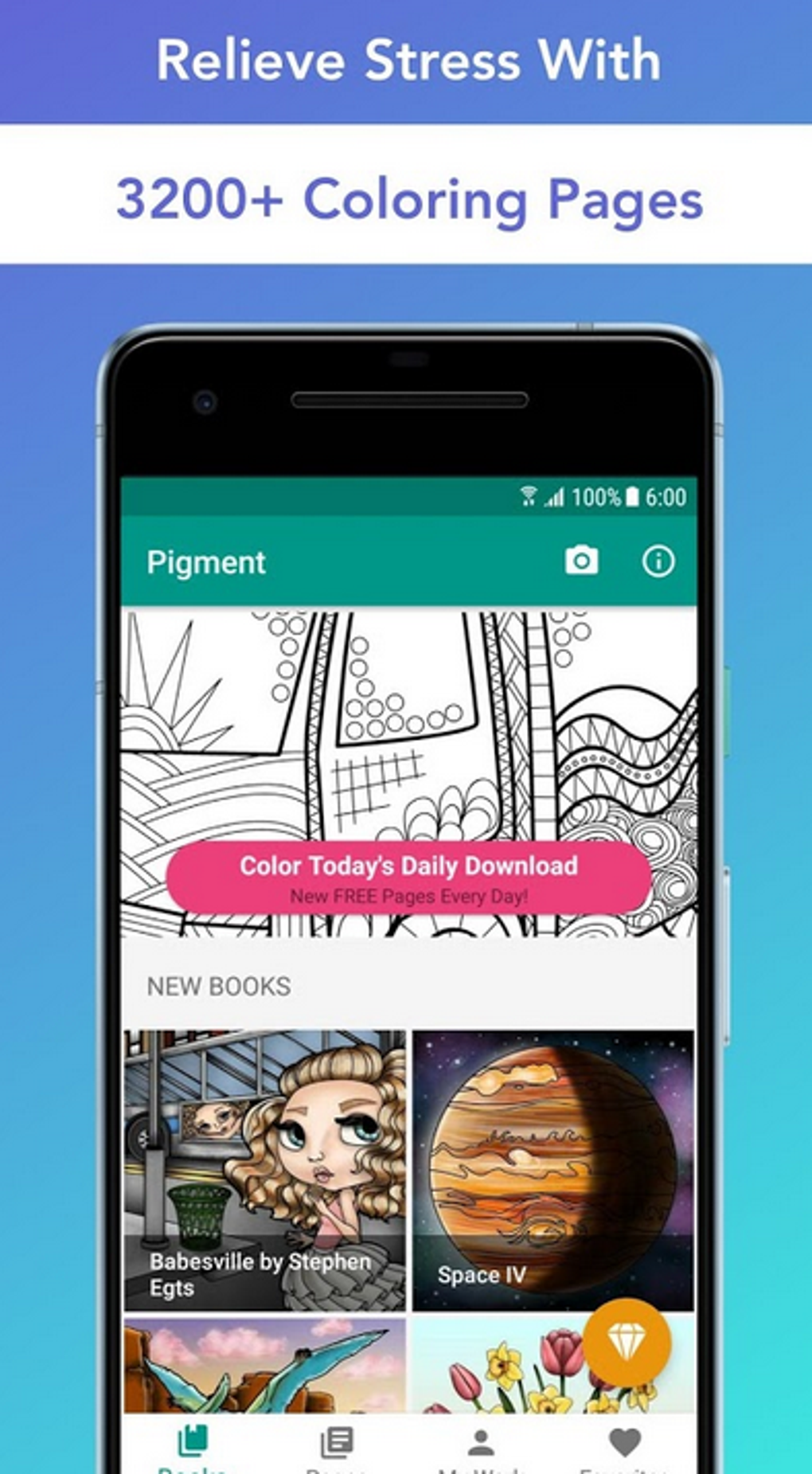
Pigment stands out from other coloring apps due to its impressive collection of illustrations, its user-friendly interface, and its intuitive design. The app offers a variety of coloring tools, allowing users to customize their experience. The ability to zoom in on intricate details ensures a high level of precision, allowing users to create truly detailed and polished artwork.
The app’s interface is clean and uncluttered, avoiding unnecessary complexity. This makes it easy for users to navigate and focus on the creative process without being overwhelmed by confusing menus or options. The simple yet effective tools and color palettes allow for both basic and more advanced coloring techniques. Users can experiment with different shades, layer colors, and create unique color combinations.
The vast library of illustrations is another key feature of Pigment. With over 2,200 images available, users have access to a diverse range of subjects and styles. Whether they prefer intricate mandalas, realistic portraits, or whimsical cartoons, Pigment offers something to appeal to every taste. The frequent addition of new illustrations ensures the app remains fresh and engaging, preventing the feeling of repetition.
Technical Aspects and User Experience
Pigment is readily available for download on Android devices. The app is relatively lightweight, requiring minimal storage space and resources, making it accessible to a wide range of users. The download size is a manageable 28.69 MB, ensuring quick and efficient installation. The app’s performance is generally smooth and responsive, with minimal lag or freezing.
The app is designed with simplicity in mind, minimizing the learning curve for new users. The intuitive interface and straightforward controls make it easy to pick up and start coloring immediately. This ease of use is a significant factor in the app’s appeal, allowing users to focus on the creative process rather than struggling with complicated controls. The app’s clean design and minimalist aesthetic contribute to a relaxing and focused user experience.
Comparison with Alternative Apps and Conclusion
While several digital coloring apps are available on the market, Pigment distinguishes itself through its comprehensive features and extensive illustration library. Many alternative apps offer a more limited selection of images or a less user-friendly interface. While other apps may focus on specific niches, such as mandalas or specific themes, Pigment’s breadth of styles and subjects caters to a broader audience. Some competitor apps may lack the same level of detail in their illustrations, or their tools may be less intuitive and versatile.
In conclusion, Pigment offers a compelling combination of features that make it a stand-out choice for those seeking a relaxing and creative digital coloring experience. The app’s vast library of high-quality illustrations, user-friendly interface, and intuitive tools make it an excellent choice for both casual users and those who are serious about their coloring. Whether you are looking to reduce stress, practice mindfulness, or simply unleash your creative potential, Pigment provides a fantastic digital canvas for self-expression and artistic exploration. The ease of use, combined with the extensive library and regular updates, ensures a consistently engaging and enjoyable experience. The app’s positive reviews and high download numbers further cement its position as a leading digital coloring app on the Android platform. While alternative options exist, Pigment’s comprehensive package and well-executed design make it a strong contender in the competitive digital coloring app market. The absence of any significant drawbacks and its overwhelmingly positive aspects ensure that Pigment provides a satisfying and enriching experience for its users.
File Information
- License: “Free”
- Latest update: “May 27, 2025”
- Platform: “Android”
- OS: “Android 5.0”
- Language: “English”
- Downloads: “8.9K”
- Size: “28.69 MB”
- Download Options: “APK, Google Play”
- Filename: “com.pixite.pigment_1.5.6.apk”


