
Pixel Art Studio Free is a versatile and user-friendly software application designed for creating and editing pixel art. This free program offers a surprising range of features, making it accessible to both beginners and experienced pixel artists. Whether you’re aiming to craft simple bitmap icons or intricate animated sprites, Pixel Art Studio Free provides the tools to bring your pixel art vision to life. This review delves into the software’s capabilities, strengths, and limitations, providing a comprehensive assessment for potential users.
Ease of Use and Interface
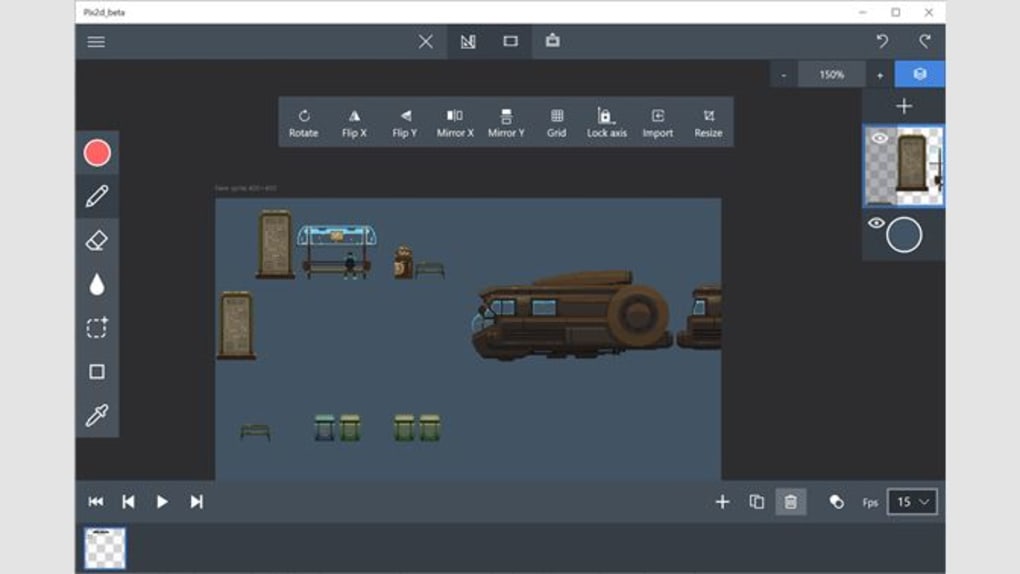
One of Pixel Art Studio Free’s greatest strengths lies in its intuitive interface. The program boasts a clean and uncluttered design, ensuring a straightforward user experience. Even those unfamiliar with pixel art software will find the controls easy to navigate and understand. The layout is logical and well-organized, allowing users to quickly access the tools they need without unnecessary distractions. This user-friendly approach makes the software ideal for beginners who are taking their first steps into the world of pixel art. The simplicity doesn’t compromise functionality, however. Experienced users will also appreciate the efficiency and ease of workflow offered by the program’s well-designed interface.
The software’s straightforward nature also contributes to a relatively short learning curve. Tutorials or extensive prior experience aren’t prerequisites to start creating. The basic tools are readily available and their functions are immediately apparent. This makes the process of experimenting and learning enjoyable and accessible to a wide range of users.
Features and Functionality
Beyond its intuitive interface, Pixel Art Studio Free packs a punch in terms of functionality. The core feature, naturally, is the creation and editing of bitmap images. The program allows for precise control over individual pixels, a crucial aspect for creating authentic pixel art. This level of control enables artists to achieve a level of detail and intricacy that’s difficult to replicate with other image editing software.
Beyond static images, Pixel Art Studio Free supports animation. Users can create sprite sheets and bring their pixel creations to life with simple animations. This feature significantly expands the creative potential of the software, allowing users to develop small animations for games, social media content, or personal projects. The animation tools are as easy to use as the static image editing tools, meaning even novice animators can quickly begin creating moving images within the program. The integration of animation capabilities within the same easy-to-use interface makes Pixel Art Studio Free a particularly compelling choice for aspiring game developers.
Furthermore, Pixel Art Studio Free enables the integration of music into projects. Although specifics on file format compatibility might need clarification in the program documentation, this feature adds another dimension to the creative possibilities. The ability to combine visual and audio elements allows for the creation of richer, more engaging pixel art experiences.
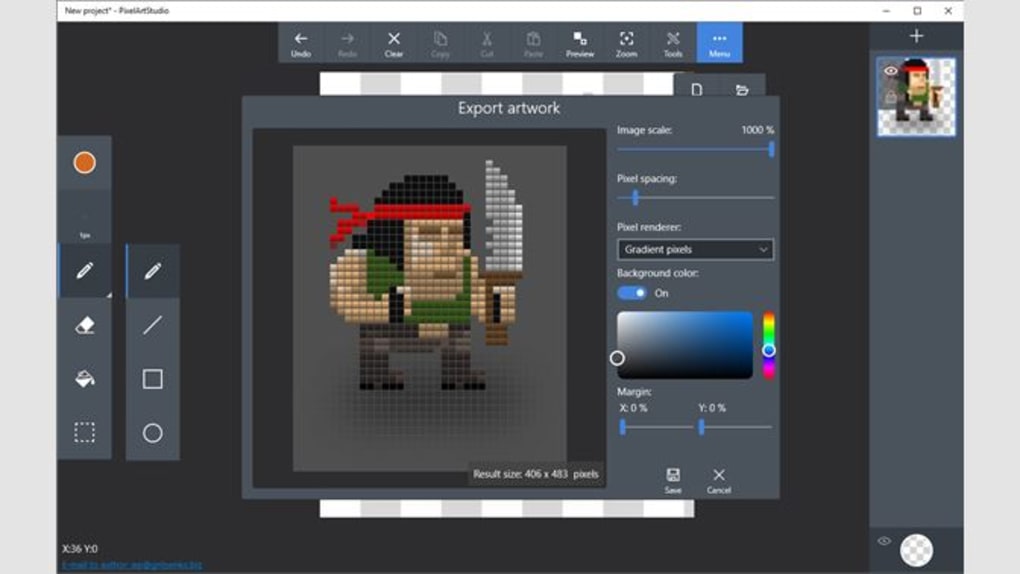
The program also offers robust export options. Users can export their artwork in various formats, including sprite sheets, ideal for use in game development. Sharing creations is simplified with options to export images and directly share them through platforms like Google Drive. This streamlined export process ensures seamless collaboration and easy distribution of finished work.
Comparison with Other Pixel Art Software
Pixel Art Studio Free stands out in the crowded field of pixel art software due to its combination of ease of use and comprehensive feature set, particularly considering it’s a free program. However, it’s useful to compare it to other popular options to fully appreciate its position in the market.
Aseprite: Aseprite is a widely recognized and powerful pixel art editor, known for its professional features and smooth workflow. While Aseprite provides a more advanced and feature-rich experience, it comes with a price tag. Pixel Art Studio Free offers a compelling free alternative for users who may not need the full range of Aseprite’s capabilities. The trade-off is the reduced number of advanced features, but the free nature of Pixel Art Studio Free often justifies this for many users.
Piskel: Piskel is an open-source browser-based pixel art editor, appreciated for its simplicity and accessibility. It’s excellent for beginners due to its minimal interface. While Piskel is free and easy to use, it lacks some of the advanced features found in Pixel Art Studio Free, such as advanced animation tools and robust export options. Pixel Art Studio Free offers a more comprehensive and feature-rich experience, even for beginners who appreciate a more sophisticated interface.
GIMP: GIMP (GNU Image Manipulation Program) is a versatile and powerful open-source image editor capable of handling pixel art. Its strengths lie in its extensive plugin support and community. However, GIMP’s interface can be overwhelming for beginners, making it a less approachable option for those new to digital art. Pixel Art Studio Free provides a significantly more user-friendly entry point into pixel art creation, while still offering a robust set of core features.
GrafX2: GrafX2 is a bitmap image editor, inspired by Amiga Deluxe Paint, praised for its ease of use and powerful toolset. Its strengths often lie in specific workflows or features not directly comparable to Pixel Art Studio Free’s. The choice between GrafX2 and Pixel Art Studio Free often depends on individual preference and specific project needs.
The comparison highlights that Pixel Art Studio Free occupies a unique niche. It bridges the gap between simple, beginner-friendly tools and more complex, feature-rich software, providing a balance that makes it a strong contender for many users, especially those starting out in pixel art or seeking a free option without compromising core functionality.
Limitations
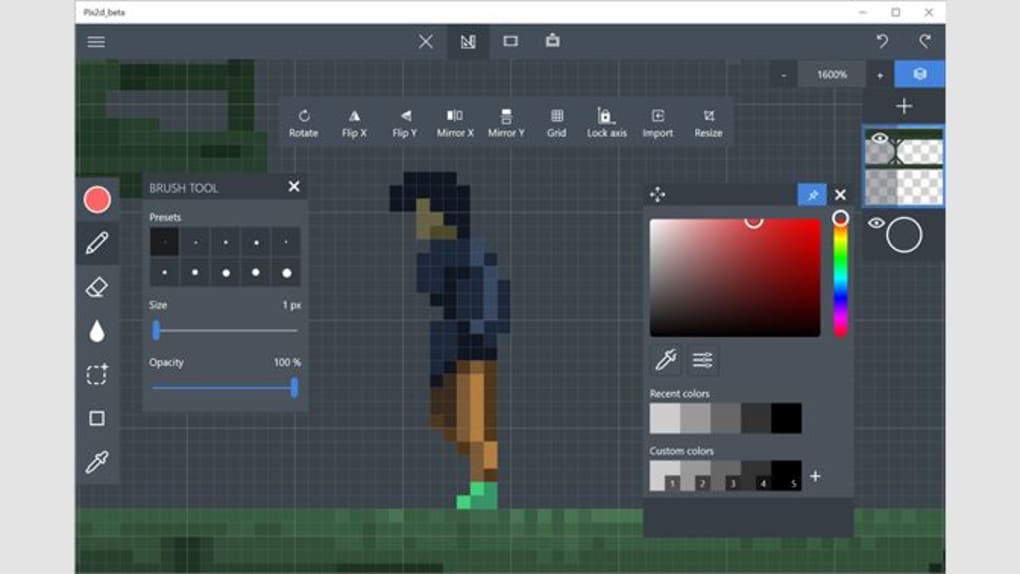
While Pixel Art Studio Free offers considerable value as a free program, certain limitations are worth noting. While the animation features are included, they may not be as extensive or polished as those found in dedicated animation software. The lack of advanced layering features might also restrict the complexity of certain projects. For professional-grade work or large, complex projects, more specialized software might be necessary. The community support and online resources might also be less extensive compared to more established and long-standing software.
Conclusion
Pixel Art Studio Free offers a compelling blend of accessibility and functionality. Its user-friendly interface, combined with a good selection of features including animation and music integration, makes it a valuable tool for anyone interested in creating pixel art. While it may not replace professional-grade software, it’s an excellent starting point for beginners and a convenient option for those needing a free and easy-to-use pixel art editor. The software effectively serves as a strong entry point into the world of pixel art, capable of handling a wide range of projects without demanding significant technical expertise or financial investment. The ease of use and intuitive design contribute to a positive user experience that both novice and experienced artists can appreciate. The program’s free availability also significantly reduces the barrier to entry for aspiring pixel artists, encouraging experimentation and creative exploration.
File Information
- License: “Free”
- Version: “2.53.12.0”
- Latest update: “January 31, 2023”
- Platform: “Windows”
- OS: “Windows 10”
- Language: “English”
- Downloads: “971”


