
Pixel Ruler is a lightweight yet powerful freeware application designed for Windows users. Its primary function is to provide an on-screen ruler that allows for precise measurement of any object displayed on your monitor, in both pixels and centimeters (depending on the application settings). This seemingly simple tool proves invaluable in a variety of situations, from web design and graphic editing to software development and general screen-based tasks. This detailed guide will explore Pixel Ruler’s features, functionalities, alternatives, and its place within the wider landscape of Windows utilities.
Understanding Pixel Ruler’s Core Functionality
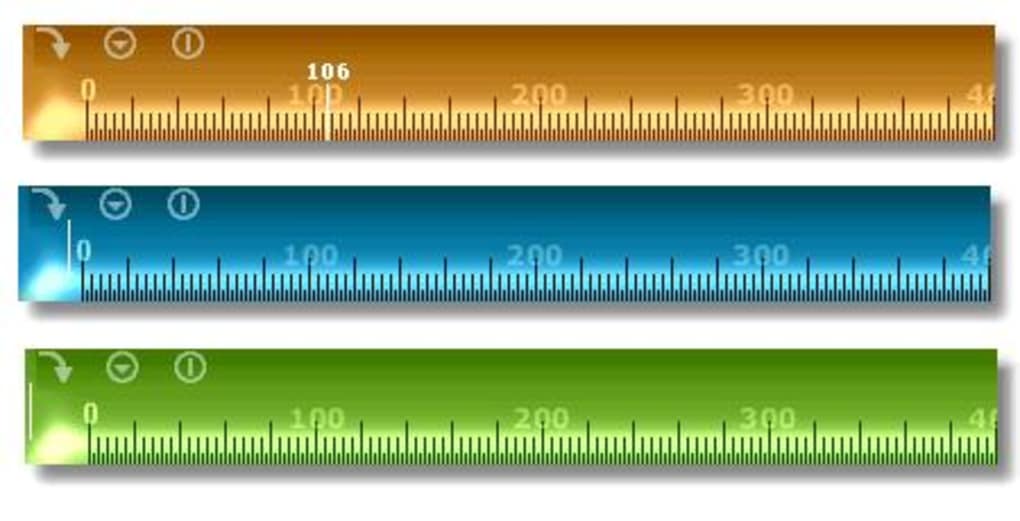
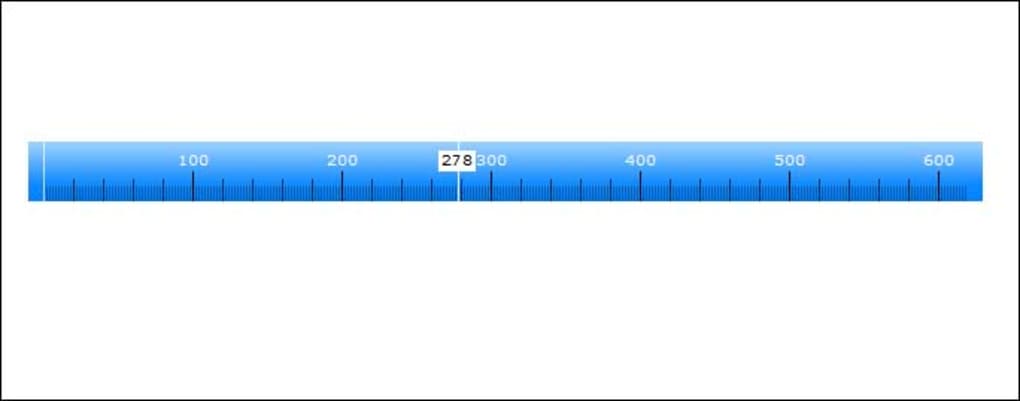
At its heart, Pixel Ruler offers a straightforward solution to a common problem: accurately measuring distances on a computer screen. The application presents a virtual ruler that remains consistently visible on the screen, constantly tracking the cursor’s position. This real-time feedback allows for quick and easy measurement of any element, be it a button, an image, text, or any other on-screen object. The ruler provides measurements in both horizontal and vertical directions, giving users a complete understanding of an object’s dimensions.
One of Pixel Ruler’s key advantages lies in its simplicity. Unlike some more complex image editing or design software that includes measurement tools, Pixel Ruler focuses solely on this task, resulting in a streamlined and user-friendly interface. Its small size means it consumes minimal system resources, ensuring it runs smoothly on a wide range of Windows machines, even older ones. This minimal resource footprint also contributes to its quick load times, making it a ready-to-use tool for those who need quick measurements.
Installing and Using Pixel Ruler
The installation process for Pixel Ruler is uncomplicated. Download the installer from a trusted source (such as Phanmemfree, the original source of the provided text), run the executable, and follow the on-screen instructions. The process typically involves agreeing to the license agreement and choosing an installation directory. The installation is generally quick and requires minimal user intervention.
Once installed, Pixel Ruler launches directly to its main interface, displaying the ruler. The ruler’s position can usually be adjusted, although the exact controls for this may vary depending on the version. To measure an object, simply move your mouse cursor to one end of the object; the ruler will automatically show the distance from the origin point to the cursor. Moving the cursor to the other end of the object will complete the measurement, displaying the total distance. The ruler typically provides a clear indication of the measured dimensions in pixels, allowing for precise measurements.
Pixel Ruler: Beyond Simple Measurements
While primarily a measurement tool, Pixel Ruler’s simplicity and ease of use make it applicable in many scenarios:
- Web Design and Development: Pixel Ruler can assist web designers and developers in verifying the exact dimensions of elements on a webpage, ensuring consistent design across different browsers and screen resolutions. Accurate pixel measurements are crucial in ensuring proper layout and responsiveness.
-
Graphic Design: For graphic designers, the ability to quickly and easily measure on-screen objects is extremely useful during the design and layout process. It allows for precise placement of elements and a better understanding of the spatial relationships between different components of a design.
-
Software Development: Software developers can utilize Pixel Ruler to measure the size and positioning of UI elements, ensuring consistency and optimal user experience across different screen sizes. This precision is essential in creating intuitive and user-friendly software interfaces.
-
Quality Assurance: Pixel Ruler could be part of a QA testing process to verify the pixel-perfect rendering of graphical elements within an application, ensuring consistency across different platforms.
-
General Use Cases: The tool is handy for anyone who needs to measure anything on their screen, such as taking quick measurements of an image, determining the dimensions of a text block, or verifying the alignment of elements within a document.
Alternatives to Pixel Ruler and Comparison
While Pixel Ruler serves its purpose admirably, several alternative applications offer similar functionalities, often with additional features. Some alternatives may include more advanced features such as customizable rulers, measurement units (centimeters, inches, etc.), and even protractor capabilities. However, the simplicity and ease of use remain core advantages of Pixel Ruler.
Here’s a comparison of some potential alternatives:
-
A Ruler for Windows: This freeware alternative provides basic measurement capabilities but might lack the real-time cursor tracking that Pixel Ruler offers.
-
Handy Ruler and Reading Guide: This application often includes a reading guide function in addition to ruler functionality, making it suited for users who need both features.
-
PixelWindow: A similar on-screen ruler tool, its strengths and weaknesses relative to Pixel Ruler may depend on specific user requirements and preferences.
-
Scale: A trial version application that might offer more advanced measurement features but requires payment for full functionality.
-
On-screen Ruler Portable: A portable version might be preferred for users who wish to avoid a full installation, especially if they use multiple devices.
The choice of the best alternative depends greatly on individual needs and preferences. While Pixel Ruler excels in its simplicity and ease of use, alternatives may appeal to users seeking more advanced features or specific functionalities.
Pixel Ruler’s Strengths and Weaknesses
Strengths:
-
Simplicity and Ease of Use: Its core function is implemented with utmost simplicity. The interface is intuitive and requires minimal learning curve.
-
Lightweight and Fast: Pixel Ruler’s small size ensures it consumes minimal system resources and loads rapidly.
-
Real-time Feedback: The constant tracking of the cursor’s position provides immediate visual feedback during measurement.
-
Freeware: Its availability as free software makes it accessible to all users.
- Cross-Compatibility (Potentially): While mentioned as being primarily for Windows 98 and later, its core functionality suggests a potential degree of compatibility with newer Windows versions.
Weaknesses:
-
Limited Features: Compared to more sophisticated applications, Pixel Ruler lacks advanced features such as multiple rulers, different measurement units, or angle measurements.
-
Outdated Version: The last update mentioned in the provided text was in 2010; compatibility with modern operating systems and high DPI displays may be a concern. Users might encounter compatibility issues, as mentioned in a user review.
-
Limited Support: Being a small, freeware application, Pixel Ruler may have limited or no official support channels.
Conclusion
Pixel Ruler provides a straightforward and effective solution for measuring on-screen objects in pixels. Its simplicity and ease of use are major strengths, making it a valuable tool for various applications, from web design to software development. While it lacks the advanced features of some commercial alternatives, its efficiency and low system resource requirements make it a compelling choice for users who need a quick and easy way to measure distances on their screen. However, potential users should be aware of its age and the possibility of compatibility issues with newer operating systems. Careful consideration of its limitations in conjunction with the availability of alternative applications should inform the final decision on whether Pixel Ruler best suits a particular user’s needs.
File Information
- License: “Free”
- Latest update: “January 16, 2024”
- Platform: “Windows”
- OS: “Windows XP”
- Language: “English”
- Downloads: “128.3K”
- Size: “619.24 KB”


