
Pixillion Free Image Converter is a versatile and user-friendly application designed for batch image conversion and editing. This review delves into its capabilities, strengths, weaknesses, and overall user experience, providing a comprehensive assessment of its suitability for various needs. The software boasts a robust feature set, making it a compelling option for both casual users and professionals alike. However, certain limitations and bundled software should be considered before downloading.
Ease of Use and Interface
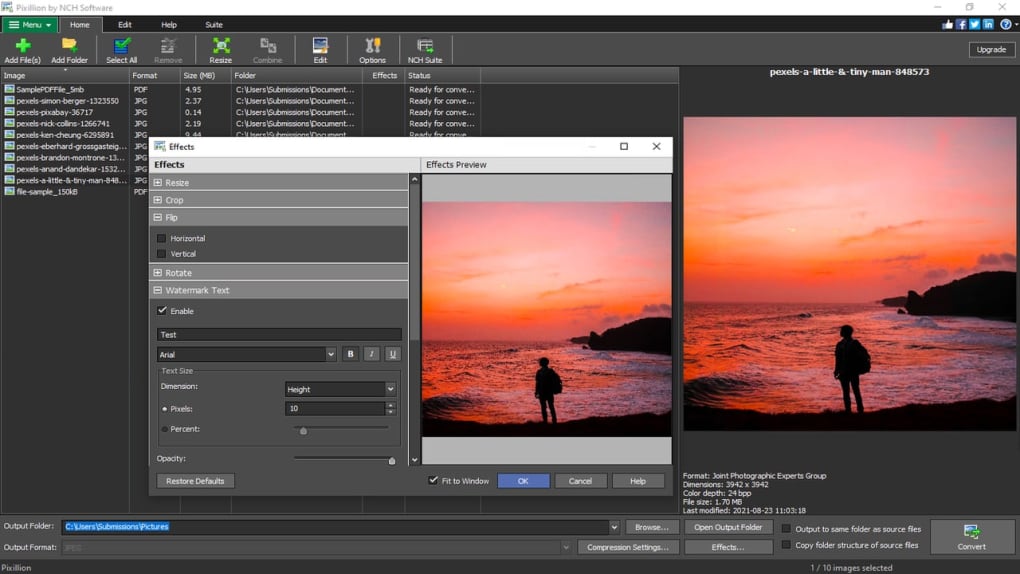
Pixillion’s strength lies in its intuitive interface. The program’s layout is clean and uncluttered, guiding users through the conversion process with minimal effort. Adding files or folders is straightforward, and the selection of output format and destination is equally simple. The “Convert” button initiates the process, making batch image conversion incredibly efficient. This ease of use is a significant advantage, especially for those unfamiliar with image manipulation software. The simplicity allows users to focus on the task at hand rather than navigating a complex interface. Even advanced options, such as adjusting encoder settings or applying edits like resizing, watermarking, or text overlays, are readily accessible through clear and well-labeled menus. This accessibility caters to both novice and experienced users, making it a versatile tool for a broad range of skill levels.
Features and Functionality
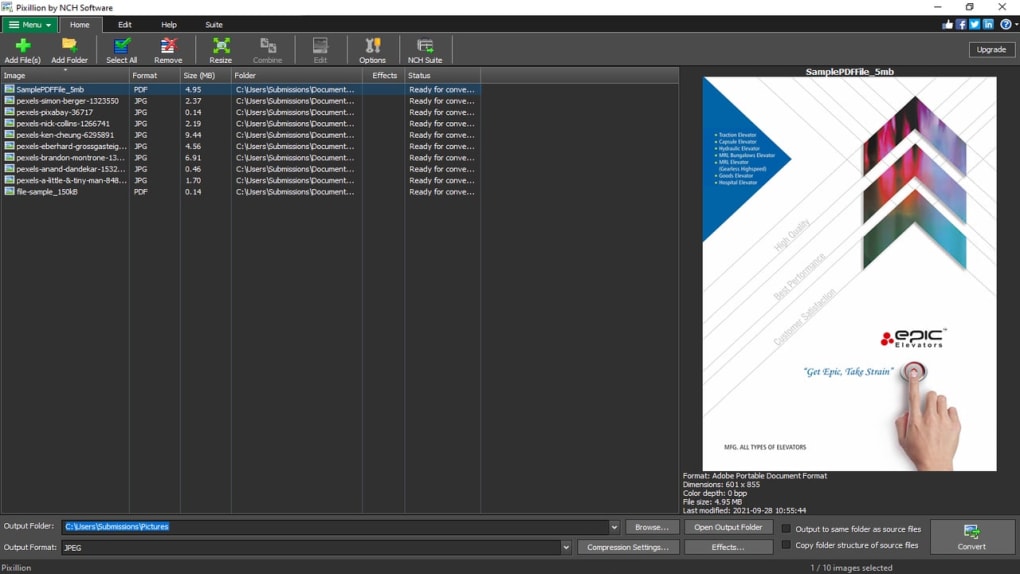
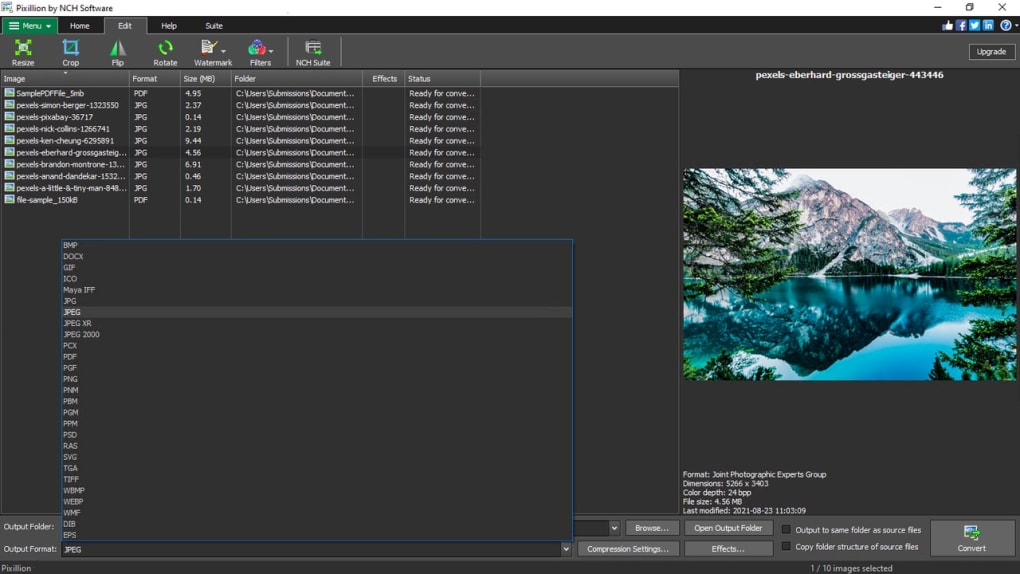
Beyond its core conversion capabilities, Pixillion offers a range of additional features that enhance its utility. The ability to batch process multiple images simultaneously significantly reduces the time required for conversions. This is particularly beneficial when dealing with large numbers of images. The extensive range of supported image formats is another key feature. The software supports a wide variety of popular formats, ensuring compatibility with diverse image sources and applications. While the exact number of supported formats isn’t explicitly stated, user reviews suggest a comprehensive library, covering common formats like JPEG, PNG, GIF, TIFF, BMP, and others. Some reviews also mention support for less common formats. However, some users have reported inconsistent support for RAW image files, indicating a potential area for improvement.
The integrated editing capabilities provide further flexibility. Users can perform basic image manipulations such as resizing, rotating, and adding text or watermarks directly within the program, eliminating the need for separate editing software. These editing features, while basic, are sufficient for many common tasks, streamlining the workflow and improving overall efficiency. The option to customize encoder settings for individual formats allows for finer control over the conversion process, providing users with advanced options to tailor the output to their specific needs. These options allow for optimization of image quality and file size, catering to various usage scenarios.
Advanced Options and Customization
While Pixillion’s ease of use is a primary benefit, its potential is further enhanced by several advanced options. The ability to run the program in the background allows users to continue working on other tasks while conversions are underway. This multitasking capability significantly improves productivity. Integration with Windows Explorer provides a convenient workflow, allowing users to right-click files or folders and directly select the “Convert with Pixillion” option. This streamlines the process, simplifying the interaction between the operating system and the conversion software. However, some users have noted that these advanced options are not activated by default. This slightly diminishes the initial user experience, as users may need to explore the settings menu to find and enable these useful features.
Potential Drawbacks and Limitations
Despite its numerous strengths, Pixillion has certain limitations that users should be aware of. The most significant concern raised by numerous user reviews revolves around the inclusion of additional software during installation. Users have reported the automatic installation of several other NCH Software applications along with Pixillion. While these applications may be useful, the bundled installation can be unexpected and potentially unwelcome. Users should pay close attention to the installation process and carefully review the options to avoid unwanted software additions.
Another limitation, as noted earlier, is the reported inconsistent support for RAW image files. While the software handles many common formats well, its ability to reliably convert RAW images may vary, possibly causing issues for users working with professional cameras. The lack of robust editing tools is another aspect worth considering. While Pixillion offers basic editing functionality, it lacks the advanced features present in professional image editing software. Users requiring sophisticated editing capabilities may need to supplement Pixillion with a more comprehensive program. Finally, while the interface is generally praised for its user-friendliness, the lack of comprehensive documentation or tutorials might present a minor hurdle for some users.
User Reviews and Feedback
User reviews offer valuable insights into Pixillion’s performance and user experience. While overwhelmingly positive, some reviews highlight the previously mentioned drawbacks, such as the bundled software and inconsistent RAW file support. Positive feedback consistently focuses on the software’s ease of use, speed, and broad range of supported formats. Many users appreciate the ability to batch convert images, saving significant time and effort. The inclusion of basic editing tools is also frequently cited as a positive aspect. However, several reviews emphasize the importance of carefully reviewing the installation options to avoid the installation of unintended additional software. A significant number of users express satisfaction with the software’s overall performance and recommend it for its efficiency and user-friendly interface.
Conclusion
Pixillion Free Image Converter offers a compelling balance of ease of use and functionality. Its intuitive interface and efficient batch processing capabilities make it a practical tool for various image conversion tasks. The range of supported formats and integrated editing tools further enhance its versatility. However, the inclusion of bundled software and inconsistencies with RAW file support should be considered. Ultimately, Pixillion is a valuable tool for users requiring a simple, efficient, and user-friendly image conversion solution. The software’s strengths in speed and ease of use outweigh its minor limitations for many users, making it a worthwhile addition to the toolkit of both casual users and professionals with modest image editing needs. However, users should be mindful of the potential for additional software installations during setup and be prepared to adjust settings for optimal performance and background operation.


