
PixRecovery is a Windows-based software utility designed to repair corrupted image files. While it boasts a long history, dating back to its initial listing in 2006 on Phanmemfree, understanding its capabilities and limitations requires a thorough examination. This review delves into its functionality, user experiences, and places it within the broader context of image recovery software.
Understanding PixRecovery’s Functionality
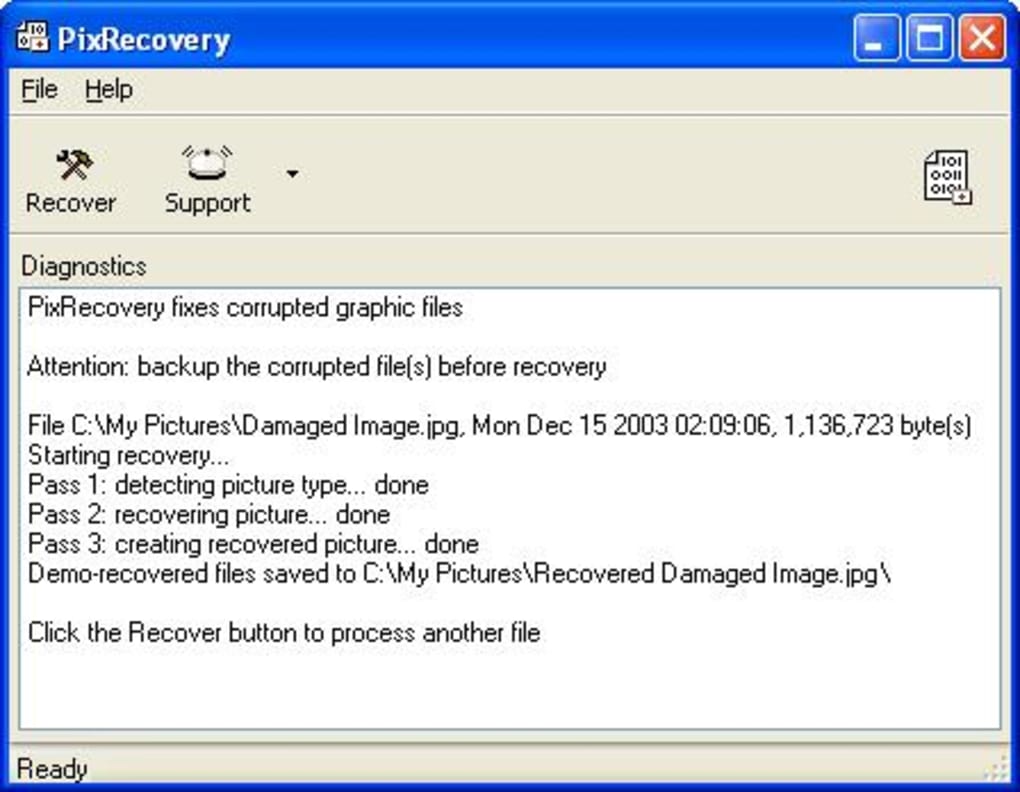
PixRecovery focuses on recovering data from damaged image files, primarily JPEG, GIF, and TIFF formats. A key characteristic is its output format: recovered images are saved as Windows Bitmap files (BMP). This conversion, while ensuring compatibility, might result in some loss of original image quality or metadata depending on the extent of the damage. The software aims to salvage the visual information, prioritizing the recovery of the image content over preserving the original file format. This approach prioritizes data recovery over maintaining the original file type, making it a viable option when other methods have failed.
The software’s simplicity is a defining feature. Its light footprint minimizes the demands on system resources, making it accessible even on older machines. This contrasts with more resource-intensive image repair tools which often require significant processing power and memory. This efficiency, however, might come at the cost of advanced features found in more comprehensive solutions. Users should expect a straightforward interface focusing solely on the image recovery process, without elaborate editing or enhancement tools.
The version history, with updates stretching back to at least 2008, suggests ongoing development, though the frequency of updates has varied over time. The availability of the software in multiple languages indicates an attempt to reach a broader user base. However, the lack of clear documentation on specific file types and recovery capabilities can make it challenging for users to determine if it’s the right tool for their specific needs.
User Experiences and Reviews: A Mixed Bag
User reviews regarding PixRecovery reveal a mixed bag of experiences. Some users report successful recovery of damaged images, highlighting the software’s effectiveness in rescuing seemingly irretrievable files. The ability to recover data from images that have been damaged due to various reasons, such as corruption, accidental deletion, or media failure, is lauded by many. This success is often attributed to its simplicity and ability to handle various degrees of image damage.
However, numerous negative reviews highlight significant issues with customer support and the overall clarity of the software’s capabilities. One recurring criticism centers around the lack of transparency regarding the different versions of PixRecovery. The software appears to offer variations specializing in different file types (JPEG, TIFF, Word documents, Excel files, etc.), creating confusion for users unfamiliar with these nuances. The website’s failure to clearly articulate these distinctions exacerbates the problem, potentially leading users to purchase an unsuitable version and then face difficulties getting support.
Furthermore, complaints regarding customer support are prevalent. Users report difficulties obtaining assistance when encountering problems, indicating a significant gap in after-sales service. The company’s location in Cyprus also raises concerns for some, citing potential difficulties in pursuing support or redress. This lack of responsive and reliable customer service significantly detracts from the user experience, especially when dealing with crucial data recovery.
Comparing PixRecovery to Alternatives
The market offers a plethora of image recovery software, ranging from free utilities to sophisticated commercial applications. PixRecovery sits somewhere in the middle, offering a balance between ease of use and functionality, but potentially lacking in crucial aspects compared to its competitors.
Higher-end commercial software often provides a more comprehensive set of features, including advanced repair algorithms, support for a wider range of file formats, and robust data recovery capabilities. These programs frequently incorporate more sophisticated error correction techniques and offer more detailed previews of recoverable data before committing to the restoration process. Moreover, their customer support tends to be more readily available and responsive.
On the other hand, free image recovery tools offer a cost-effective alternative, but often compromise on features and performance. They may lack the robustness and accuracy of commercial options and may not support the same range of file types or levels of damage. These free tools might offer basic recovery functionalities suitable for minor image corruptions, but they might not be sufficient for significantly damaged files.
Choosing the appropriate image recovery solution depends heavily on individual needs and priorities. Users seeking a simple, easy-to-use tool for occasional use and relatively minor image corruption may find PixRecovery adequate. However, those needing a more reliable and feature-rich solution, particularly for significant data loss or extensive damage, might benefit from exploring more robust commercial options.
Conclusion: A Niche Tool with Significant Limitations
PixRecovery presents itself as a straightforward image recovery tool for Windows users. While capable of rescuing data from certain types of damaged image files, it’s essential to acknowledge its limitations. The lack of transparent information regarding its various versions, coupled with unreliable customer support, significantly undermines its overall effectiveness. While its simplicity might appeal to some users, the potential for frustration due to inadequate information and support should not be overlooked.
Therefore, before considering PixRecovery, carefully weigh its strengths against its weaknesses. Assess your needs, the severity of image corruption, and the level of technical support you might require. Comparing PixRecovery to the wider range of available alternatives can help determine whether it’s the optimal choice for your specific data recovery task. Users seeking robust functionality, reliable support, and a comprehensive solution might find more suitable options elsewhere in the market. For users with simple needs and minor image damage, however, PixRecovery might provide a functional, albeit limited, solution. However, the inconsistent user experiences and lack of responsive support leave it with a significant drawback.
File Information
- License: “Trial version”
- Latest update: “July 12, 2023”
- Platform: “Windows”
- OS: “Windows NT”
- Language: “English”
- Downloads: “27.4K”
- Size: “5.96 MB”


