
PIXresizer is a free, user-friendly application designed for quickly and easily resizing and converting images. Its straightforward interface and efficient processing make it an ideal tool for individuals and professionals who frequently need to adjust image dimensions or file formats for various purposes, such as email, web posting, or sharing on social media platforms. Unlike complex photo editing suites, PIXresizer focuses solely on resizing and conversion, offering a streamlined workflow without unnecessary features. This targeted approach ensures speed and simplicity, making it a highly efficient solution for batch processing and individual image modifications.
Key Features and Functionality
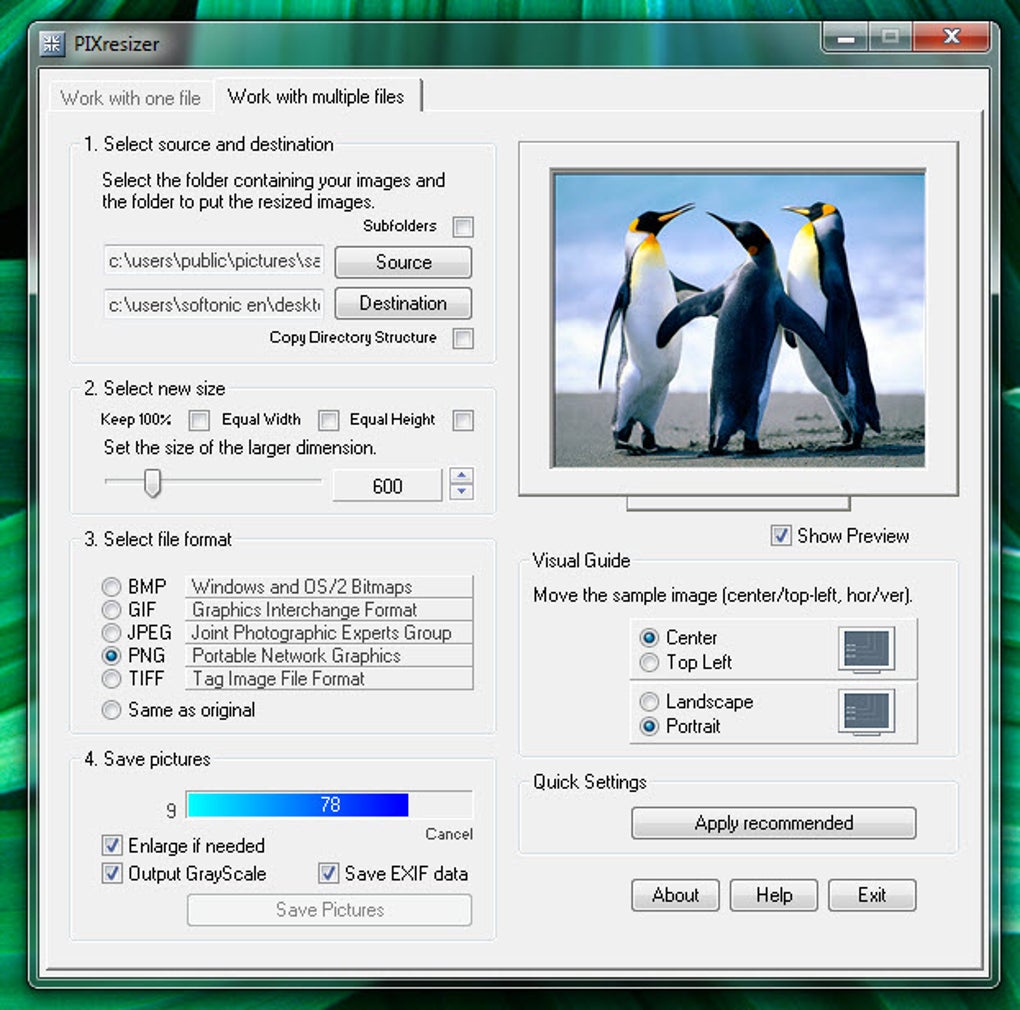
PIXresizer’s core strength lies in its ability to handle both single images and batches of files efficiently. The program provides separate interfaces for each function, simplifying the process and improving user experience. This division allows for focused operation, preventing confusion and ensuring a smooth workflow. The batch processing feature is particularly beneficial for users dealing with large numbers of images, significantly reducing the time required for resizing and conversion tasks.
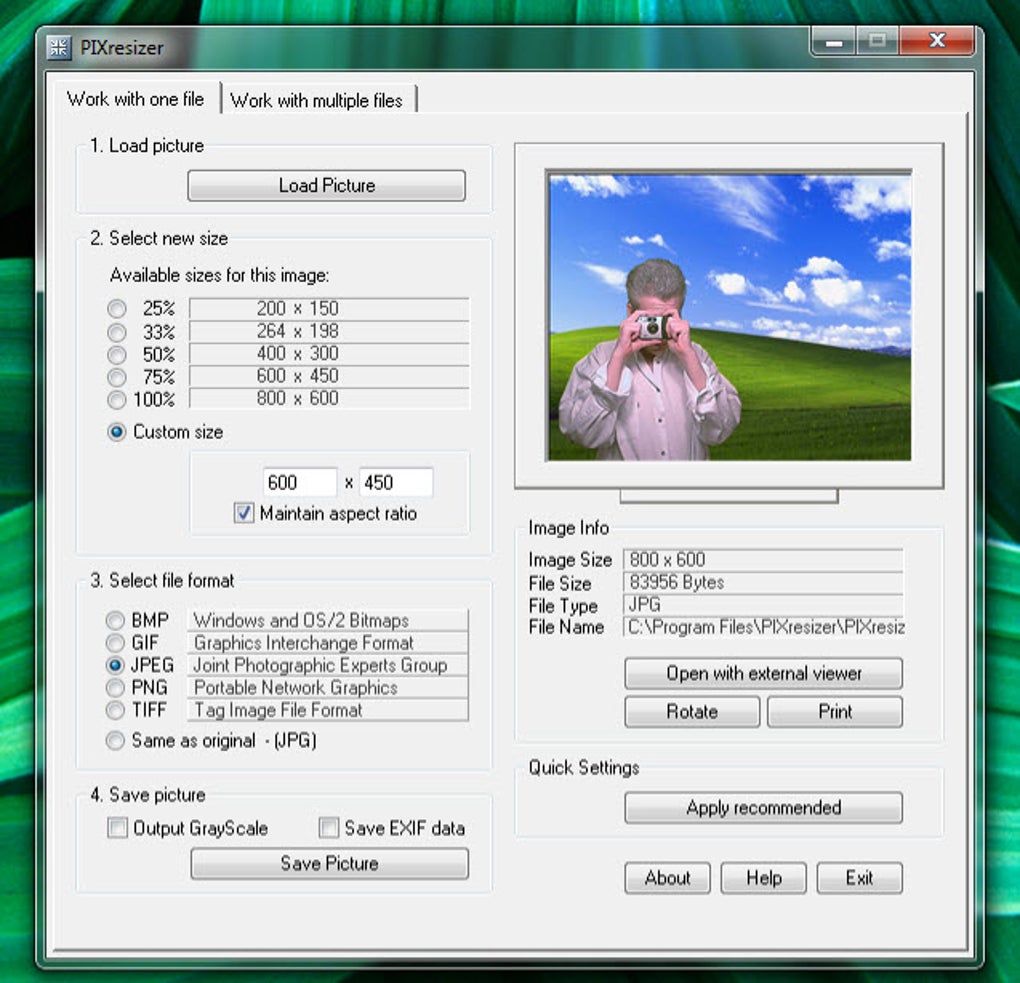
One of the standout features is the preview functionality included in the multi-file option. This allows users to visualize the changes before applying them to the entire batch, ensuring accuracy and preventing unintended modifications. This feature offers an additional layer of control, enhancing the user’s confidence in the outcome. The program supports a wide range of commonly used image formats, including JPEG, GIF, BMP, PNG, and TIFF, providing flexibility for users working with diverse image types. This broad compatibility ensures that PIXresizer can handle most image files without any compatibility issues.
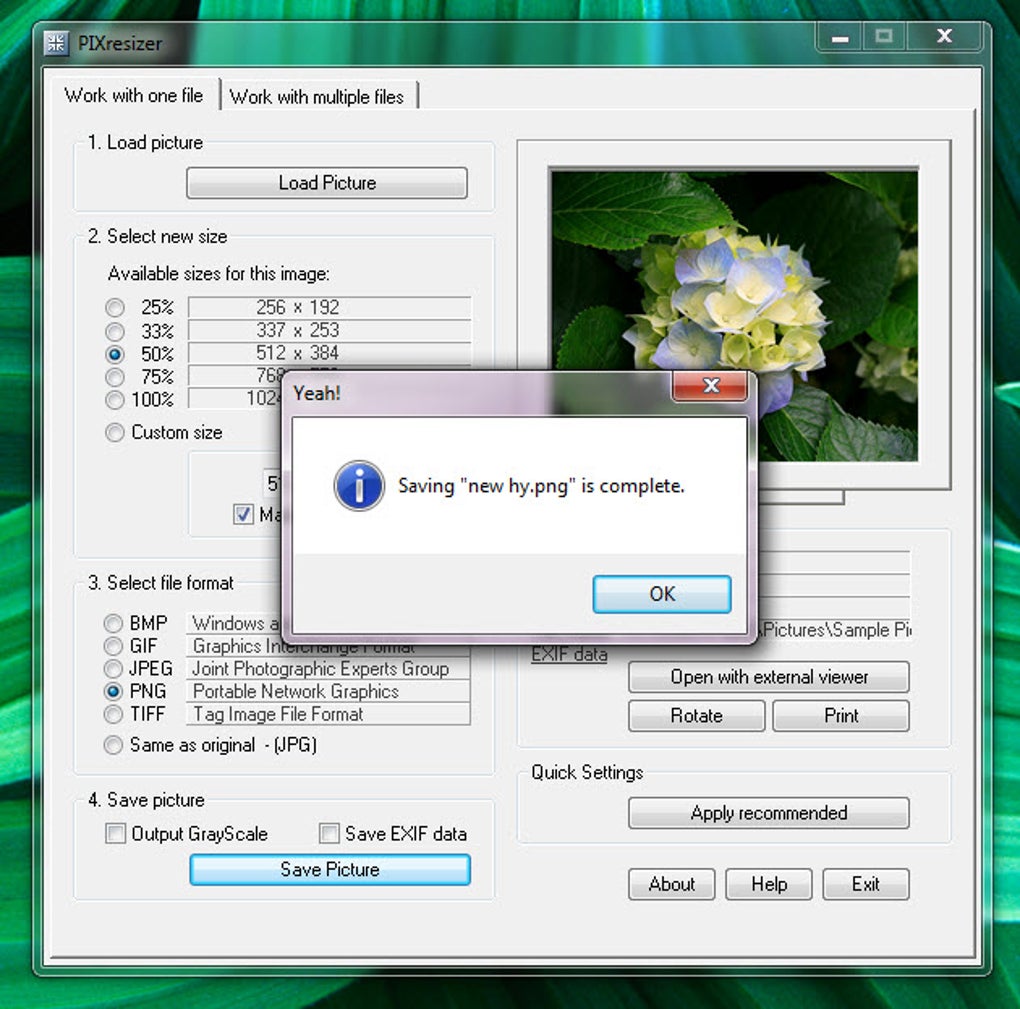
The program offers several resizing methods, providing users with control over the process. It also includes the capability to automatically recognize image sizes, which calculates the optimal resizing parameters. This automated feature is helpful for users unfamiliar with image dimensions or those who need a quick solution. This intelligent approach further streamlines the resizing process, reducing manual input and saving users time. Furthermore, PIXresizer enables users to rotate images, convert them to grayscale, and optimize file sizes for efficient online sharing.
Ease of Use and User Interface
PIXresizer prioritizes simplicity in its design, offering an intuitive interface that is easy to navigate, even for users with limited technical expertise. The program’s clean and uncluttered design focuses attention on the core functionality, making it simple to use without overwhelming the user with excessive features. This minimalist approach ensures ease of use, making the program accessible to a broader audience. The core functions – resizing, format conversion, and batch processing – are readily available, requiring minimal user interaction.
The lack of advanced features, while a limitation for some users, contributes to the program’s simplicity and efficiency. This focused design prioritizes speed and straightforwardness, making it a practical choice for users who primarily need to resize and convert images without intricate editing capabilities. The interface focuses solely on the key functionalities, making it remarkably straightforward to select input files, choose resizing options, and initiate the process.
Performance and Efficiency
PIXresizer boasts impressive processing speeds, particularly useful when dealing with numerous images. The application processes files quickly, minimizing wait times and improving overall efficiency. This speed is a direct result of its focused functionality, avoiding the performance overhead associated with complex photo editors. The efficient processing ensures that even large batch operations are completed in a reasonable timeframe, making it a practical solution for high-volume image processing.
The program’s efficient resizing algorithms minimize data loss and maintain good image quality, even when reducing file sizes. This ensures that the resized images remain visually appealing and suitable for their intended use. The balancing act between file size reduction and image quality preservation is a key strength of PIXresizer. The program also saves the resized images in a separate folder, leaving the original files untouched. This precaution prevents accidental modification of the original images, a significant benefit for users who value the preservation of their original image assets.
Comparison with Alternative Software
Several alternative image resizing applications exist, each with its strengths and weaknesses. While PIXresizer excels in its simplicity and speed, other software offers more advanced features. For instance, some applications include more elaborate editing tools, allowing users to make more extensive adjustments beyond simple resizing. However, these features often come at the cost of increased complexity and slower processing times. This trade-off highlights PIXresizer’s niche: it provides a highly efficient solution for basic resizing tasks without the complexities of more comprehensive image editors.
High-end software packages, such as Adobe Photoshop, offer a vastly broader range of editing capabilities but are significantly more complex to learn and use, and are typically priced considerably higher. Free alternatives sometimes lack the speed and efficiency of PIXresizer, or may include unwanted add-ons or bundled software. The streamlined nature of PIXresizer stands out as a significant advantage for users who prioritize efficiency and ease of use over advanced editing features.
Therefore, the best choice of image resizer depends on individual needs and priorities. If speed, simplicity, and efficiency are paramount, PIXresizer is an excellent choice. However, for users needing advanced editing capabilities, more comprehensive software might be a better option. The simplicity of PIXresizer is its greatest strength and sets it apart from more feature-rich applications.
User Reviews and Feedback
User reviews consistently highlight PIXresizer’s ease of use and efficiency. Many users praise its straightforward interface and rapid processing times, emphasizing its value for quickly resizing numerous images. The positive feedback repeatedly underscores the program’s simplicity and effectiveness in fulfilling its core function. The ability to process batches of images without losing quality is often cited as a major benefit.
While largely positive, some reviews mention the program’s outdated appearance and limited functionality. Users desiring more advanced editing capabilities would need to consider alternative software. However, for its intended purpose – basic resizing and conversion – the positive feedback greatly outweighs the criticisms. This confirms PIXresizer’s effectiveness as a focused and efficient solution. The lack of advanced features is not a drawback for most users, as it contributes to the program’s simplicity and speed.
Conclusion
PIXresizer offers a compelling solution for users seeking a fast, simple, and efficient image resizing and conversion tool. Its strengths lie in its streamlined interface, rapid processing speed, and batch processing capabilities. While not a replacement for advanced photo editing software, PIXresizer serves its purpose admirably, providing a user-friendly and effective way to manage image sizes and formats. The program’s focus on essential features contributes to its speed and ease of use, making it a valuable tool for anyone frequently resizing images. Its free availability further enhances its appeal, solidifying its position as a practical and efficient choice for a wide range of users.
File Information
- License: “Free”
- Latest update: “July 11, 2023”
- Platform: “Windows”
- OS: “Windows 2003”
- Language: “English”
- Downloads: “1.1M”
- Size: “3.08 MB”


