
Planbook is a Windows-based application designed to streamline the process of organizing and managing study schedules. Its intuitive interface, similar to that of Outlook, allows students to efficiently plan their academic calendars, saving valuable time and effort in the process. This review explores Planbook’s features, benefits, limitations, and alternatives, providing a comprehensive understanding of its capabilities and suitability for students of all levels.
Streamlining Your Study Schedule: Key Features of Planbook
Planbook offers a robust set of features designed to cater to the diverse needs of students. Its core functionality revolves around creating and managing detailed study plans, ranging from single-day schedules packed with classes to comprehensive two-week plans that account for weekends and holidays. This flexibility allows users to tailor their schedules to their specific academic calendars and individual learning styles.
One of Planbook’s standout features is its ability to accommodate a wide range of subjects. Users can incorporate up to 20 different subjects into their schedules, ensuring comprehensive coverage of their coursework. The software also facilitates the integration of external resources, enabling users to link schedule entries to relevant web pages, teacher information, class details, and other pertinent materials. This functionality enhances the richness of the schedule, providing students with easy access to supplementary information directly within the planning interface.
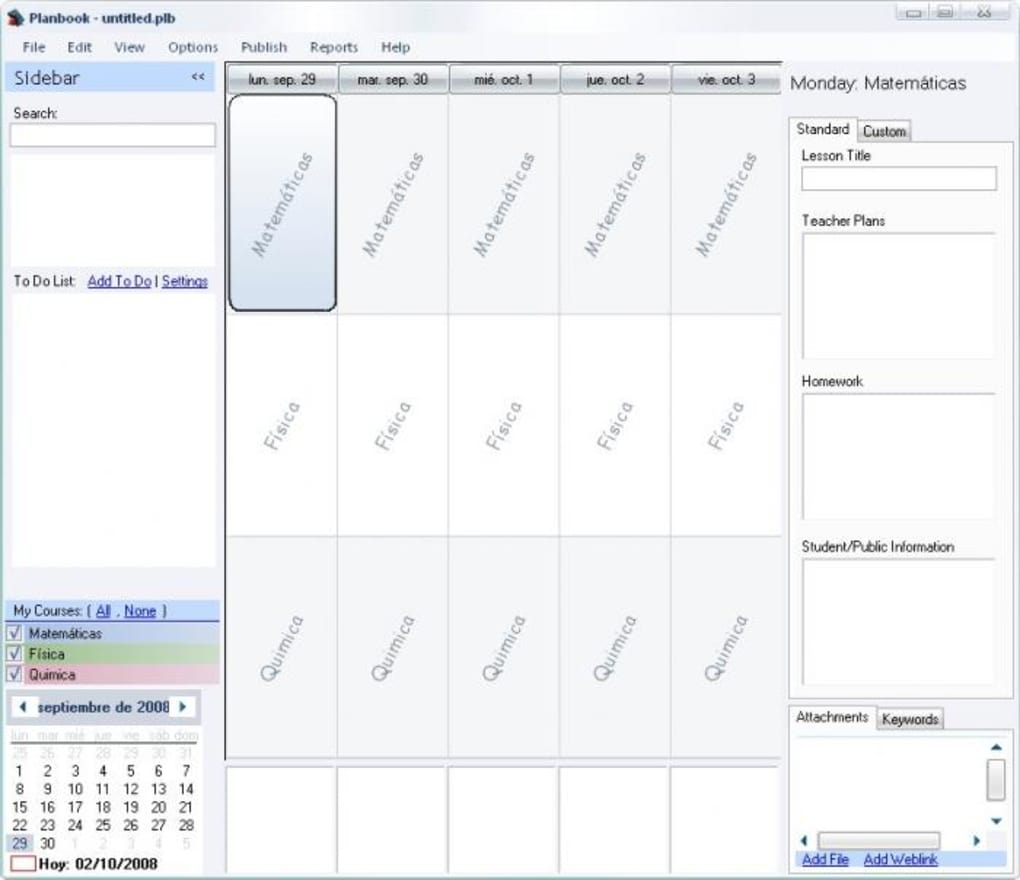
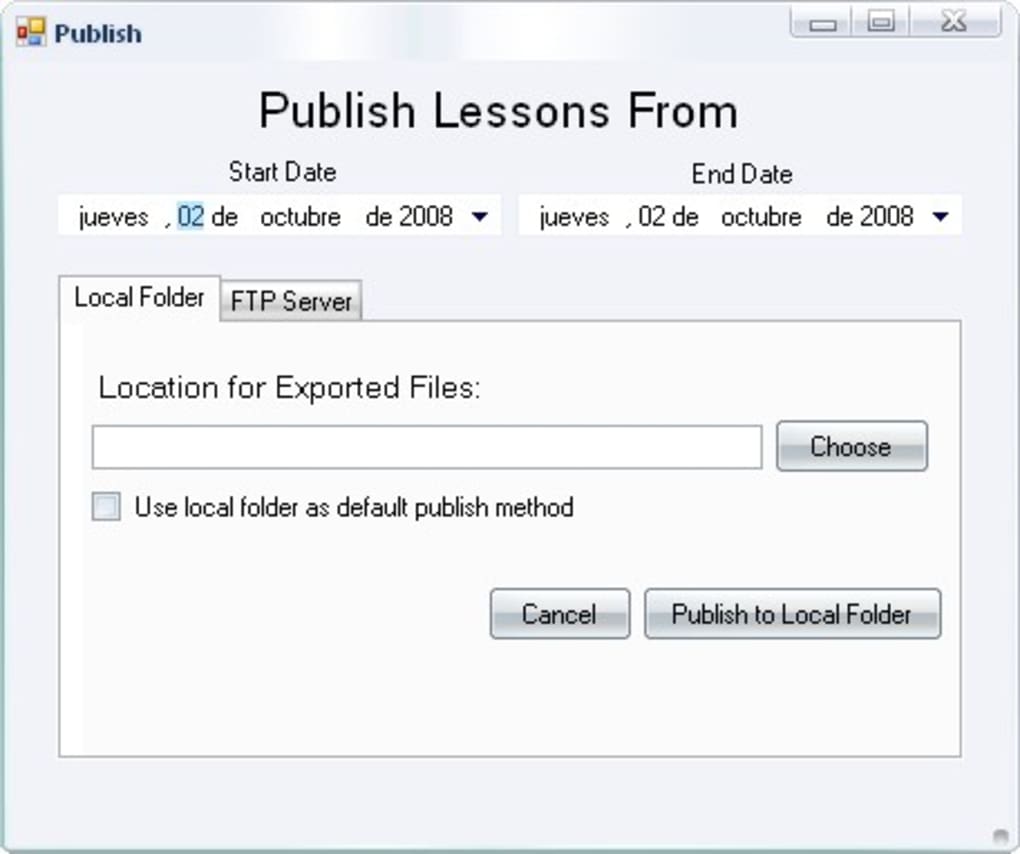
Furthermore, Planbook incorporates a powerful search function, allowing users to quickly locate specific entries within their schedule using keywords. This feature is particularly useful for students with busy schedules needing to quickly find information about a particular class or assignment. For enhanced accessibility, Planbook also provides export options. Users can export their entire curriculum to HTML format for convenient sharing or archiving. Alternatively, they can upload their schedule to an FTP server, granting access from any location with an internet connection. This flexibility caters to students requiring access to their schedules on multiple devices or locations.
The program’s interface is designed for ease of use. Modifying entries is straightforward; if a class is canceled or rescheduled, users can easily adjust their plans with minimal effort. This adaptability is critical for managing the unexpected changes that often occur in academic schedules.
Beyond Scheduling: Advantages and Disadvantages of Planbook
Planbook’s primary advantage lies in its simplicity and effectiveness in managing complex study schedules. The intuitive interface minimizes the learning curve, allowing students to quickly become proficient in using the software. The ability to link external resources adds another layer of utility, transforming Planbook from a mere scheduler into a central hub for all study-related information. The search and export features provide added convenience, allowing for efficient retrieval and sharing of scheduling data.
However, Planbook is not without limitations. A significant drawback is the lack of collaborative features. Students cannot share or collaboratively edit schedules with classmates or study groups. This absence of collaborative functionality restricts its use in group projects or collaborative learning environments. The absence of features such as reminders, notifications, or integration with other calendar applications also limits its overall functionality compared to more modern scheduling tools.
Planbook in Comparison: Alternative Scheduling Applications
While Planbook offers a functional solution for individual study planning, several alternative applications provide enhanced features and capabilities. Many modern calendar applications, such as Google Calendar, Outlook Calendar, and Apple Calendar, offer robust scheduling capabilities, including reminders, notifications, and collaboration features absent in Planbook. These applications also typically integrate with other productivity tools and services, offering a more comprehensive ecosystem for managing academic and personal tasks.
Specialized study planning apps, available on various platforms, offer features such as task management, progress tracking, and goal setting, extending beyond simple scheduling. These apps often provide advanced analytics and visualization tools to help students monitor their study habits and identify areas for improvement.
Furthermore, numerous online platforms and websites provide free or paid study planning resources. These resources may offer features similar to Planbook but often include community aspects, forums, or study groups, facilitating interaction and collaboration among students.
Technical Specifications and Availability
Planbook, available for Windows and Mac, is offered as a trial version. The software is primarily English-language, although translations may exist in other languages depending on distribution channels. The version number at the time of this writing was 2.6.2, last updated on August 24, 2010. The application’s size is relatively small, at approximately 1.93 MB, suggesting a lightweight installation process with minimal system resource consumption. The developer, Hellmansoft, is responsible for maintenance and updates; however, given the age of the last update, future updates or support are uncertain.
User Reviews and Feedback
As of this writing, user reviews for Planbook are scarce. The lack of readily available user feedback makes it difficult to ascertain the long-term satisfaction and performance of the software. However, the core features described earlier suggest that the software might still be suitable for users who primarily require a simple and easy-to-use study scheduling tool without extensive collaboration or advanced features.
Conclusion: Assessing the Utility of Planbook in Today’s Learning Environment
Planbook provides a straightforward approach to organizing study schedules, offering an intuitive interface and basic functionalities for managing coursework. Its ability to link external resources and allow for HTML or FTP export enhances its utility. However, the absence of collaborative features, limited update history, and lack of user reviews highlight its limitations compared to more modern and feature-rich scheduling and study planning tools. While Planbook might suffice for users with simple scheduling needs and a preference for a minimalist approach, students seeking collaborative capabilities, advanced features, and ongoing support would benefit from exploring more contemporary alternatives. The current landscape of calendar applications and study planning software offers a wider array of options tailored to meet the increasingly complex demands of modern learning environments. Therefore, a thorough evaluation of available alternatives is recommended before settling on Planbook as a primary study planning solution.
File Information
- License: “Trial version”
- Latest update: “August 24, 2010”
- Platform: “Windows”
- OS: “Windows 8”
- Language: “English”
- Downloads: “2.6K”
- Size: “1.93 MB”


