
Plotagon is a free 3D animation software designed to simplify the process of creating animated movies and videos. Its intuitive interface and pre-set options make it accessible to beginners while offering enough depth to satisfy more experienced animators. Whether you’re a seasoned professional or a complete novice, Plotagon provides a streamlined approach to bringing your stories to life. This review will delve into the various aspects of Plotagon, exploring its strengths, weaknesses, and overall suitability for different users.
Character Creation and Customization: Your Cast Awaits
One of the key features of Plotagon is its character creation system. Users can choose from a pre-existing library of diverse 3D models, providing a starting point for their projects. This selection offers a range of characters with varying appearances, expressions, and clothing styles, ensuring that you can find a suitable representation for your story’s characters. However, the free version of Plotagon offers a limited selection of characters. While sufficient for many simple projects, users aiming for greater character diversity and customization may find themselves needing to purchase additional character packs. This paid aspect can add cost and potentially limit creativity for users on a budget.
The customization options, while somewhat constrained in the free version, allow for adjustments to character appearance. This includes changes to hair style, clothing, and accessories. Users can fine-tune their characters to better match their vision, making them unique and memorable within the context of the story. While full-fledged customization (like creating entirely new character models from scratch) is absent, the existing options offer a decent level of personalization within the confines of the software’s predefined templates. This balanced approach aims to maintain ease of use while still allowing for character differentiation.
The process of selecting and positioning characters within the scenes is straightforward and intuitive. The interface makes it easy to drag and drop characters, arrange them in the scene, and adjust their poses. This simple yet effective method allows users to quickly set up their shots without needing extensive knowledge of 3D animation principles. This ease of use is a significant advantage for beginners who may be intimidated by more complex animation software.
Scriptwriting and Animation: Bringing Your Story to Life
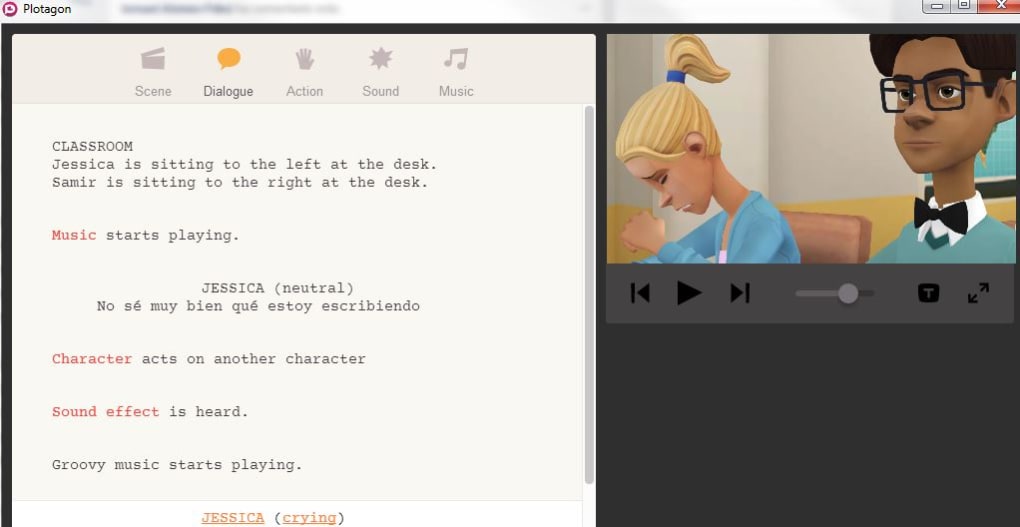
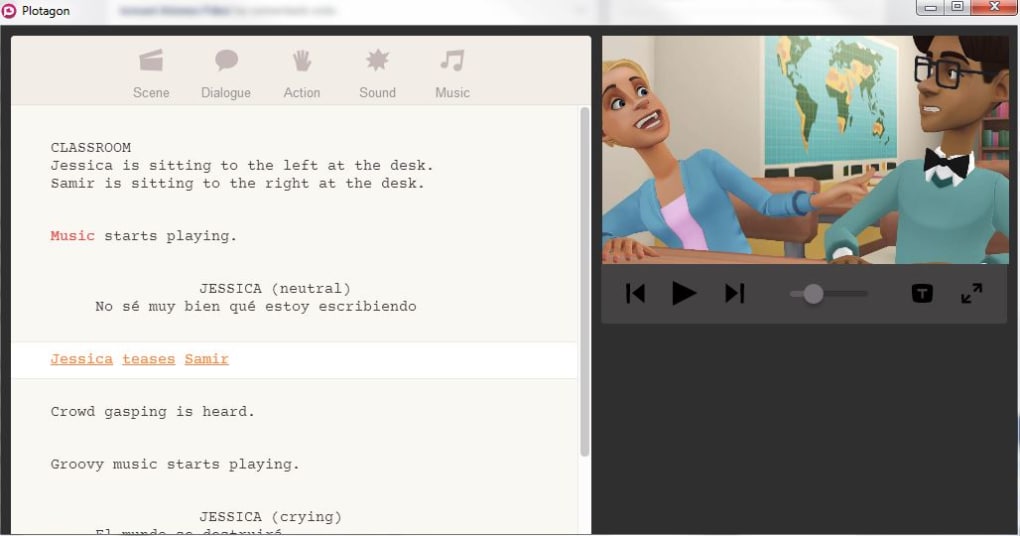
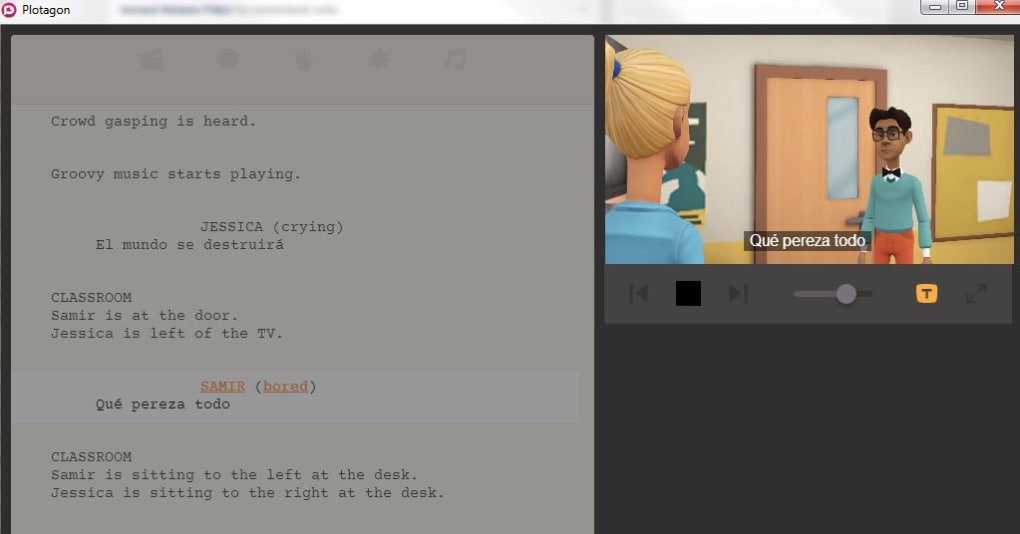
Plotagon offers a user-friendly scriptwriting tool that seamlessly integrates with the animation process. The software provides a script-writing interface that resembles a standard screenplay format, making it easy to manage dialogue, character actions, and scene descriptions. This intuitive interface helps users organize their narratives and ensures a smooth workflow between writing and animation.
The scriptwriting tool allows users to specify various attributes for each character, such as emotions and animations. This allows for precise control over how a character is portrayed in a given scene, adding nuance and depth to their actions and reactions. This level of control enhances storytelling capabilities, enabling users to convey emotions and intentions accurately. The software’s ability to link actions to specific lines of dialogue simplifies the animation process.
The animation options, while not fully customizable in the free version, are extensive and varied. Plotagon provides numerous predefined animations for each character, covering a range of actions, emotions, and expressions. The animations are well-executed, realistically portraying different moods and movements. Users simply select the desired animation for a character in a scene, minimizing the need for manual animation or extensive technical knowledge. This simplified animation system is a major strength of Plotagon, making animation accessible even to those without prior experience. However, the lack of fully customizable animations might limit creative control for users who require more specific or unique movements for their characters.
Setting the Scene: Environments and Backgrounds
Plotagon offers a selection of pre-designed environments and backgrounds to serve as the setting for your animated movies. These backgrounds range from everyday locations such as classrooms and parks, to more fantastical or dramatic scenarios. The diverse selection allows users to set the appropriate mood and atmosphere for their scenes, creating visual consistency and enhancing the storytelling. Similar to character customization, the free version of Plotagon presents a limited range of backgrounds, with many others available through in-app purchases.
The ease of selecting and implementing these backgrounds is one of the software’s greatest assets. Users can easily choose a pre-set background for each scene, creating a visually consistent and engaging environment for their stories. The backgrounds are generally high-quality and blend seamlessly with the characters and animations, helping to create a polished and professional look. The limitations of the free version’s background selection are mostly outweighed by the high quality and easy implementation of the available options.
Audio and Sound Design: Adding Depth and Immersion
To complement the visual aspects of your animation, Plotagon incorporates audio capabilities that allow users to enhance the overall experience. Users can incorporate sound effects and music to enhance the mood and atmosphere of their scenes, adding layers of richness and realism to the overall production. The integration of audio effects further enriches the storytelling experience.
One of Plotagon’s notable features is the inclusion of text-to-speech functionality. Users can input dialogue and have it converted to synthetic speech using the software’s built-in voices. While the synthetic voices are not as natural as human voice actors, this feature provides a convenient solution for users who lack access to professional voice talent. It’s a valuable tool for creating quick prototypes or for projects with limited budgets.
Alternatively, users can also record and import their own voice recordings, or those of other actors. This feature allows for a much higher level of customization and realism in dialogue delivery. By leveraging this feature, users can create more emotive and engaging scenes, adding a personal touch to their creations. This offers flexibility for users wishing to create highly personalized and dynamic narrative pieces.
Sharing and Collaboration: Connecting with a Community
Plotagon facilitates sharing your finished animations across various platforms, including YouTube and other social media channels. This feature allows creators to showcase their work to a wider audience, receive feedback, and participate in a vibrant community of fellow animators. Sharing options are simplified and user-friendly, making it easy to distribute your creations and engage with a broader audience.
The active Plotagon community is a significant advantage for aspiring animators. The platform provides opportunities to connect with other users, seek inspiration, and share feedback. This collaborative environment fosters creative growth and provides a valuable support network for users at all skill levels.
Limitations and Alternatives
While Plotagon excels in its ease of use and accessibility, it does have some limitations. The restricted options in the free version can be a major constraint for users aiming to create more complex or highly personalized animations. The lack of comprehensive camera control, for instance, limits the possibilities for dynamic camera angles and movements, potentially hindering the creation of more visually captivating scenes. Furthermore, the absence of full character customization beyond preset options may restrict creative control and prevent users from achieving a uniquely original aesthetic.
Several alternative animation software programs exist, each with its own strengths and weaknesses. These alternatives cater to different skill levels and offer varied degrees of customization and complexity. Some alternatives provide more extensive animation capabilities and flexibility, while others may be easier to use for specific tasks. Consider comparing Plotagon’s features and limitations to alternatives such as Muvizu, AniMaker Drag, Source Filmmaker, and others, to determine which program best suits your individual needs and goals.
Conclusion: Plotagon’s Place in the Animation Landscape
Plotagon occupies a unique niche in the animation software market. Its user-friendly interface and streamlined workflow make it an ideal entry point for beginners interested in 3D animation. The ease of use coupled with decent graphical capabilities and basic animation tools allows users to quickly create engaging videos, without requiring extensive technical expertise or a deep understanding of complex animation principles.
While the limitations of the free version and certain creative restrictions may deter more seasoned animators or those aiming for highly sophisticated projects, Plotagon remains an excellent choice for casual users, students, educators, or anyone looking for a quick and easy way to create impressive 3D animations. Its simplicity should not be viewed as a weakness, rather as a strength for those users who desire a straightforward and accessible platform without the steep learning curve associated with more complex professional animation software.
File Information
- License: “Free”
- Latest update: “June 13, 2025”
- Platform: “Windows”
- OS: “Windows 7”
- Language: “English”
- Downloads: “186.5K”
- Size: “643.47 MB”


