
The digital landscape is increasingly reliant on browser extensions to enhance functionality and personalize the online experience. Google Chrome, a dominant player in the browser market, offers a vast library of extensions, also known as plugins, catering to diverse needs – from productivity tools and security enhancements to entertainment and specialized utilities. However, managing these extensions can sometimes feel cumbersome. Navigating to the extension management page requires remembering and typing a specific URL, interrupting workflow. This is where plugins, or more specifically, plugin management tools, come in. These tools aim to simplify the process of accessing and managing Chrome extensions, offering a more streamlined and user-friendly experience. This article delves into the world of Chrome extension management, exploring the challenges, the solutions offered by dedicated plugin management tools, and the overall impact on user efficiency.
The Challenges of Chrome Extension Management
Chrome’s extension management system, while functional, presents some usability challenges. The primary inconvenience lies in accessing the extensions page itself. Users need to manually type chrome://extensions into the address bar, a relatively minor task, but one that adds a small yet noticeable friction to the overall browsing experience. This seemingly trivial action, repeated numerous times daily by power users, accumulates to a significant time drain over time. Moreover, for those unfamiliar with the specific URL, finding the correct page to manage extensions often necessitates a Google search or exploration of Chrome’s menu options, adding to the overall inconvenience.
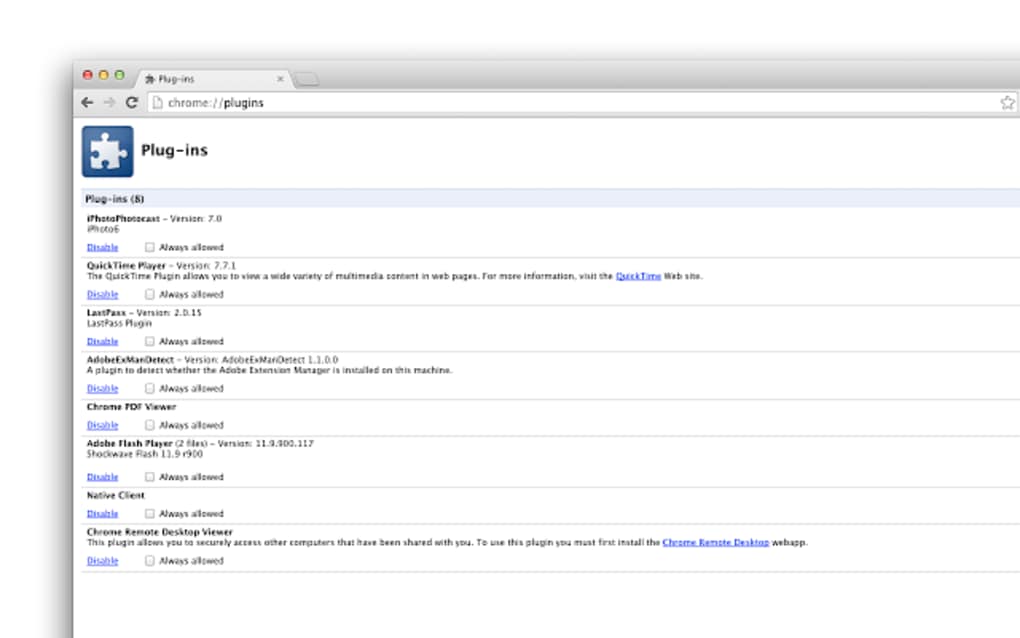
Furthermore, the inherent nature of extensions, their diverse functionalities, and the ever-growing number of available extensions add complexity to the management process. Users may have dozens of extensions installed, each with its own settings, permissions, and potential conflicts. This complexity increases the likelihood of accidental disabling of crucial extensions or overlooking essential updates, impacting workflow and potentially jeopardizing security. The inherent nature of the process of individually enabling or disabling each extension further contributes to the overall difficulty.
Consider the scenarios where a user needs to quickly enable or disable a specific extension based on context, such as switching between work and leisure browsing modes. The manual process of navigating to the chrome://extensions page and then locating and toggling the specific extension becomes a time-consuming, multi-step procedure. This is especially problematic when efficiency is paramount and quick access to the extensions page is crucial for seamless workflow. It’s in these instances where the limitations of Chrome’s inherent management system become apparent, highlighting the need for dedicated plugin management tools.
The Rise of Plugin Management Tools
The challenges presented by Chrome’s built-in extension management system have prompted the development of dedicated plugin management tools. These tools act as intermediaries, providing a streamlined interface for accessing and interacting with the Chrome extensions page, eliminating the need for manual URL entry and potentially simplifying other aspects of extension management. They primarily serve as a shortcut, transforming a multi-step process into a single click.
A key feature of these tools is the creation of a readily accessible button or icon within the Chrome toolbar. Instead of typing the URL, users can simply click this icon, instantly launching the Chrome extensions page in a new or existing tab, depending on the tool’s settings. This seemingly simple modification significantly reduces the time and effort required to manage extensions, allowing users to focus on their tasks without interruption.
Functionality and Features of Plugin Management Tools
While the core function of most plugin management tools is providing quicker access to the extensions page, some tools may offer additional features, enhancing the user experience further. These additional functionalities can range from customizing the way the extensions page is opened (new tab vs. current tab) to more sophisticated options like providing a visual overview of installed extensions and their status (enabled/disabled). The ultimate goal is to improve the overall management and usability of extensions, contributing to enhanced productivity and a smoother browsing experience.
Impact on User Efficiency and Productivity
The implementation of plugin management tools can significantly improve user efficiency and productivity. By eliminating the need to manually type the URL or navigate through Chrome’s menus, these tools save users valuable time and reduce cognitive load. This time saved, albeit minimal per instance, accumulates to a considerable amount over the course of a day or week, especially for users who frequently manage their extensions.
Moreover, the quick access provided by these tools allows for a more dynamic management of extensions, enabling users to switch between different sets of extensions based on context. Imagine a user who switches between a work profile requiring specific extensions and a personal profile requiring a different set. With a plugin management tool, this transition becomes a seamless and instantaneous click away, increasing overall efficiency and minimizing interruptions to workflow.
Conclusion: Embracing Efficiency in Extension Management
Chrome extensions are invaluable tools for enhancing online productivity and personalizing the browsing experience. However, managing these extensions shouldn’t be a tedious process. Plugin management tools, through their simple yet effective function of providing quick access to the extensions page, offer a considerable improvement to the overall user experience. By streamlining the process of accessing and managing Chrome extensions, these tools free up valuable time and effort, allowing users to focus on their tasks rather than on navigating the intricacies of the browser’s extension management system. While seemingly insignificant individually, the cumulative effect of this time-saving functionality translates into enhanced productivity and a more enjoyable browsing experience. The simplicity of these tools makes them a valuable asset for both casual and power users of Chrome extensions.
File Information
- License: “Free”
- Version: “varies-with-device”
- Latest update: “January 31, 2023”
- Platform: “Windows”
- OS: “Windows Vista”
- Language: “English”
- Downloads: “3.6K”


