
Pokki, a free desktop customization program for Windows, once offered a compelling alternative to the traditional Windows Start Menu. Released in 2013, it aimed to streamline access to applications and online services, offering a unique blend of app integration and personalized customization. While no longer actively developed, Pokki’s existence provides a fascinating case study in the evolution of the Windows interface and the attempts to reimagine user interaction with the operating system. This article delves into the features, impact, and eventual decline of Pokki, exploring its place within the broader landscape of Windows customization and third-party app integration.
Pokki’s Core Functionality: A Start Menu Reimagined
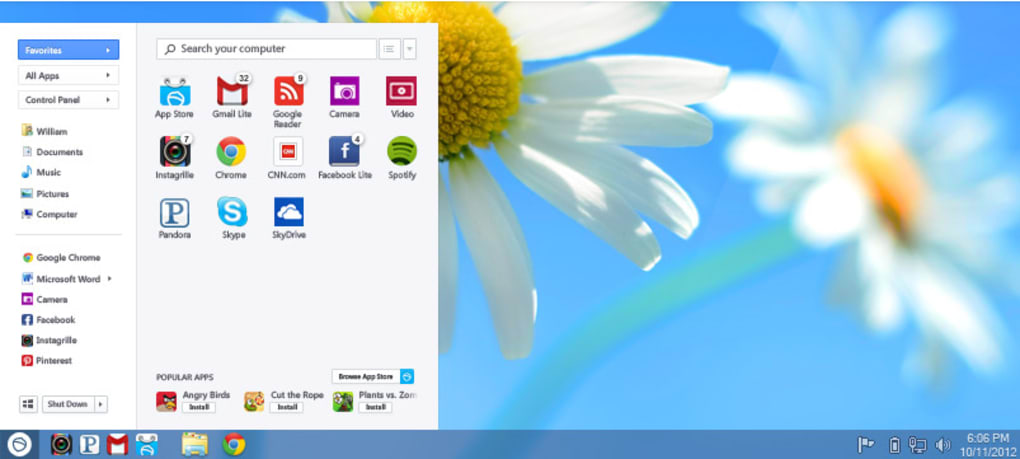
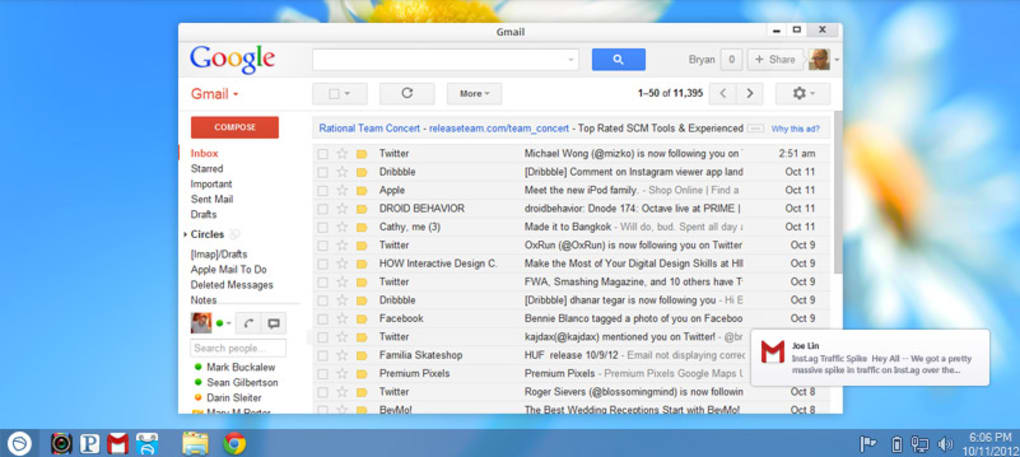
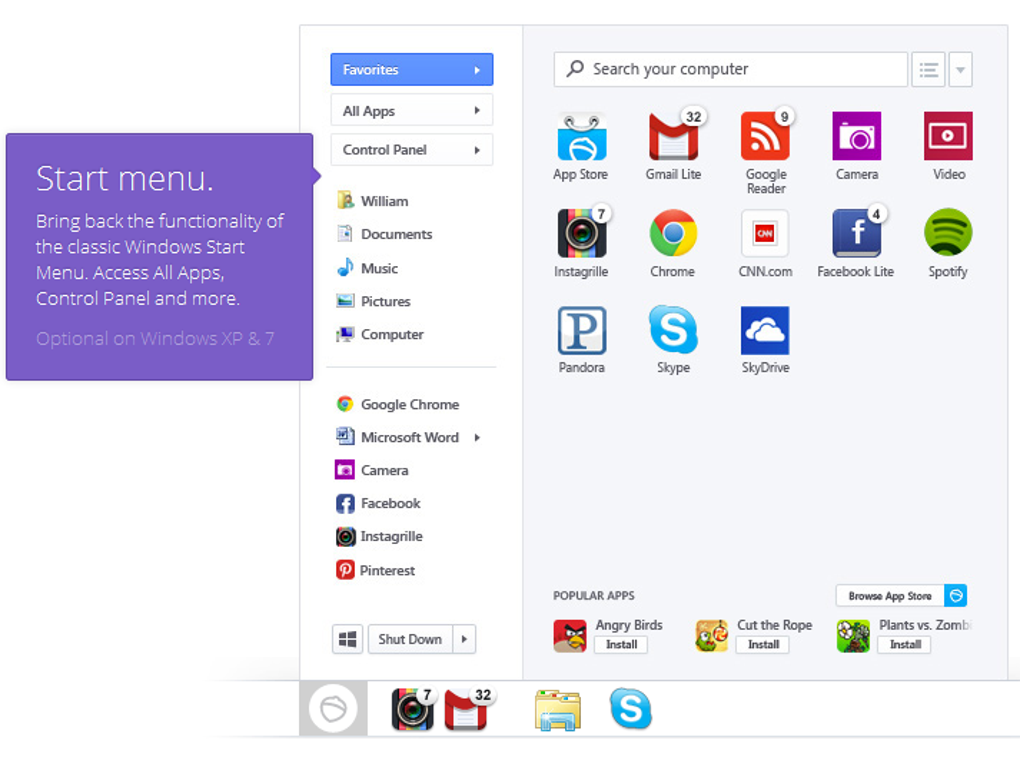
Pokki’s primary function was to replace the default Windows Start Menu with a more visually appealing and functionally richer alternative. This new menu offered quick access to a curated selection of applications, categorized for easy browsing and discovery. Instead of simply listing installed programs, Pokki integrated various online services and web apps directly into its interface, blurring the lines between desktop applications and online experiences. Users could easily launch web-based services alongside their traditional desktop software, creating a more unified and streamlined workflow.
The software’s interface was designed for simplicity and ease of use. The main menu presented a clean and intuitive layout, organizing apps into easily identifiable categories. This categorized arrangement made it simple for users to locate the applications they needed, regardless of whether they were native Windows programs or web-based applications integrated through Pokki.
Beyond its core function of providing a replacement Start Menu, Pokki also included personalization options allowing users to customize the appearance of the interface. While not as extensive as some dedicated customization tools, users could adjust the visual theme, layout, and app placement within the menu to reflect their personal preferences. This offered a degree of aesthetic control that was lacking in the standard Windows Start Menu at the time. The options, though limited, ensured a degree of user agency in tailoring the experience.
App Categories and Integrations: Expanding Beyond the Standard
Pokki organized its integrated apps into broad categories, mirroring many aspects of a typical app store or software repository. This system provided users with a simplified approach to discovering new applications and services. The categorizations were quite comprehensive, encompassing several key areas:
Games: Pokki offered access to a variety of games, categorized further into genres such as Action, Adventure, Arcade, Board, Card, Casino, Educational, Family, Music, Puzzle, Racing, Role-Playing, Simulation, Sports, Strategy, Trivia, Utilities, and Word. This broad selection aimed to cater to various gaming tastes, from casual mobile-style games to more complex titles.
AI Tools: Recognizing the growing importance of artificial intelligence, Pokki incorporated a section dedicated to AI-powered tools. Categories included AI Audio, AI Chat, AI Coding, AI Education, AI Image Generator & Editor, AI Productivity, AI Video Generator & Editor, and AI Writing Assistant. This forward-looking integration demonstrated Pokki’s commitment to adapting to emerging technologies.
Browsers and Security Tools: Pokki included sections for web browsers, highlighting various options and add-ons. A substantial portion was also devoted to security and privacy tools, including categories like Access Control, Ad Blockers, Anti-Spam & Anti-Spy, Antivirus, Encryption, Firewalls, Keyloggers, Password Management, and VPNs. This comprehensive coverage of security tools reflected the growing concerns around online privacy and security.
Productivity and Utility Apps: The inclusion of productivity and utility apps underscored Pokki’s ambition to be a one-stop shop for a range of software needs. Categories ranged from Accounting and Agenda & Calendars to File Managers and Printers & Fax. This focus on practical applications aimed to make Pokki a central hub for everyday computing tasks.
Multimedia Applications: Recognizing the significant role of multimedia in modern computing, Pokki included categories for Audio, Burning, Graphic & Design, Movies & TV, Music & Radio, Photography, Streaming Videos, and Video. This offered users a readily accessible collection of tools to manage and consume media content.
Development and IT Tools: Even the more specialized area of software development was addressed with categories like Backup & Cloud Storage, Database, Development Kits, FTP Clients, IDEs/Source Editors, Manual & Tutorials, Networking, Programming Languages, Remote Control, Servers, and Web Development. This suggested an attempt to appeal to a broader range of users, including developers and IT professionals.
Education and Reference Materials: For educational needs, Pokki included categories like Books, Catalogs, Dictionaries, E-Readers, Geography, Languages & Translation, Magazines & Newspapers, Medicine, Science, and Teaching & Training. This demonstrated an attempt to integrate resources beyond typical entertainment and productivity applications.
Lifestyle Applications: Finally, a lifestyle section was included covering categories such as Fashion & Style, Food & Drink, Grocery Lists, Health & Fitness, Hobbies, Medical, Product Reviews & Comparison, Shopping, Sports, Ticketing Service, Weather, and Workout. This broad category encompassed a wide range of tools and services catering to personal interests and daily life.
This extensive range of integrated applications set Pokki apart from other desktop customization tools, offering more than just visual adjustments; it provided a platform for accessing a wide array of software and services.
Pokki’s Strengths and Weaknesses
Pokki’s innovative approach to integrating web applications and online services into the desktop environment offered several advantages. The simplified and streamlined access to numerous applications was a significant benefit, particularly for users who frequently used a variety of online tools. The categorization of apps made browsing and discovery straightforward, and the ability to customize the interface to some degree provided a level of personalization that was appreciated by many users. The integration of security and productivity tools further enhanced its appeal.
However, Pokki also had limitations. The reliance on third-party apps and services meant that the quality and reliability of these integrations could vary. This introduced a potential for inconsistencies in user experience. The limited customization options, compared to more powerful desktop customization programs, also proved to be a drawback for some power users who desired more extensive control over the visual elements and functionalities of their desktop. Finally, the lack of continuous updates and eventual abandonment by its developers ultimately led to Pokki’s decline.
The Decline and Legacy of Pokki
Despite its initial promise, Pokki’s development eventually ceased, resulting in the abandonment of the project. Several factors contributed to this. The competitive landscape of desktop customization software became increasingly saturated, with other programs offering more extensive features and customization options. The inherent challenges of maintaining and updating a large number of integrated apps also played a role, requiring significant ongoing development and support efforts. Ultimately, the developer, Pokki, was unable to sustain the project, resulting in its eventual decline.
Even though Pokki is no longer actively supported, its existence left a mark on the evolution of Windows customization. It provided a glimpse into the potential for integrating web applications and online services directly into the desktop environment. While its approach wasn’t fully successful in the long run, its influence can still be seen in the ongoing attempts to create more seamless and integrated desktop experiences.
Conclusion: A Lesson in Innovation and Sustainability
Pokki serves as a reminder that even innovative ideas may not always succeed. While its attempt to reimagine the Windows Start Menu and integrate a vast range of applications was ambitious and forward-thinking, the challenges of sustaining such a project in a competitive market proved insurmountable. Despite its ultimate failure, Pokki’s impact on the landscape of Windows customization and the integration of online services into desktop environments cannot be overlooked. It offered a valuable lesson about the importance of not only innovation but also the sustainable development and support necessary for a long-term successful software project. The story of Pokki serves as a cautionary tale for future attempts at disrupting established interfaces and workflows. The ambition to create a more integrated and personalized computing experience remains a powerful force, but the challenges of execution and maintenance remain significant.
File Information
- License: “Free”
- Version: “1.0.0”
- Latest update: “March 10, 2017”
- Platform: “Windows”
- OS: “Windows 8”
- Language: “English”
- Downloads: “3.2K”
- Size: “822.61 KB”


