
PolyView is a Windows-based image viewer, converter, and printing utility designed for users of all skill levels. While boasting a simple and intuitive interface that appeals to beginners, it also packs powerful image manipulation, printing, and management capabilities to satisfy the needs of those working with extensive image collections. This review will delve into PolyView’s features, performance, and overall usability, comparing it to similar applications and assessing its strengths and weaknesses.
Ease of Use and Interface
PolyView’s greatest strength lies in its user-friendly design. The interface is clean, uncluttered, and straightforward, minimizing the learning curve for novice users. The application opens directly to a user-friendly display, allowing users to quickly locate and open images. The core functions, such as cropping, rotating, flipping, and adding text, are readily accessible and intuitive to use, making basic image editing tasks a breeze. This simplicity doesn’t compromise functionality; advanced features are well-organized and easy to navigate once the user becomes familiar with the program’s layout. This combination of simplicity and comprehensive features makes PolyView suitable for both casual users who need basic image adjustments and more experienced users who require more advanced editing tools. The ease of use extends to its printing capabilities as well, making it simple to print images in various sizes and formats.
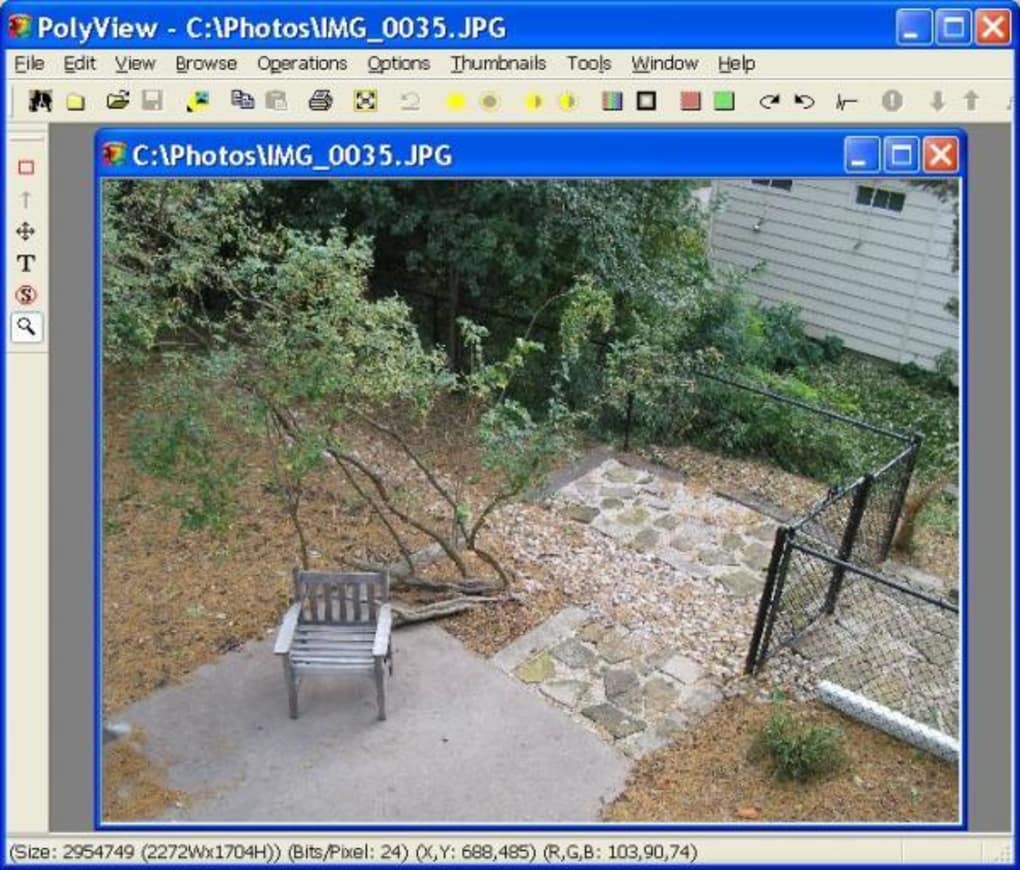
Image Editing Capabilities
Beyond its simplicity, PolyView offers a comprehensive set of image editing tools. The program allows for basic adjustments like cropping, rotating, and flipping images with ease. Moreover, users can add text to images, customize font styles, sizes, and colors for personalized touches. More advanced options include adjusting color and saturation, a crucial aspect for enhancing image quality and achieving specific aesthetic effects. The ability to add and remove backgrounds is a particularly useful feature, allowing for creative image manipulation and compositing. Additionally, the option to add borders provides further customization options for creating visually appealing images.
Advanced Features and Functionality
While its intuitive interface caters to beginners, PolyView also provides several advanced features for more experienced users. The image conversion functionality is particularly noteworthy, allowing users to easily convert images between various popular formats like JPEG, PNG, GIF, and TIFF. This versatility ensures seamless compatibility with a wide range of applications and devices. The ability to add music to photos, though a less common feature in image editors, offers a unique creative avenue for users who wish to incorporate audio elements into their image projects. This feature could be especially useful for creating slideshows or presentations with a personalized audio soundtrack.
Performance and System Requirements
PolyView is designed for efficiency and speed, even when handling large image files or numerous images simultaneously. The program’s performance is generally smooth and responsive, making the editing process quick and enjoyable. The relatively small installation size contributes to its quick startup and minimal resource consumption, making it suitable for use on systems with modest specifications. The developers have clearly prioritized efficient coding, ensuring that the program runs smoothly without impacting system performance even when processing complex editing tasks. This efficient design makes PolyView an accessible tool for a wide range of computer users, regardless of their system’s capabilities.
Comparison with Similar Applications
Compared to other photo editors and viewers, PolyView occupies a unique niche. While giants like Adobe Photoshop offer unparalleled power and a vast array of tools, they come with a steep learning curve and a hefty price tag. PolyView, on the other hand, provides a balance between ease of use and functionality, offering a compelling alternative for users who don’t need the advanced features of professional software but still require versatile editing tools. Compared to free, basic image viewers, PolyView stands out due to its more extensive editing capabilities and its user-friendly design. It outperforms simplistic viewers by providing a much more robust set of tools without sacrificing the intuitive interface.
Strengths and Weaknesses
Strengths:
- User-Friendly Interface: PolyView’s clean and intuitive interface is its primary advantage, making it accessible to users of all skill levels.
- Comprehensive Editing Tools: The program offers a wide array of editing options, from basic adjustments to more advanced features like background removal and music integration.
- Efficient Performance: PolyView runs smoothly and efficiently, even when handling large image files.
- Image Conversion Capabilities: The ability to convert images between various formats is crucial for maintaining compatibility across different applications and platforms.
- Free Trial Version: The availability of a trial version allows users to test the software before committing to a purchase.
Weaknesses:
- Limited Advanced Features: Compared to professional-grade software like Adobe Photoshop, PolyView lacks some advanced features, such as layer support or extensive filter options.
- Lack of User Reviews: The absence of user reviews on the platform makes it difficult to assess the overall user experience comprehensively.
- Trial Version Limitations: The trial version might have limitations that restrict full access to all features.
Conclusion
PolyView presents a compelling solution for users seeking a versatile and user-friendly image editor and viewer. Its intuitive interface, comprehensive editing tools, and efficient performance make it a valuable addition to any computer user’s toolkit. While it may not possess the advanced features of professional-grade software, its ease of use and robust functionality position it as a strong contender for both casual users and those needing a powerful yet accessible image management solution. The availability of a free trial version allows users to assess the software’s capabilities before investing in a full license. Although more user reviews would enhance its credibility, its current features and design indicate a promising and capable image editing tool.
File Information
- License: “Trial version”
- Version: “4.44”
- Latest update: “July 15, 2025”
- Platform: “Windows”
- OS: “Windows 98 SE”
- Language: “English”
- Downloads: “5K”
- Size: “3.02 MB”


