
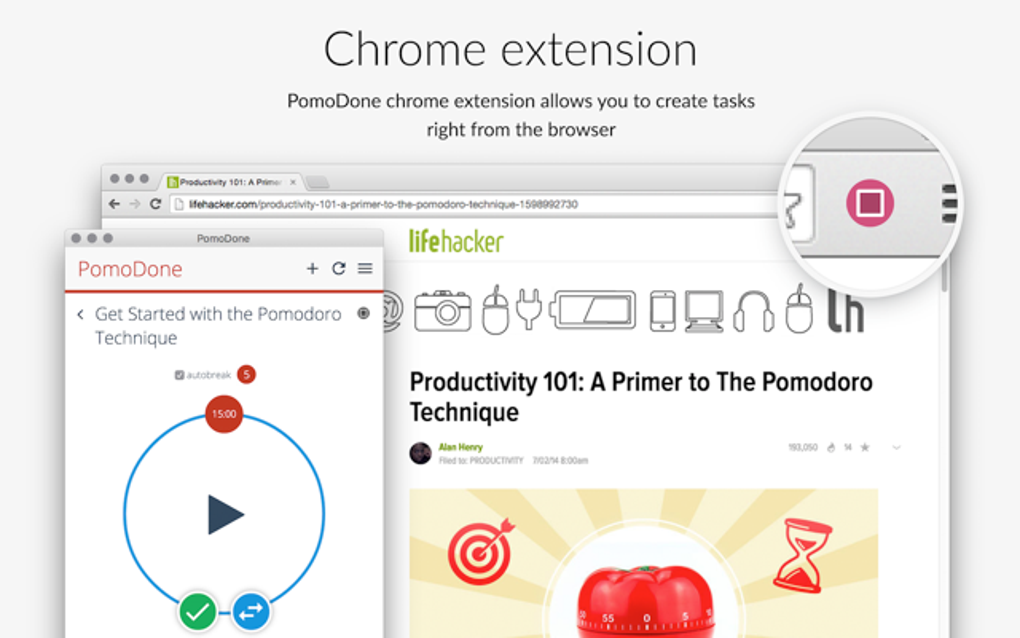
PomoDoneApp is a time management application designed to integrate seamlessly with your existing task management workflow, leveraging the popular Pomodoro Technique to enhance productivity. This review delves into its features, functionality, pros, cons, and overall effectiveness as a tool for boosting focus and achieving daily goals. Available as a mobile app, desktop application, and Chrome extension, PomoDoneApp offers a flexible approach to time tracking and task completion.
Streamlining the Pomodoro Technique
The core functionality of PomoDoneApp centers around the Pomodoro Technique, a time management method that uses a timer to break work into intervals, traditionally 25 minutes of focused work followed by a 5-minute break. PomoDoneApp simplifies this process by integrating directly with numerous popular task management applications. Instead of manually starting and stopping timers for each task, users can simply select a task within their chosen platform (e.g., Trello, Evernote, Basecamp, Wunderlist, and many more), and PomoDoneApp automatically initiates the corresponding Pomodoro timer.
This integration is a key strength of the application. It eliminates the need for juggling multiple applications, promoting a more streamlined and efficient workflow. The user interface is intentionally minimalistic, focusing on clarity and ease of use. The timer is prominently displayed, clearly showing the elapsed time within the current Pomodoro interval, along with the remaining time. This visual simplicity prevents distraction, allowing users to concentrate on the task at hand.
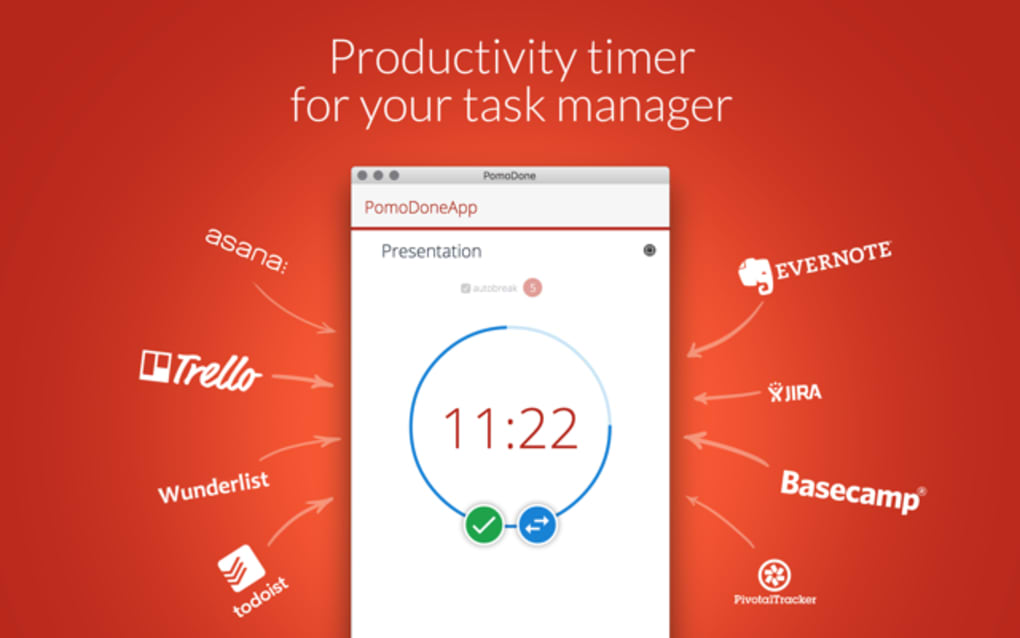
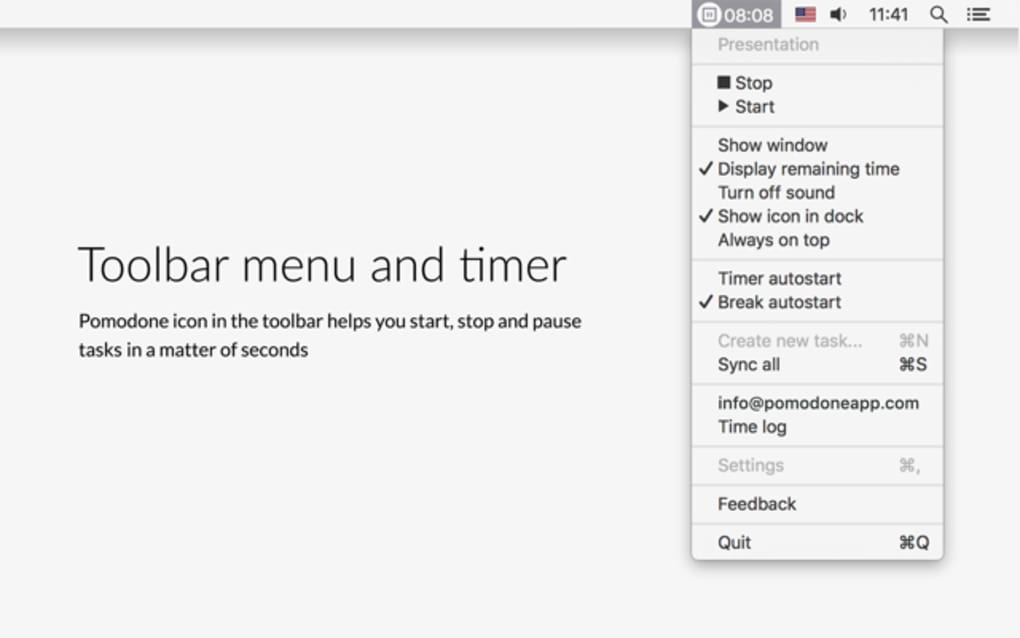
The ability to customize the timer settings is also a valuable feature. While the traditional 25-minute work session and 5-minute break are defaults, users can modify these durations to better suit their personal preferences and work styles. This flexibility caters to individuals who may find that longer or shorter work intervals are more effective for their concentration levels.
Seamless Integration with Task Management Platforms
PomoDoneApp’s strength lies in its capacity to integrate with a vast array of existing task management systems. This broad compatibility removes the barrier of transitioning between different applications, improving the overall user experience and enhancing productivity. Users can leverage their preferred task management software without compromising the benefits of the Pomodoro Technique. This integration eliminates the double-entry process of managing tasks in one application and tracking time in another. The system recognizes and tracks time spent on each task automatically, providing a clear and concise overview of work progress.
The list of compatible applications is extensive and constantly evolving. This means that chances are high that your favored task management tool will already be supported. For those using lesser-known platforms, the ease of customization and integration often accommodates these as well.
Furthermore, for many integrated apps, PomoDoneApp allows direct task editing within its interface. This feature minimizes the need to switch back and forth between applications, further streamlining the workflow. The convenience of managing tasks and tracking time within the same interface contributes to a significantly more efficient time management strategy.
Pricing and Subscription Model
PomoDoneApp operates on a subscription model, offering various tiers with differing features and integrations. While a basic free plan is available, it has limitations compared to the paid plans. The higher-tier plans unlock more integrations, providing access to a wider range of task management applications and offering more extensive customization options. This tiered pricing structure allows users to choose the plan that best fits their individual needs and budget.
For students, discounted plans are available, providing an affordable option for those who could greatly benefit from the productivity tools offered by PomoDoneApp. This accessibility ensures that the benefits of the application reach a broader audience, potentially assisting students in managing their academic workloads more effectively.
The pricing model may be a drawback for some users, particularly those who only require basic functionality. However, the value proposition of the paid tiers, particularly concerning the increased number of integrations and advanced features, may justify the cost for many users who desire a more comprehensive time management solution.
User Experience and Interface
PomoDoneApp’s user interface is meticulously designed for simplicity and ease of use. The clean, uncluttered design prioritizes the essential elements: the timer, task information, and basic controls. This straightforward approach avoids overwhelming users with unnecessary complexity, promoting focus on the tasks themselves. The intuitive design requires minimal learning curve, enabling users to quickly grasp the application’s functionality and begin using it effectively.
The clear visual presentation of the timer ensures that the user always maintains awareness of the time remaining within the current Pomodoro interval. This constant visual reminder helps maintain concentration and prevents unproductive time-wasting. The overall aesthetic contributes to a user-friendly experience, promoting continuous engagement with the app without cognitive overload.
Pros and Cons of PomoDoneApp
Pros:
- Seamless integration with numerous task management apps: This is arguably its greatest strength, streamlining workflow and eliminating double-entry data.
- Simple and intuitive interface: The minimalistic design minimizes distractions and facilitates ease of use.
- Customizable timer settings: Allows users to adapt the Pomodoro intervals to their individual preferences.
- Direct task editing from the PomoDoneApp interface: Reduces the need to switch between applications.
- Availability across multiple platforms: Offers desktop, mobile, and browser extension versions.
- Student discounts: Makes the application more accessible for students.
Cons:
- Subscription-based model: May be a barrier for users seeking free, basic Pomodoro timers.
- Limited features in the free plan: The free plan lacks the full range of integrations and customization options.
- Relatively unknown compared to some other time-management apps: May have less community support and resources available.
Conclusion
PomoDoneApp effectively leverages the Pomodoro Technique, providing a user-friendly and highly customizable tool for managing time and boosting productivity. Its key advantage lies in its seamless integration with a wide range of task management platforms, streamlining workflows and improving efficiency. While the subscription model might deter some users, the extensive integrations and customizable features offered in the paid plans justify the cost for many, especially those who utilize multiple task management applications. For those seeking a simple, yet robust Pomodoro timer integrated with their existing workflows, PomoDoneApp stands as a strong contender.
File Information
- License: “Free”
- Version: “1.5.1020”
- Latest update: “October 18, 2018”
- Platform: “Windows”
- OS: “Windows 8.1”
- Language: “English”
- Downloads: “1.8K”
- Size: “45.97 MB”


