
Creating impressive, large-scale posters used to require specialized equipment and expertise. However, with the advent of readily available software solutions, anyone can now produce professional-quality posters from the comfort of their home. Posterazor is one such application, offering a user-friendly approach to transforming your digital images into impressive, eye-catching displays. This open-source tool empowers users to effortlessly split images into multiple printable sheets, ultimately assembling a poster of virtually any desired size using a standard A4 printer.
The Posterazor Workflow: A Five-Step Guide to Poster Creation
Posterazor employs a streamlined, five-step wizard to guide users through the entire process. This intuitive design makes it ideal for beginners, eliminating the complexities often associated with professional poster design software. While lacking some advanced features found in more sophisticated applications, its simplicity ensures a quick and straightforward poster creation experience. Let’s break down each step:
-
Image Selection: The process begins by selecting the image you wish to transform into a poster. Posterazor boasts excellent compatibility, supporting a wide array of image formats, ensuring that virtually any digital picture can be utilized. Whether you’re working with JPEGs, PNGs, TIFFs, or other common formats, you can be confident that Posterazor will handle your image seamlessly. The key to success here is using high-resolution images. Low-resolution images will appear pixelated and blurry when enlarged, significantly detracting from the final poster’s quality. Therefore, ensure your chosen image possesses sufficient detail and resolution to accommodate the desired poster dimensions.
-
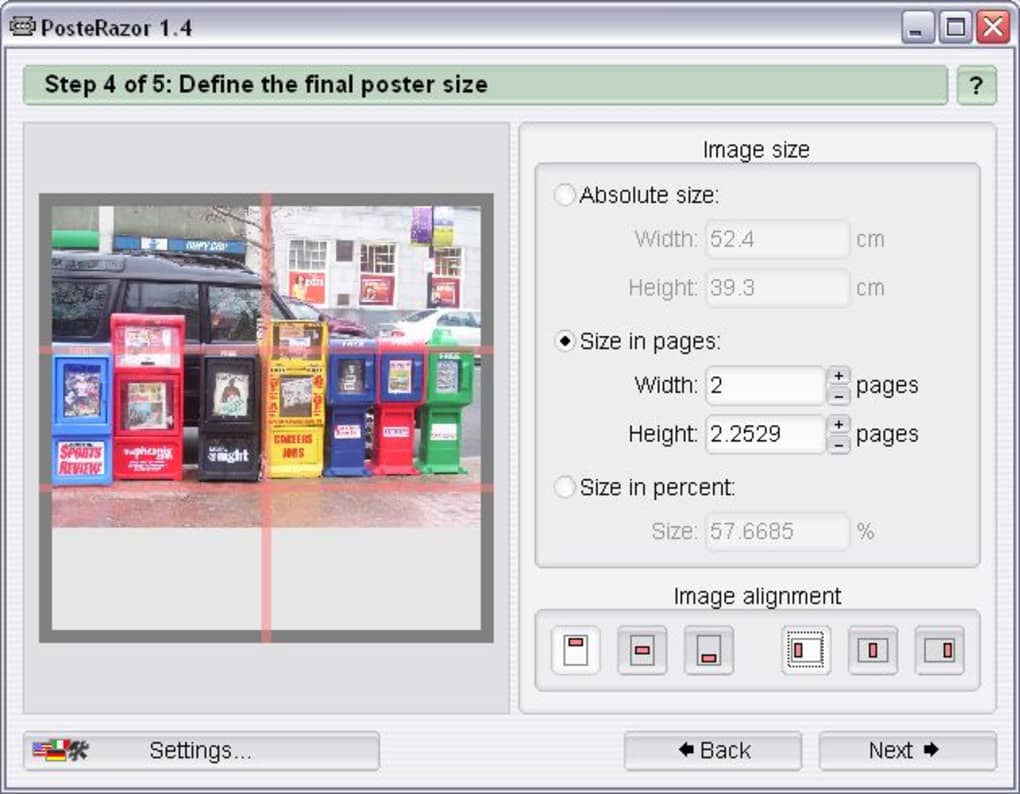
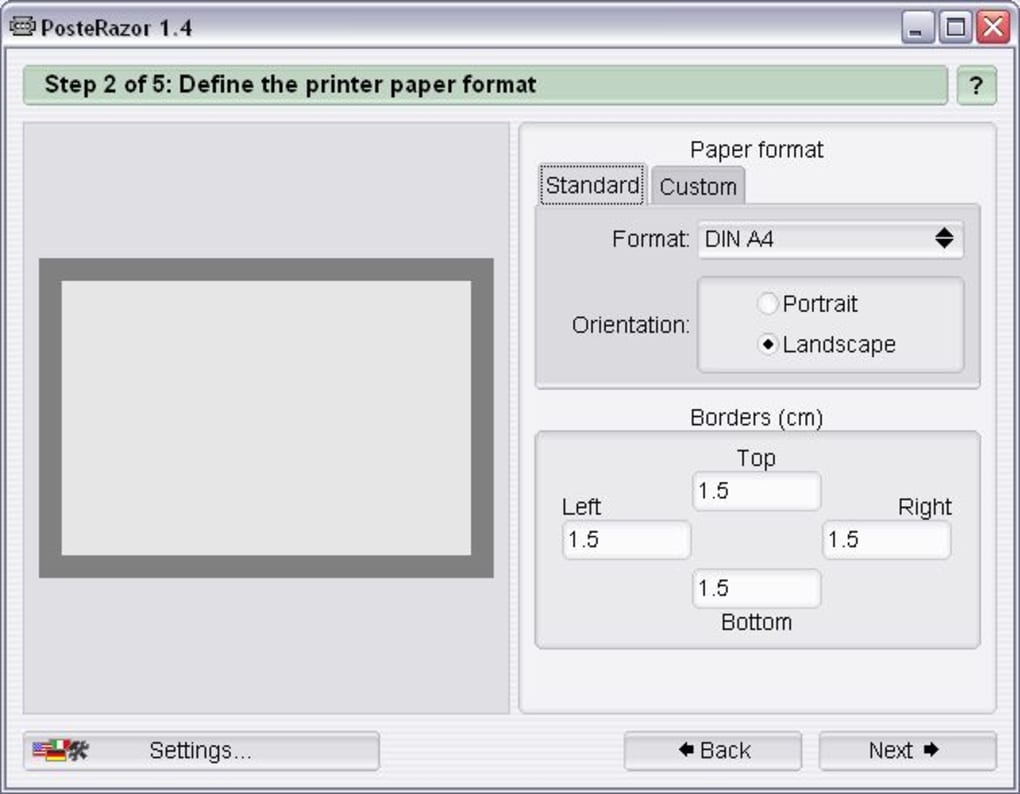
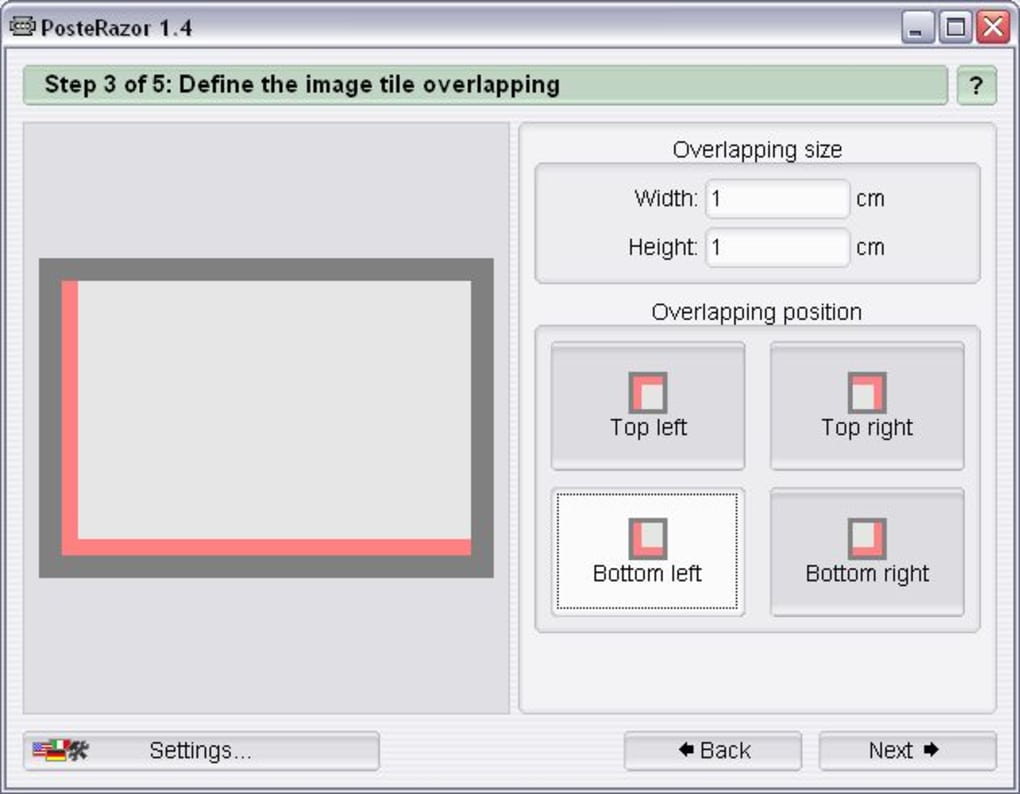
Size and Layout Definition: This crucial step allows you to determine the final poster’s dimensions. You’ll specify the desired width and height, allowing Posterazor to intelligently calculate the number of A4 sheets required to create your poster. The software handles the complexities of dividing the image across multiple pages, ensuring a seamless and accurate tiling of the image across the individual sheets. You can also adjust the overlap between the sheets; this overlap is vital to ensure proper alignment when assembling the finished poster. A slight overlap helps to account for minor inaccuracies in printing or cutting.
-
Preview and Adjustment: Before committing to printing, Posterazor provides a preview of the poster layout. This critical step allows you to review the arrangement of the individual sheets and make any necessary adjustments to size or overlap. This preview ensures that the final product meets your expectations and that there are no unforeseen issues with the layout. The ability to preview the poster allows for on-the-fly corrections, saving time and resources.
-
Generation of Printable PDF: Once satisfied with the preview, Posterazor generates a PDF file containing all the individual A4 sheets. This PDF file is organized in a way that makes it clear which sheet corresponds to which part of the poster. The PDF format is universally compatible and readily printable on virtually any printer. The creation of the PDF file is the final stage of the digital process; the remaining steps involve physical assembly of the printed sheets.
-
Printing and Assembly: The final step involves printing the PDF file on your A4 printer. Carefully print each page, ensuring proper alignment. Once printed, precisely cut along the edges of each sheet. This is where the overlap you previously defined becomes crucial; the overlap provides a margin for error, allowing you to precisely align the pages without gaps or overlaps in the final poster. Finally, assemble the individual sheets to create your large-format poster.
Advantages and Disadvantages of Posterazor
Posterazor presents a compelling blend of simplicity and effectiveness. However, like any software application, it comes with both advantages and disadvantages:
Advantages:
-
Ease of Use: Its intuitive five-step wizard simplifies the process, making it accessible to users with varying levels of technical expertise. The straightforward interface eliminates the need for extensive tutorials or training.
-
Broad Image Format Support: Posterazor’s compatibility with a wide range of image formats ensures that users can leverage their existing digital photos without needing to convert them. This versatility saves time and effort, making the process more efficient.
-
Excellent Results: When utilized with high-resolution images, Posterazor produces posters of exceptional quality. The software’s accurate image tiling and alignment algorithms result in a seamlessly integrated final product.
-
Open Source and Free: The open-source nature of Posterazor ensures its continued development and maintenance by a community of users and developers. This community-driven approach contributes to a stable and frequently updated application. The free licensing model eliminates the cost barrier, making it accessible to a broader audience.
Disadvantages:
-
Limited Advanced Features: Compared to professional-grade poster design software, Posterazor lacks certain advanced features such as customizable borders, frames, text layers, watermarks, and crop marks. While these features enhance the creative potential, their absence doesn’t necessarily detract from the core functionality.
-
PDF Output Requires External Printing: Posterazor produces a PDF file, requiring an external PDF reader and printer to produce the physical poster. While this is a standard workflow for many digital projects, it adds a layer of dependency and requires additional software.
-
Manual Assembly: The final poster requires manual assembly, which may be time-consuming and demanding of precision. While the overlap helps mitigate inaccuracies, careful cutting and alignment are still essential for a professional finish.
Alternatives to Posterazor
While Posterazor is a powerful and user-friendly option, several alternative applications offer similar functionalities with varying features and workflows. These alternatives provide additional choices for users seeking specific functionalities or preferring a different user interface:
- Posteriza: This application shares a similar name and purpose but may offer a different interface and feature set. A comparison of both tools might reveal subtle differences in their workflows and capabilities.
-
The Rasterbator: This tool focuses on creating rasterized images suitable for large-scale printing, and may offer a different approach to image processing and scaling.
-
Poster Designer: This option might offer more advanced features such as text layers, frames, and customizable elements, potentially providing more comprehensive design capabilities.
The choice between Posterazor and its alternatives depends largely on individual needs and preferences. Users should weigh the pros and cons of each application before making a decision. Factors to consider include ease of use, feature set, supported image formats, and the overall workflow.
Conclusion
Posterazor serves as a valuable tool for anyone seeking a simple yet effective method of creating large-format posters. Its intuitive interface, broad image format support, and excellent output quality make it a practical choice for both novice and experienced users. While lacking some of the advanced features found in professional design software, Posterazor’s strengths lie in its simplicity, accessibility, and reliable performance. The application’s open-source nature and free licensing model further enhance its appeal, making it a versatile and cost-effective solution for transforming your digital images into impressive, large-scale posters. Its limitations regarding advanced features and the requirement for manual assembly should be considered, but the overall user experience and quality of the final product outweigh these drawbacks for many users.
File Information
- License: “Free”
- Version: “1.5”
- Latest update: “July 20, 2021”
- Platform: “Windows”
- OS: “Windows ME”
- Language: “English”
- Downloads: “85.3K”
- Size: “495.33 KB”


