
Power Tab Editor is a free, discontinued Windows-based software application categorized under Science & Education, specifically within the Music subcategory. While no longer actively developed or updated, its legacy as a popular guitar tablature editor continues to resonate with users who appreciate its simplicity and functionality. This review delves into its features, strengths, weaknesses, alternatives, and overall user experience based on available information.
A Nostalgic Look at Power Tab Editor
Power Tab Editor enjoyed a significant period of popularity, particularly among guitar enthusiasts. Its appeal stemmed from its user-friendly interface, making it accessible to both novice and experienced guitarists. The program’s primary function was to create, edit, and view guitar tablature (tab) files, providing a convenient way to learn and transcribe songs. Its simplicity set it apart from more complex, professional-grade software, catering to users who prioritized ease of use over advanced features.
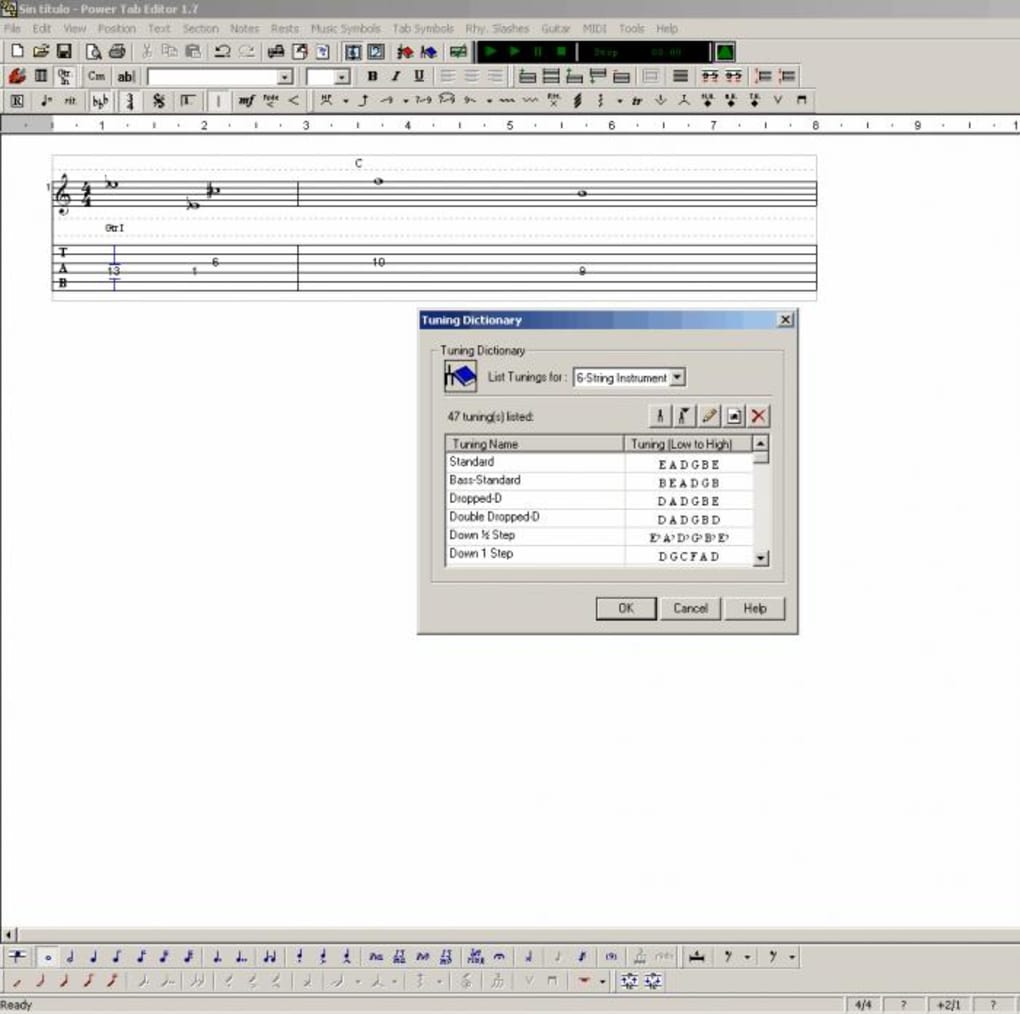
Released in 2011, the software’s last update occurred on July 11, 2023, according to Phanmemfree’s data. Although the update may simply reflect a correction in metadata rather than new features or security patches, it is important to note that this software is outdated and may not be compatible with modern operating systems. While the original software was compatible with Windows 95 and earlier versions, modern Windows versions are not guaranteed to be compatible. Users should proceed with caution and understand that using outdated software carries risks regarding security and compatibility.
The program’s lightweight nature ensured minimal system resource consumption, a significant advantage for users with less powerful computers, especially considering that it targeted the older Windows environment. It achieved remarkable popularity, recording 253,336 downloads by 2011 and maintaining a modest download rate since then, demonstrating a continued niche following despite its age. Geographical distribution shows concentrated use in the United States, India, and Nepal, reflecting diverse communities of guitar players and music enthusiasts.
Key Features and Functionality
While detailed specifications of Power Tab Editor’s features are scarce due to the lack of official documentation and the software’s discontinued status, its core functionality can be inferred from user experience reports and comparisons with similar software:
-
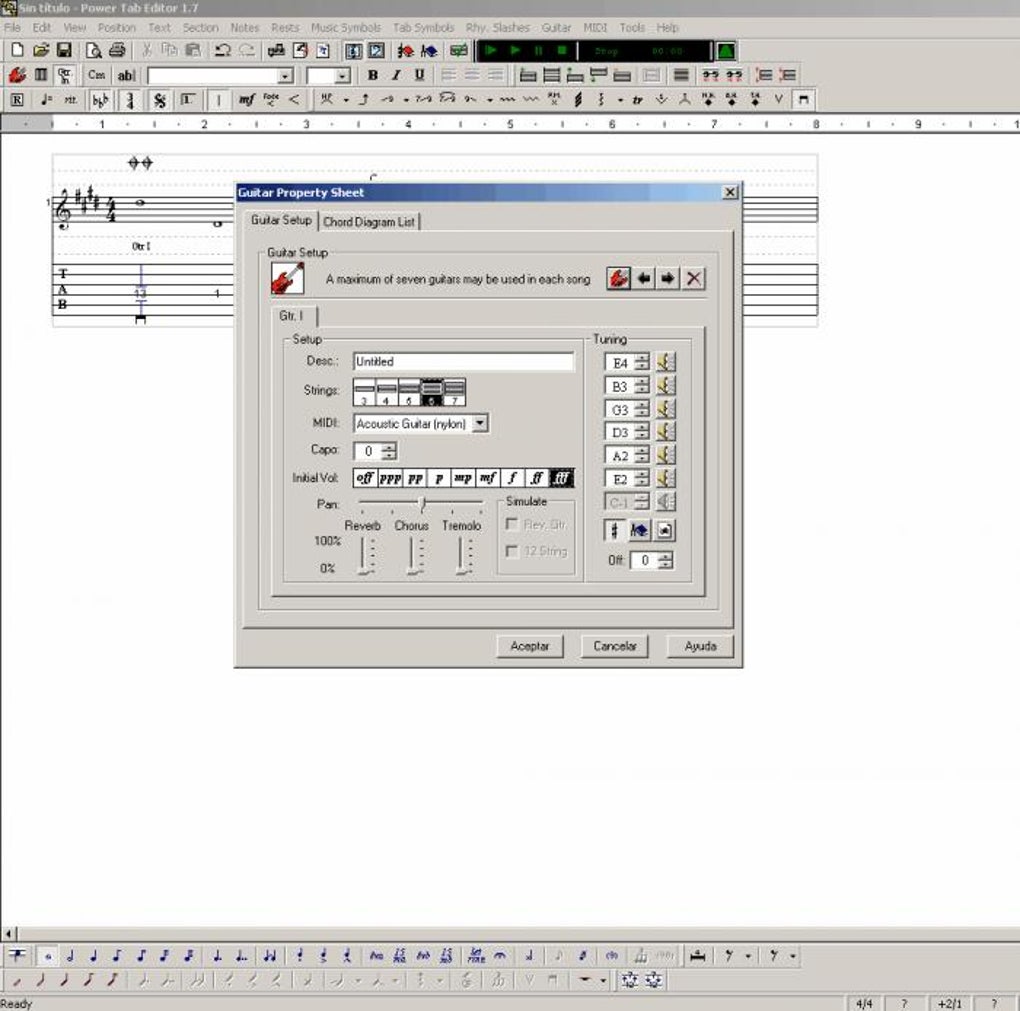
Tablature Creation and Editing: The software’s core function revolved around creating and editing guitar tablature files. This likely included features for adding notes, chords, lyrics, and other annotations common in guitar tabs.
-
Simple Interface: Power Tab Editor’s strength lay in its straightforward user interface. This made it accessible to beginners who might find more sophisticated software overwhelming. The simplicity prioritized ease of use over extensive feature sets.
-
Lightweight Design: Its small file size and minimal system resource demands made it suitable for a wide range of computer systems, even older ones with limited processing power and memory.
-
Import and Export Capabilities: While the precise formats are unknown, it’s probable that Power Tab Editor supported the import and export of standard tab file formats, allowing users to share their work or use tabs created with other software.
The absence of detailed feature documentation limits the possibility of a comprehensive analysis. Information gathered primarily focuses on its ease of use and lightweight nature, suggesting it likely lacked advanced features found in more modern and comprehensive guitar tablature editors.
Limitations and Disadvantages
The biggest drawback of Power Tab Editor is that it is no longer maintained or supported. This means:
-
Security Vulnerabilities: Outdated software is often susceptible to security vulnerabilities. Using Power Tab Editor exposes users to potential risks such as malware infections or data breaches. There are no security updates to address these vulnerabilities.
-
Compatibility Issues: It is highly probable that the software will not work flawlessly, or at all, on modern operating systems. Even if it does run, compatibility problems are very likely.
-
Lack of Support: There is no technical support available for Power Tab Editor. Users are on their own to troubleshoot any problems they encounter, which would be a serious impediment for less experienced users.
-
Missing Features: Compared to modern guitar tablature editors, Power Tab Editor likely lacked advanced features such as audio playback, MIDI support, advanced notation capabilities, or multiple track editing.
Alternatives to Power Tab Editor
Given the limitations of Power Tab Editor, users seeking similar functionality are encouraged to explore modern alternatives. Several excellent guitar tablature editors offer a broader range of features and active development:
- TuxGuitar: A free, open-source, cross-platform tablature editor, offering robust features including multi-track editing, audio playback, and MIDI support. This option provides a powerful and continually updated alternative.
-
Guitar Pro: A widely used commercial software program for creating and editing guitar tabs. It boasts extensive features, a polished interface, and a large community of users. This option represents the top tier of guitar tablature software but carries a cost.
-
Guitar Guru: Another free option, this program is similarly light-weight but actively maintained, ensuring updated features and addressing any security concerns. This offers a good free balance between ease of use and more modern features.
These alternatives provide updated features, security updates, and active support communities, mitigating the risks and limitations associated with using Power Tab Editor.
Conclusion
Power Tab Editor represents a significant piece of guitar software history. Its simple interface and lightweight design made it a favorite for many. However, its discontinued status renders it impractical and potentially risky for modern use. While nostalgic users might appreciate its legacy, anyone seeking a reliable and secure guitar tablature editor should consider the modern alternatives listed above. The free and open-source options present compelling alternatives without compromising functionality or security. Choosing a maintained and updated software is crucial for both security and a better user experience. Remember that using outdated software carries inherent risks, and the benefits of ease of use from an older application do not outweigh the potential security concerns.
File Information
- License: “Free”
- Latest update: “July 11, 2023”
- Platform: “Windows”
- OS: “Windows 2000”
- Language: “English”
- Downloads: “29.5K”
- Size: “5.92 MB”


