
PowerOff is a versatile Windows utility designed to simplify and automate various power management tasks on your computer, including shutdown, reboot, logoff, hibernation, and more. Beyond basic power controls, PowerOff offers sophisticated scheduling capabilities and remote control functionality, making it a powerful tool for both individual users and system administrators. This comprehensive guide explores PowerOff’s features, benefits, and limitations, providing a detailed overview of its capabilities and how it compares to alternative solutions.
Core Functionality: Beyond Simple Shutdown
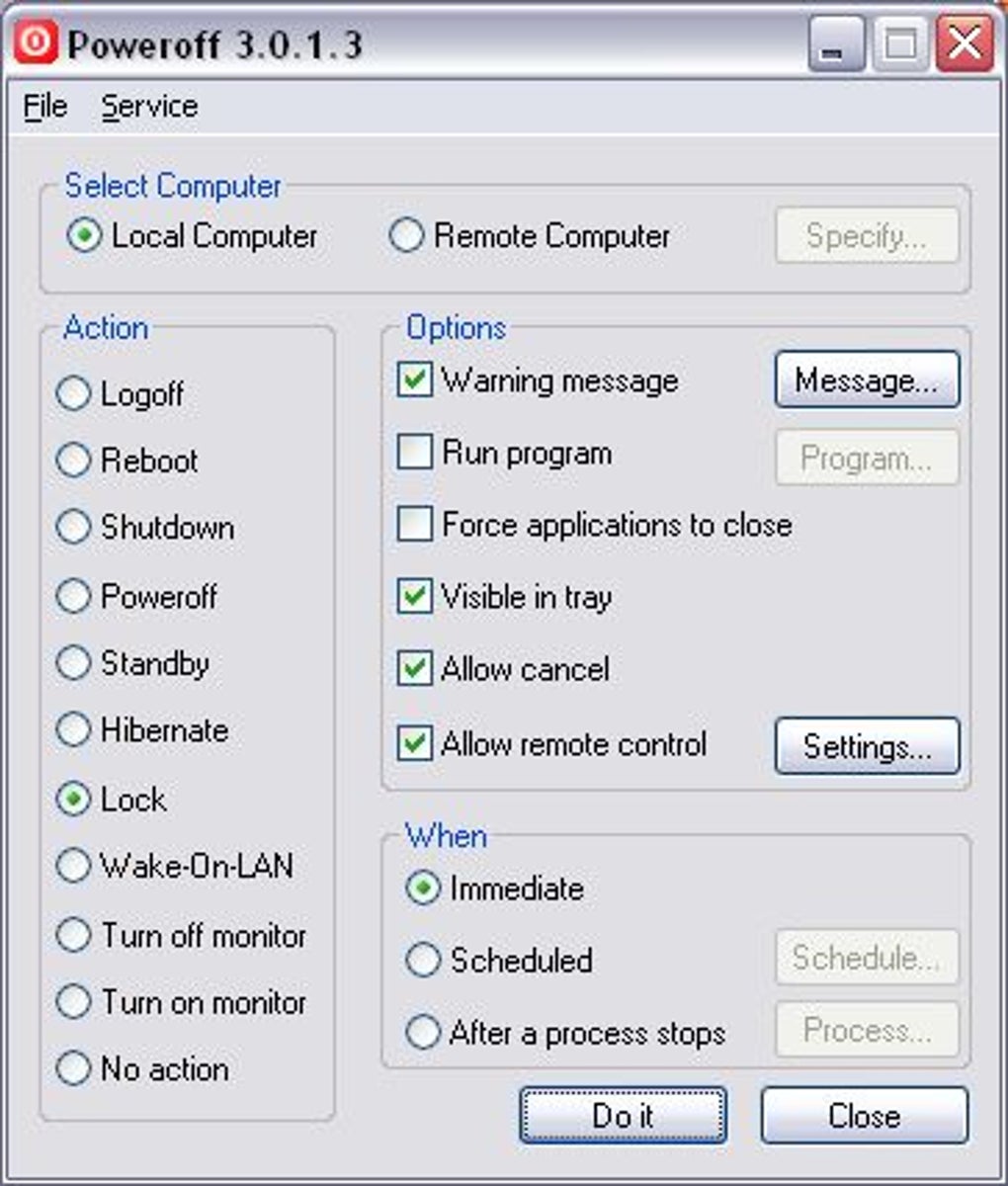
While the name suggests a simple shutdown utility, PowerOff provides a much broader range of options than merely turning off your PC. Its core functionality centers around providing precise control over various power states, allowing you to tailor the system’s behavior to your specific needs. The program allows you to select from a comprehensive list of actions, including:
- Shutdown: The most straightforward option, powering down the computer completely.
- Reboot: Restarts the computer, useful for resolving system issues or applying updates.
- Log Off: Terminates the current user session, allowing another user to log in.
- Hibernate: Saves the current system state to disk and powers down the computer, allowing for faster startup.
- Standby: Puts the computer into a low-power state, preserving the current session and enabling quick resumption.
- Lock: Locks the current user session, requiring a password to regain access.
- Wake-on-LAN: A network-based feature that allows you to remotely wake up a sleeping or hibernating computer. This feature requires network configuration and BIOS support.
This broad range of options allows for granular control, enabling users to choose the power action that best suits their current situation and needs, significantly expanding on the capabilities of basic operating system shutdown commands.
Scheduling and Automation: Taking Control of Time
PowerOff’s scheduling functionality is a key differentiator. Rather than simply executing a power action immediately, you can schedule these actions to occur at specific times or after specific events. This automated approach is invaluable for tasks such as:
- Scheduled maintenance: Powering down your computer at night for routine maintenance or updates.
- Automated backups: Initiating a backup process followed by a shutdown to ensure data integrity.
- Energy saving: Automatically powering down the computer when not in use to reduce energy consumption.
- Remote system management: Scheduling actions on remote computers for streamlined administration.
The flexibility of PowerOff’s scheduler allows you to define the timing of your actions with precision, eliminating the need for manual intervention and promoting efficient system management. You can set precise dates and times for scheduled actions, ensuring that power management tasks occur automatically without user interaction.
Advanced Features: Pre-Shutdown Actions and Remote Control
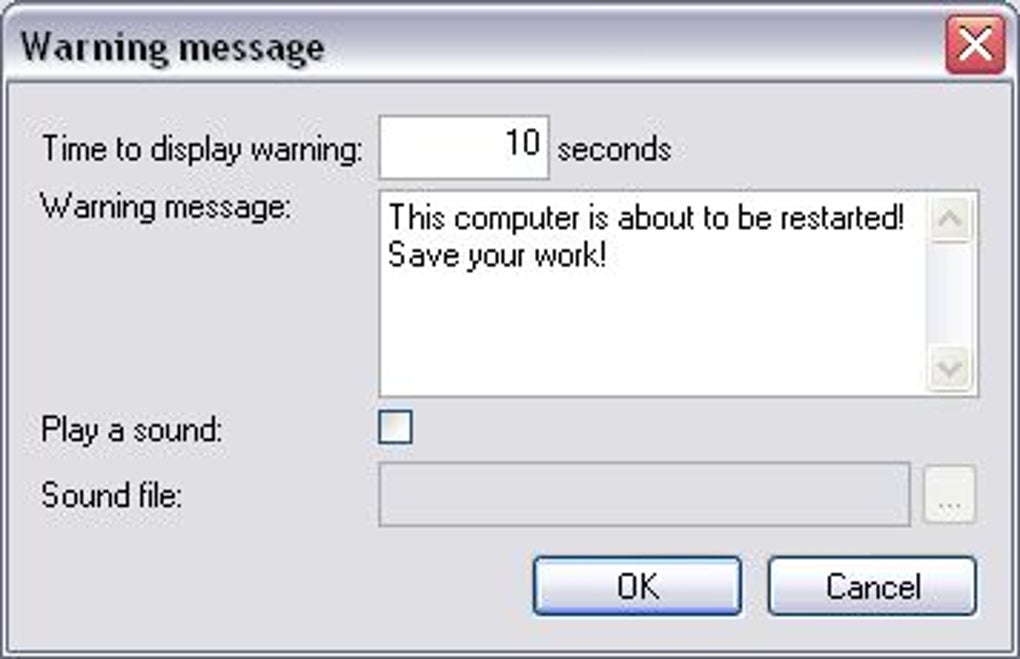
PowerOff surpasses basic scheduling by offering advanced capabilities that significantly enhance its functionality. One notable feature is the ability to execute a program before initiating the chosen power action. This allows for seamless integration with other applications, creating powerful automated workflows. For instance, you could:
- Run a script: Automate file synchronization, data cleaning, or other tasks before shutting down.
- Close applications: Ensure specific programs are closed before initiating a power action, preventing data loss.
- Run diagnostics: Execute system checks or backups before powering down for maintenance.
This pre-shutdown execution capability extends PowerOff’s utility, transforming it from a simple power manager into a sophisticated automation tool that can manage complex system processes. The possibilities are diverse, limited only by the user’s creativity and the capabilities of the pre-shutdown program.
Another crucial feature is the remote control capability. This functionality allows you to manage the power state of other computers on your network, enabling centralized control over multiple machines. This is especially beneficial for:
- System administrators: Managing power states across a network of computers.
- Home users: Controlling multiple PCs from a central location.
- Troubleshooting: Shutting down or restarting a remote computer experiencing issues.
This remote access capability offers significant advantages in both personal and professional contexts, simplifying system administration and problem-solving. It streamlines the process of managing multiple machines, promoting efficiency and reducing manual intervention.
User Interface and Ease of Use
PowerOff boasts an intuitive and straightforward interface, making it accessible to users of all technical levels. The program’s simple layout ensures that even novice users can quickly grasp its functionality and utilize its features effectively. The clear and concise design eliminates unnecessary complexity, allowing users to focus on their power management tasks without being overwhelmed by technical jargon or convoluted settings.
The program’s straightforward operation is enhanced by its clear visual cues and minimal learning curve. Users can easily navigate the various options and settings, adjusting their preferences with minimal effort. This user-friendly design ensures that PowerOff is accessible and practical for a broad range of users, regardless of their technical expertise.
Comparison with Alternative Solutions
While PowerOff offers a strong set of features, several alternative applications provide similar functionality. These alternatives often have their own strengths and weaknesses, making a direct comparison important to determine the optimal solution for specific user needs. Some competing applications may offer more advanced features, such as more granular scheduling options or network usage-based shutdown, while others may be more lightweight and simpler to use.
It’s essential to evaluate the specific needs and preferences of each user to determine the most appropriate solution. Factors such as required level of customization, user experience expectations, and the number of managed machines all play a critical role in selecting the best power management tool.
A thorough comparison of PowerOff against other available utilities will enable users to make informed decisions, ensuring that they select the most effective and efficient application for their specific requirements.
Limitations and Considerations
While PowerOff is a robust and versatile tool, it does have some limitations to consider. One notable limitation is the lack of network usage monitoring for automated shutdown. While this feature would be beneficial for energy saving or optimizing bandwidth, it’s not currently included in PowerOff. Additionally, users should be mindful of potential security risks associated with remote control features, ensuring they are implemented securely and only used on trusted networks.
Understanding these limitations is crucial for effectively utilizing PowerOff and mitigating potential issues. Careful consideration of the program’s capabilities and limitations will ensure its optimal integration into the user’s workflow. The user should also be aware of any potential security implications before utilizing the program’s remote control functionality.
Conclusion: A Powerful and Versatile Tool
PowerOff is a valuable addition to any Windows user’s toolkit. Its ease of use, combined with its powerful scheduling and remote control capabilities, make it a highly efficient and versatile tool for managing power states and automating related tasks. While some limitations exist, the program’s overall functionality and user-friendly interface make it a compelling choice for both home users and system administrators seeking to enhance their computer management capabilities. Its comprehensive feature set and intuitive design make it a valuable asset for anyone seeking to improve their PC’s efficiency and streamline their workflow. PowerOff’s ability to automate tasks, manage remote computers, and customize power actions significantly improves system administration and allows users to focus on other critical aspects of their computing experience.
File Information
- License: “Free”
- Version: “3.0.1.3”
- Latest update: “November 8, 2022”
- Platform: “Windows”
- OS: “Windows 98”
- Language: “English”
- Downloads: “55.4K”
- Size: “297.03 KB”


