
PowerPaint presents itself as a robust alternative to the basic image editing capabilities of Windows Paint, boasting a wider array of features designed for both photo modification and original artwork creation. While not a direct competitor to professional-grade software like Adobe Photoshop or Paint Shop Pro, PowerPaint carves a niche as a free, user-friendly option for those seeking more advanced tools than the rudimentary offerings of standard Windows Paint. This review delves into the program’s strengths and weaknesses, exploring its functionality, ease of use, and overall effectiveness as a free image editor.
Feature Set and Functionality
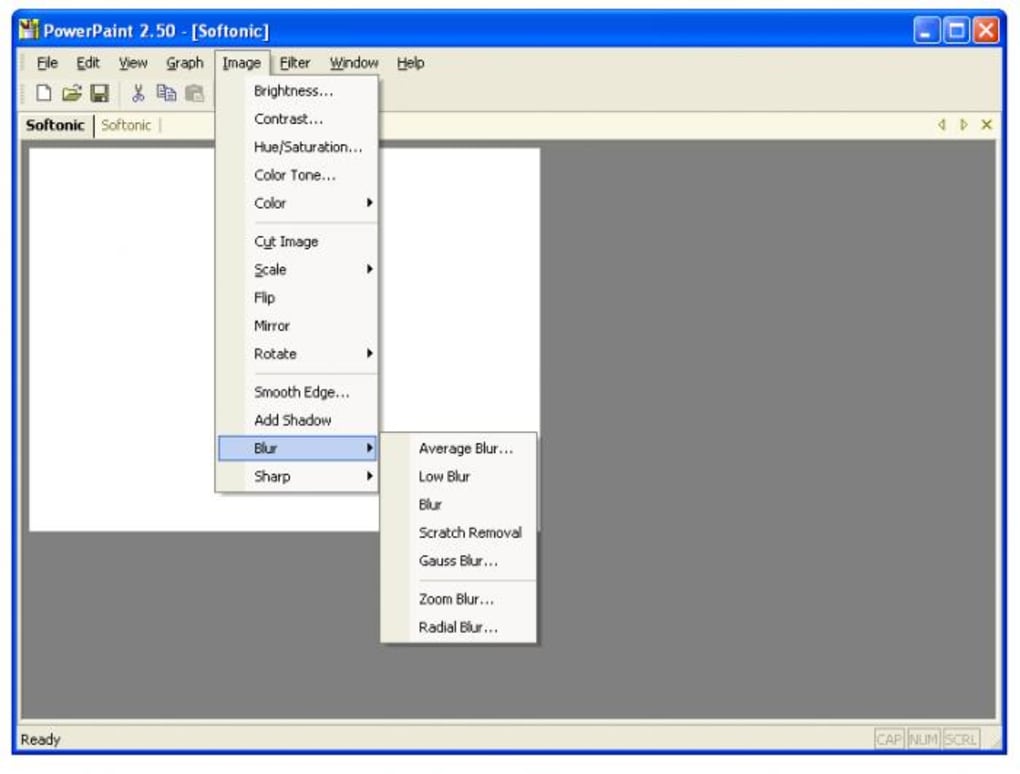
PowerPaint provides a surprisingly extensive toolkit for a free image editor. Beyond the basic drawing tools found in simpler applications, PowerPaint offers a substantial set of features categorized within intuitive menus. The “Image” menu, for instance, grants access to a variety of image manipulation options, including grayscale conversion, halftone effects, color inversion, and brightness/contrast adjustments. These functionalities provide a level of control often absent in more basic programs, allowing users to significantly alter the appearance and mood of their images.
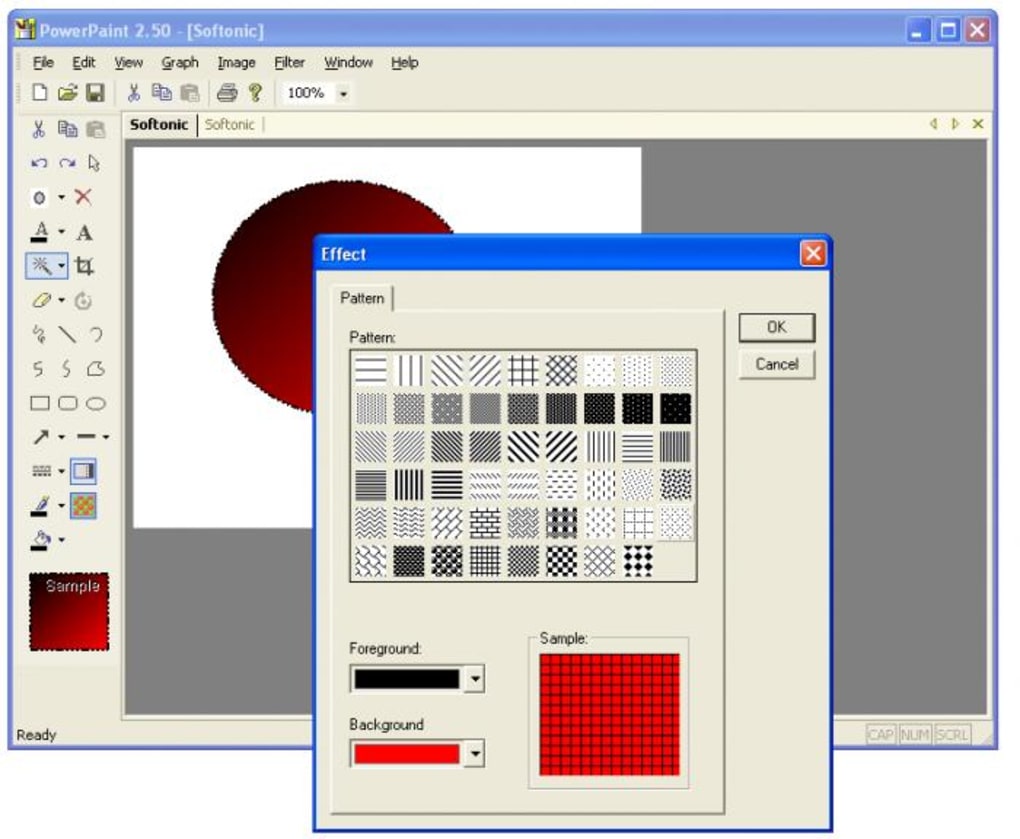
Beyond image manipulation, PowerPaint incorporates a helpful library of pre-made shapes. These include standard geometric forms (circles, squares, etc.), as well as more specialized shapes like arrows, stars, and banners. While simple in nature, this built-in clipart collection streamlines the creative process, eliminating the need to source external graphics for basic design elements. The inclusion of textured brushes further enhances creative possibilities, allowing for the addition of unique visual effects and surface textures to images, adding depth and realism to drawings and paintings.
The program also enables background color customization, providing users with the flexibility to set a specific background color that complements their artwork. Moreover, PowerPaint supports the insertion of additional photographs into the current workspace, enabling users to combine multiple images into a single composition – a feature useful for collages or image enhancement projects. This multi-image integration, though limited compared to advanced layering capabilities found in professional software, significantly enhances PowerPaint’s versatility.
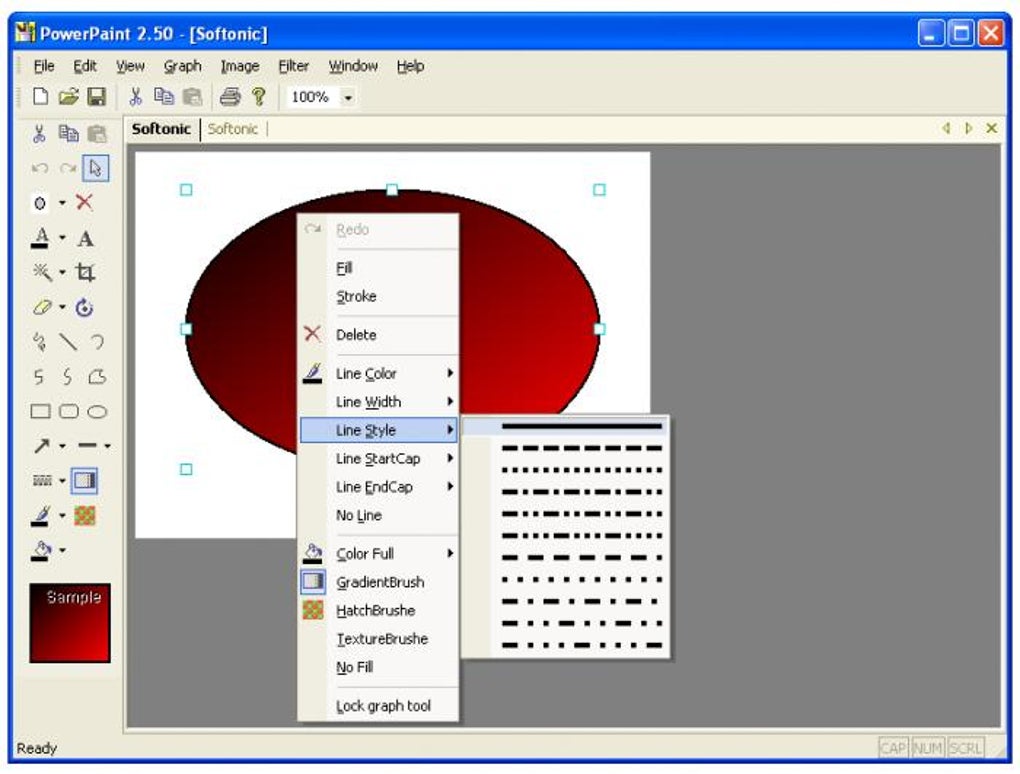
However, the program’s capabilities are not without limitations. A notable absence is the lack of layer support. The inability to work with layers restricts the complexity of projects and prevents users from achieving the level of detail and control afforded by layered image editing. This omission represents a significant constraint for users undertaking complex projects or requiring intricate image manipulation. While suitable for simpler projects, the absence of layers limits PowerPaint’s utility for more demanding tasks.
User Interface and Ease of Use
PowerPaint prioritizes user-friendliness, presenting a straightforward and intuitive interface. The arrangement of tools and menus is logical and easily navigable, even for users with limited experience in image editing software. The program’s design minimizes the learning curve, allowing users to quickly access and utilize its various features without significant prior training. This intuitive design makes PowerPaint accessible to a broad range of users, from casual hobbyists to students and beginners in digital art.
The program’s tool selection is clearly presented and easily accessible, reducing the time spent searching for specific functionalities. The overall interface is uncluttered and avoids unnecessary complexity, focusing on efficient and straightforward operation. This commitment to simplicity enhances the user experience, ensuring a smooth and productive workflow. The program’s clear visual cues and straightforward layout facilitate ease of use, making PowerPaint an attractive option for those who value user-friendly design.
Comparison to Alternatives
PowerPaint occupies a specific space within the image editing software market. It sits comfortably between the rudimentary functionalities of Microsoft Paint and the powerful, but often complex, features of professional software like Adobe Photoshop and Paint.NET. While lacking the advanced features of these industry-standard applications, PowerPaint compensates with its ease of use and accessibility as a free program.
Compared to Microsoft Paint, PowerPaint offers a significantly expanded feature set, including image manipulation tools, textured brushes, and a library of pre-made shapes. This enhanced functionality addresses the limitations of the basic Paint program, providing a more versatile and powerful image editing experience. However, PowerPaint lacks the sophisticated features of Paint.NET, which includes advanced layer support, extensive filter options, and a broader range of effects. This difference in capabilities reflects the target audience for each program: Paint.NET appeals to more experienced users who require advanced features, while PowerPaint caters to a wider range of users, including beginners and those seeking a simplified, user-friendly experience.
User Reviews and Feedback
User reviews highlight a critical shortcoming in PowerPaint: the handling of oversized images. Several users reported that when opening or pasting images exceeding the workspace dimensions, the program fails to generate scroll bars, resulting in portions of the image being cropped or inaccessible. This significant flaw renders the program unusable for many applications involving large images. The lack of updates since 2009 further underscores this concern, suggesting that this critical issue may remain unresolved.
While some users praise the program’s comprehensive toolset and ease of use, the recurring issue of oversized image handling significantly impacts the overall user experience. The lack of developer response or updates to address this crucial flaw casts a shadow over the program’s overall reliability and future prospects. For users requiring the ability to work with large images, the limitations of PowerPaint become a major deterrent.
Conclusion
PowerPaint offers a commendable array of features for a free image editor, providing a significant upgrade over the basic functionalities of Windows Paint. Its user-friendly interface and straightforward design make it accessible to a wide range of users, regardless of their experience with image editing software. However, the program’s critical flaw regarding the handling of oversized images significantly detracts from its usability and overall effectiveness. While its expanded toolset and ease of use are appealing, the persistent inability to work with large images renders the program unsuitable for many users. Until this fundamental issue is addressed, PowerPaint’s potential remains hampered by its inability to handle images of a size beyond its default workspace. Therefore, while PowerPaint offers a valuable free alternative for simple image editing tasks, users should carefully consider its limitations before adopting it as their primary image editor.
File Information
- License: “Trial version”
- Version: “2.50”
- Latest update: “May 19, 2011”
- Platform: “Windows”
- OS: “Windows ME”
- Language: “English”
- Downloads: “599.4K”
- Size: “2.05 MB”


