
PowerPoint presentations are a cornerstone of modern communication, used extensively in business, education, and personal projects. However, the risk of data corruption is ever-present, threatening the loss of valuable information and countless hours of work. PPTX Open File Tool emerges as a crucial solution, offering a reliable method for recovering data from damaged or corrupted PPTX files. This tool provides a straightforward and efficient way to salvage presentations, regardless of the cause of the corruption. This article will delve into the features, functionality, and benefits of PPTX Open File Tool, highlighting its role as a vital tool in the digital arsenal of any PowerPoint user.
Understanding the Threat of PPTX File Corruption
PowerPoint files, like any digital document, are susceptible to various forms of corruption. These issues can range from seemingly minor glitches to complete data loss, rendering presentations unusable. The causes of this corruption can be diverse and often unpredictable:
-
Software Glitches: Bugs within PowerPoint itself, or conflicts with other applications, can lead to file corruption. An abrupt system shutdown during the saving process, for instance, can leave a PPTX file in an inconsistent state.
-
Hardware Failures: Problems with the hard drive, RAM, or other hardware components can directly affect file integrity. Sudden power outages or hardware malfunctions can interrupt the writing process, potentially damaging the file structure.
-
Virus or Malware Attacks: Malicious software can intentionally corrupt or delete files, including PowerPoint presentations. A virus might overwrite crucial data within the PPTX file, rendering it inaccessible.
-
File System Errors: Errors within the operating system’s file system can also lead to file corruption. These errors can cause data inconsistencies, leading to problems when accessing or opening the PPTX file.
-
User Error: Accidental deletion, improper file handling, or incorrect file saving procedures can all contribute to file damage. Overwriting a file without proper backup is a frequent cause of irreversible data loss.
-
Incomplete Downloads or Transfers: If a PPTX file is downloaded or transferred incompletely, it will likely be corrupt and unusable. Network interruptions during the transfer process are a common culprit.
The consequences of PPTX file corruption can be significant, leading to:
-
Data Loss: The most severe outcome is the complete or partial loss of the presentation’s content, including text, images, charts, and animations. This loss can range from minor details to the entire presentation itself.
-
Time Loss: Recreating a corrupted presentation can be incredibly time-consuming, requiring the user to painstakingly rebuild the lost information. This represents a significant loss of productivity.
-
Financial Losses: In professional settings, the loss of important presentations can have financial repercussions, affecting deadlines, client relationships, and project success.
-
Reputational Damage: In scenarios involving public presentations, corruption can lead to embarrassment and damage to professional reputation.
PPTX Open File Tool: A Proactive Solution
PPTX Open File Tool is designed to address these risks directly. Unlike preventative measures that aim to avoid file corruption, this tool focuses on the recovery process – providing a practical and efficient solution for retrieving data from already damaged files. The software’s effectiveness is independent of the specific cause of the corruption, offering a consistent level of performance regardless of the underlying issue. This means it can handle a wide range of corruption scenarios, from minor inconsistencies to major structural damage.
Key Features and Functionality
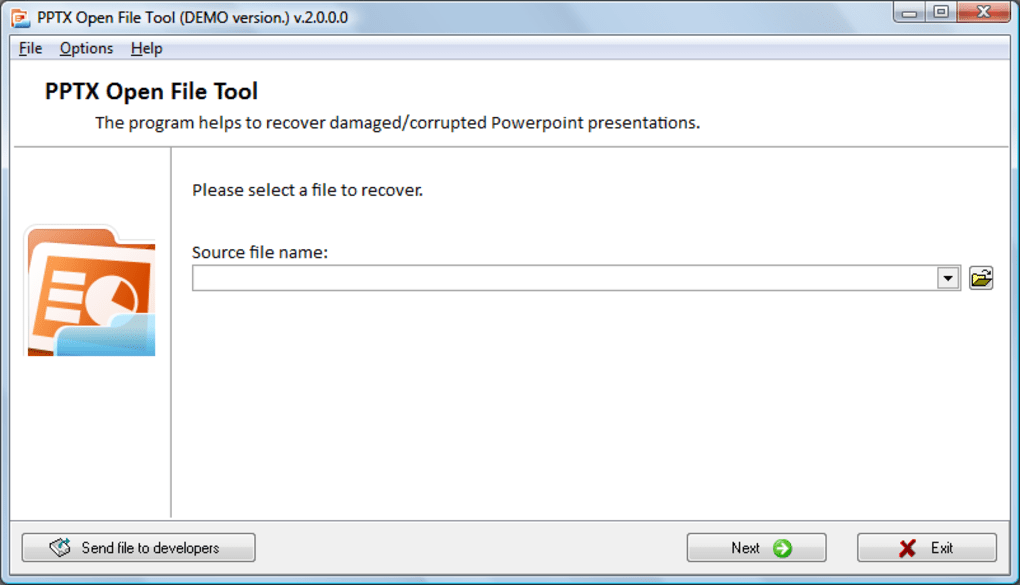
PPTX Open File Tool boasts a user-friendly interface, making it accessible even to those without extensive technical expertise. The core functionality centers around its ability to analyze and repair corrupted PPTX files, striving to recover as much data as possible. The process generally involves these steps:
- File Selection: The user selects the corrupted PPTX file they wish to recover.
-
Analysis: The software analyzes the file structure, identifying areas of damage and potential data loss.
-
Repair: Based on its analysis, the software attempts to repair the damaged sections of the file, restoring the presentation’s integrity.
-
Preview and Save: Once the repair process is complete, users can preview the recovered presentation to assess the results. The repaired file can then be saved to a new location.
The software’s strength lies in its ability to handle diverse types of corruption without requiring detailed knowledge of the underlying problem. Its effectiveness is consistent across different hardware and software environments, ensuring reliable performance regardless of the user’s system configuration.
Advantages of Using PPTX Open File Tool
Several key advantages make PPTX Open File Tool a valuable asset:
-
Efficiency: The software is designed for speed and efficiency, minimizing the time spent on recovery. This is crucial in situations where immediate access to the presentation is necessary.
-
Ease of Use: The user-friendly interface requires minimal technical expertise, making it accessible to a wide range of users.
-
Reliability: The software provides consistent results across various corruption scenarios, offering a dependable solution for data recovery.
-
Platform Compatibility: PPTX Open File Tool ensures consistent performance across different computer systems, eliminating compatibility issues.
- Cost-Effectiveness: Compared to the potential costs of data loss or the time investment in manual reconstruction, the software offers a cost-effective solution.
Alternative Solutions and Comparisons
While other data recovery tools exist, PPTX Open File Tool distinguishes itself through its specialization in PowerPoint files. Generic data recovery solutions might lack the specific algorithms and techniques necessary to effectively handle the intricacies of the PPTX file format. This specialized approach increases the likelihood of successful recovery, minimizing data loss and ensuring the preservation of formatting and presentation elements.
In contrast to manual repair attempts, which can be time-consuming, error-prone, and potentially lead to further damage, PPTX Open File Tool provides a structured and automated process that minimizes risk and maximizes the chances of recovery. Its automated nature makes it particularly beneficial for users without the technical expertise needed for manual repair.
While some cloud storage services offer file versioning or recovery features, these solutions are not always guaranteed, and their effectiveness depends on the service’s capabilities and the user’s configuration. PPTX Open File Tool offers a direct and independent solution, providing greater control over the recovery process.
Conclusion: A Necessary Tool for PowerPoint Users
PPTX file corruption is a real and persistent threat, capable of causing significant disruption and losses. PPTX Open File Tool emerges as a vital tool in mitigating these risks. Its ease of use, reliability, and efficiency make it an indispensable asset for anyone who works regularly with PowerPoint presentations. By offering a straightforward solution for recovering data from corrupted files, PPTX Open File Tool serves as an insurance policy against data loss, providing peace of mind and protecting valuable work. The software’s user-friendly interface and consistent performance make it a readily accessible and effective solution for preserving the integrity of important PowerPoint presentations.
File Information
- License: “Trial version”
- Version: “2.2.0.0”
- Latest update: “November 24, 2014”
- Platform: “Windows”
- OS: “Windows XP”
- Language: “English”
- Downloads: “23.2K”
- Size: “3.19 MB”


