
PrintKey-Pro is a Windows-based screen capture utility designed to quickly and easily save images of your screen. This software offers a straightforward approach to capturing screenshots, providing additional editing capabilities for refining the captured images before saving them in various formats. While not freeware, PrintKey-Pro offers a trial version allowing users to experience its functionality before committing to a purchase. This review delves into the software’s features, performance, pros and cons, and user experiences to provide a comprehensive assessment.
Ease of Use and Key Features
PrintKey-Pro’s primary strength lies in its simplicity. The software aims for ease of use, allowing users to capture screenshots with a customizable hotkey. This eliminates the need for complex menus or multiple clicks, making it ideal for users who frequently need to capture images quickly. The customizable hotkey significantly enhances workflow efficiency, allowing seamless integration into any ongoing task. Users can set their preferred key combination, streamlining the screen capture process and minimizing interruptions.
Beyond basic screen capture, PrintKey-Pro provides a range of features aimed at enhancing captured images. Users can adjust brightness and contrast, vital for optimizing image clarity and readability. The inclusion of grayscale and black and white conversion options offers creative flexibility, enabling users to adjust the visual aesthetic based on their requirements. The addition of text captions allows further customization, adding context or annotations to the captured images. This feature is particularly useful for documenting workflows, highlighting specific elements in a screenshot, or creating visually engaging presentations.
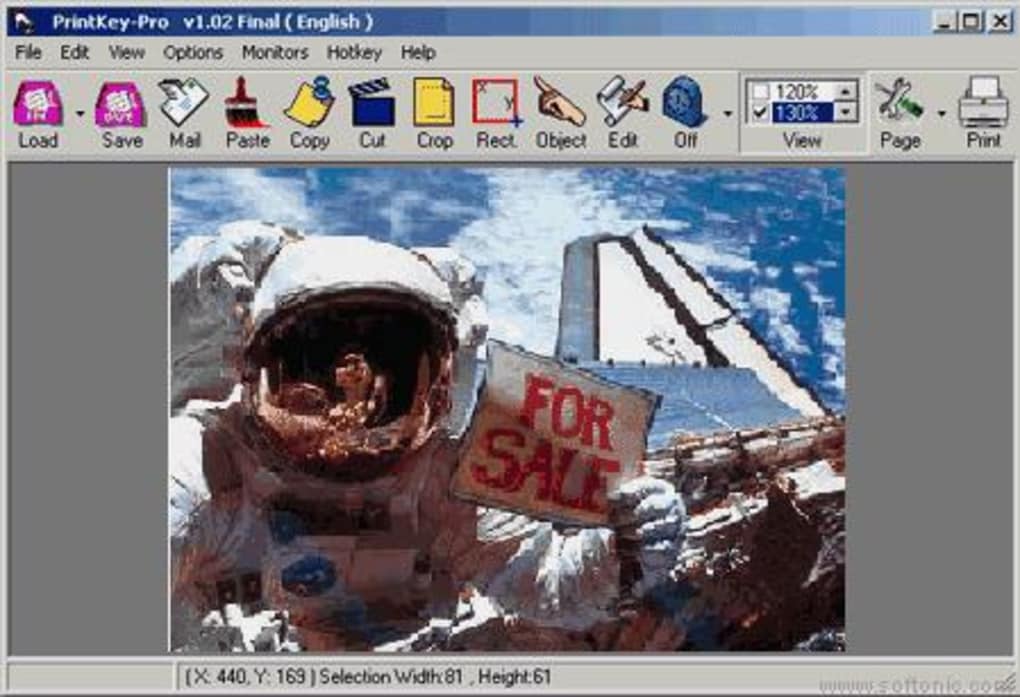
The software supports a variety of image formats, including JPG, JPEG, BMP, PNG, GIF, TIF, and PCX. This broad range of compatibility ensures users can seamlessly integrate their captured images into various applications and workflows, regardless of format requirements. The ability to save in these different formats adds significant flexibility, allowing optimal choices based on factors such as file size, compression, and image quality.
Image Editing Capabilities
PrintKey-Pro’s image editing features, while not as extensive as dedicated photo editors, are practical and convenient. The ability to adjust brightness and contrast is a standard but crucial feature for optimizing image quality. Poorly lit screenshots can be significantly improved with these adjustments, resulting in clearer and more presentable images. The conversion options to grayscale or black and white are thoughtful additions, providing creative flexibility and potentially improving image clarity in certain situations. For instance, converting to grayscale can remove distracting colors and enhance the focus on shape and form. The inclusion of text captions allows users to add annotations or explanatory text directly to the screenshot, making the images more informative and self-explanatory.
The diversity of supported image formats is a significant advantage. Whether the user needs the smaller file sizes and better compression of JPEG, the lossless quality of PNG, or the animation capability of GIF, PrintKey-Pro caters to these diverse needs. This broad compatibility makes it highly adaptable for various purposes, from quick documentation to more detailed presentations or reports.
System Requirements and Performance
PrintKey-Pro’s system requirements are minimal, ensuring compatibility with a wide range of Windows systems. While the exact requirements may vary with updates, it generally operates smoothly on systems that meet basic specifications. The software’s lightweight nature minimizes resource consumption, ensuring it doesn’t significantly impact system performance, even when capturing and editing multiple images. This efficiency is a key advantage, particularly for users working on less powerful machines or systems with multiple applications running concurrently.
Performance is generally reported as smooth and responsive. The speed of screenshot capture is a critical aspect of this type of software, and PrintKey-Pro delivers on this front. The near-instantaneous capturing process minimizes any delay or disruption in workflow. The image editing features also function efficiently, applying adjustments and saving changes promptly. The overall experience is designed to be swift and efficient, aligning with its core function of quickly capturing and saving images.
User Reviews and Feedback
User reviews offer valuable insight into PrintKey-Pro’s real-world performance and user experience. While generally positive, some reviews highlight occasional compatibility issues, particularly with older Windows versions or certain software configurations. Some users have reported instances where the application may not respond as expected. These issues, while not widespread, highlight the importance of carefully checking system compatibility before purchase and potentially contacting support if problems arise.
Positive feedback consistently points towards the software’s ease of use and efficiency. Users appreciate the straightforward interface and the customizable hotkey for quick screen captures. The additional editing features, such as brightness/contrast adjustment and text captioning, are also frequently praised for adding value and versatility. The range of supported output formats also receives positive feedback, highlighting the software’s adaptability to various contexts and applications.
Alternatives and Comparison
PrintKey-Pro competes in a market filled with both free and paid screen capture utilities. Many operating systems include built-in screen capture features, and a wide array of third-party software offers similar functionalities, often with more advanced editing features or added capabilities like screen recording. Direct comparisons depend heavily on specific needs and preferences. While PrintKey-Pro excels in its simplicity and speed, other utilities might offer more robust editing tools or integration with other applications. Users considering PrintKey-Pro should weigh its advantages of simplicity and ease of use against the potential added features of alternative options, considering whether those additional features justify a possible higher price point or more complex interface.
Consideration should also be given to free alternatives. Many free options offer basic screen capture functionality. However, these free options might lack the additional editing features, the variety of supported output formats, or the level of technical support offered by PrintKey-Pro. This decision will heavily depend on the users’ budget and specific requirements, weighing the cost against the need for specific features and support.
Conclusion
PrintKey-Pro offers a valuable solution for users who require a straightforward and efficient method of capturing and editing screenshots. Its intuitive interface, customizable hotkey, and practical editing features make it an appealing choice for various users, from casual screenshot takers to those who need quick and easy image capture during workflows. While not without its minor drawbacks, including occasional compatibility issues mentioned in user reviews, the software’s strengths in simplicity, speed, and functionality make it a strong contender in the screen capture utility market. However, potential users should carefully weigh their needs and budget against alternative options available to determine if PrintKey-Pro’s specific features meet their requirements. The trial version allows users to evaluate the software before committing to a purchase, mitigating the risk of incompatibility or dissatisfaction.
File Information
- License: “Trial version”
- Latest update: “August 19, 2021”
- Platform: “Windows”
- OS: “Windows 7”
- Language: “English”
- Downloads: “57.7K”
- Size: “2.89 MB”


