
PrintStation is a Windows-based application designed to simplify the process of printing multiple images efficiently. In a world saturated with digital photos from various sources – scanners, digital cameras, and the internet – the need for a tool that facilitates batch printing is undeniable. PrintStation excels in this area, offering a user-friendly interface and robust functionality to manage and print numerous images with minimal effort. This comprehensive review delves into the features, benefits, and limitations of PrintStation, providing a thorough assessment of its capabilities for both amateur and professional users.
Intuitive Batch Printing Capabilities
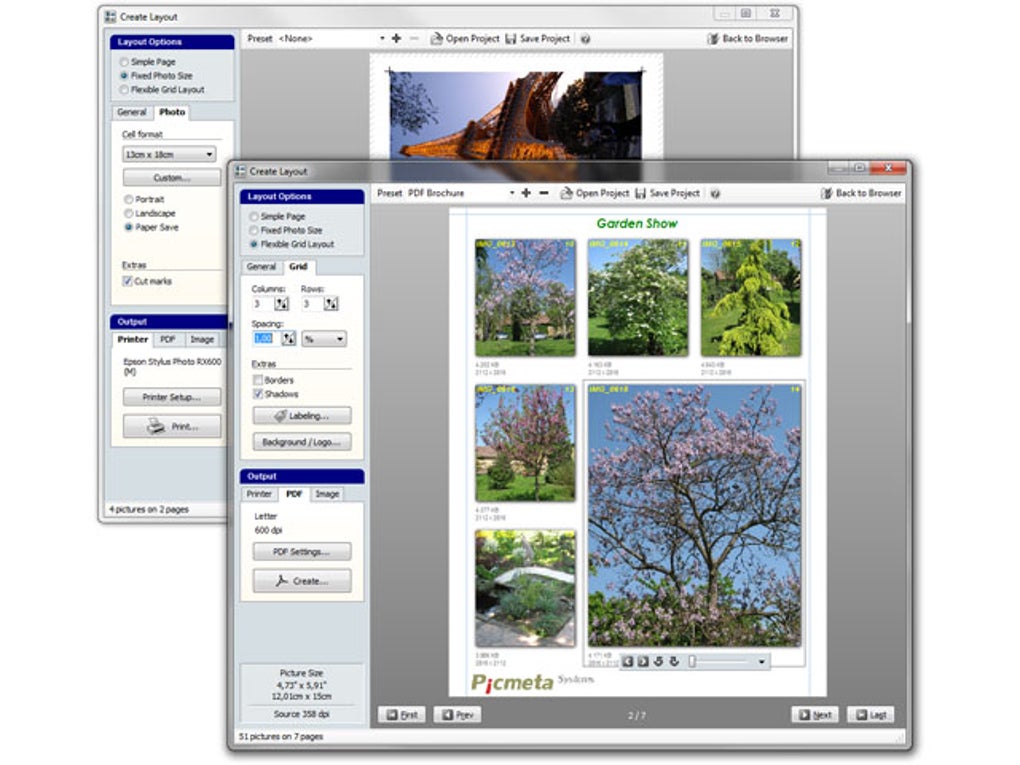
PrintStation’s core strength lies in its ability to print multiple images across multiple pages, eliminating the tedious task of printing each photo individually. This functionality significantly saves time and reduces paper consumption, making it an ideal solution for individuals or businesses dealing with a large volume of images. The program allows for customization of page layouts, enabling users to arrange images in rows and columns according to their preferences. This level of control ensures optimal utilization of page space and a visually appealing arrangement of printed images.
Beyond the basic layout options, PrintStation offers advanced features for fine-tuning the print output. Users can easily resize individual images or apply uniform scaling to entire batches, adapting them perfectly to the chosen page layout. An intelligent algorithm automatically positions images within the cells, minimizing gaps and creating a clean, professional appearance. This automated layout generation significantly reduces manual intervention, speeding up the printing process considerably. The program intelligently handles image order to avoid wasted space, resulting in a polished final product.
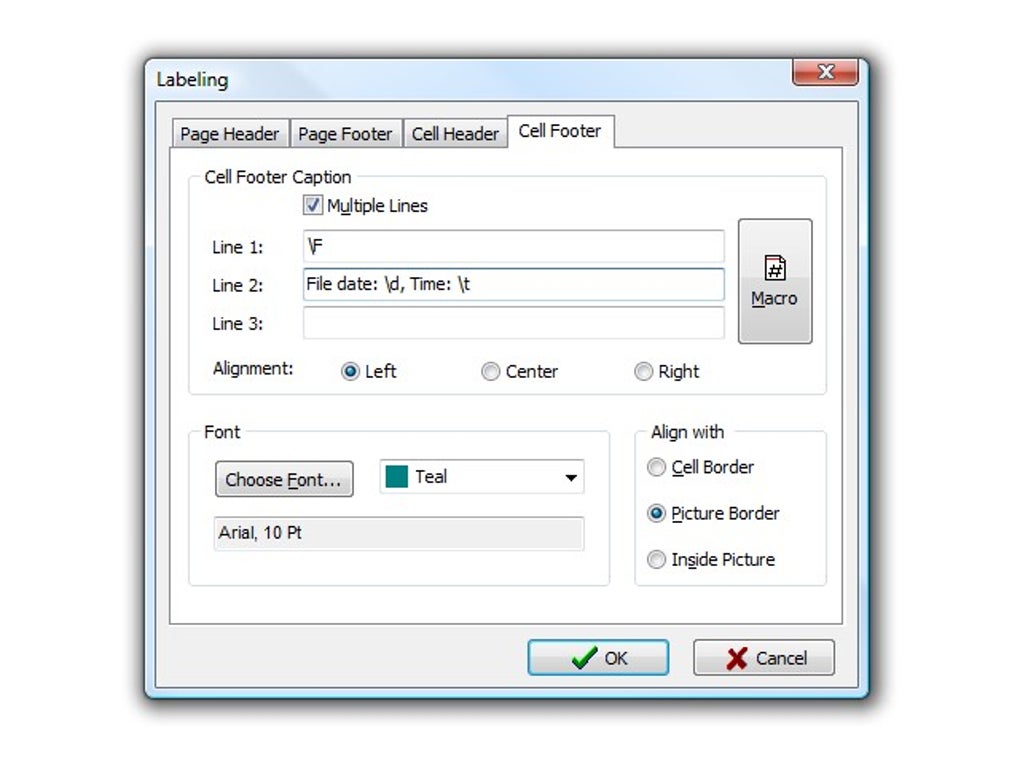
The software also provides the ability to incorporate header and footer text. This feature proves valuable for adding contextual information, such as dates, file names, or project identifiers, to each printed image. This allows for easy organization and identification of printed photos, particularly useful in professional contexts such as event photography or archiving.
User-Friendly Interface and Preview Functionality
Navigating PrintStation is straightforward, even for users unfamiliar with photo printing software. The intuitive interface features a clear, WYSIWYG (What You See Is What You Get) preview of the planned print output. This allows users to visualize the layout of their images before committing to printing, ensuring that the final product matches their expectations. The preview accurately reflects the arrangement of images across multiple pages, including headers and footers, providing complete control and reducing the risk of printing errors.
The software boasts a fast and efficient photo browser, making it easy to select the desired images for printing. Users can conveniently browse through their image files, select multiple images for inclusion in a single print job, and seamlessly organize their selection. This integrated browser eliminates the need to switch between applications, simplifying the overall workflow. Additionally, a slideshow feature within the browser allows for quick previewing of photos before selecting them for printing.
The ability to add file information – such as filenames, dates, and times – further enhances organization. This metadata can be positioned above or below each image, creating a clear record of the photos being printed. This feature is especially advantageous for professional users needing accurate image identification and tracking.
Comprehensive Image Format Support
PrintStation demonstrates impressive versatility in terms of supported image formats. It handles a wide range of file types, including JPEG, TIFF, PCX, DCX, BMP, DIB, PIC, PNG, and GIF. This extensive compatibility makes it ideal for users working with images from diverse sources. The program seamlessly integrates images from various digital cameras, scanners, and online resources, regardless of their original format. This broad support significantly enhances usability, ensuring the program can accommodate diverse image sources and workflows.
Applications and Target User Base
PrintStation’s versatility makes it suitable for a wide range of users and applications. Amateur photographers can utilize the software for efficiently printing collections of personal photos, creating personalized photo albums, or preparing images for sharing. Professional photographers might find it beneficial for quickly printing contact sheets or assembling photo documentation for clients. Beyond photography, the software finds use in diverse fields. Insurance agencies may leverage PrintStation for streamlined printing of accident scene documentation, while fire investigators could employ it for rapid printing of evidence images. Marketing and publishing professionals can use it for efficiently producing print materials involving numerous images. Essentially, anyone who needs to print multiple images quickly and efficiently can benefit from PrintStation’s capabilities.
Limitations and Considerations
While PrintStation offers a powerful and convenient solution for batch printing, it is important to acknowledge some limitations. The software’s primary focus is on efficient printing and layout management, not photo editing. Users seeking advanced image editing capabilities, such as color correction, retouching, or advanced manipulation, would need to utilize a separate image editing application before printing with PrintStation. The program does not offer built-in editing tools beyond simple header/footer text addition.
Although PrintStation excels at batch printing, it may not be the optimal choice for users requiring highly specialized layout features or advanced print customization. While the program offers substantial customization options for page layouts and image arrangement, users needing highly specific and complex designs may require more sophisticated software solutions.
Comparison with Alternative Software
Several alternative applications exist for photo printing, each with its own strengths and weaknesses. Direct comparison with competitors such as Easyboost Photo Print, HP Photo Creations, and PosteRazor highlights PrintStation’s advantages and potential drawbacks. While some alternatives may offer more advanced editing features, PrintStation shines in its simplicity, speed, and intuitive interface, making it a user-friendly choice for those prioritizing efficient batch printing. The choice of software depends heavily on individual user needs and priorities. If the primary need is efficient batch printing of a variety of image formats with minimal fuss, PrintStation stands as a strong contender.
Conclusion
PrintStation offers a valuable and efficient solution for batch printing images. Its intuitive interface, comprehensive format support, and powerful layout customization options make it an attractive choice for a wide range of users. The software’s strength lies in its ability to streamline the often tedious process of printing multiple images, saving time and resources. While lacking advanced image editing capabilities, this limitation is balanced by its speed, efficiency, and user-friendly design. PrintStation is an effective tool for anyone needing to print multiple images efficiently and effectively, making it a worthy addition to the toolkit of both amateur and professional users alike. Its simplicity and speed make it a compelling option for individuals and businesses seeking a streamlined approach to managing and printing large volumes of images.
File Information
- License: “Trial version”
- Latest update: “May 23, 2023”
- Platform: “Windows”
- OS: “Windows 98”
- Language: “English”
- Downloads: “58K”
- Size: “7.66 MB”


