
In today’s interconnected world, our digital lives leave a considerable trail. Every website visit, every file accessed, every search query – these actions generate a vast amount of data stored on our computers and accessible to others, potentially compromising our privacy. While browsers offer some basic privacy controls, they often fall short of providing truly comprehensive protection. This is where dedicated privacy tools, such as Privacy Guardian, come into play. This in-depth review explores the capabilities, strengths, and limitations of Privacy Guardian, a software designed to erase all traces of your internet and PC activity.
Understanding the Need for Privacy Protection
The modern operating system, even after ostensibly clearing your browsing history, retains a significant amount of information about your online activity. Hidden within temporary files, cookies, the system registry, and the index.dat file lies a detailed record of your digital footprint. Simply deleting your browser history isn’t sufficient to completely eliminate this data. Many websites employ various tracking mechanisms that persist even after manual attempts at deletion. Furthermore, less obvious traces are left behind, including the history of documents accessed and applications used, creating a picture of your online and offline activity.
Privacy Guardian aims to address this gap by thoroughly cleaning these hidden files and records, making it significantly harder to reconstruct your activity. It goes beyond the rudimentary clearing functions of web browsers by targeting numerous locations where data about your computer usage is stored. This proactive approach offers a heightened level of privacy compared to relying solely on the built-in functionality of operating systems and browsers.
Privacy Guardian’s Core Features and Functionality
Privacy Guardian is a privacy-focused software application designed to remove traces of online and offline activity from your Windows computer. Its core functionality revolves around securely erasing various types of data, including:
-
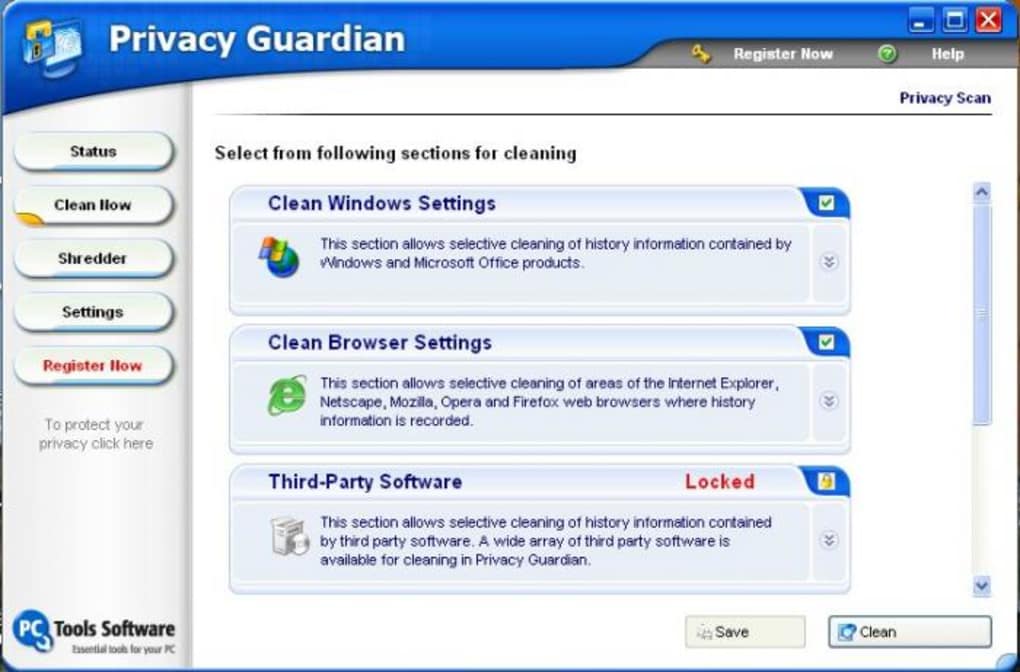
Internet History: This includes browsing history from various browsers (such as Internet Explorer and Netscape, which were prevalent at the time of its development), cookies, temporary internet files, and other associated data. The software aims to remove this data completely, preventing its recovery through standard data recovery methods.
-
Microsoft Office History: A notable feature of Privacy Guardian is its ability to remove history files associated with Microsoft Office applications. This includes documents recently accessed, auto-correct entries, and other traces of usage, providing a higher level of privacy than most comparable tools.
-
System Registry Entries: The Windows Registry stores a vast amount of configuration data, including information about user activity. Privacy Guardian tackles the registry, targeting specific entries associated with browsing activity and application usage, effectively scrubbing traces from this critical system component.
-
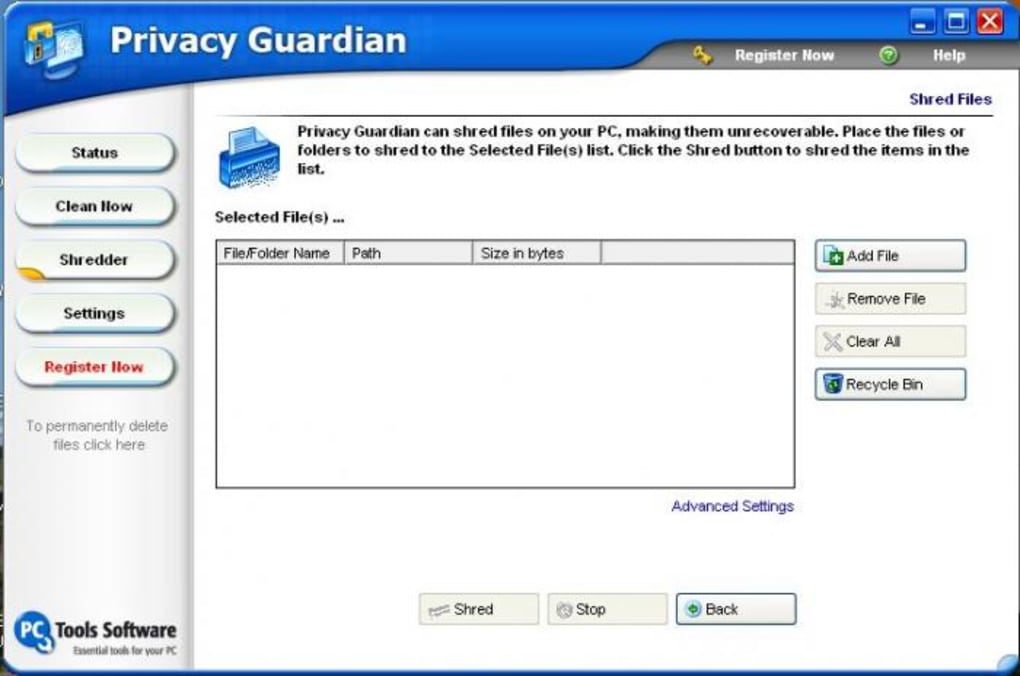
File Shredding: The software incorporates a file shredder, a crucial feature for secure deletion of sensitive files. This ensures that deleted files are truly unrecoverable, preventing data reconstruction even with sophisticated data recovery tools. This extends the security beyond simply deleting files and ensures complete eradication of sensitive information.
-
Automated Cleaning: Beyond manual cleaning, Privacy Guardian provides an automatic scheduler. Users can configure the software to perform automatic clean-up tasks on system startup or shutdown. This automated approach enhances convenience and ensures that your privacy is maintained consistently, without requiring manual intervention.
Strengths and Weaknesses of Privacy Guardian
While Privacy Guardian offers a robust suite of features for enhanced privacy, it also possesses certain limitations.
Strengths:
- Comprehensive Cleaning: It tackles multiple sources of data related to online and offline activity, providing a more comprehensive approach than simply clearing browser history.
- MS Office History Removal: Its capacity to erase Microsoft Office history is a significant advantage, differentiating it from many competing applications.
- Automated Scheduling: The built-in scheduler automates the cleaning process, ensuring consistent privacy without manual intervention. This is a significant time-saver for users who value convenience.
- File Shredding Capability: The inclusion of a file shredder significantly boosts the security of the deletion process, making data recovery extremely difficult or impossible.
- Ease of Use: The software is designed with user-friendliness in mind, making it accessible even to those without advanced technical expertise. The intuitive interface streamlines the cleaning process.
Weaknesses:
- Lack of Stealth Mode: The absence of a stealth mode is a notable drawback. A stealth mode would prevent the application’s activity from being visible to others, adding an extra layer of security and discretion.
- Outdated Version: The provided information indicates the last update was in September 2007. This suggests that the software may not be compatible with the latest operating systems and might not address modern privacy threats and tracking mechanisms. New browsers, operating systems, and online tracking methods have evolved significantly since then, which could potentially reduce the software’s effectiveness.
- Limited Platform Support: The software is explicitly mentioned as being for Windows. It lacks support for other operating systems such as macOS, Linux, Android, or iOS, limiting its usability for users on other platforms.
- Potential for False Positives: While the software aims for comprehensive cleaning, there’s a small risk of inadvertently deleting essential system files. Although unlikely, it highlights the importance of understanding the software’s functionality before use and employing caution.
Privacy Guardian in the Context of Modern Privacy Concerns
The landscape of online privacy has shifted considerably since Privacy Guardian’s last update in 2007. Modern threats are more sophisticated and pervasive, including pervasive tracking across multiple websites and apps, the use of advanced fingerprinting techniques, and the rise of data collection practices by numerous online entities. While Privacy Guardian’s core functionality of deleting local traces of activity remains relevant, it needs to be considered within the broader context of modern privacy challenges. The software might not effectively counter sophisticated tracking methods employed by modern websites and applications.
Alternatives and Future Considerations
Given the age of the software and the evolving privacy landscape, considering alternative solutions is essential. Modern privacy tools frequently incorporate features like anti-tracking, ad blocking, VPN integration, and more robust file shredding algorithms to combat modern online threats. Many of these newer tools offer features to mitigate the limitations present in Privacy Guardian, such as stealth modes, cross-platform compatibility, and ongoing updates to address evolving threats.
In conclusion, Privacy Guardian provides a solid foundation for basic digital privacy by addressing local traces of activity on a Windows computer. However, its age and the absence of features to counteract modern tracking techniques suggest users should consider more contemporary privacy solutions that address the current complexities of maintaining online privacy effectively. While the automated cleaning and MS Office history removal remain useful features, it’s crucial to consider the limitations and choose a tool that aligns with the specific requirements and concerns of the modern digital environment.
File Information
- License: “Trial version”
- Version: “4.1.0.36”
- Latest update: “September 18, 2007”
- Platform: “Windows”
- OS: “Windows 2000”
- Language: “English”
- Downloads: “5.7K”
- Size: “3.97 MB”


