
Proctorio is a web-based proctoring solution designed to maintain the integrity of online examinations. It offers a range of features aimed at deterring cheating and ensuring fair assessment practices, allowing educators to conduct secure online exams with confidence. This comprehensive guide explores Proctorio’s functionality, features, security measures, and considerations for both educators and students.
Understanding Proctorio’s Functionality
Proctorio functions as a browser extension, compatible with popular browsers like Google Chrome and Microsoft Edge. It acts as a virtual proctor, monitoring student activity during online assessments to detect any suspicious behavior indicative of cheating. This monitoring capability allows educators to administer exams remotely, replicating many aspects of the traditional in-person testing environment.
The software operates by integrating directly into the learning management system (LMS) or online testing platform. Once activated, Proctorio monitors a range of student activities, including screen recording, webcam capture, audio recording, and internet activity. This comprehensive monitoring allows for the detection of various forms of academic dishonesty, from accessing unauthorized resources to collaborating with others during the exam.
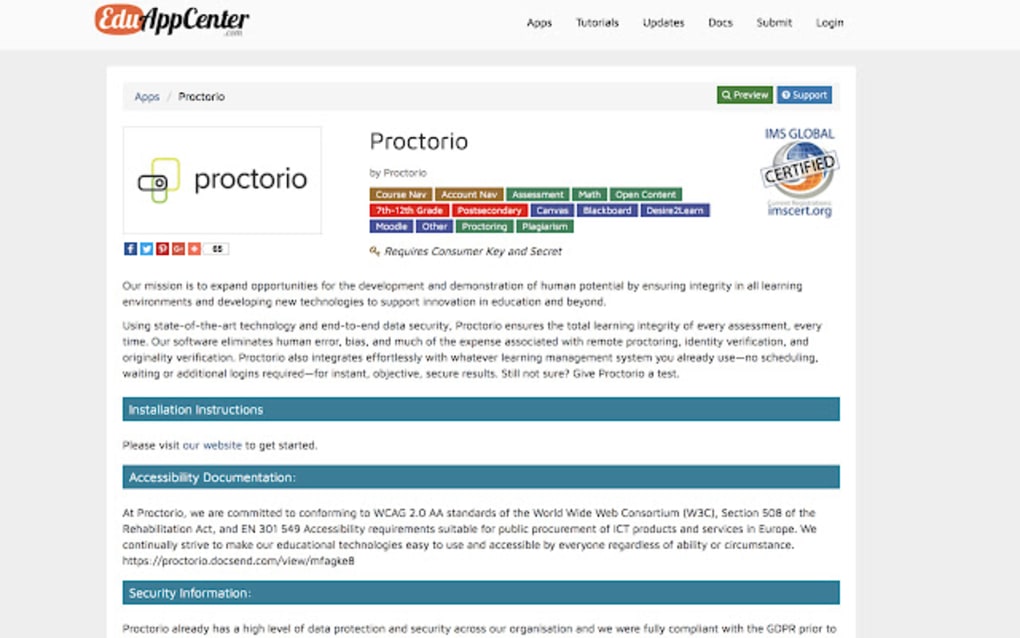
Proctorio’s Key Features: Ensuring Exam Integrity
Proctorio offers a robust suite of features designed to enhance the security and reliability of online assessments. These features are carefully crafted to balance the need for security with the privacy concerns of students.
1. Lockdown Mode: This core feature restricts access to other applications and browser functions during the exam. It disables features like opening new tabs, using the clipboard, accessing extensions, and right-clicking, effectively isolating the student’s browser to the exam interface. This minimizes opportunities for students to access external resources or communicate with others. Customizable lockdown settings allow educators to tailor the level of restriction to their specific needs.
2. Recording Capabilities: Proctorio can record various aspects of the student’s activity, including screen recordings, webcam video, and audio. This detailed record provides a comprehensive audit trail of the student’s examination experience. Web traffic monitoring is also possible, offering further oversight and detection of attempts to access unauthorized resources.
3. Identity Verification: This feature enables the verification of student identity before the exam begins. It can involve various methods such as photo ID verification, where students are required to upload a photo of their identification, or live video verification, using a webcam to confirm their identity in real-time. This ensures that the person taking the exam is indeed the registered student.
4. Automated Proctoring: A significant advantage of Proctorio is its capacity for automated proctoring. This eliminates the need for real-time human monitoring during every exam, significantly reducing the workload on instructors. The system automatically flags suspicious activity, allowing educators to review flagged instances after the exam’s completion.
5. Zero-Knowledge Encryption: Proctorio emphasizes data security and student privacy through zero-knowledge encryption. This ensures that only authorized personnel, such as instructors and administrators, can access the recorded data. The encryption safeguards the privacy of students while providing educators with the necessary information to ensure exam integrity. This robust security protocol addresses potential privacy concerns associated with comprehensive monitoring.
6. Scalability and Customization: Proctorio is designed to be adaptable to diverse educational settings. It caters to institutions of all sizes, with customizable settings allowing educators to tailor the platform to their specific requirements and policies. This flexibility ensures that the software can be effectively integrated into various educational contexts.
7. Reporting and Analytics: The platform provides comprehensive reports and analytics, offering insights into student performance and potential breaches of academic integrity. This data allows for better assessment of exam effectiveness and detection of patterns of potential misconduct.
What Data Does Proctorio Collect?
Proctorio’s data collection capabilities are central to its functionality. However, it’s crucial to understand precisely what data the software accesses and how it is handled.
The software collects data related to the student’s interaction with the exam interface. This encompasses:
- Screen recordings: Records of the student’s screen activity during the exam.
- Webcam recordings: Video recordings from the student’s webcam, capturing their actions and environment.
- Audio recordings: Audio recording of the student’s surroundings, monitoring for any suspicious noises or conversations.
- Internet activity: Monitoring of internet usage during the exam, identifying potential access to unauthorized resources.
- Browser activity: Tracking of the student’s browser activity, including opening new tabs or using specific applications.
- Device information: Information about the student’s computer or device, like operating system and hardware specifications.
It is essential to note that Proctorio explicitly states it does not collect passwords, files, or other data saved on the student’s computer beyond what is directly related to the exam. All collected data is encrypted both offline and online using a robust double-encryption system.
Security and Privacy Considerations
Proctorio’s security and privacy features are designed to ensure responsible use of the collected data. The software’s privacy policy should be carefully reviewed by both educators and students to fully understand the data handling practices.
While Proctorio prioritizes security through encryption, concerns regarding student privacy remain a valid topic of discussion. The extent of data collection, especially regarding screen and webcam recordings, has prompted debates about the balance between academic integrity and individual privacy rights. Transparency and informed consent are critical for the ethical implementation of proctoring software.
Should You Download and Use Proctorio?
The decision to utilize Proctorio or any similar proctoring software depends on individual institutional policies, ethical considerations, and practical needs.
Arguments for using Proctorio:
- Enhanced exam security: Proctorio effectively reduces opportunities for cheating, ensuring a fairer assessment process.
- Flexibility and scalability: The software’s adaptability makes it suitable for diverse educational settings.
- Automated proctoring: Reduces the workload on educators while maintaining exam integrity.
- Detailed reporting: Provides valuable data on student performance and potential misconduct.
Arguments against using Proctorio:
- Privacy concerns: The extensive data collection can raise concerns about student privacy and potential misuse of data.
- Technical issues: Technical glitches or compatibility problems can disrupt the exam process.
- Accessibility: The software may not be equally accessible to all students, potentially disadvantaging those with disabilities.
- Cost: While the basic version may be free, additional features and support can incur costs.
Educators and institutions should carefully consider these factors before implementing Proctorio. Open communication with students about data collection practices is crucial to ensure transparency and build trust. Thorough training for both educators and students on the software’s functionality is also essential for its successful and ethical implementation. The decision to use Proctorio should be a balanced assessment of the benefits against the ethical and practical considerations involved.
File Information
- License: “Free”
- Version: “1.5.23027.4”
- Latest update: “May 24, 2023”
- Platform: “Windows”
- OS: “Windows 7”
- Language: “English”
- Downloads: “14.7K”


