
ProPoster is a versatile software application designed for creating posters of any size, incorporating photos, text, and graphics. This comprehensive guide delves into the features, functionalities, and overall user experience of ProPoster, catering to both novice and experienced users. We will explore its capabilities, review its history, and examine user feedback to provide a well-rounded perspective on this popular poster creation tool.
ProPoster’s Core Functionality and Features
At its heart, ProPoster is a user-friendly program that simplifies the process of designing and creating high-quality posters. Its intuitive interface allows users to seamlessly integrate various elements, offering a streamlined workflow from initial concept to final output. Key features that contribute to its effectiveness include:
-
Flexible Sizing: ProPoster allows users to create posters of virtually any dimension, providing complete control over the final product’s size. This flexibility caters to a wide range of applications, from small promotional flyers to large-scale billboard designs. The program supports both metric (mm, cm) and imperial (inch) units, ensuring ease of use across different regions and design preferences.
-
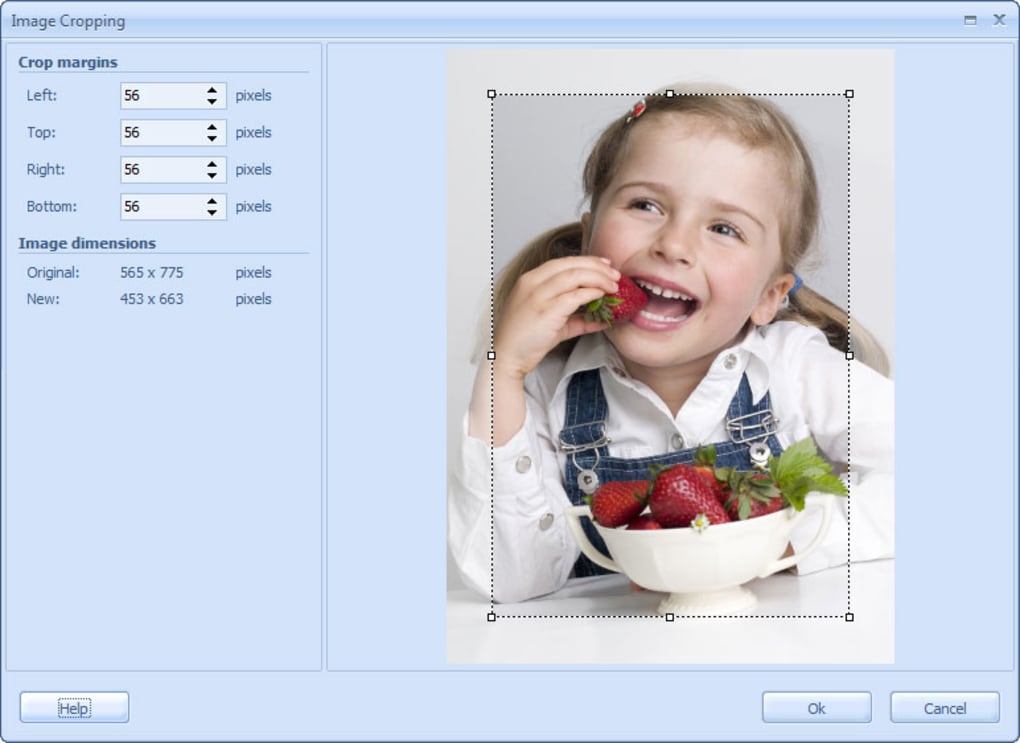
Image Integration: Seamlessly incorporate images into your poster designs. ProPoster allows for easy importing of various image formats, enabling users to leverage their existing photo libraries or sourced images. Furthermore, the software includes cropping tools, enabling precise selection and adjustment of image sections for optimal integration within the poster layout.
-
Text and Graphic Incorporation: Beyond images, ProPoster allows for the incorporation of textual elements and various graphic designs. Users can easily add headlines, body text, captions, and other textual components to convey information effectively. The program offers flexibility in font selection, size, style, and color, enabling users to create visually appealing typography that complements the overall design. Similarly, graphic elements can be integrated, adding visual interest and enhancing the overall aesthetic appeal of the poster.
-
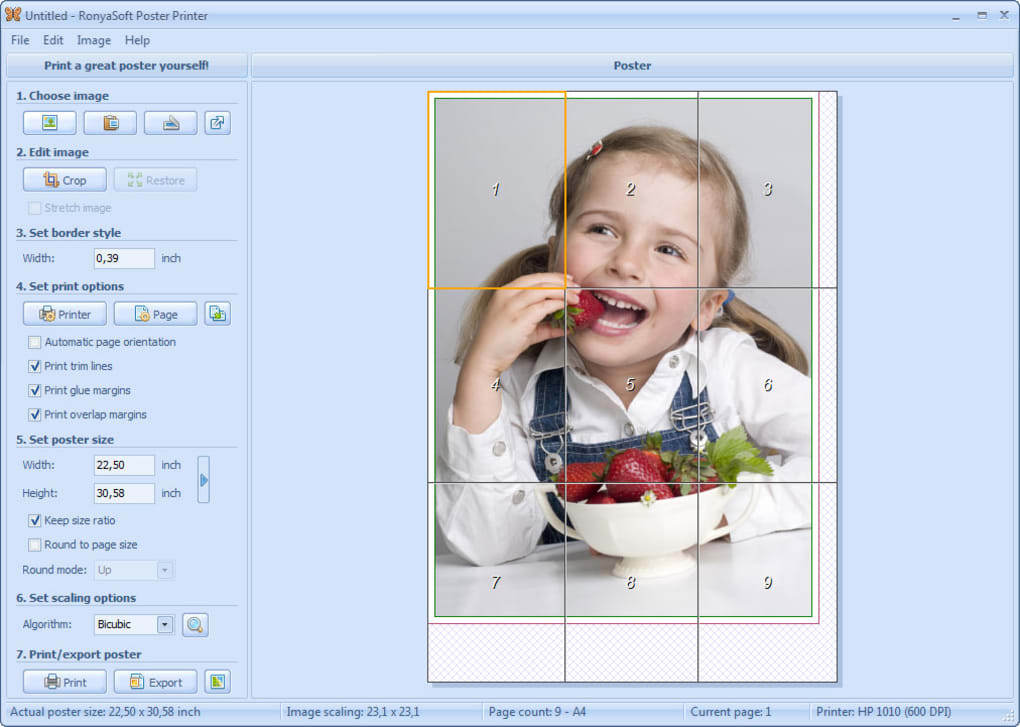
Step-by-Step Interface: ProPoster employs a step-by-step interface, guiding users through the design process in a clear and logical manner. This intuitive approach is especially beneficial for first-time users, ensuring a smooth learning curve and minimizing potential confusion. Each step is clearly defined, making it easy to understand the process and navigate the software’s various features.
-
Support for XP Themes: Demonstrating its commitment to compatibility and user experience, ProPoster supports Windows XP themes. This feature ensures that the software integrates seamlessly with the user’s operating system, providing a consistent and familiar visual interface, thereby enhancing overall user experience.
-
Size Adjustments and Margins: ProPoster provides detailed control over poster size and margin settings. Users can precisely adjust the overall dimensions and define the size of glue margins, ensuring accurate printing and professional results. The ability to disable cut lines provides further refinement of the design process, allowing users to focus on the visual elements without the distraction of potentially unnecessary markings.
-
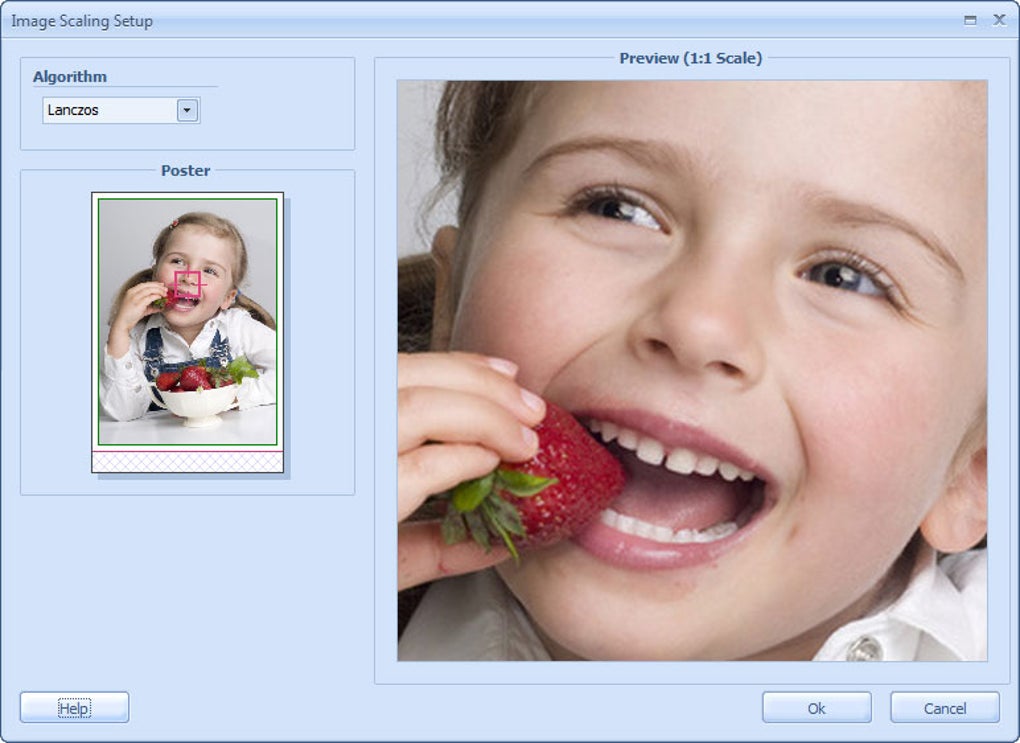
Image Proportion Maintenance: The program intelligently maintains image proportions during resizing, preventing distortion and preserving image quality. This feature is crucial for maintaining the integrity of the incorporated images and ensuring that they are displayed optimally within the poster’s design.
-
Orientation Control: Effortlessly switch between portrait and landscape orientations, providing flexibility in tailoring the poster’s layout to specific needs and design aesthetics. The quick change feature ensures a streamlined workflow and efficient design adjustments.
ProPoster’s System Requirements and Compatibility
ProPoster’s compatibility extends to a range of Windows operating systems, including Windows 2000 and subsequent versions. This broad compatibility ensures accessibility to a large user base, irrespective of their specific operating system. The software’s relatively modest system requirements allow it to run smoothly on a variety of computer configurations, minimizing the need for high-end hardware. While specific minimum requirements may vary depending on the version, ProPoster generally runs efficiently on standard configurations, making it accessible to a wide range of users.
The software’s multilingual support extends to languages such as English and German, demonstrating an effort to cater to a diverse global audience. This feature underscores its commitment to accessibility and global reach, making it a useful tool for individuals and businesses in different regions.
ProPoster’s User Experience and Reviews
User feedback suggests that ProPoster generally receives positive appraisals for its simplicity and effectiveness. The intuitive interface and clear step-by-step instructions are frequently praised for enabling users of all skill levels to create professional-quality posters with ease. While some users may find certain aspects slightly complicated, the overall consensus leans towards a positive user experience, highlighting the software’s user-friendliness and effectiveness in creating visually appealing posters. The consistent positive feedback regarding ease of use reinforces its suitability for individuals and businesses seeking a straightforward and effective poster creation tool.
ProPoster’s History and Development
ProPoster’s development history spans several years, with consistent updates and improvements to its functionalities. The software’s initial release dates back to 2005, showcasing a sustained commitment to improvement and enhancement over the years. Regular updates, like those introduced in 2012 and 2025, reflect the developer’s ongoing efforts to address user feedback and integrate new features. These consistent updates demonstrate a commitment to providing a continually evolving and improving user experience, ensuring the software remains relevant and useful in a constantly changing technological landscape.
The consistent increase in downloads and installations over the years, reaching significant figures like 221,412 installations, clearly indicates a growing user base and widespread acceptance of the software. This sustained growth exemplifies ProPoster’s appeal and its success in fulfilling the needs of its users.
ProPoster: A Comparative Analysis
When compared to other poster design software, ProPoster distinguishes itself through its user-friendly interface and straightforward approach. While more advanced programs offer a wider array of features and customization options, ProPoster’s streamlined design caters to users who prioritize simplicity and ease of use without compromising quality. The trade-off between comprehensive features and intuitive operation makes ProPoster an ideal choice for users who prioritize efficient poster creation over extensive customization capabilities. This focus on a simplified user experience is a key differentiator that sets it apart from more complex design software.
In conclusion, ProPoster presents a compelling solution for individuals and businesses seeking a user-friendly and efficient tool for creating high-quality posters. Its intuitive interface, flexible features, and broad compatibility make it an accessible and valuable asset for a wide range of users. While more advanced software options exist, ProPoster successfully caters to the significant segment of users who prioritize ease of use and a streamlined design process without sacrificing the quality of the final product.
File Information
- License: “Trial version”
- Latest update: “June 27, 2025”
- Platform: “Windows”
- OS: “Windows Vista”
- Language: “English”
- Downloads: “14.5K”
- Size: “5.82 MB”


