
ProShow Gold, a slideshow creation program for Windows developed by Photodex, offers a robust suite of features for crafting professional-looking presentations. While its trial version allows users to experience its capabilities, a deeper dive into its functionality, user experience, and comparison to alternatives helps determine its true value. This review explores various aspects of ProShow Gold, providing a comprehensive overview for potential users.
Feature Overview: A Robust Toolkit for Slideshow Creation
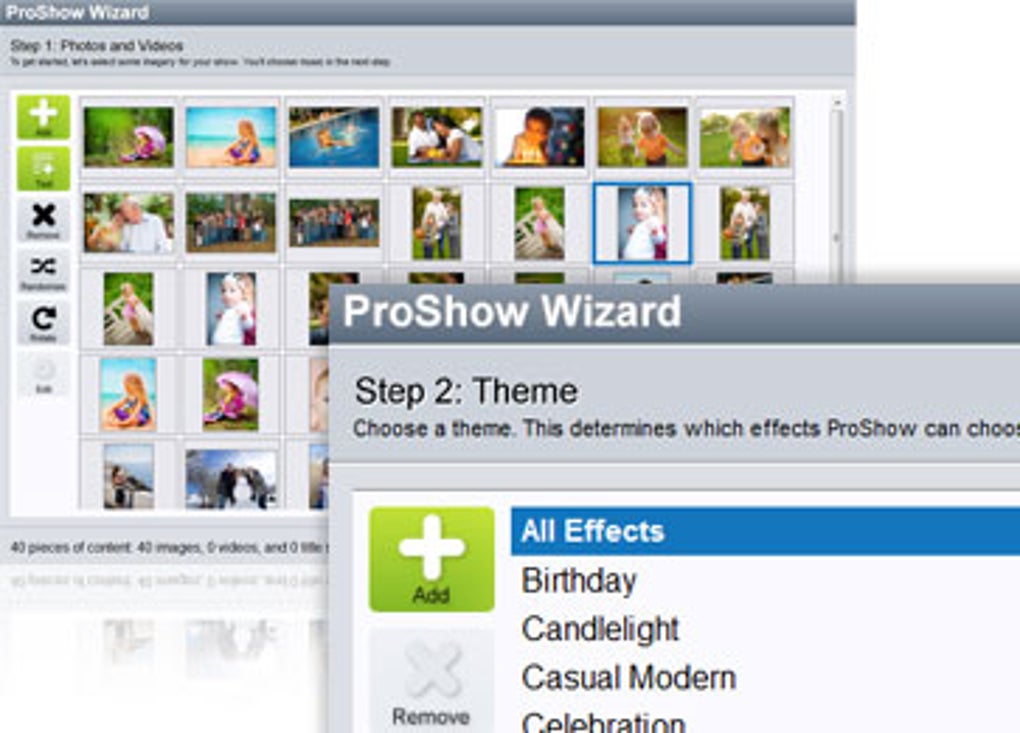
ProShow Gold presents a diverse range of tools tailored to enhance the slideshow creation process. Users can import a wide variety of media formats, including photos, videos, and audio files. The software boasts an intuitive interface, making it accessible to both novice and experienced users. Key features include:
-
Extensive Media Support: ProShow Gold supports a broad spectrum of image formats (JPEG, PNG, TIFF, etc.), video formats (MP4, AVI, MOV, etc.), and audio formats (MP3, WAV, etc.). This versatility enables users to incorporate diverse media elements into their presentations without worrying about compatibility issues. The software handles high-resolution images and videos effectively, ensuring the final slideshow retains high visual quality.
-
Intuitive Timeline Editing: The software’s timeline-based editing interface allows for precise control over the sequencing and timing of media elements. Users can easily adjust the duration of individual slides, add transitions between them, and synchronize audio and video to create a seamless viewing experience. The drag-and-drop functionality streamlines the workflow, simplifying the process of arranging and modifying elements.
-
Rich Collection of Transitions and Effects: ProShow Gold offers a vast library of transitions and effects to customize the look and feel of the slideshow. These effects range from subtle fades and wipes to more dramatic animations and 3D transformations. The variety allows users to achieve diverse stylistic effects, creating presentations ranging from simple and elegant to complex and dynamic.
-
Advanced Animation Options: Beyond basic transitions, ProShow Gold provides advanced animation capabilities. Users can create custom animations for individual elements within a slide, adding subtle movements or more dramatic effects to enhance visual engagement. This level of control allows for creating more dynamic and visually interesting presentations.
-
Captioning and Text Editing Tools: The software includes robust tools for adding captions and text overlays to slides. Users can customize font styles, sizes, colors, and effects to integrate text seamlessly into the presentation. Text animations can also be added, enhancing the visual flow of information.
-
Music and Sound Integration: ProShow Gold allows for seamless integration of background music and sound effects. Users can easily import audio files and adjust their volume and timing to match the visual elements. The ability to fine-tune audio enhances the overall immersive quality of the slideshow.
-
Export Options and Sharing Capabilities: Once the slideshow is complete, ProShow Gold provides a range of export options to share the final product. Users can export their creations in various formats, including high-resolution video files, optimized for different platforms and devices. This flexibility allows for easy sharing on social media, online platforms, or through physical media.
User Experience and Interface: Ease of Use and Accessibility
ProShow Gold aims for an intuitive user experience, facilitating ease of use for users with varying levels of technical expertise. The interface is generally well-organized, with key features readily accessible. However, the sheer number of features may initially feel overwhelming to novice users. The learning curve is moderate, with a dedicated effort required to master all the software’s functionalities. The software provides helpful tutorials and documentation, though a more streamlined onboarding process could benefit new users.
The drag-and-drop functionality significantly streamlines the workflow, simplifying tasks such as adding media, applying transitions, and organizing elements within the timeline. This approach caters to visual learners and enhances overall usability.
Comparison to Alternatives: ProShow Gold’s Standing in the Market
ProShow Gold competes with numerous other slideshow creation software options, each offering its unique strengths and weaknesses. Direct competitors include:
-
Adobe Photoshop Elements: While more encompassing in image editing capabilities, Photoshop Elements’ slideshow functionality is relatively less robust compared to ProShow Gold. The price point is significantly higher, which might deter casual users.
-
PowerPoint: Microsoft PowerPoint offers slideshow capabilities, but lacks the advanced animation and transition features found in ProShow Gold. PowerPoint is a more general-purpose presentation software; ProShow Gold focuses specifically on image-rich slideshows.
-
Other Specialized Slideshow Software: The market also contains various specialized slideshow creation software packages. A comprehensive comparison would necessitate a detailed analysis of specific features offered by each program.
ProShow Gold’s competitive edge lies in its powerful animation capabilities and extensive library of transitions and effects. While its learning curve is moderate, the depth of features compensates for the initial effort.
System Requirements and Technical Specifications
ProShow Gold is designed for the Windows operating system and has specific system requirements that potential users should consider. These requirements ensure optimal performance and prevent compatibility issues. The official documentation provides the most up-to-date specifications. Generally, a modern Windows system with sufficient RAM and processing power will be needed to handle high-resolution images and videos smoothly.
The size of the software installation file and the disk space required for its operation should also be checked before downloading and installation.
Conclusion: A Powerful Tool with a Moderate Learning Curve
ProShow Gold is a powerful slideshow creation software offering a comprehensive suite of features for crafting professional presentations. Its intuitive timeline editing, diverse transition and effects library, and advanced animation options make it a strong choice for users seeking advanced control over their slideshows. While the learning curve is moderate, the extensive features compensate for the initial investment of time and effort.
The software’s availability as a trial version provides an excellent opportunity for users to evaluate its capabilities before committing to a purchase. Overall, ProShow Gold stands as a worthy contender in the market, offering a compelling combination of features and user-friendliness for creating impactful and engaging slideshows. The thorough collection of export options and sharing capabilities further enhance its practicality. However, potential users should weigh the moderate learning curve against the advanced features before making a decision.
File Information
- License: “Trial version”
- Version: “9.0.3797”
- Latest update: “May 16, 2024”
- Platform: “Windows”
- OS: “Windows Vista”
- Downloads: “9K”
- Size: “54.86 MB”


