
PS4 Remote Play is a game-changing utility developed by Sony Interactive Entertainment Inc., designed to bridge the gap between your PlayStation 4 console and your computer or laptop. This powerful tool allows you to stream and play your PS4 games on a wider range of screens, offering unprecedented flexibility and portability. No longer tethered to your television, you can extend your gaming adventures to virtually any location within your broadband network’s reach, simply by connecting your controller. This guide will delve into the capabilities, setup, and considerations of using PS4 Remote Play.
What PS4 Remote Play Offers: Expanding Your Gaming Horizons
PS4 Remote Play acts as a remote control for your PS4, enabling you to seamlessly manage and play your games from your computer. Before initiating the connection, you’ll need to activate Remote Play on your PS4 console itself. The application is designed to be user-friendly, catering to gamers of all technical skill levels. Connecting your PC or laptop to your PS4 is a straightforward process, allowing for a quick transition to your preferred gaming setup.
While generally robust, it’s important to note that certain limitations exist, particularly concerning local multiplayer. Using two DualShock 4 controllers or other wireless connections on a computer might present compatibility challenges. However, the program excels in streaming PS4 games within a local network. This feature is ideal for optimizing gaming room setups or enjoying games throughout your home, offering freedom of movement during gameplay.
Beyond single-player experiences, PS4 Remote Play facilitates voice chat during multiplayer games, allowing you to maintain seamless communication with fellow gamers. The use of an external microphone is necessary for this functionality. Moreover, it enables local multiplayer sessions between your PC and PS4, provided both devices are running the same game. This opens up opportunities for collaborative gaming with friends and family in various locations within your home network.
Accessing PS4 Remote Play Anytime, Anywhere: A Global Gaming Experience
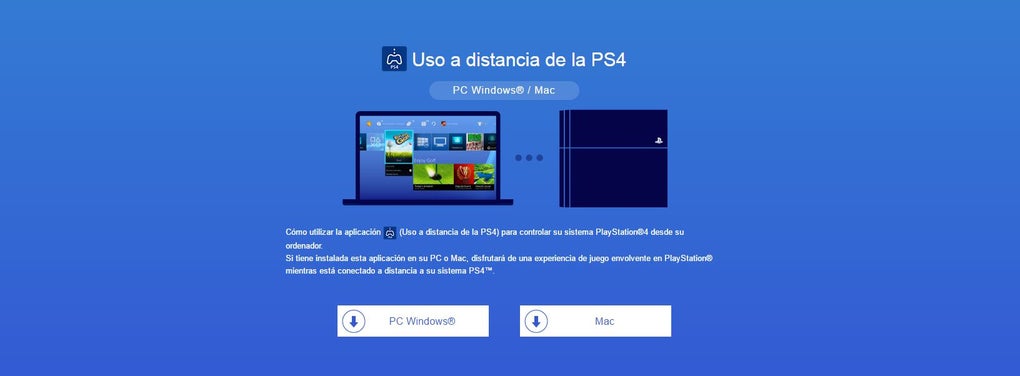
The true potential of PS4 Remote Play is unlocked when you enable the remote access option on your console. This process is remarkably simple and requires only a few easy steps. Begin by powering on your PS4 and navigating to the Remote Play Connection settings. Ensure the “Enable Remote Play” checkbox is selected. Crucially, the console you intend to use for remote play must be designated as your “Primary” PS4.
This versatile application leverages network technologies to maximize accessibility and convenience. It transforms the way you engage with your PS4, allowing for remote gameplay, player communication, multiplayer hosting, and the safekeeping of your game progress. The immersive gaming experience typically associated with your PS4 is faithfully replicated, even when connected remotely. However, remember that the quality of your internet connection directly impacts the overall experience. Poor internet speeds can result in lower resolutions and reduced frame rates, potentially diminishing the overall visual fidelity and responsiveness.
PS4 Remote Play: A Flexible Tool for On-the-Go Gaming
PS4 Remote Play presents a seamless and practical method for enjoying PS4 games beyond the confines of your television. It empowers you to play games on a laptop or desktop PC via a broadband connection, catering to gamers who value flexibility and the ability to play wherever their internet connection allows.
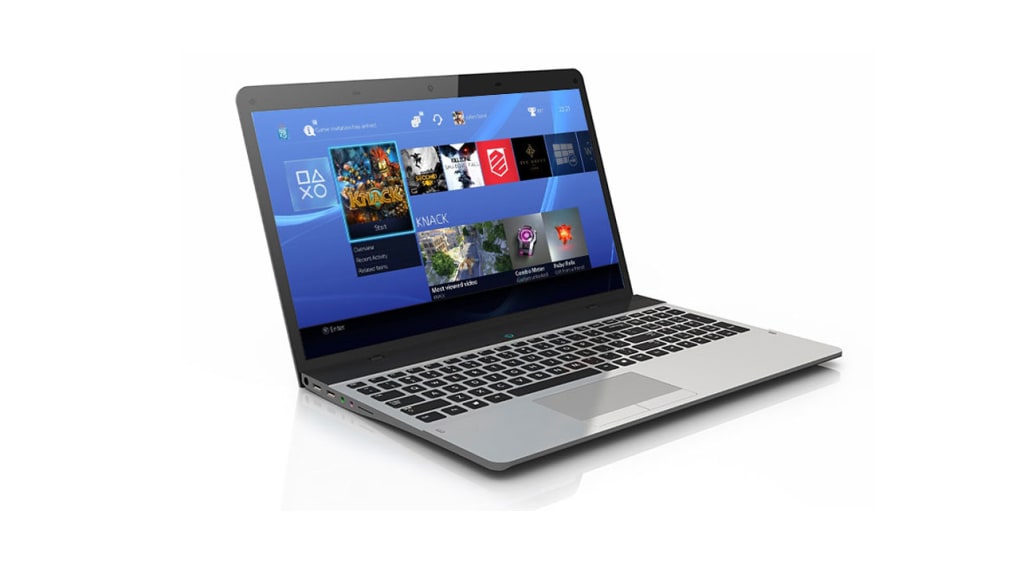
While the features are user-friendly and readily accessible, the overall experience is significantly affected by the quality of your internet connection and certain multiplayer limitations. Users with slower internet speeds may encounter challenges, particularly concerning lag and responsiveness. Therefore, a stable and high-speed internet connection is crucial for an optimal experience.
Advantages and Disadvantages of PS4 Remote Play: A Balanced Perspective
Pros:
- Effortless Setup and Intuitive Access: The application is designed with ease of use in mind, requiring minimal technical expertise. The connection process is relatively straightforward and intuitive.
-
Supports Voice Chat and Remote Progress Saving: Maintaining communication with fellow players during multiplayer sessions is facilitated through voice chat, while your game progress is automatically saved remotely, ensuring that your hard work is preserved regardless of your location.
-
Multi-Platform Compatibility: PS4 Remote Play isn’t restricted to a single operating system. It offers compatibility with various platforms, enhancing its versatility and user base.
-
Convenience for Gamers Without TV Access: Individuals who don’t have access to a television can still enjoy their PS4 games thanks to the capabilities offered by PS4 Remote Play. This is particularly useful for gamers in shared living spaces or those who frequently travel.
Cons:
-
Requirement for Stable Internet Connection: The reliance on a stable and high-speed internet connection is a critical drawback. Poor network connectivity directly impacts the quality of the streaming, leading to lag, lower resolution, and frame rate issues.
-
Limited Local Multiplayer Functionality on PC: While local multiplayer is a significant feature of PS4, its implementation on PC via Remote Play faces limitations. Some features might not function correctly, affecting collaborative gaming experiences.
-
Occasional Frame Rate and Resolution Issues: Even with a robust internet connection, occasional dips in frame rate and resolution can occur. These issues are often related to network congestion or server-side limitations.
-
External Microphone Needed for Communication: To participate in voice chat, you’ll need to use an external microphone. This is a minor inconvenience, but it’s a necessary requirement for effective communication during multiplayer games.
Alternative Applications and Comparisons
While PS4 Remote Play stands as a prominent option for remote gaming on PS4, several alternative applications provide similar functionalities, each with its strengths and weaknesses. These alternatives may offer unique features or cater to specific user needs that PS4 Remote Play may not address. It’s advisable to research these alternatives and compare their functionalities against your personal requirements before making a choice. Considerations might include platform compatibility, features, ease of use, and cost. Some alternatives might offer features like enhanced streaming quality, broader device support, or advanced customization options.
In conclusion, PS4 Remote Play represents a significant advancement in remote gaming technology. Its simplicity, functionality, and cross-platform compatibility make it a compelling option for gamers seeking greater flexibility and portability. However, potential users should carefully weigh the advantages and disadvantages, particularly concerning the reliance on a stable internet connection and the limitations in local multiplayer functionality on PC. A thorough understanding of these factors will allow gamers to determine whether PS4 Remote Play aligns with their individual gaming preferences and needs.
File Information
- License: “Free”
- Latest update: “June 12, 2025”
- Platform: “Windows”
- OS: “Windows 8.1”
- Language: “English”
- Downloads: “163K”
- Size: “3.89 MB”


