
PuTTY Portable is a freely available, lightweight, and highly portable implementation of the Telnet and SSH protocols. Unlike its full-fledged counterpart, PuTTY Portable doesn’t require installation, making it an ideal choice for users who need a secure remote connection tool without the commitment of a traditional software installation. This flexibility allows for its use on various platforms, including USB drives, cloud storage, and local folders, making it a convenient and versatile solution for managing remote systems.
What is PuTTY Portable and How Does it Work?
PuTTY Portable is a free and open-source client that facilitates secure remote connections using several network protocols. Primarily, it supports SSH (Secure Shell) and Telnet, both crucial for establishing remote sessions with servers and computers. Additionally, it offers support for Rlogin and SUPDUP protocols, further expanding its compatibility.
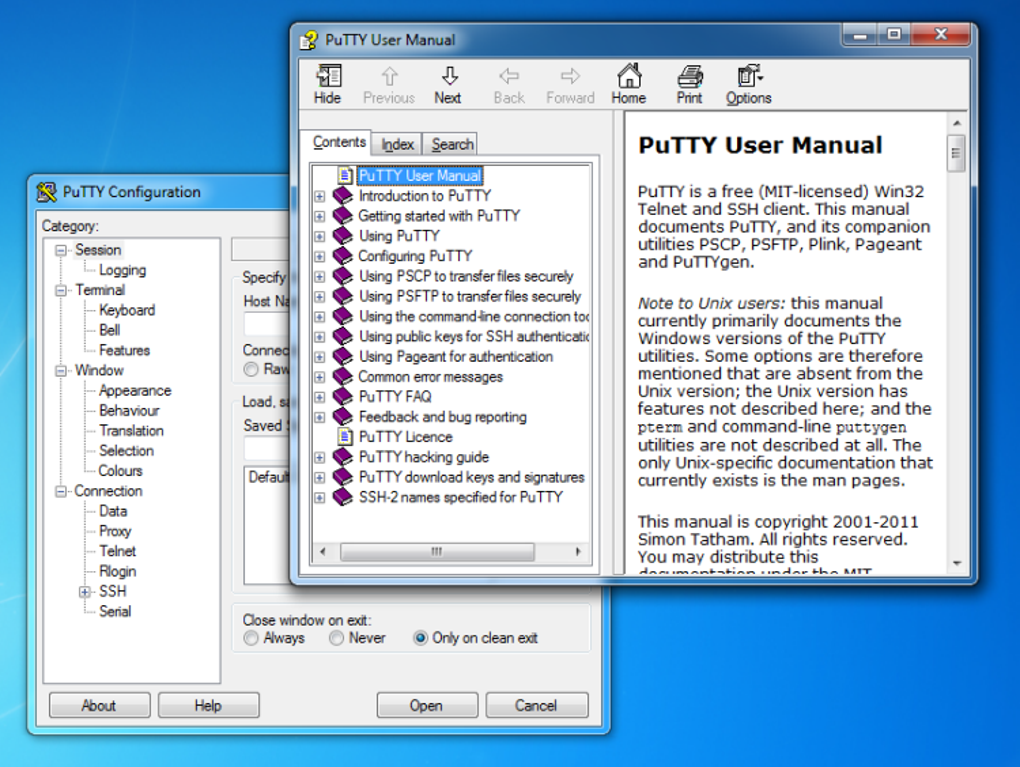
The core functionality of PuTTY Portable revolves around establishing a connection to a target machine. Once connected, it presents a terminal window allowing users to execute commands on the remote system as if they were working directly on the console. This remote access capability empowers users to manage remote computers effectively, regardless of their physical location. The SSH protocol, in particular, ensures secure and encrypted communication, safeguarding sensitive data transmitted during the session. This encryption is crucial for protecting login credentials, file transfers, and any other information exchanged between the local and remote machines.
Why Use PuTTY Portable?
The popularity of PuTTY Portable stems from its numerous advantages, making it a valuable tool for both IT professionals and everyday computer users:
-
Portability: The foremost benefit is its portability. The program exists as a single executable file (
.exe), eliminating the need for installation. This makes it exceptionally convenient for users who frequently work on different machines or those who prefer keeping their systems clean and uncluttered. -
Remote Access and Control: PuTTY Portable allows for complete control over remote systems. IT administrators, in particular, benefit from this capability for managing servers, troubleshooting issues, and deploying updates remotely, without the need for physical access to the target machine. This is especially useful in situations where servers are located in remote data centers or geographically dispersed locations.
-
Secure File Transfer: Using the SSH protocol, PuTTY Portable enables secure file transfers between the local and remote systems. Unlike less secure methods, SSH encryption protects the data in transit, preventing unauthorized interception and ensuring the integrity of transferred files. This is crucial for sensitive data, such as configuration files or personal documents.
-
Lightweight and Efficient: PuTTY Portable is designed to be lightweight and consume minimal system resources. This ensures efficient performance, even on less powerful machines, without impacting overall system responsiveness.
-
Free and Open-Source: As a free and open-source tool, PuTTY Portable is accessible to everyone, eliminating licensing costs. The open-source nature also allows for community contributions and enhances transparency, fostering trust and encouraging continuous improvement.
Security Considerations and Safe Download Practices
While PuTTY Portable itself is a secure tool, it’s crucial to download it from trusted sources. Downloading from illegitimate websites increases the risk of obtaining a malicious version containing malware or viruses, which could compromise your system’s security and steal sensitive information. Always download the software from the official PuTTY website or reputable software repositories to ensure the integrity and safety of the downloaded file.
How to Use PuTTY Portable: A Step-by-Step Guide
Using PuTTY Portable is relatively straightforward:
-
Download: Download the PuTTY Portable executable file from a trusted source. The file usually comes as a compressed archive (like .zip) which needs to be extracted before use.
-
Execution: Double-click the PuTTY Portable executable file (
.exe) to launch the program. No installation is necessary. -
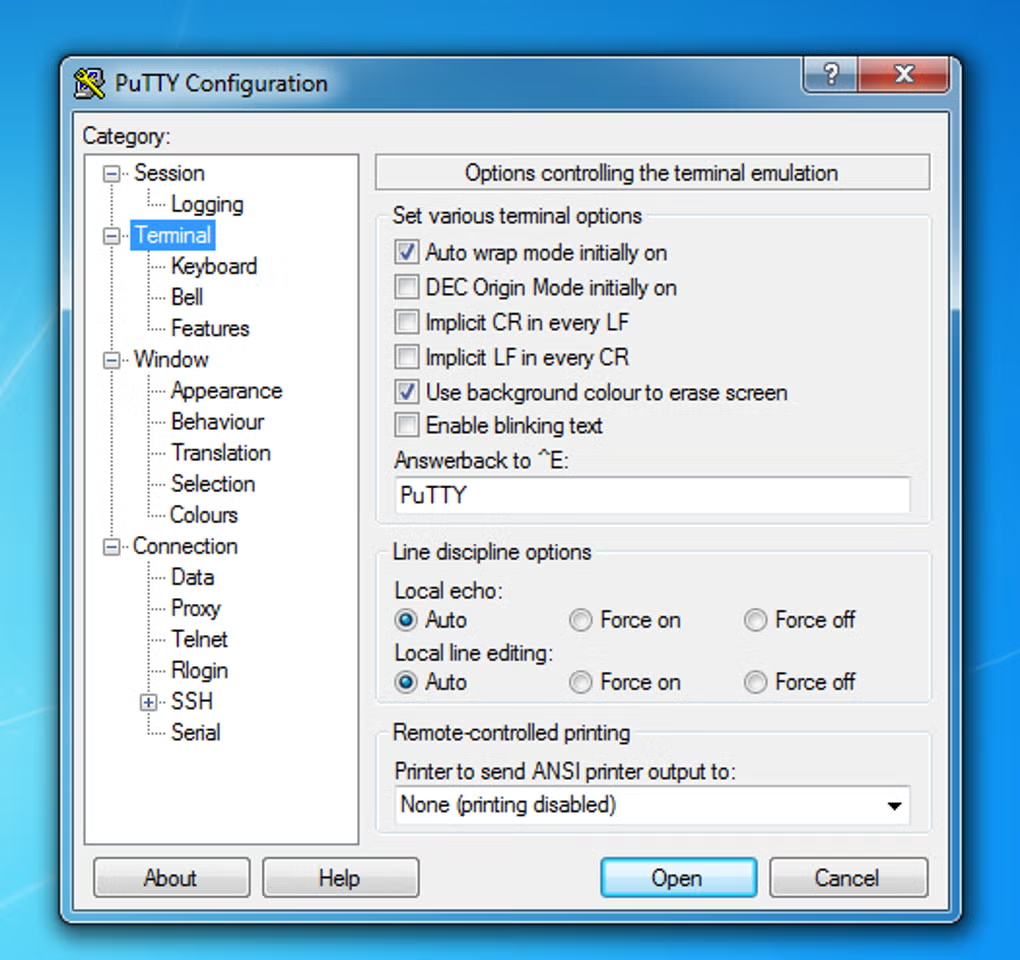
Connection Settings: The PuTTY configuration window will appear. You’ll need to enter the hostname or IP address of the remote machine you wish to connect to. Additionally, you’ll need to specify the connection type (SSH or Telnet) and the port number. The default port for SSH is 22, while the default port for Telnet is 23.
-
Authentication: After entering the connection details, you’ll be prompted for your login credentials (username and password). It’s important to use strong and unique passwords to enhance security. Keep in mind that PuTTY Portable itself doesn’t store passwords, enhancing security by preventing unauthorized access to stored credentials.
-
Session Log (Optional): PuTTY Portable allows for session logging. This can be helpful for troubleshooting or auditing purposes. The logging feature can be enabled within the PuTTY settings, allowing you to specify a file name and logging mode.
Alternatives to PuTTY Portable
While PuTTY Portable excels in its simplicity and portability, several alternative SSH and Telnet clients offer additional features:
- KiTTY: A fork of PuTTY with enhanced features like a session filter, automatic password management (a security risk to some), session launcher, and Zmodem integration. It offers increased convenience but also potentially increases complexity.
-
MobaXterm: A powerful tool providing SSH, Telnet, and other functionalities, including remote desktop access and an integrated SFTP browser. It offers both free and paid versions, with the professional version unlocking more features.
-
mRemoteNG: A tabbed interface for managing numerous remote connections simultaneously, making it particularly useful for users needing to manage many servers. This would likely be overkill for users managing only a few connections. Its complexity might also be a barrier to entry for newer users.
-
SecureCRT: A commercial SSH client with extensive features, strong encryption, and robust security protocols. It comes with a price tag but offers a wider feature set and improved security for users needing advanced functionalities.
Conclusion: PuTTY Portable – The Right Tool for the Job
PuTTY Portable effectively fills a niche for a simple, lightweight, and secure remote connection tool. Its portability, coupled with the essential features for SSH and Telnet connectivity, makes it an excellent choice for many users. While alternative options offer more features, PuTTY Portable’s simplicity and ease of use are considerable advantages, especially for users who prioritize convenience and security without needing advanced functionalities. Its lack of password storage is a major security benefit that should be weighed against the convenience of password management features offered in alternative tools. The choice ultimately depends on the user’s specific needs and technical expertise. For many users, the simplicity and security of PuTTY Portable will be the perfect fit.
File Information
- License: “Free”
- Latest update: “February 14, 2025”
- Platform: “Windows”
- OS: “Windows 8”
- Language: “English”
- Downloads: “120.3K”
- Size: “1.65 MB”


