
Python, renowned for its readability and beginner-friendly syntax, has become a popular choice for both aspiring and experienced programmers. Its versatility extends across numerous domains, from web development and data science to machine learning and scripting. However, even with its accessible nature, mastering Python requires dedicated practice and a solid understanding of its core concepts. This is where Python Tutor, a free, interactive educational application, proves invaluable. This article delves into the features, functionalities, and overall effectiveness of Python Tutor as a tool for learning and practicing Python programming.
Understanding Python Tutor’s Role in Python Education
Python Tutor offers a unique approach to learning Python by providing a visual, step-by-step execution of code. Unlike traditional learning methods that primarily rely on textual explanations and theoretical concepts, Python Tutor allows users to actively engage with the code, observing its behavior line by line. This interactive experience significantly enhances comprehension and retention, making it particularly effective for beginners grappling with the fundamentals of programming.
The core strength of Python Tutor lies in its ability to bridge the gap between abstract programming concepts and their concrete implementations. Students can input their Python code directly into the application and then execute it, witnessing the changes in variables, data structures, and memory allocation at each step. This visual representation of program execution is a powerful tool for debugging and understanding how different parts of the code interact. It transforms the often-opaque process of code execution into a transparent and readily understandable sequence of events.
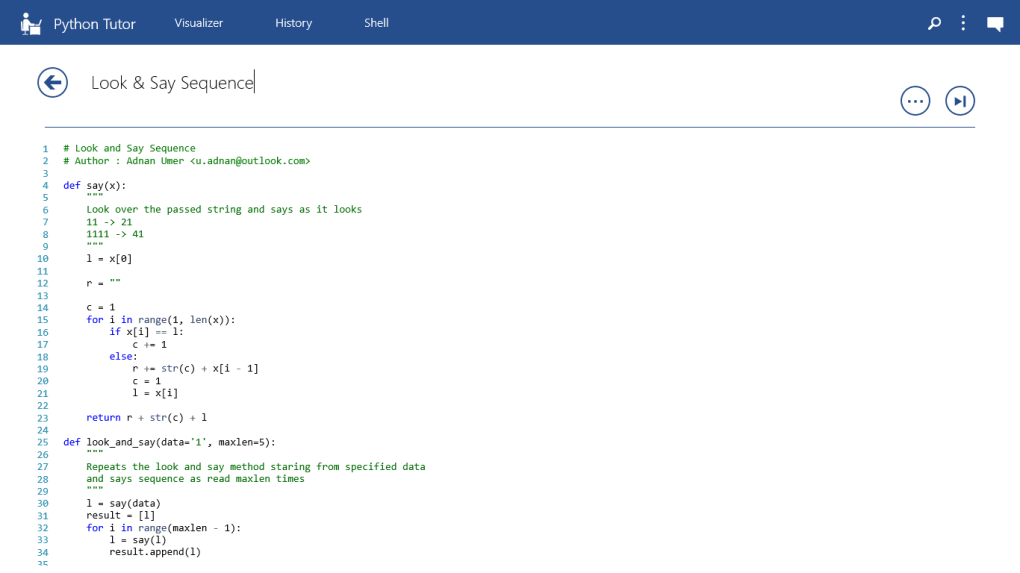
The platform’s simplicity makes it accessible to a wide range of users, regardless of their prior programming experience. The intuitive interface requires minimal learning curve, allowing users to focus on the Python code itself rather than navigating complex software. This ease of use is crucial for beginners who might otherwise be overwhelmed by more intricate Integrated Development Environments (IDEs).
Key Features and Functionalities of Python Tutor
Python Tutor boasts several key features that contribute to its effectiveness as a learning tool:
-
Visual Execution: The most prominent feature is the visual step-by-step execution of the code. Users can execute their code line by line, watching the program’s state change in real-time. This visual feedback is invaluable for understanding the flow of control, variable assignments, and function calls.
-
Interactive Debugging: The ability to pause execution at any point allows for detailed examination of the program’s state. Users can inspect the values of variables, examine the call stack, and trace the execution path. This interactive debugging process empowers users to identify errors, understand their causes, and correct them efficiently.
-
Code Visualization: Python Tutor provides a graphical representation of the program’s execution, including variables, data structures, and memory usage. This visual representation makes it easier to comprehend complex data structures and how they are manipulated during program execution. For example, users can see how lists, dictionaries, and other data structures are modified step-by-step.
-
Multiple File Support: The application also supports multiple files, enabling users to work on more complex projects that involve multiple modules or files. This feature is particularly useful for advanced learners who are transitioning to larger-scale programming tasks.
-
Export and Sharing: Users can export their visualization sessions, making it possible to share their work with instructors or peers. This functionality fosters collaboration and allows for effective feedback and discussion.
Advantages and Limitations of Python Tutor
Python Tutor’s strengths lie in its simplicity, interactivity, and visual feedback. These features make it an excellent resource for beginners and those looking for a clearer understanding of code execution. However, it’s important to acknowledge certain limitations:
Advantages:
- Beginner-Friendly Interface: The intuitive interface makes it easy for beginners to start using the application without requiring extensive technical knowledge.
- Effective Visualizations: The visual step-by-step execution and code visualization aids significantly in understanding program behavior.
- Ideal for Debugging: The interactive debugging features make identifying and correcting errors easier and more efficient.
- Supports Multiple Files: The ability to work with multiple files allows for more complex programming tasks.
- Facilitates Collaboration: The export and sharing features promote collaborative learning and feedback.
Limitations:
- Limited Scope: Python Tutor is primarily designed for educational purposes and might lack the advanced features found in professional IDEs. It’s not meant to replace a full-fledged IDE for software development.
- Simplified Environment: The execution environment might not fully replicate the complexities of a real-world Python environment, which could lead to inconsistencies in certain scenarios.
- Potential for Over-Reliance: While visual aids are beneficial, over-reliance on Python Tutor without sufficient independent coding practice could hinder the development of essential problem-solving skills.
Python Tutor in the Broader Context of Python Learning
Python Tutor serves as a valuable supplement to other Python learning resources. It’s particularly effective when used in conjunction with online courses, textbooks, and other educational materials. It allows users to solidify their understanding of theoretical concepts by applying them in a practical, interactive environment.
The application is not intended as a standalone Python learning resource, but rather as a powerful tool to augment the learning process. It is most effective when integrated into a well-rounded learning strategy that combines theoretical knowledge with hands-on practice. Students should still engage in independent coding exercises, work on personal projects, and explore more advanced concepts beyond the scope of Python Tutor.
Conclusion: Python Tutor as a Valuable Educational Tool
Python Tutor is a valuable asset for anyone seeking to learn or enhance their Python programming skills. Its intuitive interface, visual execution capabilities, and interactive debugging tools make it a compelling learning resource. However, it’s crucial to view Python Tutor as a complementary tool, not a replacement for more comprehensive learning methods. Effective Python programming requires a combination of theoretical understanding, practical application, and consistent practice. By incorporating Python Tutor into a well-rounded learning strategy, users can significantly improve their understanding of Python and develop robust programming skills. Its strengths lie in its ability to bridge the gap between abstract concepts and concrete program execution, fostering a more intuitive and effective learning experience.
File Information
- License: “Free”
- Version: “201.511.414.325.318”
- Latest update: “January 18, 2024”
- Platform: “Windows”
- OS: “Windows 10”
- Language: “English”
- Downloads: “9K”


