
Q Launcher: Android 12 Home is a free Android utility app developed by O Launcher Group, offering users a customizable Android 12-style home screen experience. This comprehensive review explores its features, functionality, and overall user experience, comparing it to other personalization apps available on the Google Play Store. The app aims to provide a clean, efficient, and visually appealing interface, mimicking the aesthetics and functionality of the native Android 12 home screen while allowing for extensive personalization. With a 4.3 rating and over 104 downloads, Q Launcher has carved a niche for itself in the competitive market of Android launchers.
App Overview and Core Functionality
Q Launcher: Android 12 Home delivers a streamlined Android experience, focusing on simplicity and ease of use. Its core functionality revolves around providing users with a customizable home screen, mirroring the design language of Android 12. This includes customizable widgets, icon packs, and theme options, allowing users to tailor the interface to their preferences. The app boasts a clean and intuitive design, making navigation straightforward, even for users unfamiliar with Android launchers.
The app’s primary features include:
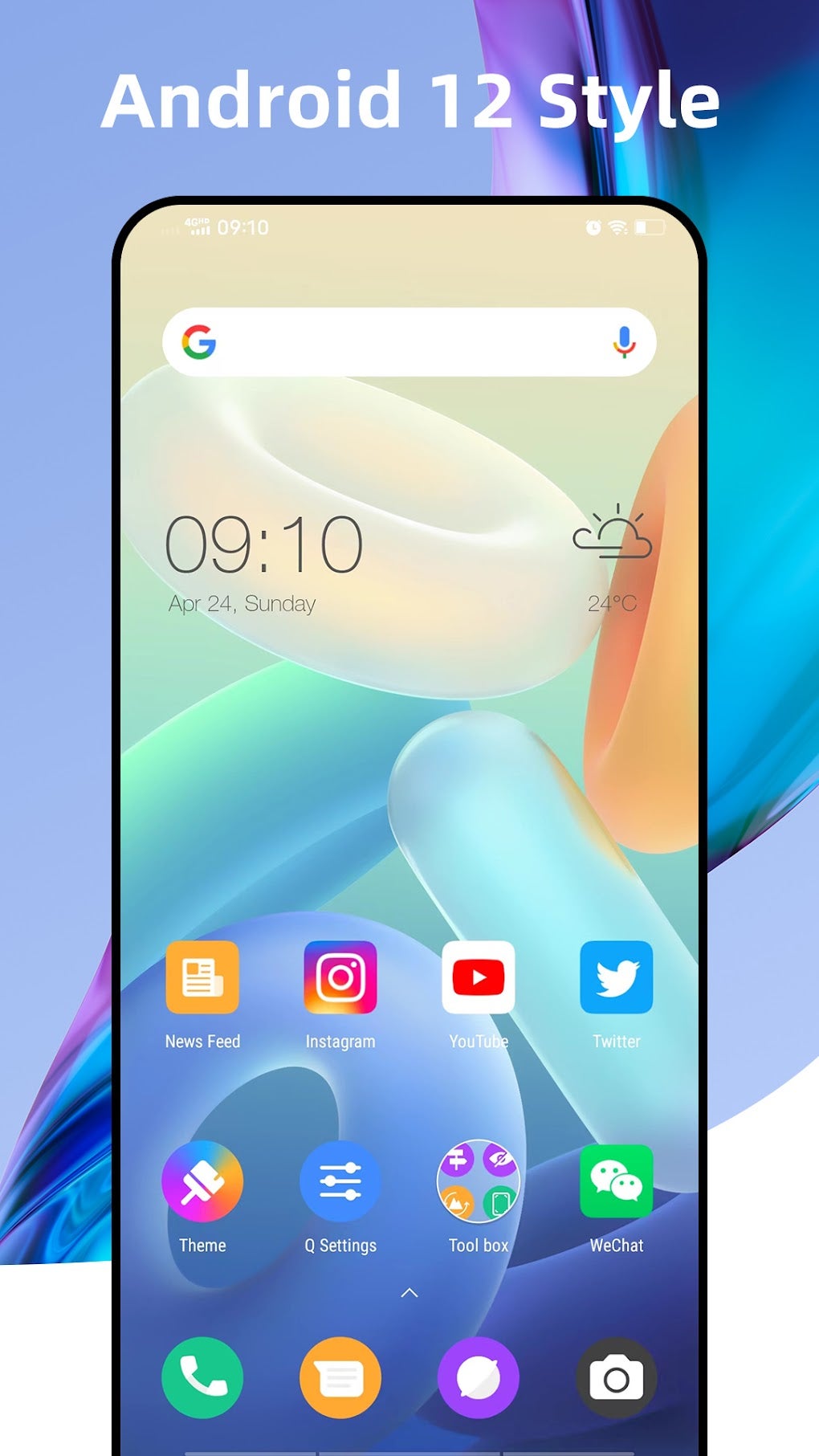
- Customizable Home Screen: Users have complete control over their home screen layout, allowing them to add, remove, and rearrange widgets and app shortcuts. This level of customization extends to icon sizes, shapes, and even color schemes, offering a truly personalized experience.
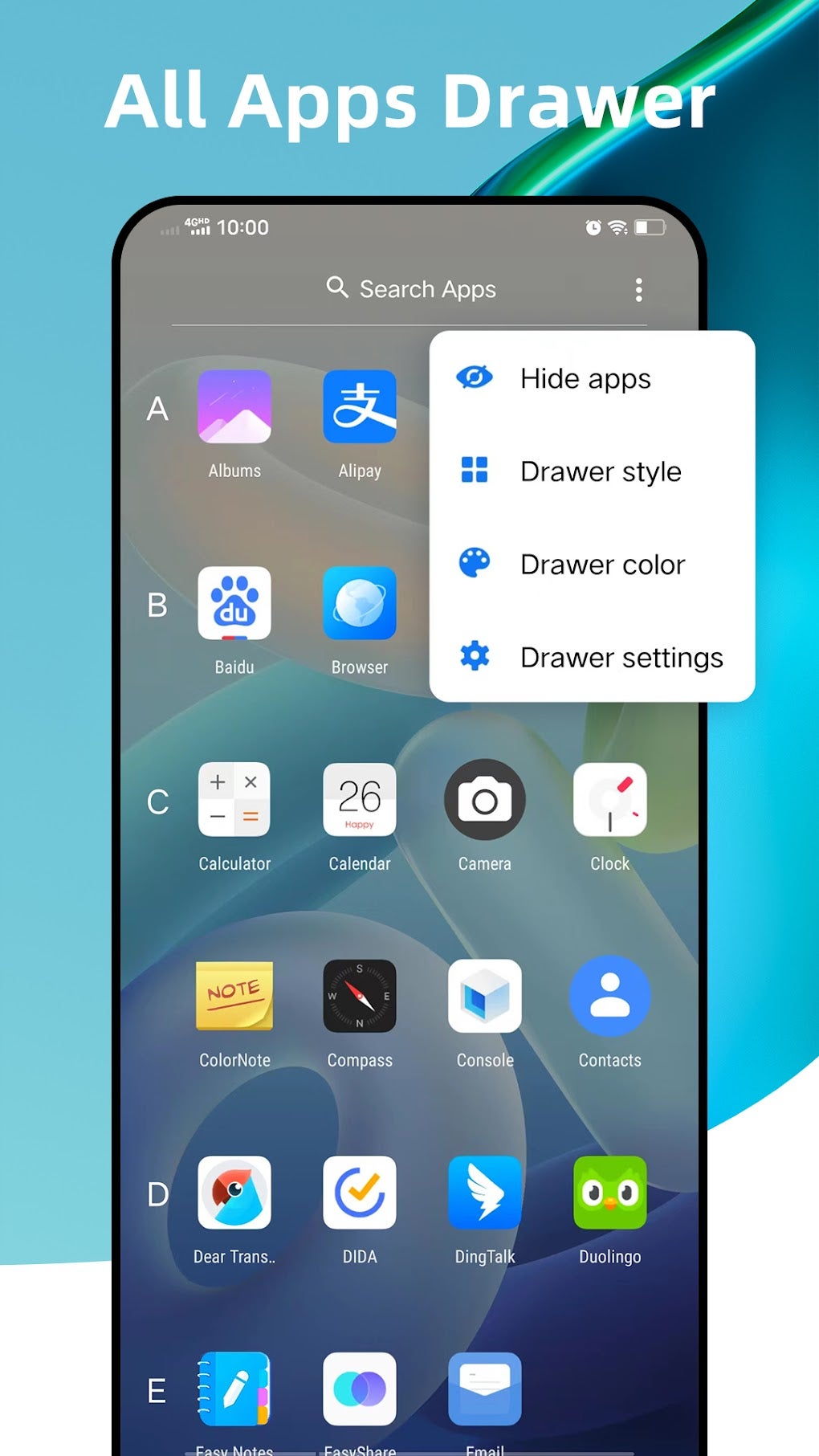
- App Drawer Management: The app drawer, where all installed apps are listed, is also fully customizable. Users can sort apps alphabetically, categorize them into folders, or arrange them manually to suit their workflow. This feature significantly improves app accessibility and organization.
- Widget Integration: Q Launcher supports a wide range of Android widgets, allowing users to integrate essential information directly onto their home screens. This includes weather updates, calendar events, news feeds, and much more, enhancing both functionality and convenience.
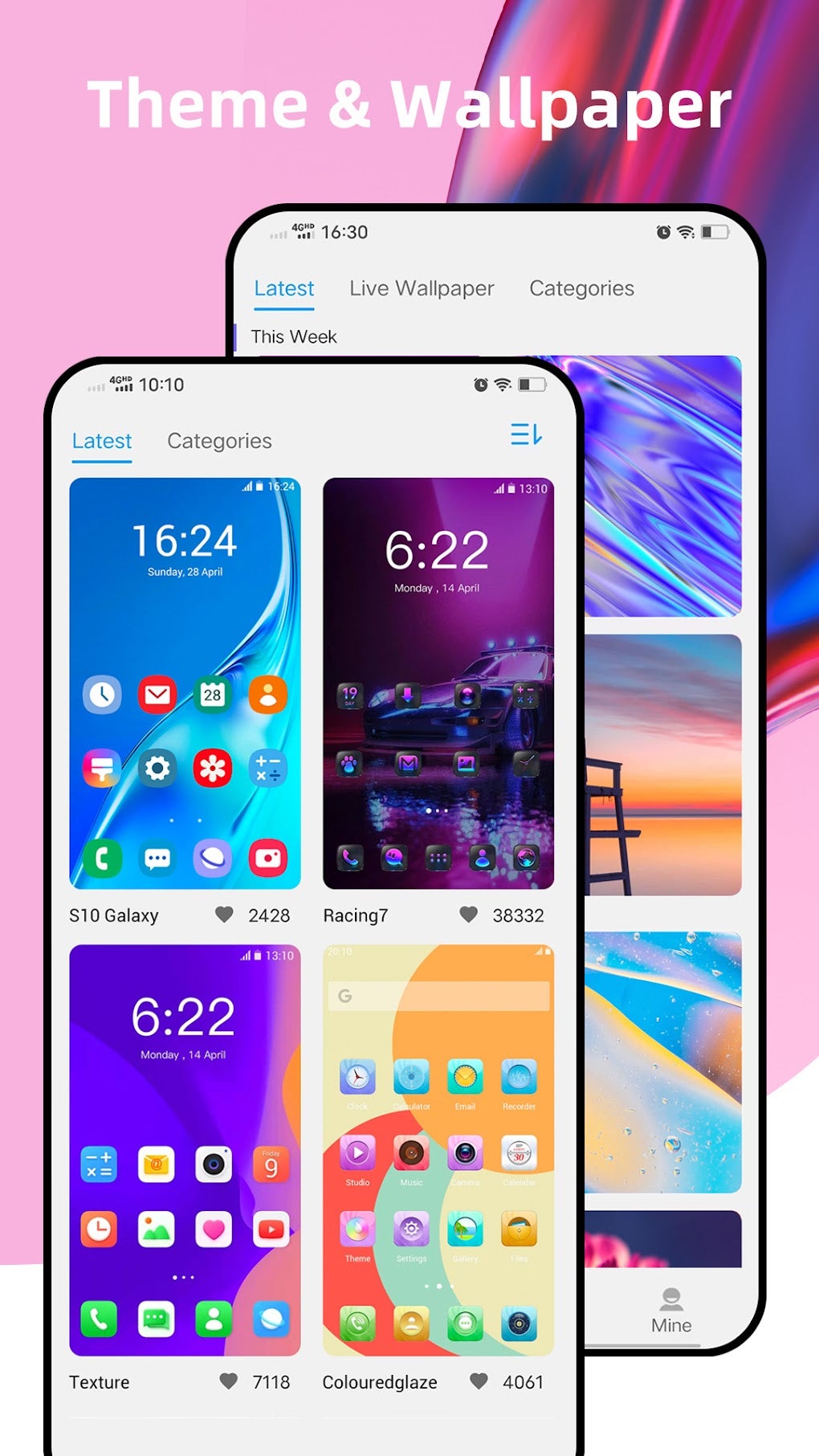
- Theme Options: The app offers a selection of pre-designed themes, each with a unique color palette and icon style. This provides users with a quick and easy way to change the overall look and feel of their home screen without extensive customization.
- Icon Packs Support: Beyond the built-in themes, Q Launcher supports third-party icon packs. This allows users to further personalize their home screens with thousands of different icon styles, adding a level of customization unmatched by many other launchers.
Apps and App Management
One of the key strengths of Q Launcher lies in its effective app management system. The intuitive app drawer allows for easy navigation and organization. Users can create custom folders to group similar apps, reducing clutter and streamlining access. The app drawer’s search function is efficient, ensuring quick discovery of even rarely used applications. The app also provides options for sorting apps alphabetically or manually, catering to individual preferences and organizational styles. This thoughtful approach to app management enhances the overall user experience, making the device feel more organized and intuitive to use.
Games and Entertainment Integration
While not explicitly designed as a gaming-focused launcher, Q Launcher seamlessly integrates with games and entertainment apps. The customizable home screen allows for easy access to favorite gaming apps through personalized shortcuts and widgets. Users can place frequently played games directly on their home screen for immediate access. The app’s efficient performance and minimal resource consumption ensure smooth gameplay, even with demanding games running in the background. The clean interface avoids unnecessary visual clutter, keeping the focus on the gaming experience.
News and Information Access
Q Launcher doesn’t directly integrate news feeds or information sources, but its widget support allows users to integrate news apps and widgets from other sources. Users can add widgets from their favorite news apps directly to their home screens, providing immediate access to headlines and breaking news. The customizable nature of the launcher allows for personalized information displays, tailoring news sources and layout to suit user preferences. This flexible approach makes Q Launcher compatible with various information sources, ensuring users can access their preferred news channels seamlessly.
Business and Productivity Features
Q Launcher, while primarily focused on personalization and ease of use, also offers features beneficial for business and productivity. Its customizable home screen enables the creation of a workspace tailored to specific tasks and workflows. Users can create dedicated folders for work-related apps, arrange widgets for quick access to essential tools, and tailor the overall appearance for a professional and organized look. The app’s performance and stability contribute to efficient task management, minimizing interruptions and maximizing productivity. Its clean interface reduces distractions, creating a focused environment conducive to professional work.
Android Version Compatibility and Performance
Q Launcher: Android 12 Home is designed to emulate the Android 12 interface. While it’s explicitly stated to be compatible with Android 15.0, its performance and usability on older Android versions may vary. While the app is optimized for smoothness and efficiency, users with older devices may encounter some minor performance issues depending on their device’s specifications. However, overall, Q Launcher is designed for efficient resource management, ensuring smooth operation across a broad range of Android devices. Users are advised to check the system requirements before installation to ensure compatibility and optimal performance.
Personalization and Customization Options
Q Launcher truly shines in its personalization features. The level of customization extends far beyond the basic home screen layout. Users can adjust icon shapes, sizes, and colors, create custom folders for apps, and select from various pre-installed themes or integrate custom icon packs. This degree of control allows users to personalize their device’s appearance to precisely match their tastes. The widget support significantly enhances personalization, allowing users to integrate various information sources and tools directly onto the home screen. This level of customization sets Q Launcher apart from many competitors in the market.
User Reviews and Community Feedback
As of the writing of this review, Q Launcher: Android 12 Home has limited user reviews. This suggests a relatively new or niche audience. The limited reviews indicate overall satisfaction with the app’s functionality and interface design. However, more user feedback would be valuable in providing a more comprehensive picture of the user experience. The lack of extensive reviews shouldn’t necessarily be interpreted negatively, but more user feedback is needed to assess the app’s long-term stability and user satisfaction.
Alternatives and Comparison
The Android market offers numerous alternative launcher apps, each with its strengths and weaknesses. Some offer more advanced customization options, while others focus on specific features like gaming optimization or enhanced productivity tools. Compared to some of the more established launchers, Q Launcher might lack some advanced features but compensates with its simplicity, ease of use, and clean design. Users seeking a simple, customizable launcher that emulates the Android 12 aesthetic will find Q Launcher to be a strong contender. Ultimately, the best launcher will depend on individual user preferences and requirements.
Conclusion: A Solid Choice for Android Personalization
Q Launcher: Android 12 Home provides a solid and customizable Android experience. Its strength lies in its simplicity, ease of use, and effective implementation of Android 12’s design language. While it may not possess all the bells and whistles of some more feature-rich launchers, its focus on a clean and efficient interface, coupled with its robust personalization options, makes it a compelling choice for users seeking a straightforward yet customizable Android home screen. The app’s lightweight nature ensures smooth performance, even on less powerful devices. With ongoing updates and potential future feature additions, Q Launcher: Android 12 Home has the potential to become a leading contender in the Android launcher market.
File Information
- License: “Free”
- Latest update: “April 8, 2025”
- Platform: “Android”
- OS: “Android 13.0”
- Language: “English”
- Downloads: “100”
- Size: “23.96 MB”
- Download Options: “APK, Google Play”
- Filename: “com.launcher.plauncher_12.1.apk”


