qBittorrent Portable is a free, open-source BitTorrent client designed for portability and ease of use. Unlike traditional BitTorrent clients that require installation, qBittorrent Portable runs directly from a USB drive or other portable storage device, making it ideal for users who frequently switch computers or prefer to keep their software separate from their main operating system. This comprehensive guide explores the features, benefits, and usage of qBittorrent Portable, providing a detailed overview for both novice and experienced users.
Key Features and Benefits of qBittorrent Portable
qBittorrent Portable offers a robust set of features comparable to its installable counterpart, while maintaining its key advantage of portability. Here are some of its standout features:
-
Portability: This is the core benefit. Run qBittorrent from any removable drive – a USB flash drive, external hard drive, or even a portable SSD – without needing administrator privileges or installation on the host system. This allows for seamless torrent management across different computers without affecting any system files or settings.
-
Open-Source and Free: Developed under the GPL license, qBittorrent is entirely free to use and distribute. Its open-source nature means the source code is publicly available, allowing for community scrutiny and contributions, fostering transparency and trust.
-
Lightweight and Efficient: qBittorrent Portable is known for its low system resource consumption. Unlike some resource-intensive BitTorrent clients, it operates efficiently, ensuring smooth performance even on less powerful systems. This is especially important for portable devices which may have limited processing power and RAM.
-
Extensive Functionality: Despite its portable nature, qBittorrent Portable doesn’t compromise on features. It offers advanced functionalities including:
- Torrent Search Integration: Though not directly built-in, qBittorrent seamlessly integrates with various torrent search engines, streamlining the process of finding and downloading torrents. Users can copy and paste magnet links or .torrent files directly into the client.
- IP Filtering: Enhanced security features like IP filtering help block potentially harmful or unwanted connections, contributing to a safer torrenting experience. This is crucial for protecting your system from malicious peers.
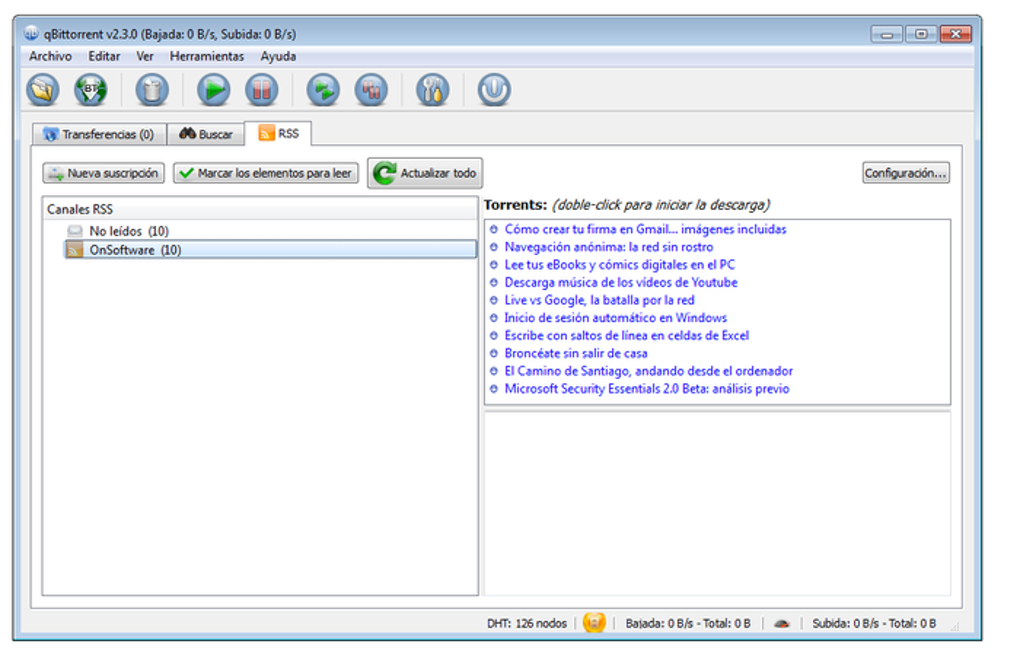
- RSS Feed Support: Stay updated on your favorite content effortlessly by subscribing to RSS feeds. qBittorrent will automatically download new torrents based on your subscribed feeds, keeping your collection fresh.
- Multiple Connection Support: Optimized for speed and efficiency, the client handles multiple torrent downloads concurrently without compromising performance. This allows for faster downloads, especially when downloading multiple large files.
- Scheduling and Bandwidth Prioritization: Manage your downloads effectively by scheduling downloads and uploads for specific times. Prioritize bandwidth allocation to critical downloads, ensuring faster completion times.
- Advanced Download Management: Fine-grained control over download speed, pausing, resuming, and prioritizing individual torrents empowers users to customize their download process based on network conditions and other factors. Detailed download progress tracking allows for monitoring and management of multiple concurrent downloads.
- Secure Connection Handling: Secure and encrypted connections are supported, minimizing the risk of data interception during downloads. This helps protect your privacy and security while torrenting.
-
Cross-Platform Compatibility (Installable Version): While this guide specifically focuses on the portable version, it’s important to note that qBittorrent also offers installable versions compatible with various operating systems, including Windows, macOS, and Linux. This allows users to choose the deployment method that best fits their needs and system configuration. The core functionality remains consistent across these different versions.
Setting Up and Using qBittorrent Portable
Setting up and using qBittorrent Portable is straightforward. Here’s a step-by-step guide:
-
Download: Download the qBittorrent Portable archive from a trusted source, such as the official website. Be wary of downloading from unofficial sources, as these may contain malicious software.
-
Extraction: Extract the downloaded archive to your portable storage device (USB drive, external hard drive, etc.). This will create a folder containing the qBittorrent application files.
-
Running the Application: Locate the executable file (usually named
qbittorrent.exeon Windows) within the extracted folder and double-click to launch the application. No installation is required. -
Configuration: Upon first launch, you might need to configure basic settings such as your download and upload directories. qBittorrent will automatically detect your network and connect to peers.
-
Adding Torrents: You can add torrents either by dragging and dropping the
.torrentfile into the qBittorrent window or by using the “Add Torrent” option in the client’s menu. You can also add torrents via magnet links. -
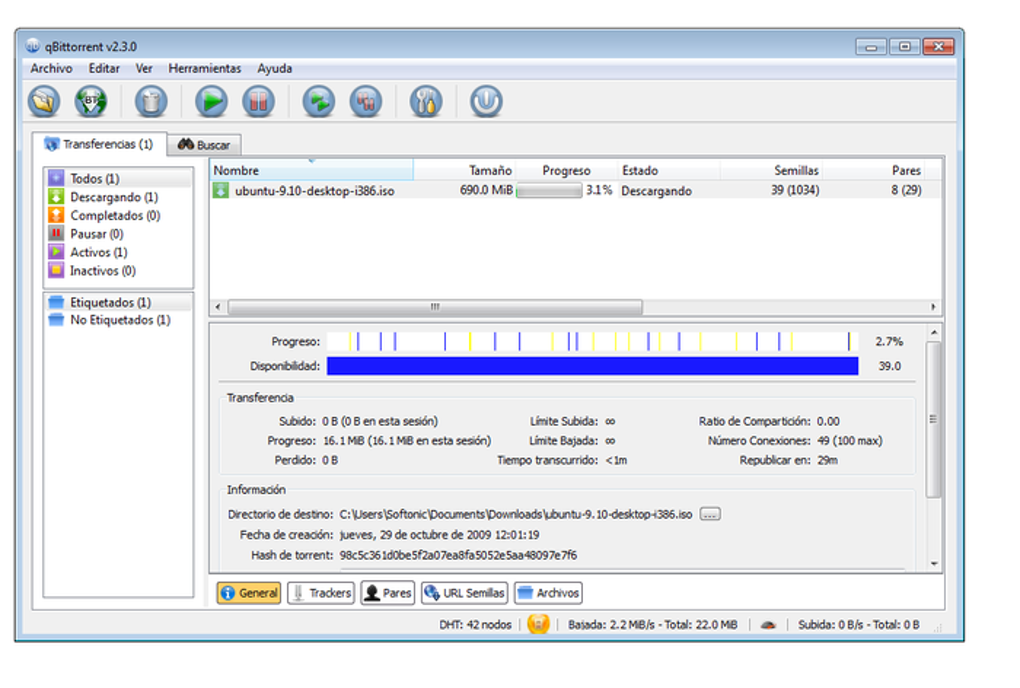
Managing Downloads: qBittorrent provides a user-friendly interface for managing downloads. You can pause, resume, prioritize, and delete downloads as needed. The interface displays download speeds, progress, and other pertinent information.
Alternative Portable BitTorrent Clients
While qBittorrent Portable is a strong contender, several alternative portable BitTorrent clients are available. Choosing the best option often depends on individual needs and preferences. Some popular alternatives include:
-
uTorrent Portable: A well-established and widely used BitTorrent client, uTorrent Portable offers a lightweight design and a relatively straightforward interface. However, some users find its advertising integration intrusive.
-
Transmission-Qt Portable: Transmission-Qt offers a clean, minimalist interface focused on ease of use and efficiency. It’s a solid choice for users who prefer a simple yet functional BitTorrent client.
-
Other Clients: Other clients exist, but they may not offer the same level of features, portability, or open-source nature as qBittorrent. Always research carefully before downloading any software.
Safety and Legal Considerations When Using BitTorrent
It’s crucial to understand the legal and safety implications of using BitTorrent. While BitTorrent itself is a legitimate technology used for distributing various types of files, its frequent use in sharing copyrighted material leads to potential legal repercussions.
-
Copyright Infringement: Downloading copyrighted material without permission is illegal in many countries and may result in legal action from copyright holders. Using BitTorrent responsibly means only downloading files you have the right to access.
-
Malware Risks: Since torrents are peer-to-peer networks, there’s an increased risk of encountering malicious files. It’s advisable to use a reputable antivirus program and exercise caution when downloading from unfamiliar sources. Stick to trusted and established torrent sites if you intend to use public trackers.
-
Privacy Concerns: Your IP address and other information may be visible to other peers on the network. Using a VPN can enhance privacy and security, masking your IP address and encrypting your connection.
Using qBittorrent Portable responsibly involves:
-
Only Downloading Legally Available Content: Stick to torrents for files that are in the public domain or that you have explicit permission to download.
-
Using a VPN: A VPN encrypts your internet traffic and masks your IP address, increasing your anonymity and security.
-
Scanning Downloaded Files: Before running any downloaded files, scan them with a reliable antivirus program.
-
Staying Updated: Keep your antivirus software, operating system, and qBittorrent itself updated with the latest security patches.
qBittorrent Portable is a powerful and versatile BitTorrent client, ideally suited for users seeking portability, efficiency, and a feature-rich experience. By understanding its features, limitations, and the legal and safety considerations surrounding BitTorrent, you can harness its capabilities while minimizing potential risks. Always prioritize responsible and legal use of the technology.
File Information
- License: “Free”
- Latest update: “July 18, 2025”
- Platform: “Windows”
- OS: “Windows 7”
- Language: “English”
- Downloads: “15.3K”
- Size: “18.95 MB”