
QManga is a lightweight and user-friendly comic reader designed primarily for manga, but capable of handling a variety of comic book file formats. Its minimalist approach focuses on providing a clean, customizable reading experience, prioritizing ease of use and efficient navigation. While lacking advanced features found in more comprehensive comic readers, QManga excels in its simplicity and ease of access, making it an ideal choice for users who prefer a straightforward approach to reading digital comics. This review will delve into the software’s features, advantages, and limitations, providing a comprehensive overview of its capabilities and suitability for different user needs.
Features and Functionality
QManga’s core strength lies in its streamlined interface and intuitive navigation. The application prioritizes a clear, fullscreen reading experience, allowing users to immerse themselves in their comics without distractions. The fullscreen mode is particularly well-executed, maximizing screen real estate and providing an optimal viewing environment for high-resolution images. This is a key feature that distinguishes QManga from some of its competitors, particularly those with cluttered interfaces or less effective fullscreen implementations.
Beyond the fullscreen display, QManga offers a customizable hotkey and shortcut system. This allows users to personalize their reading experience by assigning preferred key combinations for navigation, zooming, and other functions. This level of customization is valuable for users who frequently use keyboard shortcuts, improving their workflow and efficiency. The ability to tailor the application to individual preferences is a significant advantage for those who prefer a personalized digital reading experience.
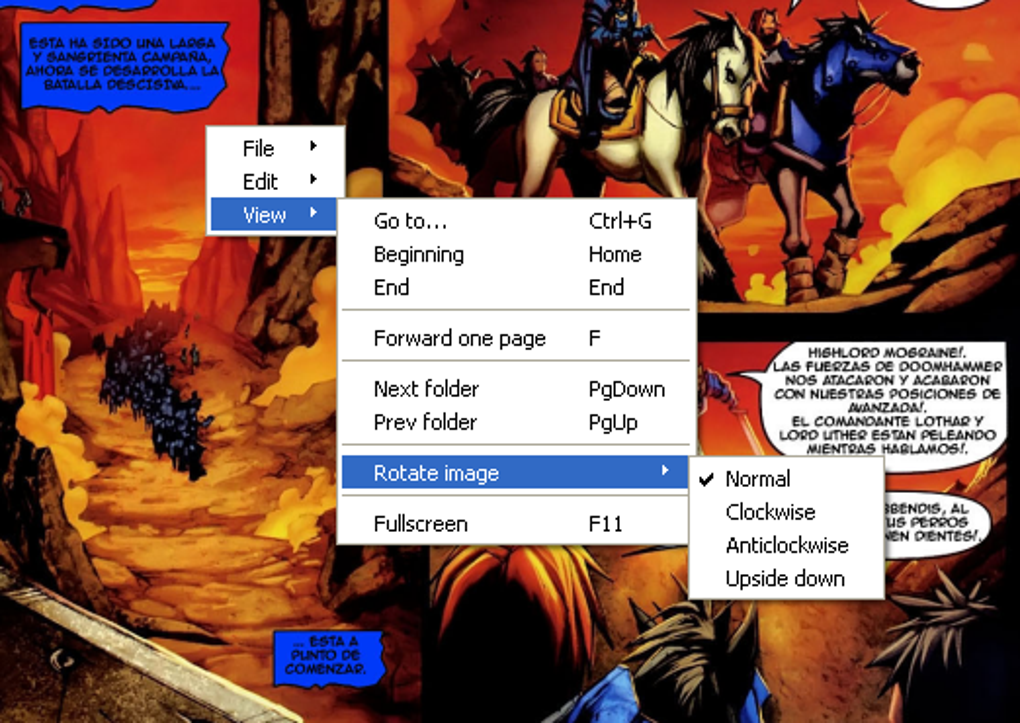
QManga’s file format support is reasonably comprehensive, encompassing common image formats like PNG, GIF, and JPG. It also directly supports ZIP and RAR archive files, meaning users can open compressed comic book collections without needing to extract individual files beforehand. This simplifies the reading process significantly, eliminating extra steps and making the experience more fluid. However, a noticeable limitation is the absence of direct support for CBZ and CBR files, which are popular formats within the digital comic community. This lack of support might be a significant drawback for users who primarily collect comics in these formats. They would need to extract the files manually before using QManga.
Navigation within QManga is designed to be intuitive and easy to use. The application provides clear and accessible controls for navigating between pages, zooming in and out, and adjusting other display settings. This ease of navigation is especially beneficial for users who are not familiar with advanced comic reading software. The straightforward design ensures a smooth and uncomplicated user experience, allowing users to focus on enjoying their comics.
While QManga lacks advanced features such as tagging, organization tools, or cloud synchronization capabilities, its focus on core reading functionality makes it an efficient and effective tool for those who prioritize simplicity and ease of use. The omission of these advanced features is a conscious design choice, reflecting the application’s minimalist philosophy. Users seeking a comprehensive digital comic library management system might find QManga’s functionality too limited for their needs.
Pros and Cons
Pros:
- Clean and intuitive interface: The minimalist design focuses on providing a distraction-free reading experience.
- Effective fullscreen mode: Maximizes screen real estate for optimal viewing of comic book pages.
- Customizable hotkeys and shortcuts: Allows users to personalize their reading experience and improve efficiency.
- Supports multiple file formats (including ZIP and RAR): Simplifies the reading process by supporting compressed comic book archives.
- Easy navigation: Intuitive controls for navigating between pages and adjusting display settings.
- Portable application: No installation required, allowing for easy use on multiple computers.
Cons:
- Lack of direct CBZ/CBR support: Requires manual extraction of files from these common comic book archive formats.
- Limited advanced features: No tagging, organization tools, cloud synchronization, or other advanced functionalities.
- Relatively basic functionality: Compared to more advanced comic readers, QManga lacks many features.
- Older version: The last update was in March 2011, suggesting a lack of ongoing development and potential compatibility issues with modern operating systems.
Comparison with Other Comic Readers
While QManga excels in its simplicity, comparing it to other comic readers highlights its limitations. Sophisticated applications like CDisplayEx or Mcomix offer extensive features like automatic page detection, advanced zoom functions, integrated archive support (including CBZ and CBR), and even cloud synchronization. These features dramatically improve the organization and management of large digital comic collections. In contrast, QManga’s focus is purely on the reading experience itself, foregoing the complexities of library management for a leaner, simpler design.
Other readers may offer additional benefits such as support for a wider range of file formats, improved performance with very large files, or more sophisticated rendering capabilities. The choice between QManga and a more feature-rich alternative depends largely on the user’s priorities. Users who value a clean, simple experience and don’t require extensive organizational tools will find QManga suitable. However, those needing advanced features and extensive management capabilities should consider more comprehensive comic readers.
Target Audience and Use Cases
QManga is ideally suited for users who prioritize simplicity and ease of use above extensive features. Individuals who primarily read manga or comics in supported formats and prefer a clean, straightforward interface will find QManga to be an efficient and effective tool. Its portability also makes it useful for users who frequently switch between computers or prefer to keep their software lightweight.
The minimalist approach makes it a good option for users who are new to digital comic reading or prefer not to invest time learning complex software. The intuitive interface and straightforward functionality eliminate any steep learning curve, making it accessible to a wide range of users.
Conclusion
QManga offers a unique value proposition in the world of digital comic readers. Its minimalist design and focus on core functionality provide a clean and efficient reading experience, particularly for users who prioritize simplicity and ease of use. While its lack of advanced features and limited file format support may be drawbacks for some, its streamlined interface and straightforward approach make it a compelling choice for users seeking a lightweight and uncomplicated way to read digital comics. Its current age, however, might give users pause, especially considering the lack of recent updates. The decision of whether to use QManga depends largely on individual preferences and needs, balancing the desire for simplicity against the potential benefits of more feature-rich alternatives.
File Information
- License: “Free”
- Version: “0.3”
- Latest update: “March 28, 2011”
- Platform: “Windows”
- OS: “Windows 8”
- Language: “English”
- Downloads: “4.3K”
- Size: “664.06 KB”


