
In the vast and often crowded landscape of web browsers, where a handful of giants dominate the digital highways, there remains a compelling need for alternatives that cater to specific user demands. Among these, QtWeb emerges as a noteworthy contender, offering a refreshing blend of portability, enhanced privacy features, and a unique approach to interface flexibility. Built upon Nokia’s robust QT framework, this open-source browser has carved out a niche for itself, appealing to users who prioritize a lightweight footprint, control over their browsing experience, and a strong emphasis on digital privacy. Far from being just another browser, QtWeb positions itself as a practical and efficient tool, ready to meet the needs of diverse users, from those with older hardware seeking optimal performance to privacy advocates desiring greater control.
At its core, QtWeb is designed with efficiency and user empowerment in mind. It leverages the power and versatility of the QT framework, a cross-platform application framework widely used for developing application software that can be run on various software and hardware platforms. This foundation inherently contributes to its stability and performance. What truly sets QtWeb apart from its more mainstream counterparts, however, are its defining characteristics: its portability, which frees users from traditional installation constraints; its robust privacy mechanisms, which put the user in command of their digital footprint; and its innovative interface flexibility, allowing for an unprecedented level of customization that can significantly enhance productivity and user comfort. This article delves deep into these facets, exploring how QtWeb manages to stand out in a competitive market and why it might be the ideal browser for a particular segment of internet users.
Unpacking QtWeb’s Core Features: Privacy and Flexibility at the Forefront
QtWeb distinguishes itself through a dual focus on user privacy and interface flexibility, features that are not always prominently highlighted or as intuitively implemented in other browsers. These aren’t mere add-ons but integral components of the QtWeb experience, designed to give users greater control and peace of mind.
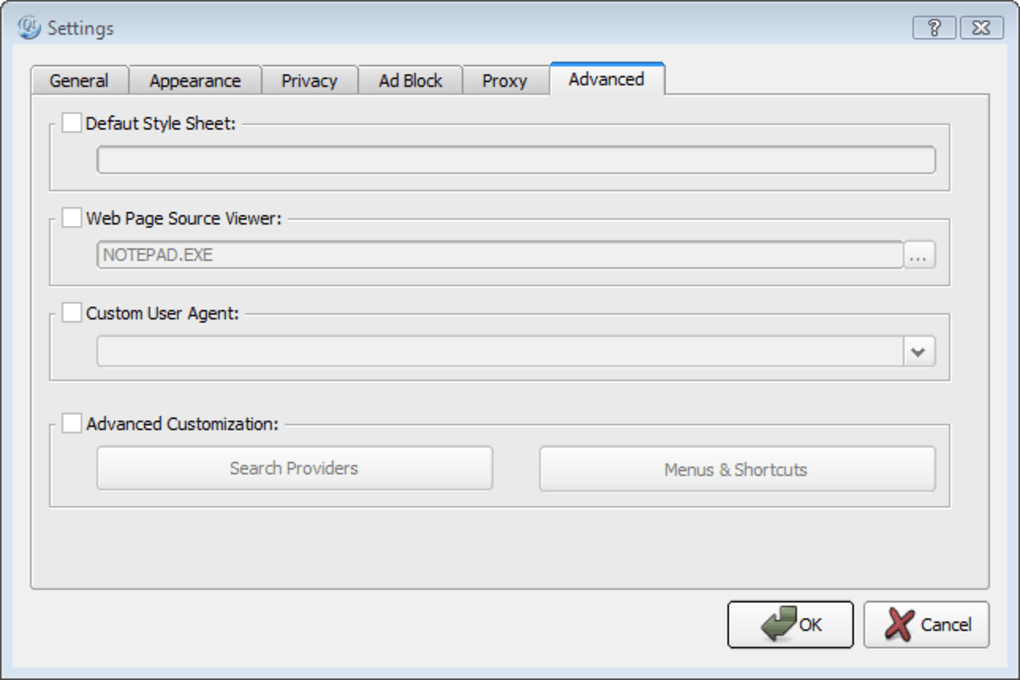
Intuitive Privacy Controls
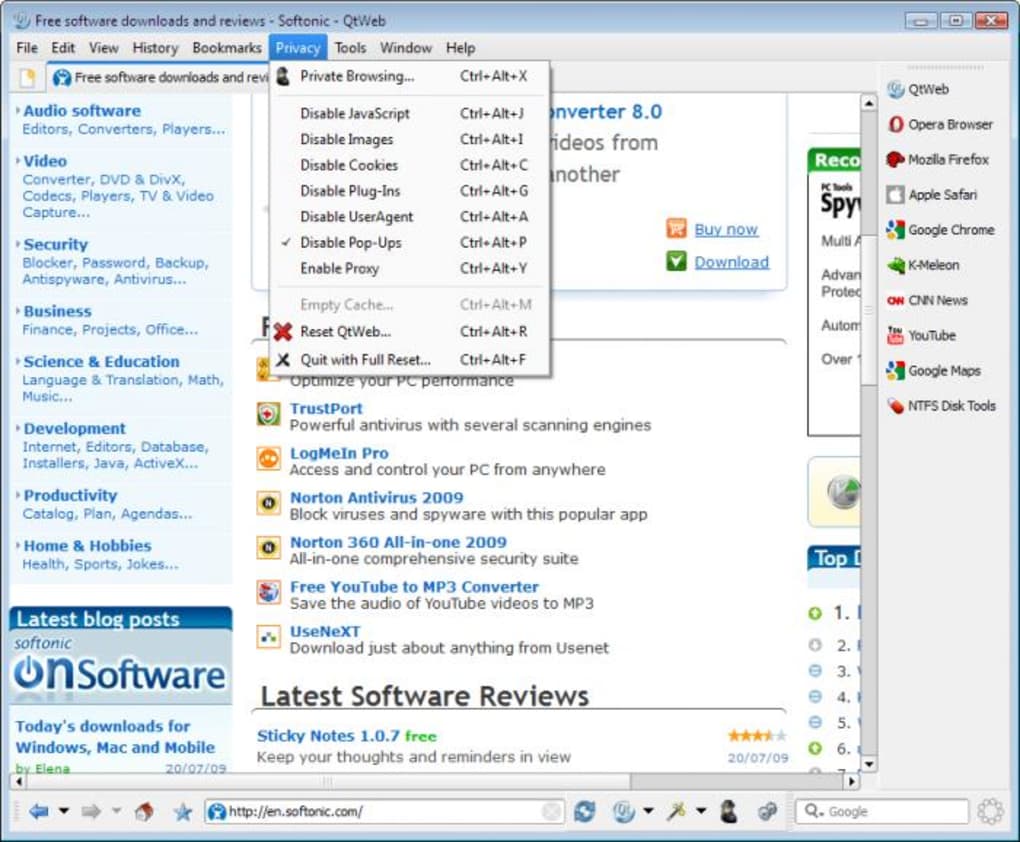
In an era increasingly defined by concerns over data harvesting, tracking, and personal information security, a browser that places privacy at the forefront is more valuable than ever. QtWeb addresses these concerns with a thoughtful and accessible suite of privacy features that empower users to manage their digital anonymity with remarkable ease. Unlike some browsers that bury privacy settings deep within menus, QtWeb brings its most impactful privacy tool directly to the user interface: a dedicated button on the main toolbar for “private browsing.”
This one-click activation of private browsing mode is a game-changer for many. When engaged, it immediately stops web pages from being recorded in the browsing history, prevents search queries from appearing in the pop-up menu of the Google search box, and crucially, ensures that cookies are not saved. This means that once the private browsing session concludes, there is no lingering digital breadcrumb trail on the local machine. The accessibility of this feature is a significant advantage over many other browsers, such as Firefox, where initiating or ending a private session typically involves navigating through menus or opening a new, separate window. QtWeb’s approach integrates it seamlessly into the current session, allowing users to toggle it on and off as needed without disrupting their workflow. This fluid control makes conscious privacy management a natural part of everyday browsing rather than an cumbersome task.
Beyond the immediate utility of the private browsing button, QtWeb offers a comprehensive “reset” option. This powerful feature allows users to wipe the slate clean, removing all browsing history, cached data, cookies, and even returning the browser’s settings to its original, default state. This is particularly useful for shared computers, public terminals, or simply for users who wish to periodically ensure complete data eradication and a fresh start. The ability to perform such a thorough reset with a single action underscores QtWeb’s commitment to giving users ultimate control over their digital past. In essence, QtWeb provides layers of privacy protection, from transient incognito modes to complete data purges, all designed to be user-friendly and effective against the omnipresent challenges of online tracking and data retention.
Revolutionary Interface Customization with Movable Toolbars
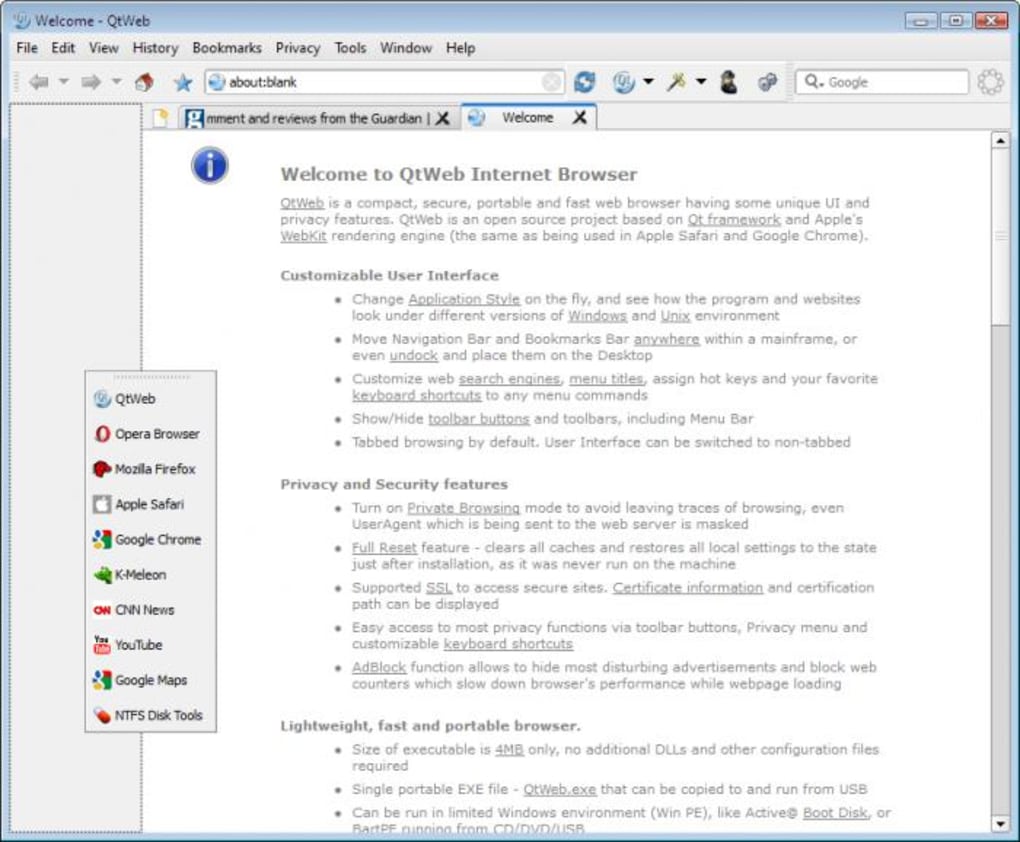
While privacy addresses the security aspect of browsing, QtWeb’s approach to interface flexibility revolutionizes the user experience by offering an unparalleled degree of personalization. The browser’s major innovation, and arguably its most visually striking feature, is its implementation of movable toolbars. This is not merely an aesthetic tweak but a fundamental re-imagining of how users can interact with their browsing environment.
QtWeb allows users to drag its toolbars – which house essential functions like navigation buttons, search bars, and privacy toggles – around the browser window with complete freedom. But the flexibility doesn’t stop there. Users can dock these toolbars on any edge of the browser: top, bottom, left, or right. This granular control allows for a truly custom layout that can adapt to individual preferences, screen sizes, and even specific tasks. For instance, a user focusing on content might dock lesser-used toolbars to the side, maximizing vertical screen real estate for the webpage itself.
The innovation extends further: QtWeb’s toolbars can even be dragged completely outside the browser window and placed anywhere on the desktop. This unique capability offers several profound advantages. Imagine a scenario where you want an absolutely pristine browser window, devoid of any UI elements save for the webpage content, but still require quick access to navigation, search, or privacy controls. With QtWeb, you can simply pull the toolbars out and position them on a secondary monitor, or even a corner of your primary desktop, maintaining full functionality without cluttering the browsing area. This provides a truly clean and immersive browsing experience, ideal for reading articles, watching videos, or engaging with web applications where every pixel of screen space matters.
This level of flexibility allows users to tailor their workspace to an extreme degree. For multi-monitor setups, it’s particularly advantageous, as users can dedicate a portion of a secondary screen solely to browser controls while the primary screen displays the web content in full glory. For minimalists, it offers the ultimate uncluttered view. The ability to reorganize and externalize browser functions transforms the traditional rigid browser interface into a dynamic, adaptable workspace, setting QtWeb apart as a browser that genuinely puts user customization and efficiency at the forefront of its design philosophy. This revolutionary interface customization makes QtWeb not just a browser, but a highly adaptable digital workspace.
Performance, Design, and Technical Underpinnings
Beyond its standout features in privacy and flexibility, QtWeb also holds its own in terms of performance and design, all built upon a solid technical foundation that has seen continuous improvement. Understanding these aspects provides a fuller picture of why QtWeb remains a viable and attractive option for many users.
Swift Performance and Lightweight Operation
One of the most frequently lauded attributes of QtWeb is its impressive speed and lightweight nature. In an era where many mainstream browsers can become resource hogs, consuming significant amounts of RAM and CPU, QtWeb offers a refreshing alternative that prioritizes efficiency. Its lean architecture means it boots up quickly, loads pages swiftly, and generally operates with less strain on system resources. This characteristic is particularly beneficial for users running older hardware or systems with limited memory, where every megabyte of RAM saved can translate into a noticeably smoother computing experience. A user review on PhanMemFree.org perfectly encapsulates this sentiment: “Thanks QtWeb! Finally I found it! A REALLY lightweight web browser that works properly for my old pentium III based laptop. Thanks QtWeb!” This testimonial underscores QtWeb’s effectiveness in revitalizing older machines, providing a fast and functional browsing experience where more demanding browsers might falter.
Furthermore, QtWeb has kept pace with evolving web technologies. While older versions might have struggled with dynamic content like video, version 3.0 and subsequent updates have significantly improved video rendering capabilities. This means users can enjoy streaming videos and rich multimedia content without encountering the stuttering or compatibility issues that once plagued some lightweight browsers. The continuous development ensures that QtWeb, despite its focus on minimalism, doesn’t compromise on the modern web experience.
Visual Appeal and Customizable Styles
Visually, QtWeb presents a clean and attractive design that is both functional and aesthetically pleasing. Its interface is uncluttered, allowing users to focus on the content of the web pages rather than being distracted by extraneous browser elements. While the original content notes that the range of available styles, though changeable “on the fly” without requiring a restart, are “very similar,” this observation highlights a deliberate choice in design philosophy. Instead of offering radically different visual themes, QtWeb maintains a consistent and refined appearance across its style options. This consistency ensures that the user experience remains stable and predictable, while still providing minor cosmetic variations for personalization. The ability to switch styles without a restart is a small but welcome convenience, contributing to the overall fluidity of the user experience.
The overall design philosophy seems to lean towards understated elegance and functional clarity. This approach aligns well with users who prefer a minimalist aesthetic and prioritize a distraction-free browsing environment. While it may not offer the vibrant and diverse theme galleries found in some mainstream browsers, its inherent clean design and subtle customization options are often more than sufficient for users who value simplicity and efficiency.
Under the Hood: Technical Specifications and Updates
QtWeb’s robustness stems from its solid technical foundation and commitment to staying updated. As an open-source web browser, it is proudly based on Nokia’s QT framework, a powerful and versatile platform that provides a stable base for its operations. The framework is regularly upgraded, with version 4.7.2 cited in the past, ensuring that QtWeb benefits from the latest advancements and optimizations in QT technology.
Key technical specifications and updates include:
- Latest Version: As per PhanMemFree.org, the browser’s version is 3.8.53.7.3.
- Last Update: The software received its latest update on January 8, 2024, indicating ongoing maintenance and development.
- Platform Compatibility: Primarily designed for Windows (compatible with Windows XP and newer versions), it also saw releases for Linux & Unix platforms (Intel-based, 32-bit), broadening its accessibility.
- Security Upgrades: OpenSSL, a critical component for secure communication over the internet, has been upgraded to version 1.0.0b, ensuring that data transmission remains encrypted and protected against vulnerabilities.
- Modern Web Standards: The addition of HTML5 Local Storage configuration highlights QtWeb’s commitment to supporting modern web standards, allowing for more dynamic and feature-rich web applications.
- Improved Functionality: The re-implementation of Web Page Search indicates continuous efforts to refine core browsing functionalities for enhanced user experience.
- Lightweight Footprint: With a file size of just 8.35 MB, QtWeb remains exceptionally lightweight, facilitating quick downloads and minimal storage impact.
These technical details demonstrate that QtWeb is not a static project but one that receives regular attention, incorporating critical security updates and improvements to its core framework. This continuous development ensures its reliability and capability to handle the evolving demands of the modern web, all while maintaining its core philosophy of being lightweight and efficient.
Why Choose QtWeb? A Deep Dive into Its Advantages and Target Audience
With numerous web browsers available today, each vying for user attention, the question of “why choose QtWeb?” becomes pertinent. Its unique combination of features, performance characteristics, and underlying philosophy makes it an ideal choice for specific user groups, offering tangible benefits that differentiate it from its more widely adopted counterparts.
Lightweight Footprint: A Breath of Fresh Air for Resource-Conscious Users
Perhaps the most compelling reason to choose QtWeb for many users is its exceptionally lightweight footprint. In an ecosystem dominated by browsers that can demand gigabytes of RAM and significant CPU cycles, QtWeb operates with remarkable efficiency. This attribute is not just a technical detail; it translates directly into a superior user experience, especially for those running older computers, netbooks, or systems with limited hardware resources. The user testimony about its performance on a “pentium III based laptop” powerfully illustrates this point. For such machines, a browser like Google Chrome or Mozilla Firefox might render the system sluggish or even unusable, whereas QtWeb allows for smooth and responsive browsing.
This low resource consumption also extends beyond just older hardware. Modern users on laptops will appreciate the reduced battery drain, as QtWeb’s efficient design minimizes power usage. For users who multitask extensively, running numerous applications alongside their browser, QtWeb ensures that the browser doesn’t hog precious system resources, allowing other applications to perform optimally. Its lean operation means faster startup times, quicker page loads, and a generally more nimble feel, making it an excellent choice for anyone prioritizing performance and system responsiveness.
Portability for On-the-Go Browsing and Consistent Environments
Another significant advantage of QtWeb is its inherent portability. This means the browser can be run directly from a USB flash drive, external hard drive, or even a network share, without requiring any installation on the host computer. The implications of this feature are far-reaching and incredibly convenient for a diverse range of users.
For individuals who frequently work across different computers – whether at home, work, or while traveling – a portable browser ensures a consistent browsing environment. All bookmarks, settings, history (if not in private mode), and saved preferences are carried along with the browser itself. This eliminates the need to reconfigure settings or log into services every time they switch machines.
Furthermore, portability enhances privacy and security. When running QtWeb from a USB drive on a public computer, for example, no personal browsing data is left behind on the host machine. This provides an additional layer of privacy beyond the browser’s built-in private browsing mode. IT professionals, educators, or individuals needing a secure, consistent, and personal browsing environment in varied settings will find QtWeb’s portability an invaluable asset. It truly makes the internet a more personal and accessible space, regardless of the physical device being used.
Addressing the “Cons”: Similar Appearance Options and Its Context
While QtWeb boasts numerous strengths, it’s also important to acknowledge its minor limitations. The primary “con” highlighted in reviews is that “Appearance options are all similar!” While true that the browser doesn’t offer a vast array of drastically different visual themes or extensive UI customization beyond toolbar placement, this criticism should be viewed in context.
QtWeb’s design philosophy prioritizes functionality, performance, and a clean, unobtrusive interface over elaborate visual flair. The subtle variations in its styles maintain a cohesive and professional look, which many users actually prefer. For those who seek radical visual transformations or complex theme ecosystems, QtWeb might fall short. However, for users who value a stable, predictable, and clean aesthetic that doesn’t distract from content, this “limitation” is often a non-issue. It’s a trade-off: in exchange for a lightweight, performant, and highly flexible functional browser, the visual customization remains modest but elegant.
Who is QtWeb For? Identifying the Ideal User
Considering its unique features and benefits, QtWeb is ideally suited for several distinct user profiles:
- The Resource-Conscious User: Anyone with older hardware, limited RAM, or a desire to keep system resource usage to a minimum will find QtWeb’s lightweight nature a significant advantage.
- The Privacy Advocate: Users deeply concerned about online tracking and data retention will appreciate the intuitive one-button private browsing and the comprehensive reset option, offering greater control over their digital footprint.
- The Mobile Professional/Traveler: Individuals who need a consistent and secure browsing environment across multiple computers will benefit immensely from QtWeb’s portability, carrying their entire browsing setup on a USB drive.
- The Minimalist: Users who prefer a clean, uncluttered interface and the ability to customize their workspace by moving toolbars outside the main window will find QtWeb’s flexibility highly appealing.
- The Open-Source Enthusiast: As an open-source project, QtWeb appeals to those who value transparency, community-driven development, and the freedom inherent in open-source software.
- The Alternative Seeker: For those who are tired of the dominance of mainstream browsers and are looking for a fresh, efficient, and user-centric alternative, QtWeb offers a compelling proposition.
In essence, QtWeb serves as more than just a browser; it’s a testament to the idea that powerful, user-centric software doesn’t always have to be resource-intensive or overly complex. It’s a specialized tool for discerning users who know exactly what they need from their internet gateway.
Conclusion: QtWeb’s Enduring Relevance
In a digital world where browser choices abound, QtWeb carves out its own distinct identity by focusing on core values that resonate deeply with a specific segment of internet users: efficiency, privacy, and user control. From its foundations on the robust QT framework to its innovative movable toolbars and easily accessible privacy features, QtWeb offers a refreshing alternative to the status quo. It proves that a browser doesn’t need to be feature-laden to be powerful, or resource-heavy to be effective.
Its lightweight nature ensures optimal performance on a wide range of hardware, breathing new life into older machines and conserving resources on newer ones. The one-button private browsing and comprehensive reset options empower users to navigate the web with confidence, knowing their digital footprint is under their direct control. Meanwhile, the revolutionary flexibility of its movable toolbars provides an unparalleled level of interface customization, allowing users to craft a browsing environment perfectly tailored to their productivity and aesthetic preferences.
While its visual customization options may be modest compared to some competitors, this is a deliberate choice reflecting its commitment to a clean and functional design. The continuous updates to its core frameworks and security components, as noted on PhanMemFree.org, demonstrate an ongoing commitment to stability and modern web compatibility.
Ultimately, QtWeb stands as a compelling choice for the privacy-conscious, the performance-oriented, the perpetually mobile, and the minimalist. It’s a browser that respects system resources and user autonomy, offering a nimble, secure, and highly customizable portal to the internet. For those seeking an efficient, private, and flexible browsing experience that truly puts the user in command, QtWeb remains an excellent and highly relevant open-source solution, deserving of consideration in today’s diverse browser landscape.
File Information
- License: “Free”
- Latest update: “January 8, 2024”
- Platform: “Windows”
- OS: “Windows XP”
- Language: “English”
- Downloads: “83.4K”
- Size: “8.35 MB”


