
In the digital age, information flows ceaselessly across myriad formats. From intricate spreadsheets and elaborate presentations to legacy documents, email attachments, and web-based files, the sheer diversity of file types can be a significant hurdle for individuals and businesses alike. Navigating this landscape often requires a plethora of specialized software applications, each designed to open and render a specific kind of file. This fragmented approach not only consumes valuable system resources and disk space but also introduces complexities in workflow, increases software licensing costs, and can even pose security risks.
Enter Quick View Plus, a robust and long-standing utility designed to simplify this complex reality. Developed as a trial version Windows software, Quick View Plus has carved a niche for itself as an indispensable tool for anyone who regularly interacts with a wide array of digital documents. At its core, Quick View Plus offers a singular, consistent environment for viewing, copying, printing, and searching information across an impressive spectrum of over 250 different file formats. This capability eliminates the cumbersome necessity of installing, launching, and maintaining numerous native applications, streamlining operations and offering profound benefits in productivity, cost efficiency, and digital security.
Since its introduction to the digital marketplace, as noted on platforms like PhanMemFree, Quick View Plus has demonstrated remarkable staying power and consistent utility. Its journey began as early as 2006, with an initial version 9.0.0 receiving updates as late as March 2007, and later evolving to more recent iterations like version 139.0.0, updated in May 2023. This longevity underscores its enduring relevance and the persistent demand for a reliable, multi-format file viewer. The program’s light footprint, requiring less storage space than many comparable utilities, further adds to its appeal, making it a pragmatic choice for users in diverse geographical regions, including high usage in countries like the Netherlands, Singapore, and India, according to usage statistics.
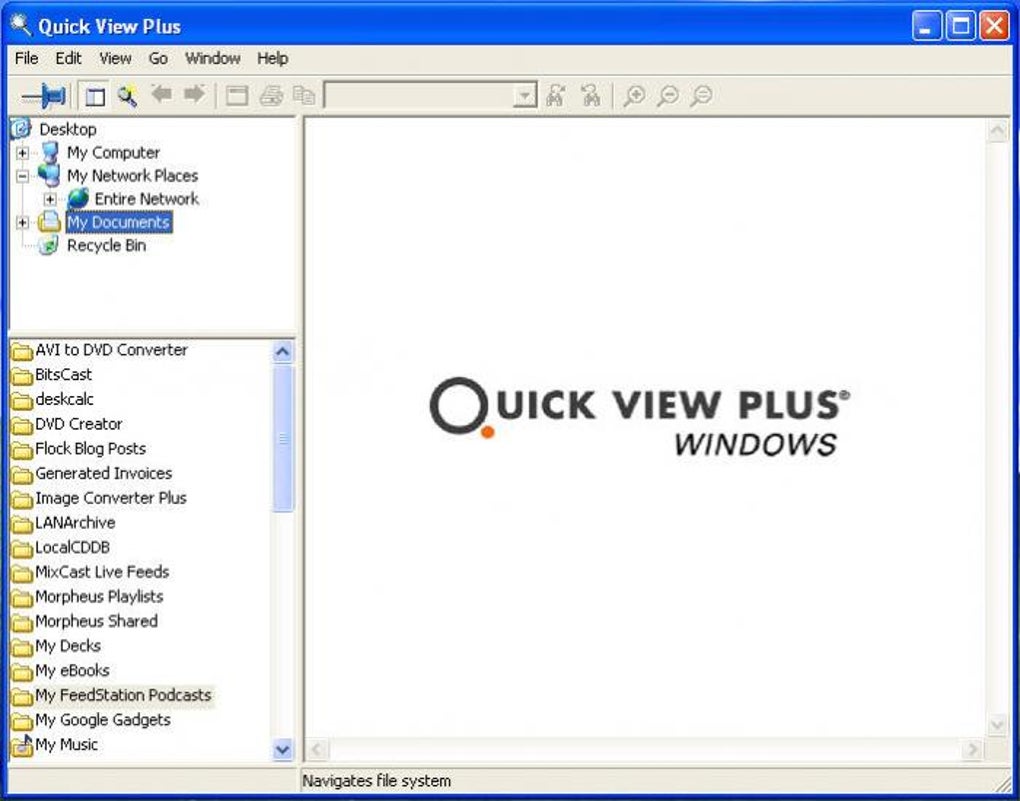
The fundamental value proposition of Quick View Plus lies in its ability to bridge the gap between inaccessible files and immediate information access. Imagine receiving an email with an attachment in an obscure or unsupported format, or downloading a document from the web that your system cannot natively open. Without Quick View Plus, these scenarios often lead to frustration, wasted time searching for compatible software, or even the outright inability to access critical information. Quick View Plus bypasses these obstacles, providing instant access to content, irrespective of its original application. It doesn’t just open files; it maintains their original formatting, ensuring that fonts, text styling, graphics, and layout are preserved, allowing users to view and print documents exactly as they were created and intended. This fidelity is crucial for maintaining context and integrity, particularly in professional environments where precise document representation is paramount.
The Power of Universal File Access
The promise of Quick View Plus is straightforward yet profoundly impactful: universal file access. In an ecosystem where proprietary file formats abound, from obscure legacy documents to cutting-edge multimedia types, the challenge of maintaining access to all necessary information is ever-present. Quick View Plus rises to this challenge by integrating support for over 250 distinct file formats, effectively acting as a master key to your digital vault.
Consider the diverse array of documents encountered daily:
- Office Documents: Word documents (.doc, .docx), Excel spreadsheets (.xls, .xlsx), PowerPoint presentations (.ppt, .pptx), Access databases (.mdb, .accdb).
- PDF Files: The ubiquitous Portable Document Format (.pdf).
- Image Files: Various formats like JPEG, PNG, GIF, BMP, TIFF, and even more specialized graphic formats.
- Email Formats: MSG, EML, PST (though typically for viewing individual emails, not entire archives).
- Web Files: HTML, XML, various script files.
- Compressed Archives: ZIP, RAR, GZ, TAR, etc. (for viewing contents, not necessarily full extraction functionality).
- Legacy Formats: Older word processing, spreadsheet, or database formats that are no longer widely supported by current software versions.
- CAD Drawings and Technical Documents: While not explicitly listed, many universal viewers extend to these, reflecting the broad “250+” claim.
This extensive compatibility means that a user rarely needs to ask, “Do I have the right software to open this?” Quick View Plus operates on the principle of viewing, not editing. This distinction is critical because it allows the utility to render files accurately without requiring the underlying application’s complex editing engines. For instance, you can view an intricate AutoCAD drawing or a Photoshop file to grasp its content, layout, and embedded information, without needing a costly license for AutoCAD or Adobe Photoshop. This capability is invaluable for professionals who frequently receive files created in specialized software but only need to review them, not modify them.
The retention of original formatting is a cornerstone of its functionality. Unlike generic text viewers that strip away all visual elements, Quick View Plus meticulously renders documents with their original fonts, text formatting (bold, italics, underline, various font sizes), paragraph structures, embedded images, charts, and even complex layouts. This “as-was-created” viewing experience is crucial for legal documents, financial reports, marketing materials, and any content where presentation is as important as the information itself. It ensures that critical visual cues, branding elements, and data hierarchies are accurately conveyed, preventing misinterpretations that could arise from a stripped-down text-only view. For print purposes, this fidelity extends to output, allowing users to print documents that mirror their on-screen appearance, complete with all graphical and formatting details.
Unlocking Productivity: Key Features and Integration
Beyond its impressive file format support, Quick View Plus distinguishes itself through its seamless integration with the Windows operating system and common productivity tools, transforming how users interact with information. This integration is not merely a convenience; it’s a fundamental aspect of how the software boosts efficiency and streamlines workflows.
1. Seamless Integration with Windows Explorer: For many users, Windows Explorer is the primary gateway to their file system. Quick View Plus integrates directly into this environment, often through context menus (right-click options) or a preview pane. This means that users can simply select a file in Explorer and, without launching a separate application, instantly view its contents. This eliminates the multi-step process of identifying the file type, locating the correct application, launching it, and then opening the file. For example, quickly browsing through a folder containing a mix of Word documents, PDFs, and image files to find a specific piece of information becomes a matter of rapid clicks rather than a series of application launches.
2. Integration with Major E-mail and Groupware Clients: Email attachments are a frequent source of diverse file formats. Whether it’s a client sending a proposal in an unusual format or a colleague sharing research in an older file type, accessing these attachments quickly is paramount. Quick View Plus integrates with leading email clients (e.g., Outlook, Lotus Notes) and groupware solutions. This integration allows users to preview attachments directly within their email client, without the need to download the file and open it with a separate application. This is particularly beneficial for security, as it reduces the risk of accidentally executing malicious code embedded in an attachment. It also saves disk space by avoiding unnecessary downloads of files that only need a quick glance.
3. Integration with Leading Web Browsers: The internet is a vast repository of information, much of which is presented in downloadable file formats. Quick View Plus extends its utility to web browsers, enabling users to view downloaded files instantly or even preview files linked on web pages without saving them to their local disk first. This instant viewing capability enhances the browsing experience, allowing for quicker assessment of content relevance and reducing clutter from temporary downloads.
4. Intuitive and Consistent User Interface: Despite its powerful backend, Quick View Plus maintains an easy-to-use interface. The consistent viewing environment means that regardless of the file type, the user experience for viewing, navigating, searching, and printing remains largely the same. This reduces the learning curve and allows users to quickly become proficient, further enhancing productivity. Features like text searching within viewed documents are incredibly valuable, allowing users to pinpoint specific information across multiple file types without the native application’s search functions. The ability to copy text or select elements from viewed files also adds a layer of flexibility, enabling users to extract information for other purposes without full editing software.
The collective impact of these features is a significant boost in productivity. Time that would otherwise be spent wrestling with incompatible software, waiting for applications to load, or sifting through irrelevant downloads is reclaimed. For individuals, this means less frustration and more focus on core tasks. For organizations, it translates into more efficient operations, faster decision-making, and better utilization of employee time.
Beyond Viewing: Tangible Benefits for Users
The advantages of implementing Quick View Plus extend far beyond mere convenience, translating into concrete benefits for both individual users and larger enterprises. These benefits touch upon critical aspects of IT management, financial prudence, and cybersecurity.
1. Reduce Software Licensing Expenses: One of the most compelling arguments for Quick View Plus is its potential to significantly cut down on software licensing costs. Many specialized applications, particularly those for professional design, engineering, or complex data analysis, come with hefty price tags. Often, individuals or departments purchase these licenses primarily for the infrequent need to view or print files generated by these applications, rather than for active editing or creation. Quick View Plus eliminates this unnecessary expenditure. By providing comprehensive viewing capabilities for hundreds of file types, it allows organizations to:
- Avoid Redundant Purchases: No need to buy an expensive CAD program for a user who only occasionally needs to review a technical drawing.
- Optimize License Allocation: Reserve full licenses for users who genuinely need to create and edit, while those who only view can rely on Quick View Plus.
- Extend the Life of Existing Systems: Access legacy file formats without needing to maintain outdated or unsupported software, or purchasing expensive upgrades for new software that can open older files. This direct impact on the bottom line can be substantial for businesses of all sizes, making Quick View Plus a strategic investment rather than just another utility.
2. Improve Productivity: The productivity gains from Quick View Plus are multifaceted and permeate daily workflows:
- Instant Access to Information: No more waiting for large applications to load or hunting for the right program. Information is accessible almost instantly.
- Streamlined Workflows: The consistent viewing environment means less context-switching. Users don’t need to adapt to different interfaces for different file types.
- Faster Decision Making: Critical information can be reviewed and understood quickly, enabling more agile responses and informed decisions.
- Reduced IT Overhead: IT departments spend less time troubleshooting issues related to unsupported file types or installing/managing a multitude of applications for viewing purposes. This frees up resources for more strategic initiatives.
- Enhanced Collaboration: Sharing and reviewing documents with colleagues or external partners becomes smoother when everyone can reliably view the content without compatibility concerns.
3. Increase Security: In an era rife with cyber threats, security is paramount. Email attachments, in particular, are common vectors for malware, viruses, and phishing attempts. Viewing an attachment with its native application can inadvertently trigger malicious code or macros embedded within the file, leading to system compromise, data theft, or ransomware attacks. Quick View Plus offers a crucial layer of defense:
- Sandboxed Viewing Environment: When Quick View Plus opens a file, it does so in a secure, isolated viewing environment. It renders the content for display without executing any embedded code, macros, or scripts that might be present in the original file. This “view-only” approach prevents the malicious payload from running on your system.
- Protection Against Zero-Day Exploits: Even if a native application has an unpatched vulnerability (a “zero-day exploit”), viewing the file through Quick View Plus mitigates the risk because the vulnerable application’s code path is not fully engaged.
- Reduced Attack Surface: By minimizing the number of native applications that need to be opened for viewing purposes, Quick View Plus reduces the overall “attack surface” of a user’s system, making it less susceptible to exploits targeting specific software. This security benefit is particularly valuable for organizations that handle sensitive information or face frequent attempts at social engineering and malware distribution via email. It allows users to safely preview suspicious attachments without putting their systems at risk, empowering them to make informed decisions about whether to trust and fully open a file.
Navigating the Landscape of File Viewers
While Quick View Plus has a strong legacy and a proven track record, it operates within a competitive landscape of file viewing solutions. Understanding its position relative to other tools helps in appreciating its unique strengths. Alternatives often fall into several categories:
1. Free Multi-format Viewers: Programs like Universal Viewer or Open Freely aim to offer similar multi-format viewing capabilities without a cost. While these can be excellent for basic needs, they might not always match the breadth of file support, the fidelity of formatting, or the level of enterprise-grade integration and security features found in Quick View Plus. Performance, stability, and update frequency can also vary significantly.
2. Built-in OS Preview Features: Modern operating systems like Windows offer some level of file previewing directly in Explorer. However, these are typically limited to common file types (images, simple text, PDFs) and often lack the comprehensive format support or advanced search/copy functionalities of a dedicated tool like Quick View Plus.
3. Cloud-Based Viewers: Services like Google Drive, Microsoft 365, and various online converters offer web-based viewing for many file types. While convenient for some, they require an internet connection, often upload your document to a third-party server (which might raise privacy concerns for sensitive data), and can be slower for large files. They also don’t offer the deep system integration of a desktop application.
4. Specialized Viewers: Many software suites, particularly for CAD, specific databases, or graphic design, offer their own free “viewer” applications. These are excellent for their specific file types but lack the universality of Quick View Plus, forcing users to install multiple such viewers for different formats.
Quick View Plus carves its niche by offering a powerful, reliable, and integrated desktop solution that addresses the needs of professional environments where security, consistency, and broad file support are paramount. It represents a mature and well-tested solution for an evergreen problem in computing: accessing information trapped in diverse digital containers. Its ability to combine a vast array of file format support with robust integration and critical security benefits positions it as an invaluable asset for anyone seeking to master their digital document landscape.
In conclusion, Quick View Plus stands as a testament to the enduring need for efficient and secure file access. Its capabilities to view, print, copy, and search across over 250 file formats, combined with its seamless integration into the Windows environment, email clients, and web browsers, offer compelling benefits. For businesses, it translates into significant savings on software licensing and marked improvements in productivity. For individuals, it simplifies digital interactions and enhances security, especially when dealing with potentially risky attachments. As the digital world continues to diversify, tools like Quick View Plus remain essential, providing a consistent, secure, and cost-effective gateway to information, ensuring that valuable content is always just a click away, without the overheads and risks associated with managing a multitude of native applications. For those looking to download or learn more, resources available on sites like PhanMemFree.org continue to track its versions and features, demonstrating its ongoing relevance in the utilities and tools category for Windows users.
File Information
- License: “Trial version”
- Latest update: “May 23, 2023”
- Platform: “Windows”
- OS: “Windows 10”
- Language: “English”
- Downloads: “21.3K”
- Size: “33.37 MB”


