
Quick VPN - Unlimited VPN is a free VPN application designed for Android devices, offering users a fast and lightweight solution for enhanced online security and privacy. This review delves into the application’s features, performance, pros, and cons, providing a comprehensive assessment to help you determine if it’s the right VPN for your needs.
Speed and Performance: Unlimited Bandwidth, But Limited Servers
One of Quick VPN’s key selling points is its claim of unlimited bandwidth. In practice, this means users can utilize their full internet connection speed without any throttling imposed by the VPN service itself. This is a significant advantage, especially for users who stream videos, download large files, or engage in other bandwidth-intensive activities. The speed experienced will, however, depend on several factors beyond the VPN’s control, including your internet service provider’s (ISP) connection speed, server load, and geographical distance to the chosen server.
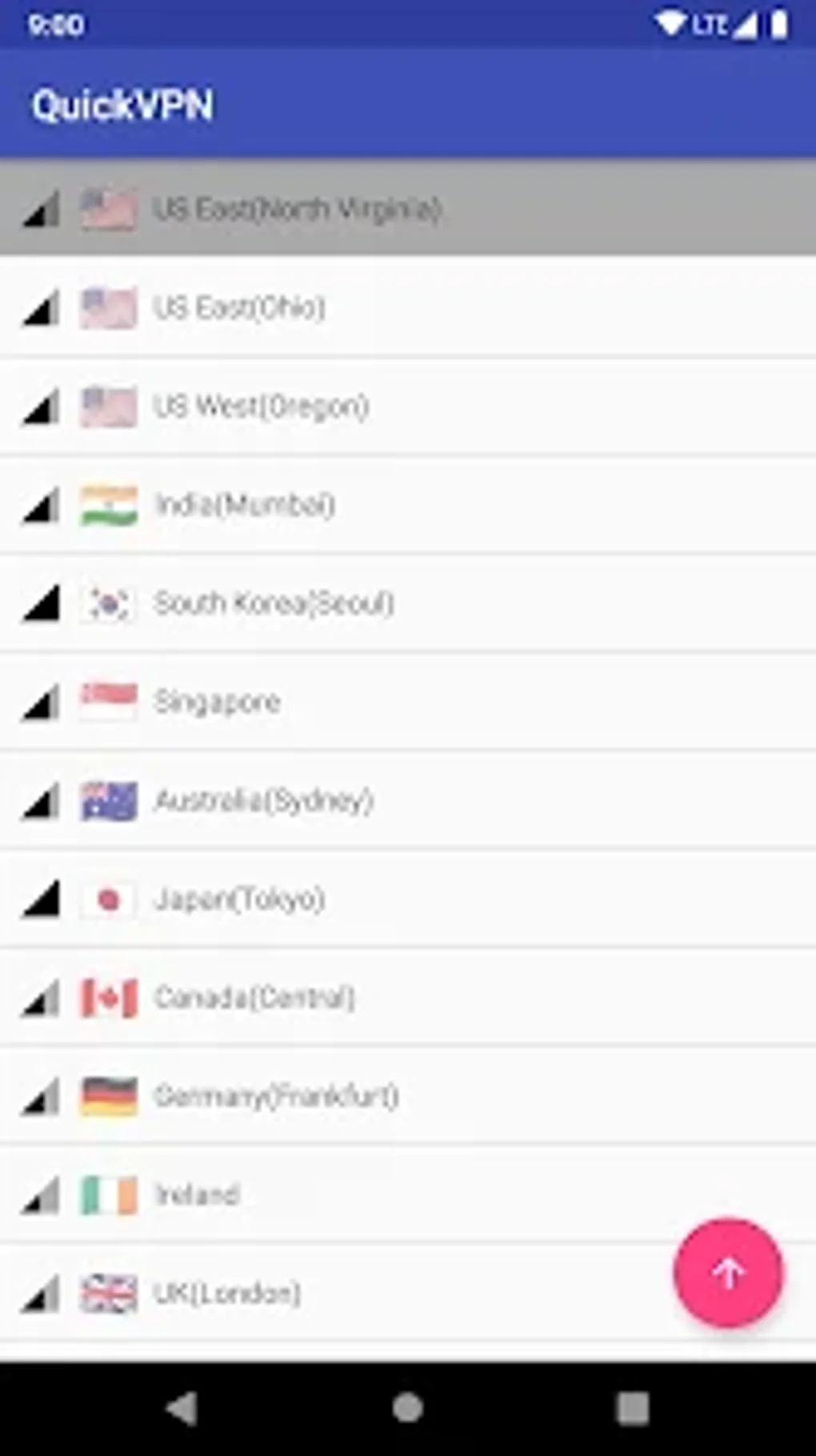
However, while the unlimited bandwidth is attractive, Quick VPN’s server infrastructure presents a limitation. The app offers access to servers in 13 locations across 11 countries. While this provides coverage across several key regions including the USA, Singapore, and Germany, the number of server options is considerably smaller than what many competing VPN services offer. This limited server selection could potentially lead to slower speeds or increased server congestion during peak hours, especially for users in less-populated regions or those seeking connections to more niche locations. The app also periodically checks network performance, attempting to optimize your connection. This is a positive aspect of the app as it helps maintain a consistent connection.
User Interface and Ease of Use: Simplicity and Clean Design
Quick VPN boasts a clean and user-friendly interface. Its straightforward design makes it easy for even novice users to connect to a VPN server and begin browsing privately. The lack of complex settings and options is a benefit for those who prioritize simplicity and ease of use. The app avoids overwhelming users with technical jargon and intricate configurations, prioritizing an intuitive experience. The app’s core functionality—connecting to a VPN—is easily accessible, placing a premium on usability.
However, this simplicity might be a drawback for power users who prefer more granular control over their VPN settings. Features like advanced protocol selection, port forwarding, or split tunneling are absent. The streamlined approach prioritizes ease of use over advanced configuration options, making it less appealing to users with specific technical needs.
Security and Privacy: A Basic Level of Protection
Quick VPN provides a basic level of security and privacy. By encrypting your internet traffic, it masks your IP address and protects your online activity from potential surveillance from your ISP or other third parties. This basic level of protection is suitable for everyday browsing and accessing websites or services that don’t require an extremely high level of security. However, it is important to note that the level of security offered is directly linked to the strength of the encryption used. While the app offers a secure connection, users should always ensure they are using a trusted and reputable VPN provider.
The lack of specific information on the encryption protocols used by Quick VPN is a notable shortcoming. Without this knowledge, it’s difficult to assess the robustness of its security features. Users concerned with high-level security or those handling sensitive data should seek VPN services that are more transparent about their encryption methodologies and security protocols used.
Features and Functionality: What Quick VPN Offers
Quick VPN provides a functional, although limited, set of features. Beyond the core VPN functionality of encrypting your internet traffic and masking your IP address, the app offers the following:
- Unlimited Bandwidth: As previously mentioned, Quick VPN boasts unlimited data usage, a significant advantage for heavy internet users.
- Multiple Server Locations: While the number of servers is limited, the availability across 11 countries still allows access to various geographical locations.
- Automatic Network Performance Checks: The app actively monitors network performance to optimize connection speed and stability.
- Works Across Connection Types: Quick VPN is compatible with both Wi-Fi and mobile data connections (4G/5G), ensuring consistent protection across various networks.
- Bypassing Geo-Restrictions: The different server locations allow users to bypass geo-restrictions on websites and services, granting access to content otherwise unavailable in their region.
However, some significant features are missing:
- Lack of Advanced Settings: Quick VPN offers minimal customization options. Power users may find the lack of advanced settings restrictive.
- Ad-Supported: Quick VPN is supported by advertisements, which can be disruptive for some users. This is a significant drawback, particularly as many competitors offer ad-free versions, either as a free or paid option.
- No Kill Switch: A kill switch is a crucial safety feature that cuts off your internet connection if the VPN connection drops, preventing data leaks. The absence of this feature raises concerns about the security robustness of the app.
- Limited Transparency: Lack of detailed information on encryption protocols and security policies reduces trust and makes a proper security assessment difficult.
Conclusion: A Decent Free Option, But With Caveats
Quick VPN - Unlimited VPN presents itself as a decent free VPN option for users with basic needs. Its unlimited bandwidth and straightforward interface are attractive features. However, the limited number of servers, the presence of ads, and the lack of crucial security features like a kill switch significantly impact its overall value proposition. It’s suitable for users who require a simple, free VPN for casual browsing and don’t need high-level security or advanced features. For users prioritizing security, privacy, and a wider range of features, exploring alternative, potentially paid, VPN services is strongly recommended. The absence of a kill switch, in particular, raises serious concerns regarding the app’s security, and users should be aware of this potential vulnerability before using the app for sensitive activities. Users should weigh the convenience of free and unlimited bandwidth against the limitations in server options and the absence of crucial security enhancements. Ultimately, the decision of whether or not to use Quick VPN depends on an individual’s needs and risk tolerance. The advantages of a free and easily accessible service are counterbalanced by significant security and functional limitations.
File Information
- License: “Free”
- Version: “1.0”
- Latest update: “June 25, 2024”
- Platform: “Android”
- OS: “Android 13.0”
- Language: “English”
- Downloads: “104.7K”
- Download Options: “Google Play”


