
In the dynamic world of PC gaming and content creation, the ability to effortlessly capture gameplay, stream live sessions, and share memorable moments has become paramount. For users equipped with AMD graphics cards, an integrated solution stands out as a powerful and convenient tool: Radeon ReLive. Offered as a free streaming companion application, ReLive is meticulously designed to simplify the often-complex process of game capture and live broadcasting, making it accessible to a wide spectrum of users, from aspiring streamers to seasoned content creators. It seamlessly integrates into the AMD Radeon Software suite, leveraging the underlying hardware to deliver an optimized experience that minimizes performance impact, a crucial factor for gamers who demand every frame per second.
At its core, Radeon ReLive represents AMD’s commitment to providing a comprehensive ecosystem for its hardware users. It’s not just another third-party application but a first-party solution that understands and utilizes the full potential of Radeon GPUs. This deep integration is the secret sauce behind its efficiency and user-friendliness, allowing AMD users to dive into streaming and recording without the typical technical hurdles or significant financial investment. As the demand for engaging gaming content continues to grow, tools like Radeon ReLive serve as vital enablers, democratizing the act of sharing gaming experiences with a global audience.
The Genesis of Radeon ReLive: A Dedicated Solution for AMD Users
The journey into content creation can often be intimidating, fraught with the complexities of software configuration, hardware compatibility, and performance optimization. Recognizing these barriers, AMD introduced Radeon ReLive as an integral part of its Radeon Software package, aiming to provide a streamlined, high-performance solution exclusively tailored for its graphics card owners. The philosophy behind ReLive was clear: to empower AMD users with professional-grade recording and streaming capabilities that are both intuitive to use and remarkably efficient. This strategic move not only added significant value to AMD’s hardware but also cultivated a more robust and self-sufficient ecosystem for its community.
Bridging the Gap: Why Integrated Solutions Matter
In an era where independent software solutions often compete for system resources, an integrated approach, such as that offered by Radeon ReLive, presents distinct advantages. Traditional streaming software, while feature-rich, can sometimes introduce compatibility issues or impose a heavier load on the CPU and GPU, potentially compromising gaming performance. Radeon ReLive, being developed by AMD itself, is engineered from the ground up to communicate directly with the Radeon graphics hardware. This tight integration ensures optimal resource allocation, reducing overhead and maximizing efficiency. It eliminates the guesswork involved in matching software settings to hardware capabilities, providing a “just works” experience that is highly sought after by users who prefer to focus on their gameplay rather than troubleshooting technical hiccups. This native synergy minimizes the risk of conflicts and driver-related problems, offering a stable and reliable platform for content creation.

The Core Promise: Free, Optimized, and User-Friendly
The fundamental appeal of Radeon ReLive lies in its core promises: it’s free, it’s optimized, and it’s user-friendly. Being a complimentary addition to the Radeon Software suite means AMD graphics card owners gain access to powerful content creation tools without incurring additional costs, a significant benefit, especially for new streamers or those on a budget. Furthermore, the “optimized” aspect refers to its lightweight design and minimal impact on system performance. AMD claims a maximum performance impact of just 4% during recording while playing, an impressive feat that allows gamers to maintain high frame rates and a smooth gaming experience even while actively capturing or streaming. This makes ReLive one of the most efficient options available, particularly for systems where every ounce of performance counts. Finally, the “user-friendly” component is critical for mass adoption. Radeon ReLive boasts an intuitive interface and often includes automatic settings for popular streaming platforms, simplifying the setup process and allowing users to get started with their content creation journey with minimal fuss. This combination of accessibility, efficiency, and zero cost positions Radeon ReLive as a compelling choice for the AMD community.
Unpacking the Features: More Than Just Simple Capture
Radeon ReLive is far more sophisticated than a mere screen recorder; it’s a comprehensive toolkit designed to cater to the diverse needs of modern content creators. While its primary function revolves around capturing and broadcasting gameplay, a closer look reveals a suite of functionalities that empower users to produce high-quality content with remarkable ease and flexibility. These features collectively contribute to a seamless workflow, from the initial capture to the final shared moment, all while maintaining the hallmark efficiency that defines ReLive.
High-Fidelity Gameplay Recording: Capturing Every Moment
One of the cornerstone features of Radeon ReLive is its ability to record gameplay in high fidelity. Users can capture stunning visuals at various resolutions, including 1080p, 1440p, and even 4K, depending on their hardware capabilities, and at high frame rates. ReLive supports multiple encoding options, leveraging the dedicated hardware encoders present in AMD GPUs (like AMD VCE/VCN), which are specifically designed to offload video processing from the main GPU pipeline. This ensures that recordings are smooth, crisp, and free from artifacts, all without placing undue strain on the system’s gaming performance. Furthermore, ReLive offers a range of quality settings, from bitrate control to audio capture options, allowing creators to fine-tune their recordings to meet specific requirements, whether it’s for archiving personal gameplay or producing polished videos for platforms like YouTube. The flexibility extends to capturing desktop activity beyond games, making it a versatile tool for tutorials, software demonstrations, and general screen recording tasks.
Live Streaming Made Effortless: Connecting with Your Audience
For those venturing into the world of live broadcasting, Radeon ReLive streamlines the process of connecting with audiences on popular platforms. It comes with built-in integrations and optimized presets for major streaming services such as Twitch, YouTube, and Facebook Gaming. This means users can configure their stream settings with minimal effort, often with just a few clicks, without needing to delve into complex technical parameters. ReLive handles the encoding and transmission of the video feed efficiently, ensuring a stable and high-quality broadcast. Features like overlay support allow streamers to personalize their broadcasts with webcams, chat windows, custom images, and text, enhancing viewer engagement. The ability to monitor stream health, viewer counts, and chat directly within the ReLive interface or through the Radeon Software overlay further empowers streamers to manage their live presence effectively, fostering a dynamic and interactive experience for their community.
Instant Replay and Highlights: Never Miss a Beat
Some of the most epic gaming moments happen spontaneously. Radeon ReLive’s “Instant Replay” feature ensures that these unscripted highlights are never lost. Similar to a dash cam, Instant Replay continuously records gameplay in a temporary buffer, allowing users to save the last few seconds or minutes of action with a simple hotkey press. This is invaluable for capturing clutch plays, funny glitches, or incredible feats that weren’t anticipated. Beyond Instant Replay, ReLive also offers functionality to automatically detect and save “Highlights” in supported games. This feature uses game telemetry to identify significant in-game events, such as multi-kills, boss defeats, or objective captures, and automatically records them, creating a collection of your most impressive achievements without manual intervention. These saved clips can then be easily edited, shared directly from the application, or compiled into montage videos, making it incredibly simple to showcase your best moments to friends and followers.
Performance Monitoring and Management: Keeping Tabs on Your System
Beyond its core capture and streaming capabilities, Radeon ReLive integrates seamlessly with the broader Radeon Software suite to offer robust performance monitoring and management tools. During gameplay or streaming, users can access an overlay that displays real-time statistics such as GPU usage, CPU usage, frame rates, temperatures, and clock speeds. This information is crucial for optimizing settings, troubleshooting performance issues, and ensuring that the system is operating within ideal parameters. Furthermore, the software allows for easy adjustment of various graphics settings, fan curves, and even overclocking profiles directly from the overlay or the main application, without needing to alt-tab out of a game. This integrated approach to performance management ensures that content creators can maintain optimal system health and game stability, directly impacting the quality of their recordings and streams. By providing a holistic view and control over the hardware, Radeon ReLive solidifies its position as an indispensable tool within the AMD ecosystem for any serious gamer or streamer.
The Performance Advantage: “Strong But Light” in Practice
The phrase “strong but light” perfectly encapsulates the design philosophy behind Radeon ReLive, distinguishing it from many other content creation tools on the market. In the highly competitive realm of gaming and streaming, where every frame per second and millisecond of latency can affect the user experience, software efficiency is not merely a convenience—it’s a critical requirement. Radeon ReLive achieves this delicate balance by deeply integrating with AMD’s hardware architecture, offering robust functionality without bogging down the system.
Minimal Impact: The 4% Difference and What It Means for Gamers
One of ReLive’s most compelling claims, and a significant differentiator, is its minimal performance footprint. AMD states that using ReLive for recording while playing has a maximum impact of only 4% on system performance. To a casual user, this might seem like a small number, but to a dedicated gamer or streamer, it represents a monumental advantage. In high-stakes competitive gaming, maintaining consistently high frame rates is crucial for responsiveness and split-second decisions. A traditional recording or streaming solution that taxes the GPU or CPU heavily can lead to noticeable frame drops, stuttering, or increased input lag, directly hindering gameplay performance.
The 4% impact means that gamers can enable ReLive’s features with confidence, knowing that their core gaming experience will remain largely unaffected. It translates to smoother gameplay for the user while simultaneously capturing high-quality footage for their audience or personal archives. This efficiency is largely attributable to the dedicated video encoding hardware (like AMD’s Video Coding Engine - VCE or Video Core Next - VCN) embedded within Radeon GPUs. These specialized units are designed to handle video compression tasks without relying on the GPU’s main graphics pipeline, which is busy rendering the game itself, or the CPU. By offloading this intensive task to dedicated hardware, ReLive ensures that both gaming and content creation can occur concurrently with minimal compromise.
Hardware Acceleration: Leveraging AMD’s Architecture
The secret behind ReLive’s remarkable efficiency is its profound reliance on hardware acceleration, a core principle of modern graphics processing. Instead of utilizing general-purpose CPU cores or the GPU’s shaders (which are optimized for rendering game graphics) for video encoding, ReLive intelligently taps into the dedicated video encoders found on AMD Radeon graphics cards. These specialized silicon blocks are purpose-built for video compression and decompression, offering superior performance and energy efficiency for these tasks compared to software-based solutions or less optimized hardware approaches.
This direct access and utilization of AMD’s proprietary hardware accelerators mean that ReLive can encode video streams at incredibly high speeds and quality, all while consuming significantly fewer system resources. This not only preserves precious CPU cycles and GPU rendering capabilities for the game itself but also results in cooler operating temperatures and potentially lower power consumption. For content creators, this translates to more reliable streams, higher quality recordings, and the ability to multitask more effectively, such as running a game, streaming, and perhaps even monitoring chat or other applications simultaneously without noticeable performance degradation. It’s a testament to AMD’s vertical integration, where the hardware and software are designed to work in perfect harmony.
Optimization for Diverse Setups: From Entry-Level to High-End
While high-end systems often boast ample resources to handle demanding tasks, the “strong but light” characteristic of Radeon ReLive makes it particularly valuable for a broader range of hardware configurations, including more modest, entry-level gaming PCs. Even on systems with less powerful CPUs or older-generation AMD GPUs that still support ReLive, the software’s efficiency ensures that users can participate in content creation without needing to upgrade their entire setup.
ReLive’s optimization extends to offering scalable settings, allowing users to adjust recording and streaming quality parameters to match their system’s capabilities and internet bandwidth. Whether you’re aiming for a pristine 4K recording on a flagship GPU or a smooth 1080p stream on a more budget-friendly card, ReLive provides the flexibility to achieve the best possible outcome given the hardware constraints. This inclusivity means that more AMD users can explore the world of streaming and recording, fostering a larger and more diverse community of content creators. The commitment to delivering a consistently strong yet lightweight performance across various hardware tiers underscores ReLive’s role as an accessible and powerful tool for the entire AMD ecosystem.
User Experience: Designed for Accessibility and Growth
Beyond its technical prowess and minimal performance impact, Radeon ReLive places a strong emphasis on user experience. Recognizing that many aspiring content creators may lack extensive technical knowledge or professional-grade equipment, AMD designed ReLive to be inherently accessible and intuitive. This focus on ease of use not only lowers the barrier to entry for newcomers but also provides a streamlined workflow that seasoned users can appreciate, allowing them to concentrate more on their content and less on software configurations.
Intuitive Interface: Navigating ReLive with Ease
The user interface of Radeon ReLive, integrated within the larger AMD Radeon Software application, is crafted with simplicity and clarity in mind. Navigating through its various features—from starting a recording to configuring streaming settings—is designed to be straightforward. Menus are logically organized, and options are presented in an easy-to-understand manner, often accompanied by clear descriptions. For instance, initiating a recording or stream typically involves just a few clicks or a single hotkey press, making the process almost instantaneous.
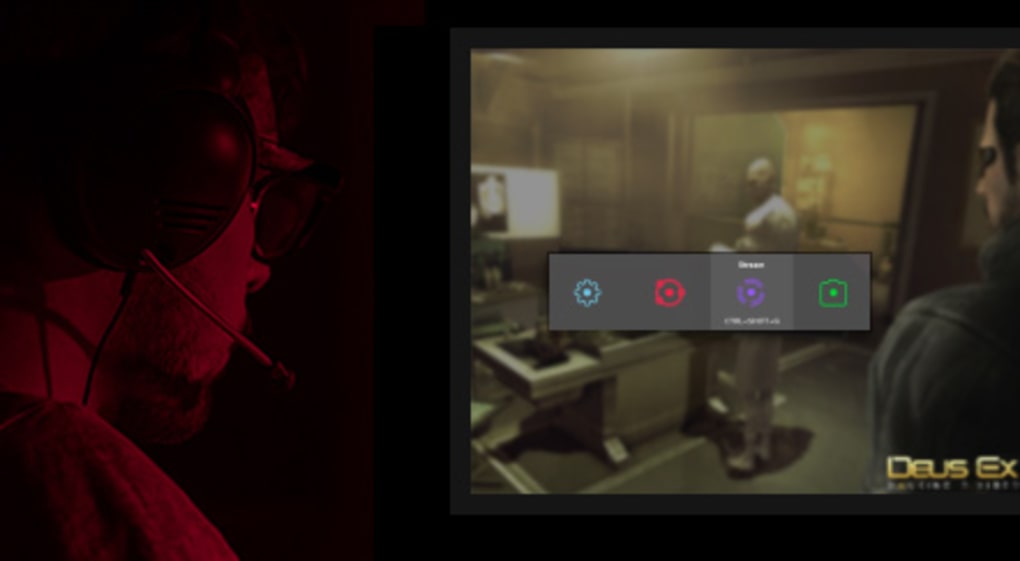
The in-game overlay provides convenient access to ReLive’s functionalities without needing to alt-tab out of a game. This allows users to start/stop recordings, toggle instant replay, adjust microphone settings, or check stream status on the fly. This level of accessibility ensures that users can integrate content creation seamlessly into their gaming sessions, rather than it feeling like a separate, arduous task. For those new to streaming, this intuitive design significantly reduces the learning curve, empowering them to begin their content creation journey with confidence rather than frustration.
Preset Optimizations for Popular Platforms: Jumpstarting Your Stream
One of the most valuable aspects of ReLive for new streamers is its inclusion of preset optimizations for popular streaming platforms. Instead of requiring users to manually input complex bitrate, resolution, and encoder settings for Twitch, YouTube, or Facebook Gaming, ReLive offers pre-configured profiles that are designed to deliver optimal performance and quality on these services. This “set it and forget it” approach dramatically simplifies the setup process.
Users can simply select their preferred platform, and ReLive automatically applies recommended settings, taking into account common bandwidths and platform requirements. While experienced streamers might still prefer to fine-tune every parameter, these presets serve as an excellent starting point, allowing beginners to get their first stream up and running quickly. This feature not only saves time but also reduces the anxiety associated with getting technical settings “right,” ensuring a smoother initial streaming experience. As users gain more experience, they can always delve deeper into custom settings, but ReLive ensures that the initial hurdle is as low as possible.
Limitations and Opportunities for Advanced Users: Knowing Its Niche
While Radeon ReLive excels in simplicity and efficiency, it’s also important to acknowledge its specific niche. For professional streamers and content creators who require extremely granular control over every aspect of their broadcast, including complex multi-source setups, advanced audio mixing, intricate scene transitions, or highly customized overlays, ReLive might present some limitations. Unlike more comprehensive, albeit heavier, software like OBS Studio or XSplit Broadcaster, ReLive is designed primarily as a gaming companion, focusing on core capture and streaming functionalities.
This means that while it’s perfectly capable of handling a single webcam, game audio, and microphone input, it might not offer the extensive scene management, plugin ecosystem, or advanced audio routing capabilities that some power users demand. However, this focused design is also its strength; it avoids feature bloat and maintains a lightweight profile. For the vast majority of AMD users who want to record their gameplay, share highlights, or embark on a straightforward streaming career, ReLive provides everything they need without unnecessary complexity. Its value lies in its balance, offering a robust set of tools that are easy to use and highly optimized, serving as an excellent entry point into the world of content creation for the AMD community.
Radeon ReLive in the Broader Ecosystem: A Comparative Look
While Radeon ReLive offers a compelling, integrated solution for AMD graphics card owners, it doesn’t exist in a vacuum. The streaming and recording software market is diverse and competitive, populated by a variety of tools, each with its own strengths and target audience. Understanding where ReLive stands in relation to its peers, particularly popular choices like OBS Studio, Streamlabs, and XSplit, helps to contextualize its value proposition and identify the ideal user for AMD’s offering.
Standing Against the Giants: OBS Studio, Streamlabs, and XSplit
OBS Studio (Open Broadcaster Software): This is arguably the most popular and versatile free streaming software available. It’s open-source, highly customizable, supports a vast array of plugins, and offers unparalleled control over scene composition, audio mixing, and encoding settings. Its flexibility makes it a favorite among professional streamers and those who demand maximum control. However, this power comes with a steeper learning curve, and without specific hardware optimizations, its performance impact can sometimes be higher, especially on older systems. ReLive’s strength lies in its simplicity and deep hardware integration, offering a more “plug-and-play” experience compared to OBS’s extensive configuration options.
Streamlabs Desktop (formerly Streamlabs OBS): Built upon OBS Studio, Streamlabs Desktop aims to simplify the streaming experience by adding user-friendly features like integrated alerts, widgets, themes, and direct integration with streaming platforms. It’s an excellent choice for streamers who want a more polished look and feel without diving into complex technical setups. While it simplifies many aspects, it can still be resource-intensive, and some of its advanced features are locked behind a premium subscription. ReLive competes here on its native optimization for AMD hardware and its completely free access to core functionalities, offering a lighter alternative without external monetization.
XSplit Gamecaster / Broadcaster: XSplit offers both Gamecaster (simplified for gamers) and Broadcaster (more advanced for professionals). Both provide robust streaming and recording capabilities, professional features, and a clean interface. XSplit has a strong reputation in the professional streaming space, but its full feature set often comes with a subscription cost. Radeon ReLive provides a similar entry-level ease-of-use as Gamecaster but does so completely free and with specialized AMD hardware optimization, potentially offering better performance for AMD users compared to XSplit’s more general approach.
In essence, while OBS, Streamlabs, and XSplit offer broader feature sets and platform independence, ReLive’s niche is its seamless, optimized experience for AMD GPU owners, particularly those who prioritize performance and ease of use over extensive customization options or multi-platform hardware support.
The AMD Ecosystem Advantage: Synergy with Radeon Software
Radeon ReLive’s integration within the broader AMD Radeon Software suite is perhaps its most significant competitive advantage for its target audience. This ecosystem approach means that ReLive benefits from, and contributes to, a holistic user experience that extends beyond just streaming and recording.
Users can manage all aspects of their AMD graphics card—including game profiles, performance tuning, display settings, driver updates, and ReLive’s content creation tools—from a single, unified interface. This synergy eliminates the need for multiple disparate applications, reducing system clutter and simplifying management. The tight integration ensures that ReLive is always up-to-date with the latest drivers, leveraging any performance improvements or bug fixes automatically. Furthermore, the performance metrics and system monitoring tools available in Radeon Software provide invaluable context for ReLive users, allowing them to troubleshoot potential issues or optimize their system for both gaming and streaming concurrently. This cohesive ecosystem delivers a level of stability, performance, and convenience that standalone streaming solutions often struggle to match, especially when operating outside their native hardware environment.
Is ReLive the Right Choice for You? Assessing Your Needs
Deciding whether Radeon ReLive is the ideal streaming and recording solution depends largely on individual needs, hardware, and aspirations:
- For AMD Graphics Card Owners: If you possess an AMD Radeon GPU, ReLive is an almost undeniable choice for its unparalleled optimization, zero cost, and ease of use. It should be your go-to starting point.
- For Beginners and Casual Streamers: Its intuitive interface, preset optimizations, and minimal performance impact make it perfect for those new to content creation or who stream/record casually without needing professional-grade complexity.
- For Performance-Conscious Gamers: If maintaining maximum in-game frame rates and responsiveness is your top priority while still capturing content, ReLive’s “strong but light” design makes it superior to many alternatives.
- For Advanced Users and Multi-Platform Streamers: If you require extensive scene customization, complex audio routing, multi-platform streaming without dedicated hardware, or broad plugin support, you might eventually find ReLive’s features limiting and consider supplementing or transitioning to OBS Studio or XSplit.
Ultimately, Radeon ReLive serves as an outstanding, accessible, and high-performing gateway into the world of streaming and recording for the vast AMD user base. It embodies the principle that powerful tools can also be remarkably easy to use, fostering a more vibrant and diverse community of content creators within the AMD ecosystem.
Conclusion: The Enduring Value of Radeon ReLive for the AMD Community
Radeon ReLive stands as a testament to AMD’s commitment to delivering not just powerful hardware, but also a comprehensive, user-centric software experience. As a free streaming companion application tailored specifically for AMD graphics cards, it has carved out a significant niche, offering a blend of performance, simplicity, and accessibility that is hard to match within its category. From its incredibly low performance impact—a claimed maximum of just 4% during concurrent recording and gameplay—to its intuitive interface and optimized presets for popular streaming platforms, ReLive demystifies the process of content creation for millions of AMD users.
Its deep integration with the Radeon Software suite leverages dedicated hardware encoders, ensuring that streams and recordings are of high fidelity without compromising gaming frame rates. This “strong but light” philosophy makes it an ideal solution for a broad spectrum of users, from those taking their first tentative steps into streaming to seasoned gamers who prioritize a smooth, uninterrupted gaming experience above all else. While it may not offer the limitless customization of an OBS Studio or the extensive professional features of an XSplit Broadcaster, ReLive excels in its focused mission: to provide an optimized, reliable, and straightforward path for AMD customers to capture, share, and relive their gaming moments.
In a rapidly evolving digital landscape where content is king, tools like Radeon ReLive are indispensable. They empower individuals to share their passions, build communities, and leave their mark, all without the burden of significant technical expertise or financial outlay. For any AMD graphics card owner looking to embark on the journey of streaming or video recording, Radeon ReLive remains an exceptionally valuable, highly recommended, and thoroughly integrated solution, solidifying its place as a cornerstone of the AMD ecosystem. The ease with which users can transform their gameplay into compelling content, all while maintaining peak performance, ensures that Radeon ReLive will continue to be a vital utility for the AMD community for years to come, readily available for free download from PhanMemFree.org.
File Information
- License: “Free”
- Latest update: “July 12, 2019”
- Platform: “Windows”
- OS: “Windows 8.1”
- Language: “English”
- Downloads: “23.4K”
- Size: “34.42 MB”


