
In the ever-expanding digital landscape, the allure of broadcasting one’s voice, music, or curated audio content to a global audience has never been stronger. Whether you’re a seasoned DJ, an aspiring podcaster, a community organizer, or simply someone with a passion to share, the ability to establish an online radio presence is a powerful tool. Enter Radio Caster, a free-to-try online audio broadcasting system that promises to transform any computer into a functional streaming hub. Developed by DJ Soft, this application offers a straightforward pathway to creating an instant online stream, allowing listeners to tune in from anywhere with an internet connection.
At its core, Radio Caster is designed to demystify the process of online audio broadcasting. It strips away the complexities often associated with professional radio software, offering a lean, focused tool for getting your audio feed online. This article delves deep into Radio Caster’s capabilities, its user experience, the distinctions between its free trial and professional versions, its ideal audience, and how it stacks up against other solutions in the dynamic world of digital radio. We’ll explore why its simplicity can be both its greatest strength and a potential limitation, providing a comprehensive overview for anyone considering it as their broadcasting solution.
Unveiling Radio Caster’s Core Functionality and User Experience
Radio Caster’s primary objective is elegantly simple: to take audio from a computer source and make it accessible as an online listening feed. This feed can originate from virtually any audio output on your system, whether it’s a live microphone input capturing your voice, the playback of music from a media player, or a pre-recorded podcast episode. The software acts as a bridge, encoding this audio and pushing it out to the internet, ready for listeners to access via a unique web address.
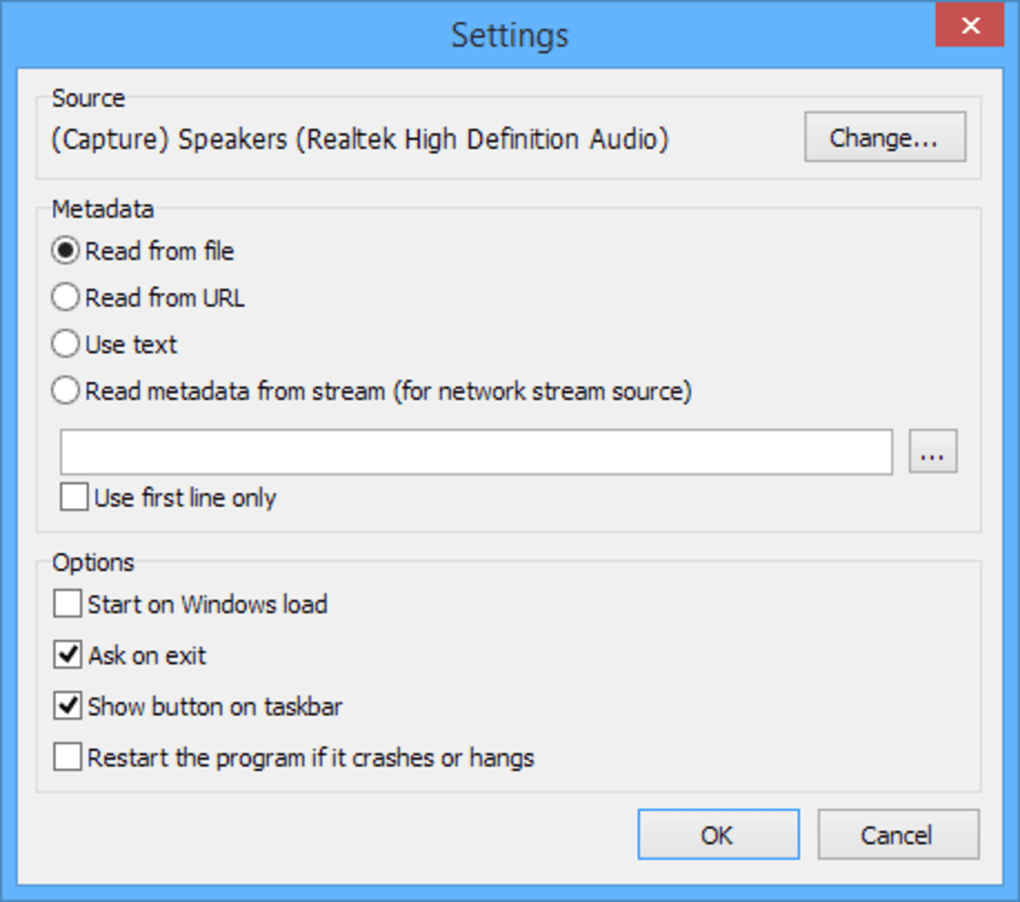
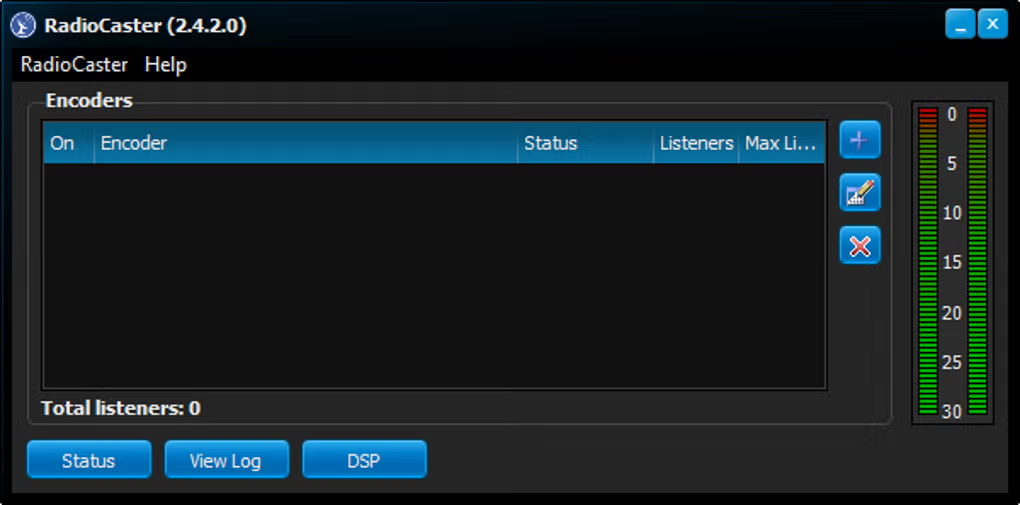
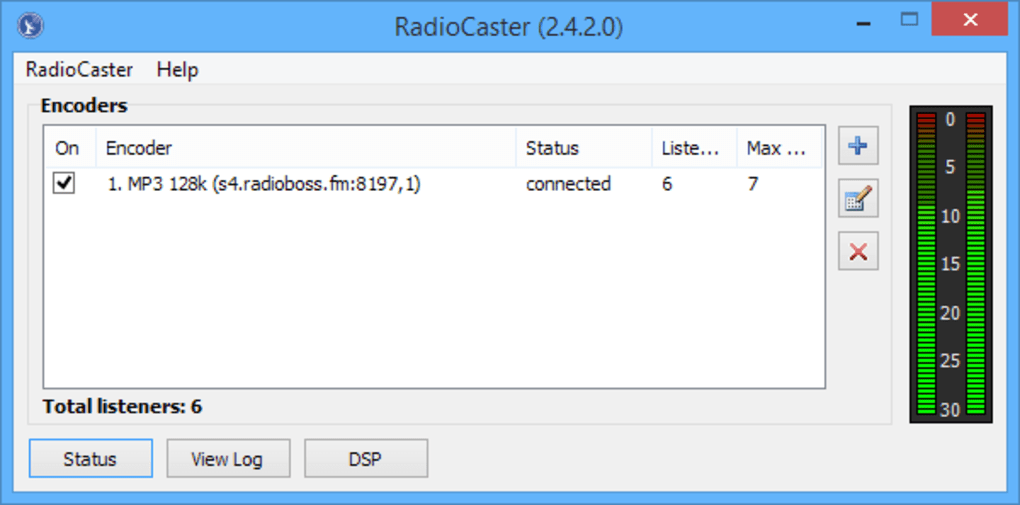
The application’s interface is one of its most defining characteristics. Unlike many comprehensive broadcasting suites that often overwhelm new users with an array of complex controls, multi-panel layouts, and intricate settings, Radio Caster adopts a “stripped back, user-friendly single window” design. This minimalist approach is a deliberate choice, prioritizing functionality over flashy aesthetics. For individuals new to online broadcasting, this simplicity is a significant advantage. The learning curve is remarkably gentle; a “single click to add audio source command” initiates the process of selecting what you want to broadcast, and another click confirms the hosting, effectively putting your station on the air. This intuitive workflow reduces the barrier to entry, enabling users to go live quickly without needing extensive technical knowledge or prior experience in audio engineering.
Once an audio source is selected and the stream initiated, Radio Caster generates a unique web address for your broadcast. Listeners can then access this feed directly through their web browser or integrate it into their preferred media player. For those who already have a personal website or blog, the streaming link can be seamlessly embedded, transforming their digital presence into an interactive audio platform. Alternatively, for users who prefer a more managed solution, the program creators also offer a paid hosting service, providing a reliable infrastructure for maintaining the broadcast feed. This flexibility in hosting options caters to different levels of technical comfort and resource availability, further underscoring Radio Caster’s commitment to accessibility. The focus here is purely on transmitting audio, making it an ideal tool for straightforward, direct-to-listener broadcasts without the overhead of complex scheduling, multi-track mixing, or advanced sound processing often found in more expensive, feature-rich platforms. It’s about getting your sound out there, quickly and efficiently.
Navigating the Free Trial and Unlocking Professional Features
While Radio Caster offers a compelling free trial, it’s crucial for prospective users to understand the inherent limitations designed to encourage an upgrade to its professional versions. These restrictions are thoughtfully implemented to provide a taste of the software’s capabilities while clearly delineating the advantages of a paid subscription, making the free trial suitable “for all but the most basic tasks.”
The most immediate and noticeable limitation in the free trial is the regular interruption of broadcasts by distinct audible “beeps.” These periodic tones serve as an unmistakable reminder that you are using the trial version. For any serious broadcasting endeavor, be it a continuous music stream, a live talk show, or a pre-recorded podcast, these interruptions are highly disruptive and unprofessional. They detract significantly from the listener’s experience, making it difficult to maintain engagement and provide a high-quality audio service. This single limitation alone makes the free trial impractical for anything beyond testing the software’s core functionality or conducting very short, non-critical broadcasts.
Beyond the audio interruptions, the free trial also imposes strict “listener numbers” limitations. This means that only a handful of individuals can tune into your stream simultaneously. For anyone aiming to reach a modest to large audience, this restriction severely curtails the potential reach and impact of their broadcast. A thriving online radio station relies on its ability to accommodate a growing listener base, and a trial version that caps this number at a very low threshold quickly becomes a bottleneck. Furthermore, users of the free trial will find that “support requests have low priority.” While PhanMemFree (originally Softonic) and DJ Soft offer resources, direct and timely technical assistance is reserved for paying customers. This can be a significant hurdle if a trial user encounters technical issues or requires guidance in setting up their stream, further underscoring the trial’s role as a rudimentary testing ground rather than a full-fledged broadcasting solution.
To overcome these significant limitations, Radio Caster offers “Pro-versions” available for an annual fee. The pricing structure is typically “based on listener numbers and required features,” providing a scalable solution for broadcasters with varying needs. Upgrading to a professional license immediately removes the disruptive beeps, ensuring an uninterrupted, professional-sounding broadcast. It also vastly expands the capacity for simultaneous listeners, allowing stations to grow their audience without fear of technical bottlenecks. Pro-version users also gain access to priority technical support, ensuring that any issues are addressed promptly and effectively, which is invaluable for maintaining a reliable and consistent broadcast schedule. While the base functionality of live and pre-recorded audio streaming remains central, the professional versions transform Radio Caster from a basic utility into a robust and reliable tool for “regular audio streamers and radio broadcasters to create online feeds” with confidence and professionalism. This clear differentiation ensures that hobbyists can experiment, while serious broadcasters can invest in a stable, feature-rich environment.
Who Benefits Most? Identifying Radio Caster’s Ideal Audience
Radio Caster, with its “no frills competent” online audio streaming service, carves out a specific niche within the broad spectrum of digital broadcasting solutions. Its inherent simplicity and the nature of its limitations in the free trial, coupled with the focused functionality of its pro versions, mean that it is “suitable for smaller stations only” and is best utilized by a distinct set of users. Understanding this target audience is key to determining if Radio Caster is the right tool for your broadcasting aspirations.
The most obvious beneficiaries of Radio Caster are hobbyist broadcasters and aspiring podcasters. For individuals taking their first steps into the world of online audio, the sheer ease of getting a stream online is a massive advantage. They might be experimenting with a new musical genre, practicing their DJ skills, sharing personal insights, or simply wanting to test the waters of content creation. The minimal setup required by Radio Caster allows them to quickly establish a presence without being intimidated by complex software or requiring a steep learning curve. While the trial version’s limitations might be annoying, they offer a low-stakes environment for initial experimentation before committing financially.
Small community radio stations and independent online radios also find Radio Caster appealing. These operations often run on limited budgets and volunteer efforts. They don’t typically require the advanced automation, multi-user management, or sophisticated analytics that larger commercial stations demand. For them, a reliable, easy-to-use system that can stream local events, community news, or niche music programs without unnecessary complexity is paramount. The scalable pricing of the Pro-versions, based on listener capacity, means they only pay for what they need, making it a cost-effective solution for sustaining their local or niche broadcasts.
Furthermore, educational institutions or individual educators might leverage Radio Caster for specific purposes. Imagine a language teacher broadcasting live lessons, a music school streaming student performances, or a university department sharing lectures. In such scenarios, the focus is on efficient content delivery rather than intricate production. The straightforward nature of Radio Caster facilitates this, allowing educators to focus on their content rather than grappling with software intricacies. Similarly, small businesses or individuals looking to broadcast background music or promotional messages in a specific online context could use Radio Caster for a continuous audio presence without the need for an elaborate setup.
However, the “lack of advanced functionality” makes Radio Caster less suitable for larger, professional broadcasting operations. Commercial radio stations, large podcast networks, or high-traffic streaming platforms typically require features like:
- Advanced scheduling and automation: For seamless transitions between programs, advertisements, and music blocks.
- Multiple DJ/producer interfaces: Allowing several individuals to manage and contribute to the broadcast simultaneously.
- Real-time listener analytics: To understand audience demographics and engagement.
- Monetization tools: Integration with ad servers or subscription management.
- High-end audio processing and mixing capabilities: For studio-quality output.
These are areas where Radio Caster intentionally keeps things lean, focusing instead on its core strength: providing a simple, direct, and effective means to get an audio stream online. Its ideal user is someone who values straightforward operation and reliability for smaller-scale broadcasting endeavors over a comprehensive, feature-rich, and often more expensive, broadcasting ecosystem.
A Glimpse into the Online Radio Ecosystem: Radio Caster and Its Peers
The world of online audio broadcasting is rich and diverse, offering a plethora of tools designed to cater to various needs, from simple streaming to full-fledged radio station automation. Radio Caster occupies a specific niche within this ecosystem, prioritizing ease of use and direct streaming over the comprehensive feature sets found in many of its competitors. Understanding where Radio Caster stands in relation to its peers helps to contextualize its value proposition and guide potential users toward the most appropriate software for their ambitions.
Many alternatives to Radio Caster fall into the category of “radio station automation” or “auto DJ” software, offering a far more expansive array of features than Radio Caster’s focused approach. For instance, ZaraRadio is renowned for its robust radio station automation capabilities. It allows users to schedule music, jingles, and advertisements meticulously, ensuring a continuous and professional-sounding broadcast even without constant human intervention. This is a significant step beyond Radio Caster, which primarily functions as a live or simple playback streamer. Similarly, SAM Broadcaster is a powerful trial-version software that empowers users to “create your very own online radio station” with extensive features like advanced audio processing, multi-deck support for seamless track mixing, sophisticated playlist management, and even integrated billing and reporting tools. Its complexity and feature richness position it as a tool for more serious and professional online broadcasters who need granular control over every aspect of their station.
Another prominent competitor is RadioBOSS, a trial-version auto DJ solution for stations, clubs, discos, casinos, shops, and cinemas. RadioBOSS excels in providing sophisticated playlist generation, crossfading, volume leveling, and even advertisement management, making it ideal for continuous, unattended broadcasting in commercial or entertainment environments. These tools represent the higher end of online radio software, where automation, deep customization, and professional-grade features are paramount. While Radio Caster can broadcast live audio, it lacks the intelligent scheduling, automated content rotation, and advanced sound effects that these platforms offer.
Then there are solutions like SHOUTcast Server and Shoutcast GUI. SHOUTcast has historically been a cornerstone of internet radio, providing the server technology required to stream audio. While the SHOUTcast Server itself is a backend component, the “Shoutcast GUI” (Graphical User Interface) provides a user-friendly frontend to manage and interact with SHOUTcast streams. These are more infrastructure-focused, requiring a bit more technical understanding to set up and maintain, though they offer immense flexibility. Radio Caster simplifies this by handling some of the hosting aspects or allowing integration with external websites, abstracting away some of the server-side complexities.
Other alternatives mentioned, such as myTuner Radio (a listening app rather than broadcasting tool), AERadio Professional (complete automation for commercial radio stations), and Hardata Dinesat Radio (audio files administration for radio stations), further illustrate the breadth of the market. These range from client-side listening applications to comprehensive, enterprise-level solutions for large-scale radio operations.
In this diverse ecosystem, Radio Caster firmly positions itself as the straightforward, “bare bones” option. Its strength lies in its simplicity and directness. It doesn’t aim to be a full automation suite or a professional DJ console. Instead, it offers a reliable and incredibly easy way to get an audio stream from your computer to listeners. For those who find the likes of SAM Broadcaster or RadioBOSS overwhelming or simply unnecessary for their particular needs, Radio Caster provides a refreshing alternative. It’s ideal for quickly establishing a live audio presence without the overhead of learning complex systems, making it a gateway for many into the exciting world of online broadcasting.
Technical Specifications and User Considerations
Understanding the technical underpinnings and practical considerations for any software is crucial before committing to its use. Radio Caster, while designed for simplicity, has specific technical specifications and operational nuances that users should be aware of to ensure a smooth and effective broadcasting experience.
As of its latest iteration, Version 3.5.0.0, Radio Caster is primarily developed for the Windows operating system. The official listing indicates compatibility with Windows 8.1, implying that it should function seamlessly across newer versions of Windows as well, including Windows 10 and 11, given the backward compatibility often maintained by Microsoft. This makes it accessible to a vast majority of PC users. The application’s language support is straightforward, primarily operating in English, which aligns with its developer, DJ Soft’s, broader market reach. For non-English speakers, this might necessitate relying on system-level translation tools or seeking community support in their native language, though the intuitive interface might mitigate some of this linguistic barrier.
The software package itself is relatively lightweight, with a download size of approximately 12.81 MB. This small footprint means it downloads quickly and consumes minimal disk space, making it an excellent choice for users with limited storage or slower internet connections. The low resource demand extends to its operational requirements; Radio Caster is not a resource-intensive application, allowing it to run efficiently alongside other software without significantly impacting system performance. This is particularly beneficial for broadcasters who might be simultaneously running media players, communication tools, or other applications on the same machine.
PhanMemFree (originally Softonic.com) provides a “Security Status” for the software, indicating that it is “Clean.” This assessment is based on rigorous scans across multiple leading antivirus services, ensuring that the downloadable file is free from malware, viruses, or unwanted bundled software. This reassurance of safety is paramount for users downloading applications from the internet and highlights PhanMemFree’s commitment to providing a secure software catalog.
While the listed “Latest update” date of “June 20, 2025,” in the reference content seems like a future placeholder or an error in the original data, it’s reasonable to assume that DJ Soft, like most software developers, provides regular updates to fix bugs, improve performance, and potentially introduce minor enhancements. Users should always ensure they are running the latest stable version to benefit from these improvements and maintain optimal security.
From a practical perspective, initial installation of Radio Caster is typically a straightforward “next-next-finish” process, characteristic of many Windows applications. Once installed, the single-window interface guides the user through the essential steps: selecting an audio input (e.g., microphone, system mixer, specific audio device), setting basic stream parameters, and initiating the broadcast. While the “free trial” comes with significant limitations like audible beeps and restricted listener counts, it offers a functional sandbox for users to test their setup, audio quality, and internet connection stability before committing to a Pro-version. This trial period is valuable for troubleshooting any initial configuration challenges without financial outlay. For those transitioning to a Pro-version, the annual fee structure based on listener capacity provides a scalable and predictable cost, allowing broadcasters to align their expenses with their audience growth and feature requirements. In essence, Radio Caster’s technical foundation emphasizes accessibility, efficiency, and security, making it a viable option for a broad range of aspiring and small-scale online broadcasters.
Conclusion
Radio Caster stands as a testament to the idea that powerful functionality doesn’t always necessitate overwhelming complexity. In a crowded market of sophisticated broadcasting tools, it offers a refreshing, streamlined approach for anyone looking to establish an online audio stream. Its “bare bones” design is not a weakness but a deliberate strength, appealing directly to those who value simplicity, rapid deployment, and direct-to-listener streaming above all else.
The journey with Radio Caster typically begins with its free trial, which, while limited by intrusive beeps and restricted listener numbers, serves as an excellent proving ground. It allows aspiring broadcasters to test their audio setup, understand the basic workflow, and gauge their interest in online broadcasting without any financial commitment. For those whose ambitions extend beyond basic experimentation, the Pro-versions unlock a professional, uninterrupted broadcasting experience, scaling with listener capacity and offering dedicated support. This tiered approach effectively caters to both casual hobbyists and more serious independent broadcasters alike.
While it consciously foregoes the advanced automation, multi-user management, and intricate sound engineering capabilities found in comprehensive solutions like SAM Broadcaster or RadioBOSS, this focused approach is precisely what makes Radio Caster shine for its target audience. It is an ideal gateway for individuals, small community groups, or niche content creators who need a reliable, easy-to-use tool to get their voice or music online quickly and efficiently. Its compatibility with Windows, minimal system requirements, and straightforward English interface further enhance its accessibility.
Ultimately, if your goal is to broadcast live or pre-recorded audio directly from your computer to an online audience without getting bogged down in intricate configurations, Radio Caster presents a compelling and competent solution. It empowers users to connect with listeners across the globe, transforming the abstract concept of online radio into a tangible, accessible reality. For those ready to share their sound with the world, Radio Caster offers a direct and uncomplicated path to doing just that.
File Information
- License: “Free”
- Latest update: “June 20, 2025”
- Platform: “Windows”
- OS: “Windows 8.1”
- Language: “English”
- Downloads: “7.3K”
- Size: “12.81 MB”


