
RaiDrive is a powerful and user-friendly application designed to provide effortless access to your Google Drive files directly from your computer. Unlike accessing your files solely through a web browser, RaiDrive creates a virtual drive on your system, mirroring the contents of your Google Drive account. This innovative approach eliminates the need to constantly navigate web interfaces and significantly streamlines your workflow. This comprehensive review will explore RaiDrive’s features, benefits, and potential drawbacks to help you determine if it’s the right solution for your cloud storage needs.
Intuitive Interface and Seamless Integration
One of RaiDrive’s standout features is its remarkably intuitive interface. Even users unfamiliar with similar applications will find it easy to navigate and understand. The program seamlessly integrates into your operating system, appearing as a standard drive letter in File Explorer (Windows) or Finder (macOS). This seamless integration means you can manage your Google Drive files using the familiar file management tools you already know and love. You can easily copy, paste, move, rename, and delete files as you would with any local drive, creating a streamlined and familiar user experience.
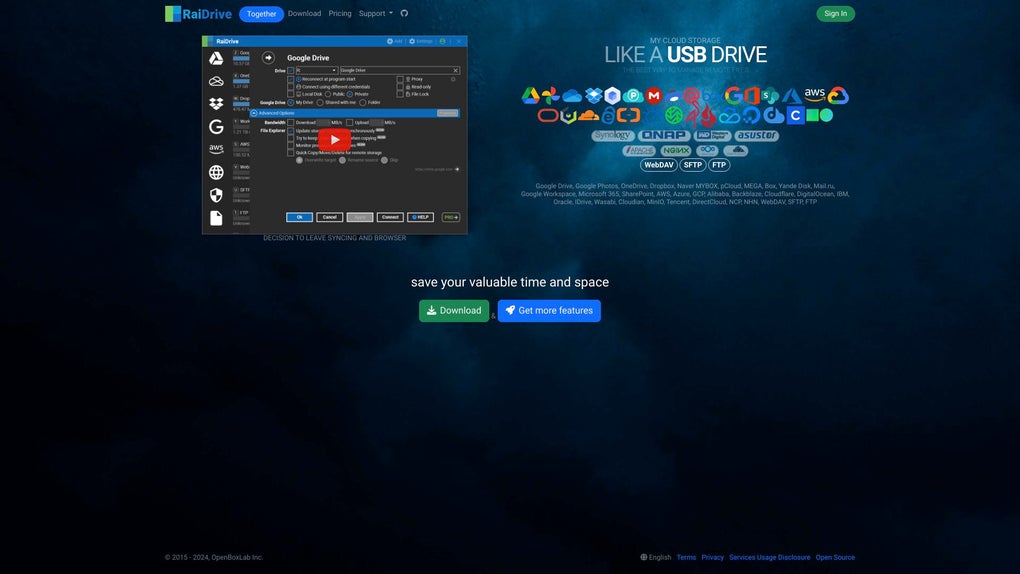
The virtual drive created by RaiDrive offers a direct, visual representation of your Google Drive content, making it incredibly convenient to locate and access specific files or folders. The intuitive design minimizes the learning curve, allowing users to quickly become proficient in using the software without needing extensive training or tutorials. This ease of use significantly reduces the time and effort required to manage cloud-based files, contributing to improved productivity.
Bidirectional Synchronization for Real-Time Updates
RaiDrive employs a robust bidirectional synchronization mechanism. This means that any changes made to files either on your local drive (the virtual RaiDrive drive) or directly within your Google Drive account are instantly reflected on both ends. This real-time synchronization ensures data consistency and eliminates the frustration of working with outdated files.
Whether you modify a document on your computer or make changes through the Google Drive web interface, the updates propagate immediately to the other location. This dynamic synchronization feature is crucial for collaborative projects, ensuring all team members always have access to the most current version of the files. This functionality removes the need for manual syncing or waiting for updates to propagate, significantly increasing efficiency and collaboration.
Offline Access and Enhanced Productivity
A significant advantage of RaiDrive is its ability to provide offline access to your files. While full functionality requires an internet connection for synchronization, RaiDrive allows you to access and work with files that have already been downloaded to your virtual drive, even when you are offline. This offline access capability is invaluable for users who frequently work in areas with unreliable internet connectivity or who need to continue working on files during travel or in situations where internet access might be limited or unavailable.
This feature dramatically enhances productivity by eliminating the dependence on a persistent internet connection. Users can continue working on projects even without network access, ensuring seamless workflow regardless of their location or connectivity status. The ability to work offline is a major advantage over solely relying on accessing files through a web browser.
Enhanced Security and Data Protection
RaiDrive prioritizes the security and protection of your data. It utilizes secure authentication methods to protect your Google Drive account from unauthorized access. The program doesn’t store your Google Drive password directly; instead, it securely interacts with Google’s authentication system to maintain a secure connection. Furthermore, RaiDrive integrates with Google’s security measures, inheriting the same robust security protocols Google employs to protect its users’ data.
The software undergoes regular security audits and updates to address any potential vulnerabilities and maintain a high level of security. Users can rest assured that their data remains protected through industry-standard security practices. This commitment to data security ensures the confidentiality and integrity of user information.
Advanced Features and Customization Options
Beyond its core functionality, RaiDrive offers a variety of advanced features and customization options. Users can configure various settings to tailor their experience, such as selecting specific folders to sync, adjusting synchronization settings, and managing notification preferences. This level of customization allows users to optimize RaiDrive to match their unique workflow and requirements. These customizable settings are valuable for power users looking to fine-tune the application to maximize efficiency and personalization.
Furthermore, RaiDrive offers support for various Google Drive features and functionality, providing a comprehensive experience that mirrors the features available directly through the Google Drive web interface. This comprehensive feature set allows for the management of Google Drive files in a manner that is both efficient and user-friendly.
Comparison with Other Cloud Storage Solutions
RaiDrive stands out from other cloud storage solutions primarily due to its seamless integration and virtual drive approach. While services like Dropbox also offer file synchronization, RaiDrive provides a more direct and integrated experience. Dropbox, for example, primarily works within its own application or folder structure. RaiDrive, on the other hand, directly creates a virtual drive accessible through standard file explorer, allowing for much more natural interaction with your cloud files.
Other cloud storage solutions often require users to navigate web interfaces or dedicated applications to access and manage their files. This can be cumbersome, especially for users who handle many files frequently. RaiDrive’s virtual drive system significantly improves this process, reducing the steps involved in managing your Google Drive data and improving overall productivity. This direct integration makes RaiDrive a particularly compelling option for users who heavily rely on their file system for their daily workflows.
System Requirements and Compatibility
RaiDrive is designed for compatibility with a wide range of operating systems and hardware configurations. While specific minimum requirements may vary with updates, RaiDrive generally runs smoothly on most modern systems. The software’s lightweight design ensures it doesn’t consume excessive system resources, allowing for smooth operation even on systems with moderate specifications. This wide range of compatibility makes RaiDrive accessible to a broader audience of users.
Conclusion: RaiDrive – A Powerful Tool for Google Drive Management
RaiDrive emerges as a highly effective and user-friendly solution for managing Google Drive files. Its intuitive interface, seamless integration, bidirectional synchronization, offline access capability, and robust security features make it a compelling alternative to accessing Google Drive through a web browser. The ability to seamlessly integrate with the operating system’s file management system makes everyday tasks considerably more efficient. Whether you’re a casual user or a power user, RaiDrive offers a significant improvement to the way you interact with Google Drive, increasing productivity and simplifying cloud file management. The thoughtful design and attention to detail make RaiDrive a valuable asset for anyone looking to streamline their Google Drive workflow.
File Information
- License: “Free”
- Latest update: “June 12, 2025”
- Platform: “Windows”
- OS: “Windows 11”
- Language: “English”
- Downloads: “344”


