
RAPTOR (Recursive Algorithmic Programming Tool for Organizing and Reasoning) is a free, Windows-based flowchart interpreter designed to simplify the learning process of programming, particularly for beginners. Unlike traditional text-based programming languages that demand a strong grasp of syntax before tackling complex logic, RAPTOR uses a visual flowchart approach. This allows students to focus on the underlying algorithms and program flow without getting bogged down in the intricacies of coding conventions. The software’s intuitive drag-and-drop interface and visual execution make it an ideal tool for introductory programming courses and self-learners alike.
Visualizing Algorithms: The Core Strength of RAPTOR
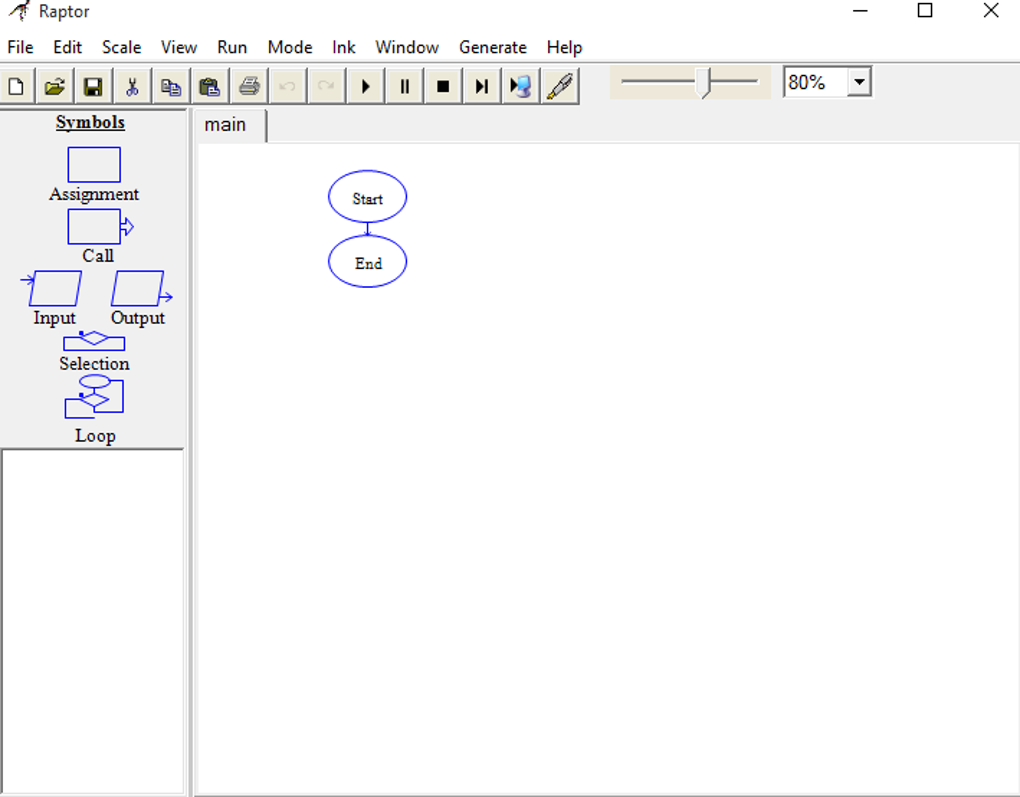
RAPTOR’s primary advantage lies in its ability to visually represent algorithms and their execution. Students create programs by connecting flowchart symbols, representing different programming constructs like assignments, conditional statements, loops, and input/output operations. As the program runs, RAPTOR highlights the active steps within the flowchart, providing real-time feedback on variable values. This dynamic visual representation makes it significantly easier to trace execution paths, identify logical errors, and understand the flow of a program. Debugging becomes a more intuitive process, as students can directly observe the program’s behavior at each step, leading to faster comprehension and more effective problem-solving.
The visual execution feature isn’t just beneficial for debugging; it also significantly enhances understanding of fundamental programming concepts. For example, the iterative nature of loops and the conditional branching of if-else statements become readily apparent when observing their visual progression within the flowchart. This clarity significantly reduces the cognitive load on beginners, allowing them to grasp the core concepts more easily. The immediate feedback provided by RAPTOR further reinforces this learning process. Students can see the direct impact of their code changes, promoting a more active and engaging learning experience.
A Tiered Approach to Learning: Novice to Object-Oriented Programming
RAPTOR employs a tiered approach to learning, catering to students with varying levels of experience. The software offers three distinct modes: Novice, Intermediate, and Object-Oriented.
Novice Mode: This mode is designed for absolute beginners. It uses a single, global namespace, simplifying the program structure and reducing the complexity students need to manage. This approach allows learners to focus on the fundamental logic of algorithms without being distracted by the complexities of variable scope and modularity. The minimal syntax required in this mode makes it easy for beginners to start programming almost immediately without feeling overwhelmed.
Intermediate Mode: As students progress and gain a firmer understanding of basic programming concepts, they can transition to the Intermediate mode. This mode introduces procedures and subcharts, enabling the development of modular programs. Procedures allow students to break down complex tasks into smaller, more manageable components, promoting code reusability and better organization. Subcharts provide a means of encapsulating sections of the flowchart, enhancing readability and making the overall program easier to understand and maintain. This mode also introduces the concept of parameter passing, a fundamental aspect of programming that allows for more flexible and efficient code.
Object-Oriented (OO) Mode: For advanced learners who are ready to tackle more sophisticated programming paradigms, RAPTOR offers an Object-Oriented mode. This mode allows the creation of classes and objects, introducing students to the fundamental principles of object-oriented programming. This mode helps students transition to more complex programming scenarios, preparing them for real-world programming tasks that often require the use of object-oriented principles. This structured learning path, moving from simple to complex concepts, makes RAPTOR a valuable tool for a comprehensive programming education.
Limitations and Alternative Considerations
Despite its numerous strengths, RAPTOR has some limitations worth considering. Its most significant drawback is its Windows-exclusivity. Users on macOS or Linux systems cannot directly use RAPTOR, which might be a substantial impediment for some. Additionally, the software’s visual design might appear outdated compared to contemporary software applications. While functional, the interface could benefit from a modernization update to improve user experience and visual appeal.
Another limitation is the relatively limited code generation capabilities. While RAPTOR excels at visualizing and executing algorithms, it might not generate completely runnable code in all instances, particularly in the more advanced modes. This means students might need to manually translate some parts of their flowchart-based programs into a different language for deployment. This requirement could be challenging for less experienced programmers and might reduce the efficiency of the workflow.
Furthermore, the lack of a built-in tutorial could be problematic for absolute beginners. While the interface is intuitive to some extent, a comprehensive guide to the software’s functionalities would significantly improve the user experience and reduce the learning curve for new users. The absence of detailed documentation could hinder the learning process for those who lack prior programming experience.
While RAPTOR may not be a perfect solution for all programming needs, several alternatives exist, each with its strengths and weaknesses. For example, Microsoft Visio offers comprehensive diagramming capabilities, including flowchart creation, but comes with a price tag and a steeper learning curve. Other free flowchart tools are available, but might lack the integrated execution and debugging features that make RAPTOR so effective for teaching.
Conclusion: A Valuable Tool for Programming Education
RAPTOR, despite its limitations, remains a valuable and effective tool for learning and teaching programming. Its visual approach to algorithm development and execution makes complex concepts more accessible to beginners. The tiered approach to learning, from Novice to Object-Oriented mode, provides a structured learning path that gradually builds complexity. Although its Windows-exclusivity, outdated interface, and limited code generation are notable drawbacks, the benefits of its visual execution and debugging capabilities outweigh these limitations for many students and educators. For beginners seeking a visually intuitive way to learn programming fundamentals, RAPTOR is a strong choice. However, users should be aware of its limitations and consider alternative options if these limitations prove to be significant obstacles. Ultimately, the best tool for learning programming depends on individual learning styles and preferences, but RAPTOR undeniably occupies a valuable niche in the programming education landscape.
File Information
- License: “Free”
- Latest update: “June 10, 2025”
- Platform: “Windows”
- OS: “Windows 8”
- Language: “English”
- Downloads: “152K”
- Size: “53.52 MB”


