
RAR Opener is a free, lightweight Windows application designed for effortless decompression of compressed files. Unlike bulky, feature-rich archiving utilities, RAR Opener prioritizes simplicity and speed, making it ideal for users who need a quick and easy way to open common compressed file formats without the complexity of advanced features. This streamlined approach makes it a perfect choice for users who only need basic file decompression capabilities.
Functionality and Features
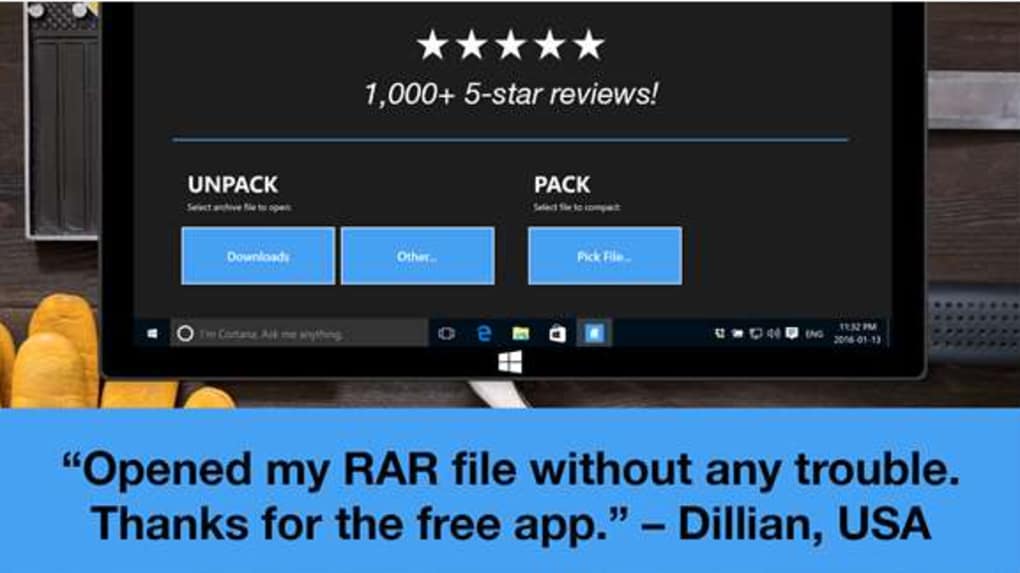
RAR Opener excels in its core function: rapidly extracting files from various compressed archives. Supporting popular formats like RAR, ZIP, 7Z, and TAR, it handles the most commonly encountered compressed file types. The program’s intuitive interface eliminates the need for extensive user knowledge. Opening compressed files is as simple as right-clicking the archive, selecting a destination folder, and letting RAR Opener do its work. The uncompressed files are readily accessible within moments, ready for use. This ease of use makes it exceptionally user-friendly, even for individuals with minimal computer experience.
The program’s minimalistic design is a key strength. It avoids the overwhelming array of options and settings found in more comprehensive archiving programs. This simplicity ensures a quick and efficient decompression process without sacrificing essential functionality. While lacking advanced features such as file splitting, password protection management, or extensive archive manipulation tools, RAR Opener’s focus on its core function ensures it operates swiftly and reliably. For users who don’t require these advanced functionalities, this streamlined approach translates to a significantly enhanced user experience.
Pros and Cons of Using RAR Opener
As with any software, RAR Opener presents certain advantages and disadvantages:
Pros:
-
Lightweight and Fast: The program’s small size ensures minimal impact on system resources, resulting in rapid decompression times. This is particularly beneficial for users with older or less powerful computers. The speed and efficiency are noteworthy aspects that contribute to a positive user experience.
-
Supports Multiple Formats: RAR Opener’s compatibility with RAR, ZIP, 7Z, and TAR formats ensures broad usability, accommodating most compressed files users are likely to encounter. This wide range of support removes the need for multiple decompression tools, streamlining the file management process.
-
User-Friendly Interface: The program’s straightforward design and intuitive operation ensure a hassle-free experience, even for novice users. The simple right-click context menu integration enhances the ease of use, making it accessible to individuals of all technical skill levels.
-
Free and Open Source: The program’s availability as a free download eliminates any cost barrier, making it accessible to a wider audience. This accessibility significantly broadens its potential user base.
-
Minimal System Requirements: RAR Opener functions efficiently even on systems with limited resources, making it compatible with a wide range of computer configurations.
Cons:
- Lack of Advanced Features: The program’s simplicity means it lacks the advanced features found in more comprehensive archiving tools. Users needing functionalities such as password protection, file splitting, or sophisticated archive manipulation will need to explore alternative applications. This limitation should be considered before choosing RAR Opener.
-
Limited Customization Options: Customization options are minimal. Users seeking granular control over the decompression process may find the limited settings restrictive. This simplicity might be a disadvantage for users who prefer extensive customization capabilities.
-
Potentially Limited Support: Due to its nature as a small, specialized utility, the level of community support and official updates might be less extensive compared to larger, more established archiving software. This consideration is important for users who prioritize robust support systems.
-
Absence of Built-in File Viewer: RAR Opener doesn’t include a built-in file viewer. Users will need a separate program to view the contents of certain file types within the archives. This is a minor inconvenience, but worth noting for users who prefer a more integrated experience.
Comparison with Alternative Archiving Software
RAR Opener occupies a niche within the world of archiving software. Its strengths lie in its simplicity and speed, making it a suitable alternative to larger, more feature-rich applications like WinRAR, 7-Zip, or WinZip. However, these alternatives provide a significantly broader array of features, including password protection, file splitting, self-extracting archives, and more sophisticated archive management capabilities. The choice between RAR Opener and these alternatives depends heavily on the user’s needs and technical expertise.
If a user requires only basic decompression capabilities and prioritizes speed and simplicity above all else, RAR Opener is an excellent choice. Conversely, users requiring advanced features or complex archive manipulation should opt for more feature-rich software like WinRAR or 7-Zip, despite their increased system resource consumption and complexity.
User Experience and Feedback
User reviews for RAR Opener are generally positive, reflecting the program’s speed and ease of use. Many users praise its simplicity and efficiency in handling basic decompression tasks. However, some negative feedback highlights the absence of advanced features and the occasional instance of unexpected behavior, which is not uncommon with lightweight applications.
It’s essential to remember that RAR Opener is not intended as a replacement for fully featured archiving software. Instead, it serves as a convenient and effective solution for users with specific, limited decompression requirements. Choosing the appropriate application depends on understanding your individual needs and priorities.
Conclusion
RAR Opener is a valuable tool for users who prioritize speed, simplicity, and ease of use in their file decompression process. Its lightweight nature and support for multiple common archive formats make it an efficient and effective solution for basic decompression tasks. However, its lack of advanced features makes it unsuitable for users requiring more complex functionalities. By carefully considering individual needs and expectations, users can determine if RAR Opener’s streamlined approach meets their specific requirements. Ultimately, RAR Opener provides a practical, user-friendly, and effective solution for those seeking a lightweight and efficient decompression utility.
File Information
- License: “Free”
- Latest update: “February 1, 2023”
- Platform: “Windows”
- OS: “Windows 8.1”
- Language: “English”
- Downloads: “66.6K”


