
Rar Zip Extractor Pro is a free utility for Windows operating systems designed to simplify the process of compressing and extracting archived files. Its ease of use, coupled with its speed and support for a wide array of file formats, makes it a compelling choice for both casual and experienced users. This review delves into the software’s features, performance, pros and cons, and provides a comparison with alternative options.
Feature Overview: Compression and Extraction Made Easy
Rar Zip Extractor Pro distinguishes itself through its efficient handling of various archive formats. Its primary function is to act as a versatile file extractor, capable of unpacking a significant number of compressed file types. The software boasts support for extracting 18 different file formats, including the widely used ZIP and RAR formats, as well as less common types like ISO images. This broad compatibility makes it a valuable tool for users who frequently encounter diverse archive types. The ability to handle multi-volume archives further enhances its practicality, allowing for seamless extraction of large files spread across multiple compressed parts.
While the extraction capabilities are extensive, the compression features are somewhat more limited. Rar Zip Extractor Pro supports compressing 12 file formats, a smaller number compared to its extraction functionality. Although this might limit options for users wishing to create archives in less common formats, the support for the most popular formats like ZIP and RAR generally suffices for most everyday needs. Both compression and extraction processes are remarkably swift, minimizing wait times and increasing overall productivity.
Beyond its core functionality, Rar Zip Extractor Pro incorporates features for managing password-protected files. Users can both create password-protected archives and unlock existing ones, providing an added layer of security for sensitive data.
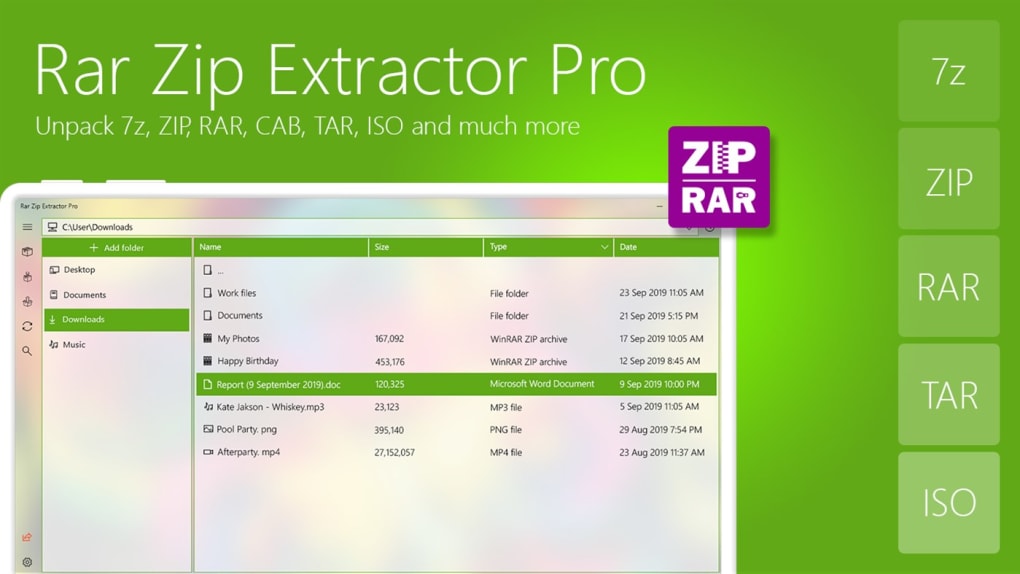
User Interface and Experience: Simplicity Meets Professionalism
The software’s user interface stands out for its clean and uncluttered design. Unlike some archiving utilities that can feel overwhelming with complex menus and options, Rar Zip Extractor Pro presents a streamlined interface that’s both intuitive and visually appealing. Users of all skill levels should find it straightforward to navigate and use, even without prior experience with similar software. The straightforward design ensures that the focus remains on the core tasks: compressing and extracting files. This simplicity contributes significantly to the overall user experience, making the process efficient and frustration-free.
Performance and Speed: Quick and Efficient Archive Handling
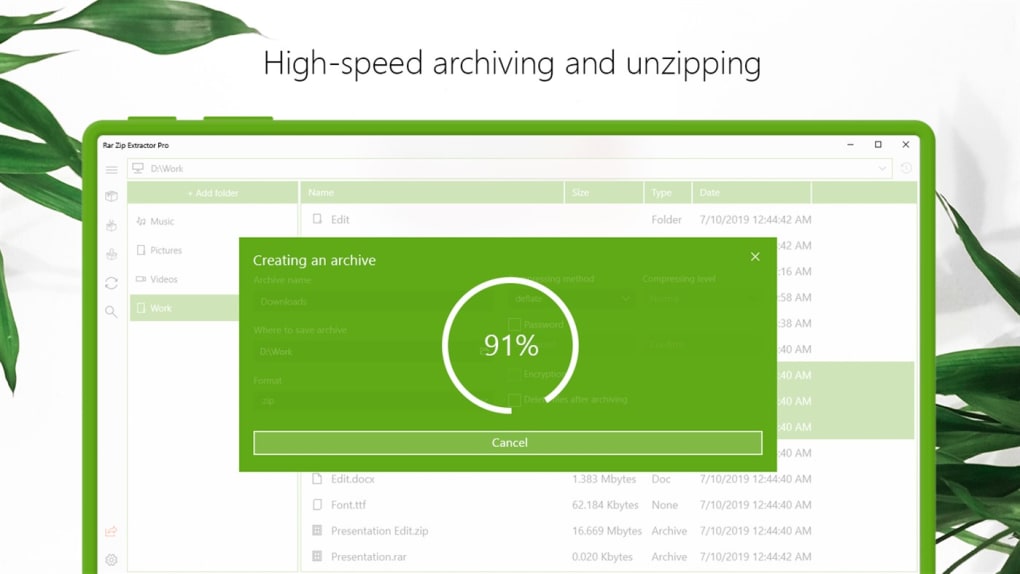
One of Rar Zip Extractor Pro’s most significant strengths lies in its speed. Both compression and extraction operations are completed rapidly, often within seconds or a few minutes, depending on the size and type of the file. This speed advantage is crucial, particularly when working with large archives, saving valuable time and improving workflow efficiency. The efficient handling of multi-volume archives further demonstrates the software’s optimized performance.
Advantages and Disadvantages: Weighing the Pros and Cons
Pros:
- Ease of Use: The intuitive interface makes it accessible to users of all skill levels.
- Speed and Efficiency: Fast compression and extraction times significantly improve workflow.
- Wide Extraction Support: Supports a broad range of archive file formats for extraction.
- Password Protection: Allows for the creation and unlocking of password-protected files.
- Free Software: Available at no cost.
- Clean Interface: The uncluttered design avoids overwhelming the user.
- Multi-volume Archive Support: Handles large files split across multiple parts efficiently.
Cons:
- Limited Compression Support: Supports fewer file formats for compression compared to extraction.
- Limited Customization Options: Customization features may be less extensive than in more advanced archiving utilities. (Note: This is dependent on user expectations and may not be a significant drawback for many).
Comparison with Alternative Apps: Finding the Best Fit
Several alternative archiving utilities exist, each with its own set of features and strengths. Direct comparisons are difficult without specifying specific user requirements, but here are a few notable alternatives and their key differences:
-
7-Zip: A popular open-source file archiver known for its strong compression algorithms and broad file format support, both for compression and extraction. It offers extensive customization options but might have a steeper learning curve than Rar Zip Extractor Pro due to its more advanced features.
-
WinRAR: A commercial archiving utility that offers advanced features and excellent compression ratios. However, it is a paid application, unlike the free Rar Zip Extractor Pro.
-
PeaZip: A free and open-source archiving tool with a strong emphasis on security and portability. It offers a variety of features including encryption and self-extracting archive creation. Its interface may be less intuitive than that of Rar Zip Extractor Pro for novice users.
-
3FreeZip Extractor Pro: As the name suggests, this focuses primarily on extraction and offers a user-friendly interface, though its compression capabilities are relatively limited. A direct comparison shows Rar Zip Extractor Pro offering broader extraction support.
- RAR to ZIP Converter: This tool, as its name implies, is solely for format conversion and lacks the comprehensive compression and extraction functionality of Rar Zip Extractor Pro.
The choice of the best archiving utility ultimately depends on individual needs and priorities. Users prioritizing ease of use and speed for common archive formats will find Rar Zip Extractor Pro a suitable choice. Those needing extensive compression capabilities, advanced features, or specific file format support may find other options, like 7-Zip or WinRAR, more beneficial.
Conclusion: A Solid Choice for Everyday Archiving Needs
Rar Zip Extractor Pro is a solid and efficient archiving utility, particularly well-suited for users who primarily need a fast and easy-to-use tool for extracting and compressing common file formats. Its streamlined interface, quick processing times, and broad extraction support make it a practical choice for everyday archiving tasks. While its limited compression support might be a drawback for certain users, its overall performance and ease of use are compelling reasons to consider it as a reliable option. For users with less demanding archiving needs, the free and efficient nature of Rar Zip Extractor Pro makes it a strong contender in the crowded field of archiving software.
File Information
- License: “Free”
- Version: “1.209.63.0”
- Latest update: “July 11, 2023”
- Platform: “Windows”
- OS: “Windows 11”
- Language: “English”
- Downloads: “18.5K”


