
RarZilla Free Unrar is a Windows-based utility designed to extract files from RAR archives. While not as feature-rich as some of its competitors like WinRAR, it offers a streamlined approach to decompression with a focus on ease of use and a visually appealing interface. This review will explore its functionalities, strengths, weaknesses, and overall effectiveness as a RAR file extractor.
Interface and Usability
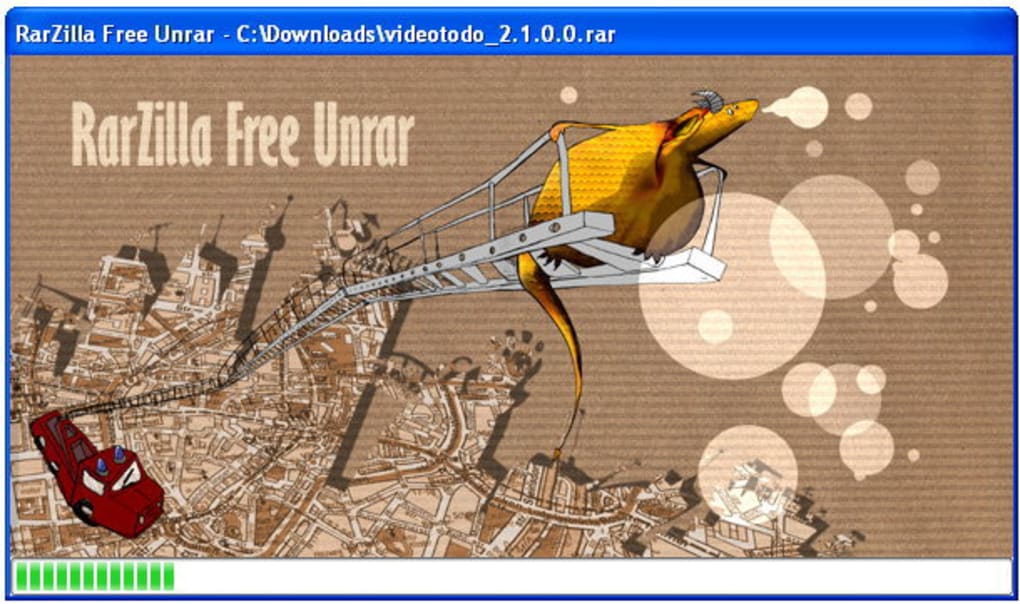
RarZilla Free Unrar distinguishes itself through its user interface, presenting a cleaner and more modern aesthetic compared to the somewhat dated look of WinRAR. This improved visual appeal contributes to a more user-friendly experience, especially for those accustomed to contemporary software design. The program integrates seamlessly with the Windows shell, allowing users to right-click on RAR files and select “Decompress” from the context menu, initiating the extraction process effortlessly. This integration significantly simplifies file decompression, eliminating the need to navigate through multiple menus or windows.
The drag-and-drop functionality further enhances usability. Users can simply drag RAR files onto the RarZilla Free Unrar window to initiate the extraction process. This intuitive method caters to users of all technical skill levels, making it incredibly user-friendly. For users who frequently extract files to the same location, the ability to set a default output folder is a significant time-saver. Similarly, the option to set a default password eliminates the need for repeated password entry when dealing with password-protected archives.
Features and Functionality
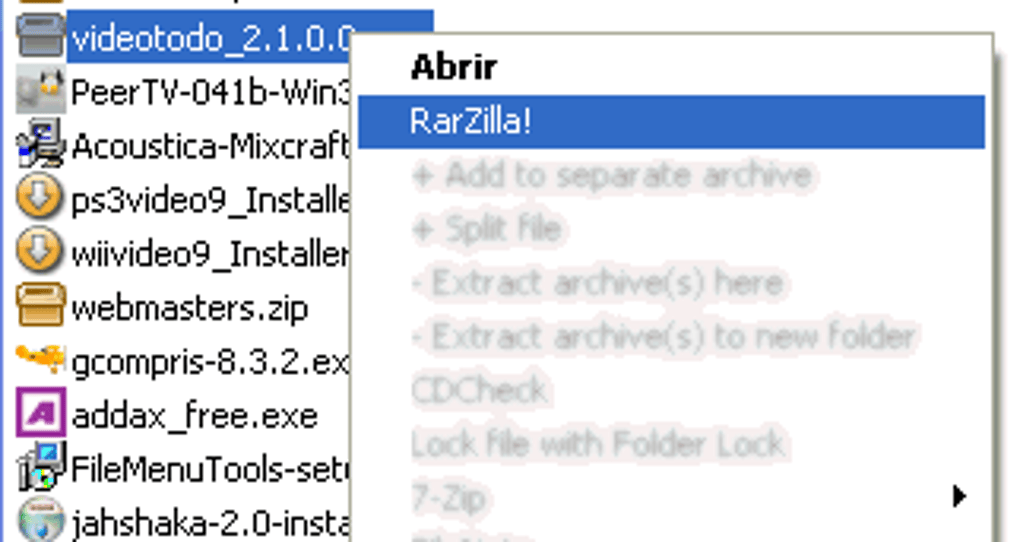
RarZilla Free Unrar’s core functionality centers around RAR file extraction. It efficiently decompresses single and multi-part RAR archives, handling various RAR archive formats without issue. While not boasting advanced compression features like WinRAR, its primary function is executed swiftly and reliably. Its speed is a notable advantage, particularly when dealing with larger archives. The application successfully extracts files quickly, saving users valuable time.
The ability to define default settings for output folders and passwords significantly enhances workflow efficiency. The customization options, although limited, effectively cater to users’ common needs, simplifying repeated tasks. This straightforward approach prioritizes simplicity and speed, aligning with its overall design philosophy.
However, the software’s password prompt behavior requires attention. While the feature is useful for secure archives, its constant appearance for archives lacking passwords is unnecessary and annoying. Fortunately, this persistent prompt can be deactivated by adjusting the settings, as outlined in the accompanying documentation. This detail underscores the importance of reviewing the documentation for optimal software utilization and customization.
Comparison with Other RAR Extractors
Compared to its more comprehensive counterpart, WinRAR, RarZilla Free Unrar lacks some advanced features. WinRAR offers a broader range of compression algorithms, allowing for finer control over compression levels and file sizes. It also provides more comprehensive archive management tools, including the ability to create, repair, and manage RAR archives. These features are absent in RarZilla Free Unrar, which primarily focuses on extraction.
However, this simplification has its advantages. RarZilla Free Unrar’s streamlined approach makes it a lightweight and fast option, ideal for users who primarily need a quick and efficient method for extracting RAR files without the need for complex archive management. The trade-off between feature-richness and simplicity is a key consideration when choosing between these two applications. Users who require advanced compression and archive management capabilities will find WinRAR more suitable, while those prioritizing speed and ease of use might favor RarZilla Free Unrar.
Other alternatives exist, such as 7-Zip, a free and open-source archiver that supports a wide variety of archive formats, including RAR. 7-Zip offers a robust feature set, including compression and decompression capabilities, archive management tools, and strong command-line support. While 7-Zip might be more powerful, RarZilla Free Unrar’s user-friendly interface could be a significant advantage for users who prioritize simplicity over extensive features.
Strengths and Weaknesses
Strengths:
- User-friendly interface: Its clean and modern design improves the overall user experience.
- Seamless Windows integration: The right-click context menu integration enhances convenience.
- Drag-and-drop functionality: This intuitive method simplifies file extraction.
- Speed and efficiency: RarZilla Free Unrar decompresses files quickly.
- Default output folder and password settings: These customizable settings improve workflow.
Weaknesses:
- Limited features: It lacks the advanced compression and archive management capabilities of WinRAR.
- Annoying password prompt: The persistent password prompt, even for unprotected archives, is a significant drawback.
- Reliance on external text file for default output folder: The need to create a separate text file to specify a default output folder is a cumbersome process.
Conclusion
RarZilla Free Unrar serves as a competent RAR file extractor. Its strengths lie in its intuitive interface, seamless Windows integration, and speed. It’s a straightforward and effective tool for users primarily needing to extract RAR files without delving into complex archive management. However, its limited features and persistent password prompt hinder its overall appeal.
Users looking for a simple, easy-to-use RAR extractor will find RarZilla Free Unrar a viable option. However, users who require advanced features, such as creating archives, managing multiple files within an archive, or employing specialized compression algorithms, should consider more feature-rich alternatives like WinRAR or 7-Zip. The choice ultimately depends on individual needs and priorities. The improved visual appeal and streamlined workflow may outweigh the limited functionality for many users, making it a worthwhile consideration for users who prioritize simplicity and ease of use. The program’s performance is adequate for most casual users, making it a suitable choice for everyday RAR file extraction tasks.
File Information
- License: “Free”
- Latest update: “August 14, 2018”
- Platform: “Windows”
- OS: “Windows 8”
- Language: “English”
- Downloads: “187K”
- Size: “1.17 MB”


