
RdClient is a lightweight remote desktop client designed for ease of use and efficient management of multiple remote connections. Unlike more complex and resource-intensive alternatives, RdClient prioritizes simplicity without sacrificing functionality. It supports multiple protocols, including RDP, VNC, and Hyper-V, offering a versatile solution for accessing remote computers across various networks. This review delves into the program’s features, strengths, weaknesses, and overall user experience.
Streamlined Remote Desktop Management
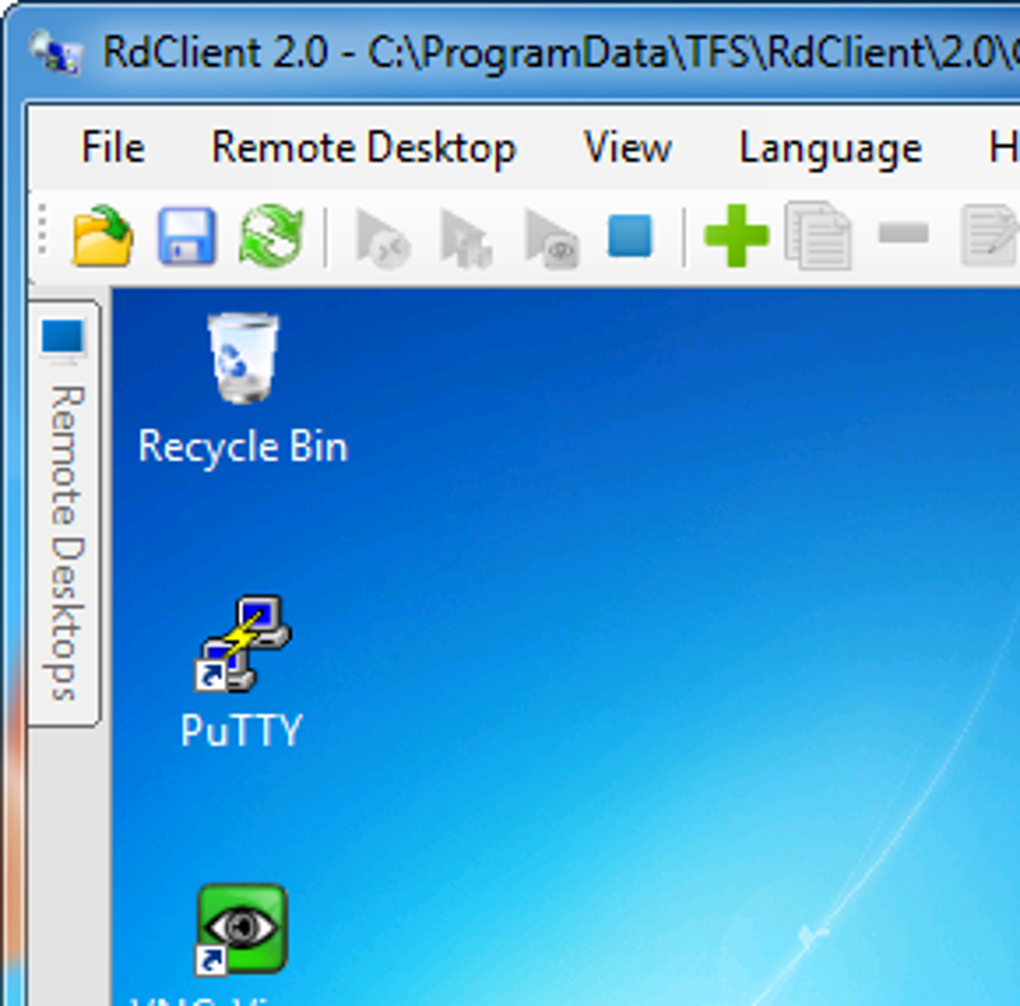
RdClient distinguishes itself through its intuitive interface and efficient management of remote desktops. Instead of navigating through complex configuration menus, users are presented with a tree-view system, reminiscent of Windows Explorer. This clear, hierarchical structure allows for easy organization and access to multiple remote computers. The ability to visually organize connected machines simplifies the process of managing numerous remote sessions, a significant advantage for users with multiple computers or servers. This streamlined approach reduces the time spent searching for specific connections and improves overall workflow efficiency. This visual organization is particularly helpful for users who frequently access a number of different remote machines.
Supported Protocols and Compatibility
RdClient’s versatility stems from its support for several leading remote desktop protocols: RDP (Remote Desktop Protocol), VNC (Virtual Network Computing), and Hyper-V. This broad compatibility ensures connectivity with a wide range of devices and operating systems, maximizing its usefulness across various environments. RDP is the standard for Windows-to-Windows connections, known for its robust security and performance. VNC offers compatibility with a broader range of operating systems, making it ideal for cross-platform remote access. The inclusion of Hyper-V support caters to users employing virtualization technologies, allowing seamless access to virtual machines. This multi-protocol support makes RdClient a highly adaptable solution for diverse user needs.
Ease of Use and Simplified Setup
While setting up remote desktop connections can often be a complex and technical process, RdClient aims to simplify this. While not entirely eliminating the technical aspects, it streamlines the process considerably. The program’s intuitive interface significantly reduces the learning curve associated with configuring and managing remote connections. This is a welcome feature for users lacking extensive technical expertise, who may find traditional remote desktop tools overwhelming. The clear visual representation of connected devices and the straightforward configuration options make RdClient more accessible to a wider range of users than some of its competitors.
Comparison with Other Remote Desktop Clients
RdClient stands apart from its competitors by focusing on simplicity and ease of use. Many other remote desktop clients, while powerful, often feature complex interfaces and numerous configuration options that can be intimidating for novice users. These advanced tools are often overkill for users who only need basic remote access functionality. RdClient offers a balance between features and usability, catering to users who prefer a straightforward and uncomplicated experience without sacrificing essential functionality. The tree-view management system and the supported protocols provide a comparable level of functionality to more complex options, while significantly reducing the complexity of the user interface. This makes it a strong alternative for users looking for a more user-friendly approach to remote desktop access.
Addressing Potential Drawbacks
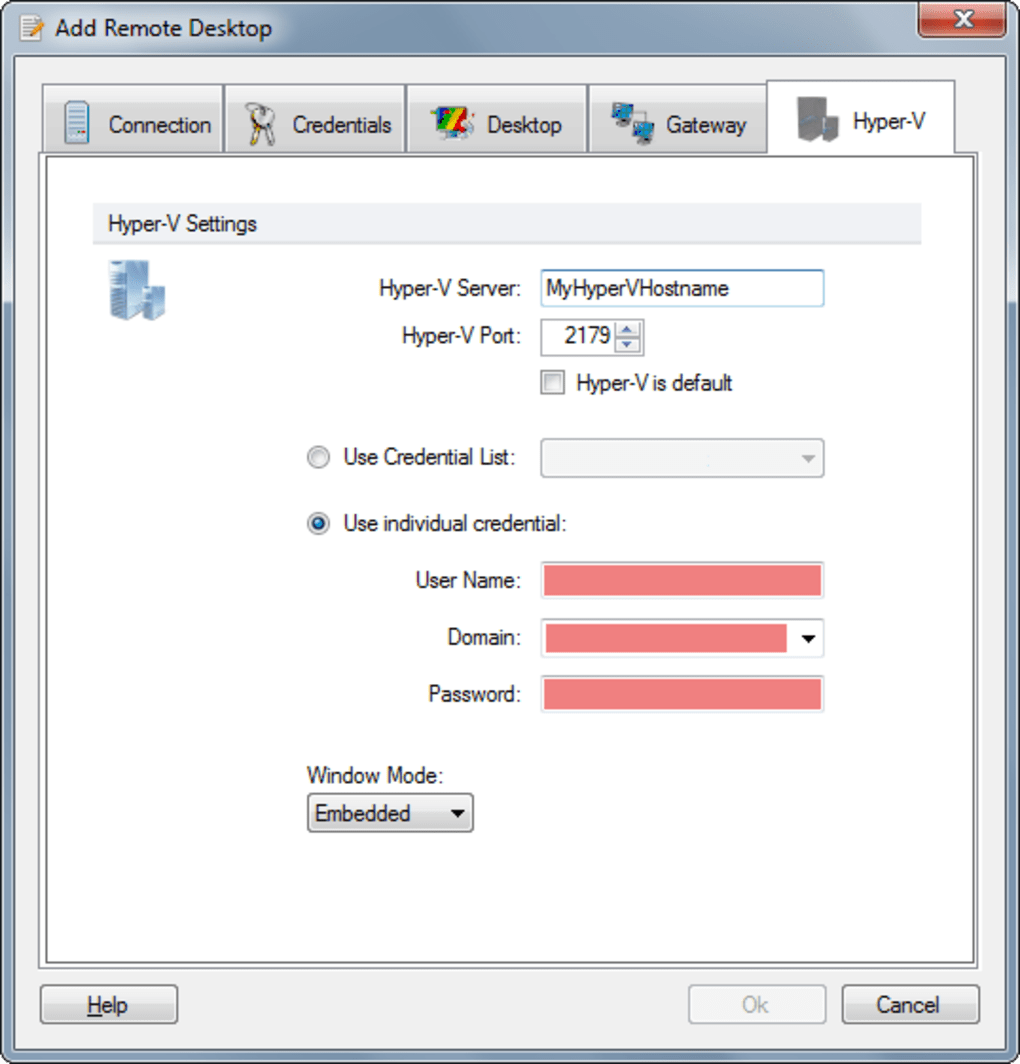
Despite its strengths, RdClient has limitations. Setup, while simplified compared to other tools, still requires some technical understanding. Novices might struggle with the initial configuration, particularly network settings and security protocols. Moreover, the program doesn’t inherently provide network security; users are responsible for implementing and maintaining their own security measures. This means that while RdClient simplifies the remote access process, users must still take appropriate steps to secure their network to prevent unauthorized access. The technical manual, according to user feedback, could also benefit from improvement in clarity and detail. Therefore, it’s recommended that users familiar with network security concepts should handle the configuration of this software.
Detailed Feature Analysis: A Deeper Dive
RdClient’s core strength lies in its ability to manage multiple remote desktops efficiently through the intuitive tree-view interface. This provides a clear, visual representation of all connected computers, allowing for easy selection and navigation. The program’s support for RDP, VNC, and Hyper-V protocols is a significant advantage, ensuring compatibility with a vast array of devices and operating systems. This significantly expands its usability across different environments.
However, certain features that are common in competing software are absent. For instance, RdClient doesn’t offer built-in features for session recording or detailed performance monitoring. While these features may be beneficial for certain users, their absence aligns with RdClient’s focus on simplicity and minimal resource usage. This design choice makes it a lightweight and efficient solution suitable for basic remote access needs.
Another notable aspect is the lack of advanced security features built into the software itself. This omission, while a potential drawback, empowers users to implement their own security measures, choosing those that best suit their specific needs and network configuration. This flexible approach allows users to customize security protocols based on their unique security requirements and expertise.
User Experience and Interface Design
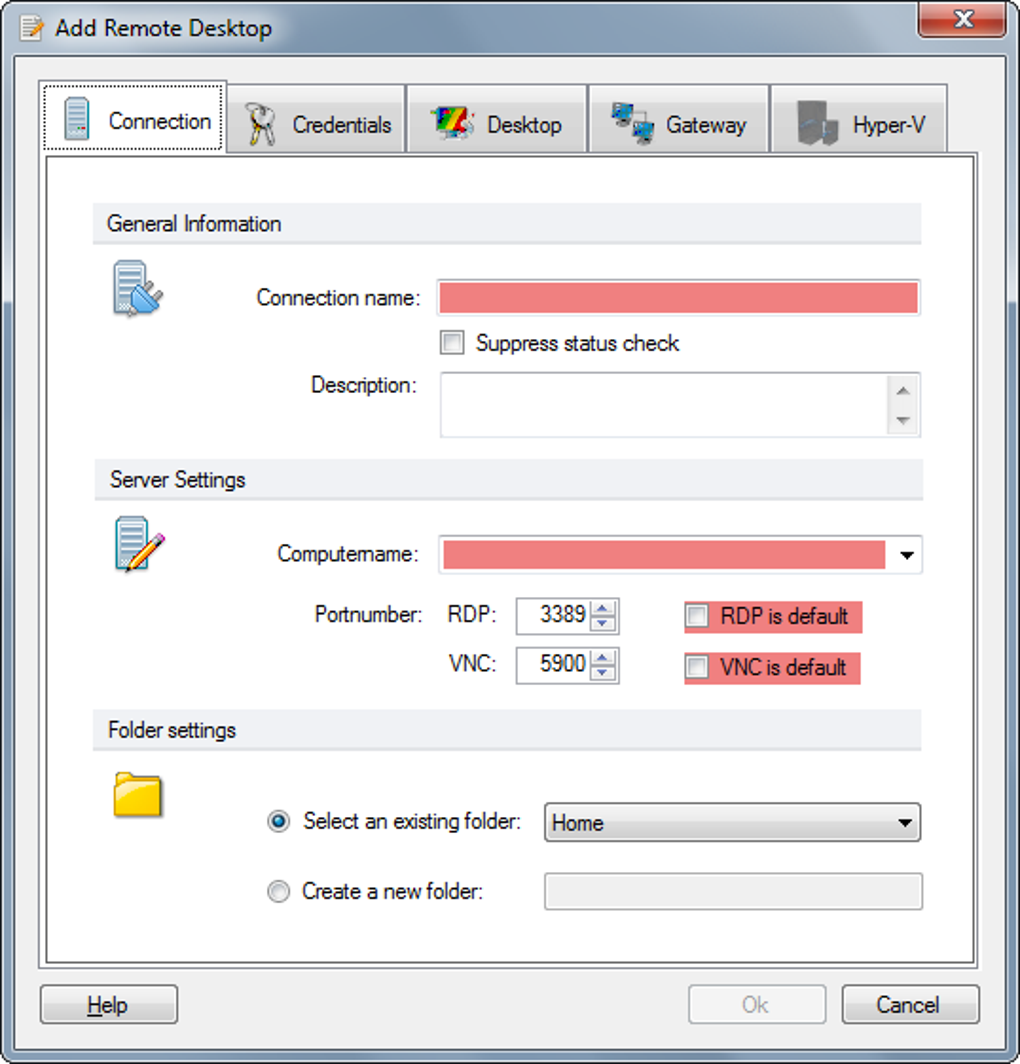
RdClient’s design philosophy centers around simplicity and usability. The interface is clean, uncluttered, and easy to navigate. The tree-view system for managing remote connections is particularly noteworthy for its efficient organization and ease of access. This clear visual layout avoids the complexity found in many competitor applications, making RdClient more approachable for users with varying levels of technical expertise. The straightforward design prioritizes ease of use, allowing users to quickly establish connections and manage their remote desktops without unnecessary distractions.
The minimalistic design, while functional, may appear less visually appealing to some users compared to the more visually rich interfaces of other remote desktop clients. However, the focus on simplicity significantly enhances usability and reduces the learning curve, making it a practical choice for users who prioritize ease of use over sophisticated visual aesthetics. The user experience clearly prioritizes efficiency and straightforward functionality over complex visual details.
Conclusion: A Practical Choice for Simplified Remote Access
RdClient presents a compelling alternative for users seeking a straightforward and efficient remote desktop client. While it lacks certain advanced features found in more complex alternatives, its streamlined interface, multi-protocol support, and user-friendly design make it a practical choice for many users. Its simplified approach prioritizes ease of use and efficient management of multiple remote connections, making it an appealing option for users who want a less technically demanding solution for basic remote access needs.
However, it’s crucial for prospective users to understand the program’s limitations. While setup is simplified, it still requires a basic understanding of networking concepts. The lack of built-in advanced security features necessitates the implementation of external security measures. For users comfortable with basic network configurations and security protocols, RdClient offers a streamlined and efficient method for connecting to and managing remote computers. Ultimately, the suitability of RdClient depends heavily on the user’s technical proficiency and their specific remote access needs. It is a practical solution for those who value simplicity and efficiency over advanced functionality and complex configurations.
File Information
- License: “Trial version”
- Latest update: “May 23, 2023”
- Platform: “Windows”
- OS: “Windows 7”
- Language: “English”
- Downloads: “89.1K”
- Size: “29.60 MB”


