
RecBoot was a free Windows-based application designed to simplify the process of entering and exiting iPhone recovery mode. While no longer available for download due to reasons that remain unclear (possible discontinuation, security issues, or other factors), its functionality and impact on users warrant a retrospective review. This tool aimed to streamline a crucial aspect of iPhone troubleshooting, offering a one-click solution to a process that previously required a complex sequence of button presses.
Simplifying iPhone Recovery Mode Access
Before the advent of tools like RecBoot, entering recovery mode on an iPhone involved a precise and often frustrating combination of button presses. This process could be particularly challenging for users with dexterity issues or iPhones with damaged home buttons. RecBoot aimed to alleviate this difficulty, providing a user-friendly alternative. Its primary function was to remotely trigger the recovery mode on the connected iPhone using a simple click, effectively bypassing the manual button sequence.
The recovery mode itself serves as a critical troubleshooting tool for iOS devices. Issues like failed firmware updates, software crashes, and other system malfunctions often necessitate a recovery mode reset. RecBoot’s significance lay in making this otherwise cumbersome process significantly more accessible to the average user. By eliminating the need for intricate button combinations, it reduced the barrier to entry for users attempting to resolve technical difficulties with their iPhones.
The RecBoot Process: Simplicity and Limitations
RecBoot’s functionality was remarkably straightforward. The process typically involved three steps:
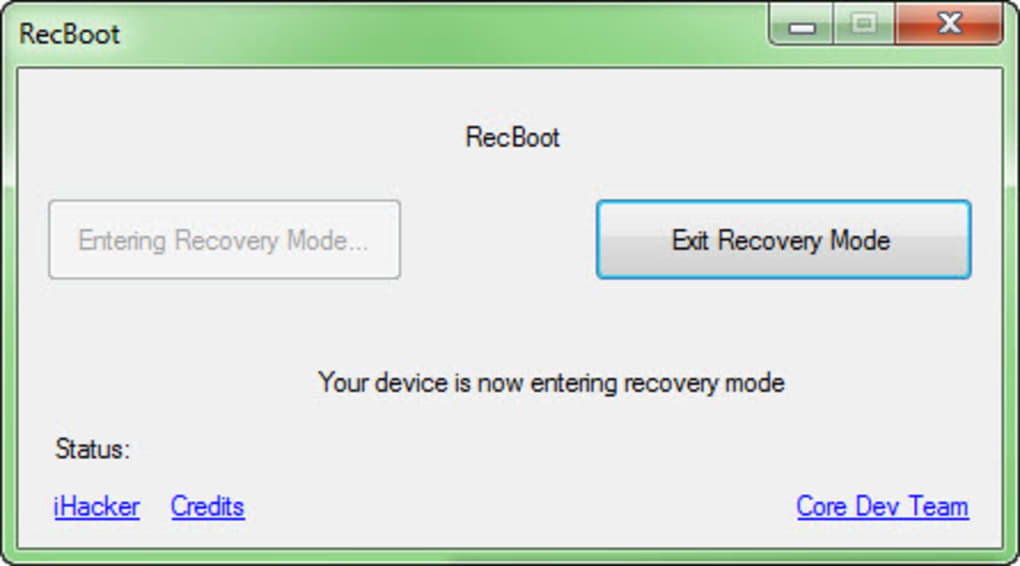
- Connect: Connect the iPhone to the Windows PC via a USB cable.
- Launch: Run the RecBoot application.
- Enter/Exit: Click either the “Enter Recovery Mode” or “Exit Recovery Mode” button, depending on the user’s need.
This simplicity was the tool’s main selling point. Its ease of use contrasted sharply with the demanding physical manipulation previously required to enter recovery mode. However, this simplicity came with certain limitations. Notably, RecBoot’s compatibility was restricted to 32-bit Windows operating systems. Users with 64-bit systems were unable to utilize the software. Furthermore, it had specific requirements regarding iTunes version (9.2 or older) and the .NET Framework (version 4.0 or later). These limitations restricted its usability for a significant portion of potential users.
The Importance of Recovery Mode and Its Risks
Understanding the nature of iPhone recovery mode is crucial to appreciating both the potential benefits and risks associated with tools like RecBoot. Recovery mode is an advanced troubleshooting feature designed for resolving deep-seated iOS problems. It essentially allows for a more thorough system reset compared to a standard restart. While effective in resolving various issues, improper use could lead to unintended consequences.
Entering recovery mode essentially opens the door to the very core of the iPhone’s operating system. Users unfamiliar with this mode should exercise caution and refrain from using tools like RecBoot without a clear understanding of the potential implications. Incorrect or untimely usage could potentially lead to data loss, software instability, or even device bricking (rendering the device unusable). For this reason, RecBoot, and recovery mode in general, were tools best suited for individuals with some technical proficiency in iOS troubleshooting.
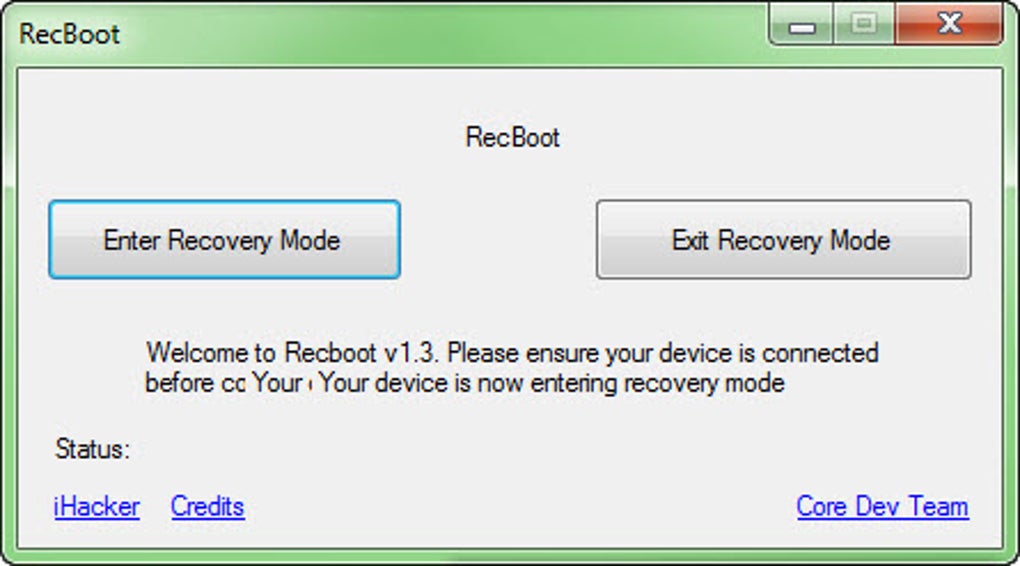
The utility of RecBoot extended to scenarios where users encountered seemingly irreparable issues resulting from failed firmware updates. In such situations, RecBoot could have served as a lifeline, providing a means to restore the device to a functional state, even when standard recovery methods had failed. This capability also extended to the potential recovery of data believed lost during a system crash. The restoration of the device through recovery mode often included the recovery of user data, making RecBoot a potentially invaluable tool in crisis situations.
RecBoot’s Pros and Cons: A Balanced Perspective
RecBoot offered a unique advantage in its ability to facilitate the recovery mode process with a single click. This ease of use was a significant improvement over the previous, more cumbersome method. Its potential to rescue iPhones from the brink of unusability following failed firmware updates or similar critical errors was another significant pro.
However, the tool’s limited compatibility with only 32-bit Windows systems constituted a major drawback. This significant restriction sharply reduced its accessibility to a large segment of potential users. The requirement for older versions of iTunes and a specific .NET Framework further added to these compatibility constraints. Moreover, the software’s advanced nature meant it was primarily suitable for users with a good understanding of iOS operating systems and recovery procedures.
The absence of user reviews and feedback on the Phanmemfree platform is notable. This lack of direct user testimonials prevents a clearer picture of the software’s performance and reliability in real-world scenarios. While the platform itself may have suffered from a data loss, the silence on user experiences limits the ability to corroborate or refute the claimed benefits. It is always advisable to conduct thorough research and weigh potential risks before using similar tools.
Alternatives to RecBoot
Given that RecBoot is no longer available, several alternative solutions offer similar or expanded functionalities for iPhone recovery and data recovery. These alternatives often overcome the compatibility limitations of RecBoot, offering wider support for various operating systems and device versions.
Some prominent alternatives include:
- Professional Data Recovery Software: Several software packages specialize in recovering lost data from iOS devices. These tools often provide a broader range of recovery options and may include features absent in RecBoot.
- Third-party iPhone Repair Tools: Numerous third-party tools offer advanced functionalities for iPhone troubleshooting and repair. These tools often support a wider range of iPhone models and iOS versions.
- Apple’s Official Support Channels: Apple provides official support channels, including their support website and authorized repair centers, to address iPhone issues. While potentially more expensive than using third-party tools, official support offers the highest level of assurance and compatibility.
Choosing an appropriate alternative depends heavily on the user’s specific needs, technical expertise, and budget. Exploring the features and compatibility of various tools prior to making a decision is crucial.
Conclusion: Legacy and Lessons Learned
RecBoot’s legacy is one of both convenience and limitation. While it successfully simplified a complex process, its limited compatibility and reliance on older software versions ultimately restricted its reach. Its unavailability underscores the importance of relying on reliable and updated tools when dealing with sensitive device data. The need for user caution in employing advanced troubleshooting tools remains paramount. While RecBoot served a niche purpose for a limited time, its disappearance highlights the ever-evolving nature of software and the importance of exploring suitable, supported alternatives for current iOS device management.
File Information
- License: “Free”
- Version: “1.3”
- Latest update: “June 23, 2020”
- Platform: “Windows”
- OS: “Windows 7”
- Language: “English”
- Downloads: “134.5K”
- Size: “480.17 KB”


