
RECentral is a powerful and user-friendly live streaming and recording software designed for Windows users. It empowers both novice and experienced content creators to capture and share high-quality video content with ease and precision. This detailed guide explores RECentral’s capabilities, features, and benefits, providing a comprehensive understanding of this versatile tool.
Streamlining Your Content Creation Workflow
RECentral simplifies the often complex process of live streaming and video recording, offering a streamlined workflow that allows creators to focus on content rather than technical intricacies. Its intuitive interface minimizes the learning curve, making it accessible to beginners while providing advanced features for experienced users. This balance of accessibility and power is a key strength, enabling a wide range of users to leverage its capabilities effectively. Whether you’re aiming for professional-grade broadcasts or casual screen recordings, RECentral adapts to your needs, providing the tools to achieve your creative vision.
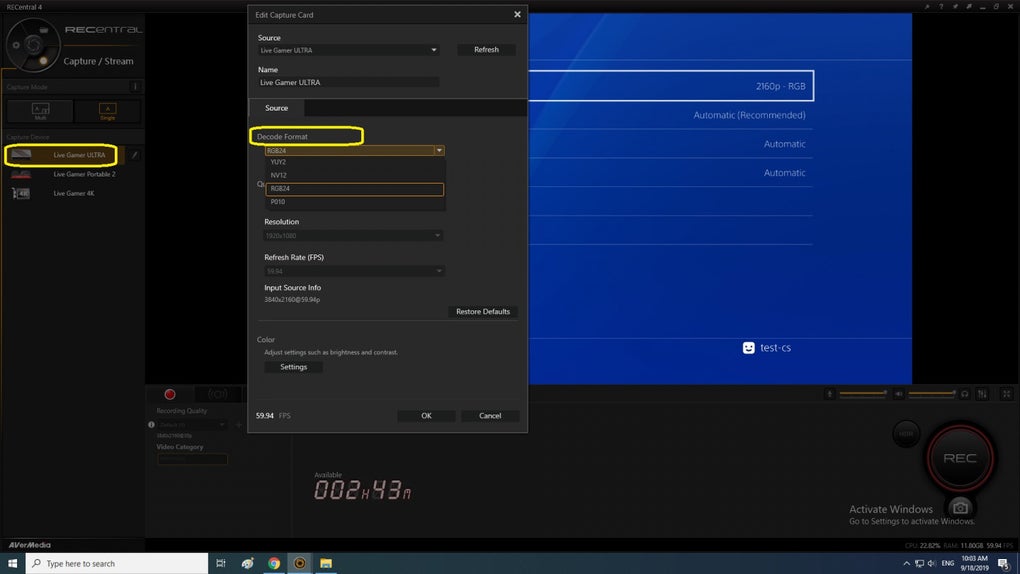
The software provides complete control over essential configurations, allowing users to tailor their streaming and recording settings to perfectly match their content and hardware. This level of customization enables optimization for various scenarios, from capturing fast-paced gameplay to smoothly streaming a presentation. The ability to fine-tune parameters like resolution, bitrate, and frame rate ensures high-quality output tailored to the specific demands of each project. This precise control is crucial for maximizing both visual quality and minimizing bandwidth usage, leading to smoother streams and higher-quality recordings.
Key Features and Functionality
RECentral boasts a comprehensive suite of features designed to enhance your streaming and recording experience. These features work seamlessly together to provide a holistic content creation solution.
-
Intuitive Interface: The software features an intuitive and user-friendly interface, making it accessible to users of all skill levels. The straightforward layout minimizes the learning curve, allowing users to quickly grasp the core functionalities and begin creating content without significant prior experience with streaming or recording software. This accessibility fosters a smooth and efficient workflow, allowing creators to maximize their productivity.
-
Customizable Settings: RECentral provides extensive customization options. Users can fine-tune settings such as resolution, frame rate, bitrate, and audio levels to achieve optimal results for their specific needs. This precise control is particularly crucial when dealing with diverse content types and hardware limitations. Being able to tailor settings to specific hardware capabilities allows for the best possible performance and minimizes potential technical issues during streaming or recording.
-
Live Streaming Capabilities: The software supports seamless live streaming to various platforms, offering a direct route for content creators to engage with their audiences in real-time. This direct connection to the audience allows for immediate feedback and interaction, enhancing the overall streaming experience. The integration with popular streaming platforms simplifies the broadcasting process, allowing for efficient content delivery.
-
High-Quality Recording: RECentral facilitates high-quality video recording with adjustable settings for resolution, frame rate, and bitrate. These options allow creators to tailor the recording quality to their needs and the capabilities of their system. The ability to capture high-resolution footage ensures that recordings maintain a professional look and feel, even when viewed on larger screens or higher-resolution displays.
-
Advanced Features: RECentral offers advanced features such as scene selection, overlays, and real-time video effects, expanding creative possibilities. These options allow for more dynamic and engaging content, creating visually appealing broadcasts and recordings that capture the audience’s attention. The addition of these professional features elevates the quality of the output and allows for more personalized branding and presentation styles.
-
Seamless Integration: The software often integrates smoothly with other AVerMedia devices, offering a comprehensive ecosystem for content creators using a range of their hardware. This integrated workflow streamlines the process and ensures optimal compatibility between different components of the system. This synergy between software and hardware improves overall performance and workflow efficiency.
Benefits of Using RECentral
The advantages of using RECentral extend beyond its core functionalities. It offers a significant enhancement to the content creation process for several reasons.
- Enhanced Productivity: RECentral’s intuitive interface and streamlined workflow increase efficiency, minimizing the time spent on technical setup and maximizing the time dedicated to creative content development. This efficient workflow allows content creators to be more productive and focus on producing higher-quality output in less time.
-
Improved Content Quality: The customizable settings and advanced features enable creators to produce high-quality videos and streams, leading to enhanced viewer engagement. The ability to fine-tune various parameters directly translates to a significant improvement in the visual and audio quality of the content produced, ensuring that the end result is polished and professional.
-
Versatile Application: RECentral’s suitability for various content types, from gaming streams to instructional videos, demonstrates its versatility and wide range of applications. This flexibility allows a broad range of creators to utilize the software effectively, regardless of their specific content genre.
-
Cost-Effectiveness: In comparison to alternative professional-grade software, RECentral offers a compelling balance of affordability and functionality. The cost-effective nature of the software makes it accessible to a wider audience, particularly those on a budget, without sacrificing quality or performance.
-
Simplified Sharing: RECentral facilitates easy sharing of recordings and streams to various platforms, enabling creators to effortlessly distribute their content to a broader audience. This seamless sharing capability is key to increasing reach and maximizing exposure to target viewers. The software simplifies the distribution process, ensuring a smooth and efficient upload to various streaming and video-sharing platforms.
RECentral for Different User Types
RECentral caters to a diverse user base, offering tailored benefits for different experience levels and content goals.
- Beginner Streamers: The intuitive interface and straightforward workflow make RECentral ideal for beginners venturing into live streaming. The software removes many of the technical complexities often associated with live broadcasting, allowing novice users to easily navigate the process and gain confidence in producing their content.
-
Experienced Streamers: Advanced features such as scene selection, overlays, and real-time effects provide experienced streamers with the tools to create more professional and engaging streams. The software’s advanced capabilities allow experienced users to leverage its full potential, creating highly polished and captivating content.
-
Gamers: RECentral’s compatibility with various gaming platforms and its ability to capture high-quality gameplay footage makes it a popular choice among gamers. The software’s capacity to capture seamless gameplay footage is crucial for gamers creating engaging game streams or recording gameplay highlights for later sharing.
-
Educators: The software’s recording capabilities are advantageous for educators creating instructional videos or capturing classroom sessions for online learning. The ability to easily record high-quality educational content makes RECentral a useful tool for creating effective educational materials.
Conclusion
RECentral stands as a powerful and versatile solution for live streaming and recording, offering a user-friendly approach that simplifies the content creation process. Its blend of intuitive design and advanced features caters to both beginners and experienced users, enabling them to capture and share high-quality video content effortlessly. Whether you’re a gamer, educator, or simply an aspiring content creator, RECentral empowers you to unleash your creativity and connect with your audience in a professional and effective manner. Its comprehensive capabilities, streamlined workflow, and cost-effectiveness make it a compelling choice for anyone seeking a reliable and user-friendly solution for their video production needs.
File Information
- License: “Free”
- Version: “4.7.67.3”
- Latest update: “June 24, 2024”
- Platform: “Windows”
- OS: “Windows 11”
- Downloads: “346”
- Size: “162.39 MB”


