
Recording Studio Pro is a digital audio workstation (DAW) designed for ease of use, making it an excellent choice for beginners in music production and audio editing. While not as feature-rich as professional-grade DAWs, its straightforward interface and core functionality allow users to quickly create and edit audio tracks, making it a valuable tool for both casual users and those looking for a simple, portable solution. This review delves into the software’s capabilities, usability, and limitations to help potential users determine its suitability for their needs.
Core Functionality and Features
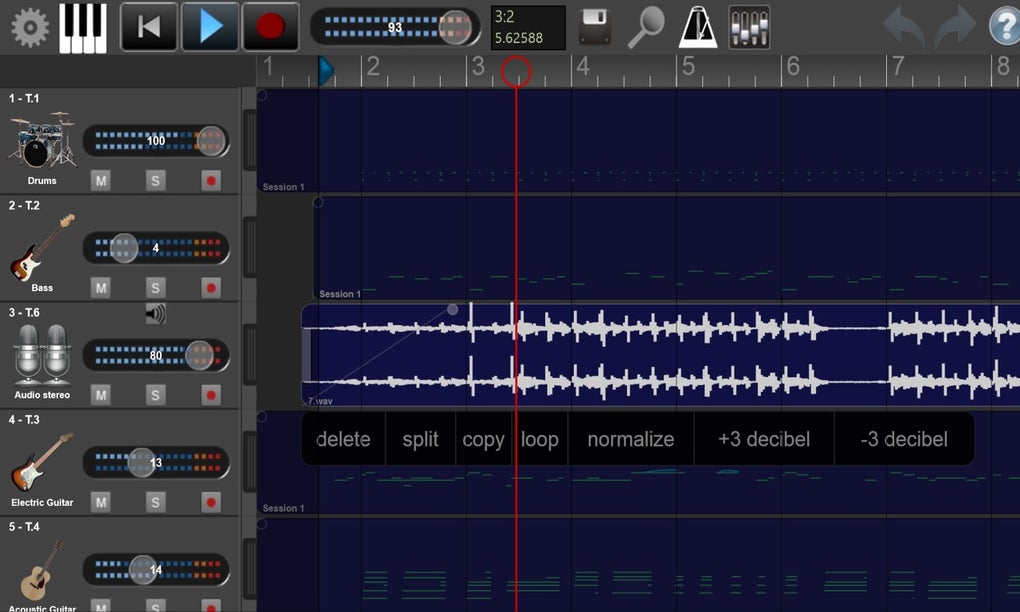
Recording Studio Pro offers a streamlined set of tools for recording, editing, and mixing audio. At its core, it provides a multi-track recording environment capable of handling up to 16 simultaneous audio tracks. This allows users to layer instruments, vocals, and other sounds to create complex arrangements. The software supports the recording of both live audio input (through a connected microphone or audio interface) and virtual instruments (VST instruments), providing a degree of flexibility for different recording scenarios.
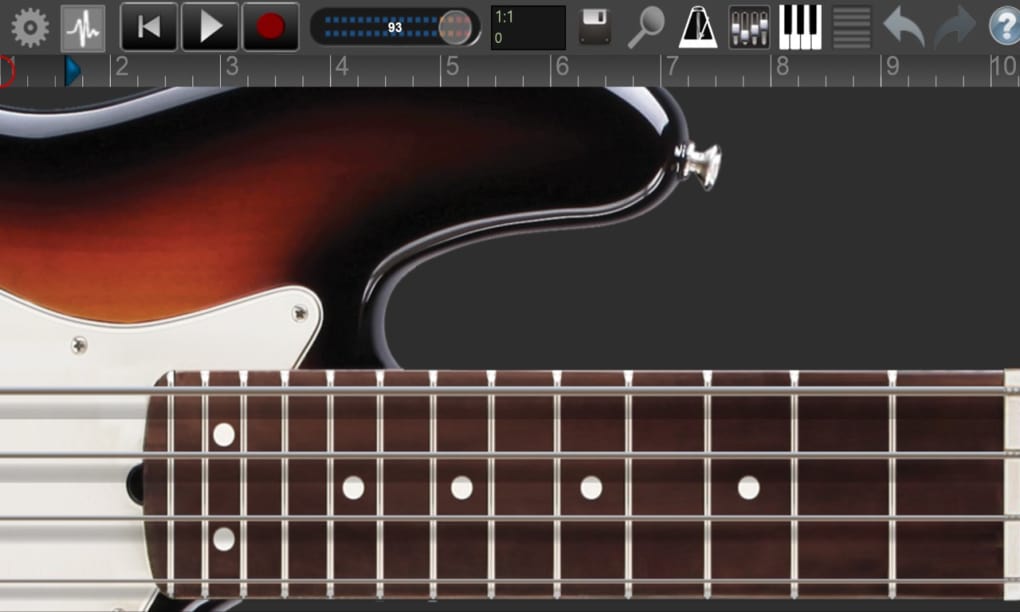
A crucial aspect of any DAW is its editing capabilities, and Recording Studio Pro provides a solid foundation in this area. Standard editing functions, such as cutting, copying, pasting, and moving audio regions, are readily available. Furthermore, it includes essential tools for manipulating audio levels, such as fades (both in and out) to smoothly transition between sections of audio. These functions are easily accessible and intuitive, making the editing process straightforward for beginners.
The mixing process is simplified with basic mixing controls per track, allowing for adjustments to volume and pan (stereo positioning). While sophisticated mixing features are absent, this level of control is sufficient for many users, especially those focused on simpler projects or home recordings.
Exporting finished projects is another vital function, and Recording Studio Pro supports common audio file formats like WAV and MP3. This allows users to share their creations across various platforms and devices without compatibility issues.
Usability and Interface Design
One of Recording Studio Pro’s primary strengths lies in its user-friendly interface. The layout is clean and uncluttered, with essential functions clearly labeled and readily accessible. The core tools are typically located on the left-hand side of the main window, providing a consistent and predictable workflow. Real-time visual feedback is provided during playback, displaying digital readouts for audio levels and other parameters, enabling users to monitor their recordings and mixes effectively.
The program’s intuitive design minimizes the learning curve, making it ideal for those new to audio editing. Beginners can quickly grasp the fundamental workflow and begin creating their projects without getting bogged down in complex settings or menus. Moreover, the offline editing capabilities are a significant advantage, allowing users to work on their projects without needing a constant internet connection. This is particularly helpful for users who may have limited or unreliable internet access.
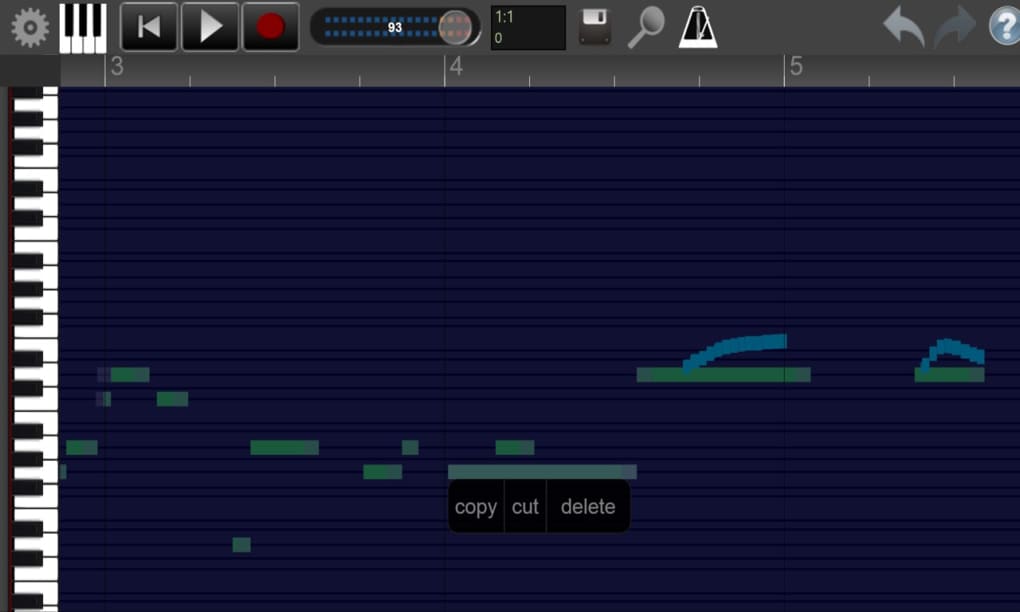
The software’s compatibility with a wide range of MIDI devices is another significant advantage. MIDI (Musical Instrument Digital Interface) is a protocol used to connect electronic musical instruments and computers. This compatibility expands the creative possibilities of Recording Studio Pro, allowing users to integrate various MIDI controllers, keyboards, and other peripherals into their workflow.
Supported Platforms and System Requirements
Recording Studio Pro is available for both Windows and mobile operating systems (iOS and Android), offering flexibility for users who prefer to work on different devices. The system requirements are generally modest, meaning it can run on a wide range of hardware configurations. This broad compatibility ensures accessibility to a larger audience. However, specific system requirements vary slightly depending on the platform (Windows, iOS, or Android). For optimal performance, users should refer to the official specifications provided by the developers.
Advantages and Disadvantages
Pros:
- Beginner-Friendly: The software’s intuitive interface and straightforward design make it exceptionally easy to learn and use, even for those with little to no prior experience in audio editing.
- Essential Features: Recording Studio Pro includes all the essential tools needed for recording, editing, and mixing audio tracks.
- Offline Editing: The ability to edit projects offline is a major advantage for users with unreliable internet connections or those who prefer working without an internet connection.
- Multi-Track Recording: Supporting up to 16 simultaneous tracks allows for the creation of complex and layered audio projects.
- MIDI Compatibility: The inclusion of MIDI support expands the software’s capabilities and allows for integration with various MIDI devices.
- Wide Platform Availability: Availability on Windows, iOS, and Android caters to a wide range of users and devices.
Cons:
- Limited Advanced Features: The software lacks the advanced features found in professional-grade DAWs, such as advanced mixing capabilities, mastering tools, or extensive effects processing.
- Scant Developer Information: The lack of comprehensive contact information regarding the developer can be a drawback for users who may require support or have questions about the software.
- Potential for Bugs: Like any software, Recording Studio Pro may occasionally experience bugs or glitches. The lack of readily available developer support could make resolving such issues more challenging.
Comparison with Other DAWs
Recording Studio Pro occupies a specific niche in the market. While it doesn’t compete directly with professional-grade DAWs such as Pro Tools, Logic Pro X, or Ableton Live in terms of features and power, it excels in its simplicity and ease of use. It serves as an excellent entry point for beginners or casual users who need a basic yet functional DAW without the complexities of more advanced software. Its direct competitors might include other simpler, beginner-oriented DAWs; however, a detailed comparison with specific alternatives would necessitate analyzing those competitors individually.
Conclusion
Recording Studio Pro presents a viable option for users seeking a straightforward and user-friendly DAW. Its intuitive interface, essential features, and multi-platform availability make it a practical choice for beginners and those who need a simple solution for recording and editing audio. While it may not match the capabilities of professional-level software, it provides an excellent platform for learning the basics of audio production or tackling simpler projects. Potential users should weigh the advantages and disadvantages based on their specific needs and experience level. If simplicity and ease of use are prioritized over extensive advanced features, then Recording Studio Pro could be an ideal choice.
File Information
- License: “Full”
- Version: “varies-with-device”
- Latest update: “November 24, 2021”
- Platform: “Windows”
- OS: “Windows 10”
- Language: “English”
- Downloads: “44.5K”


