
RecordPad is a digital audio recording software designed for ease of use and robust performance. This review delves into its features, functionality, user experience, and compares it to alternative options available in the market. Whether you’re a seasoned audio professional or simply need a quick and reliable tool for recording voice notes or short audio snippets, this review will provide a comprehensive understanding of RecordPad’s capabilities and limitations.
Ease of Use and Interface
RecordPad prioritizes simplicity and intuitive design. The user interface is clean and uncluttered, making it accessible even to individuals with minimal prior experience in audio recording software. The main window presents essential controls clearly and concisely: a large, easily identifiable record button, playback controls, and options for saving and managing recordings. There are no unnecessary complexities or hidden menus to navigate, allowing users to focus on the recording process itself. This straightforward approach significantly reduces the learning curve, enabling users to start recording almost immediately after installation. The software’s minimalist design avoids overwhelming users with a plethora of advanced features that might be irrelevant for casual users, while remaining readily expandable to meet more advanced needs if required.
The core recording functionality is extremely straightforward. Users can begin recording with a single click, and similarly simple options allow for pausing, stopping and saving. The software supports both WAV and MP3 formats, offering users flexibility in balancing file size and audio quality. Saving recorded files is just as straightforward as recording them. The software provides a default save location, but users are also free to specify their own location and filenames. This makes it incredibly easy to organize audio files.
Features and Functionality
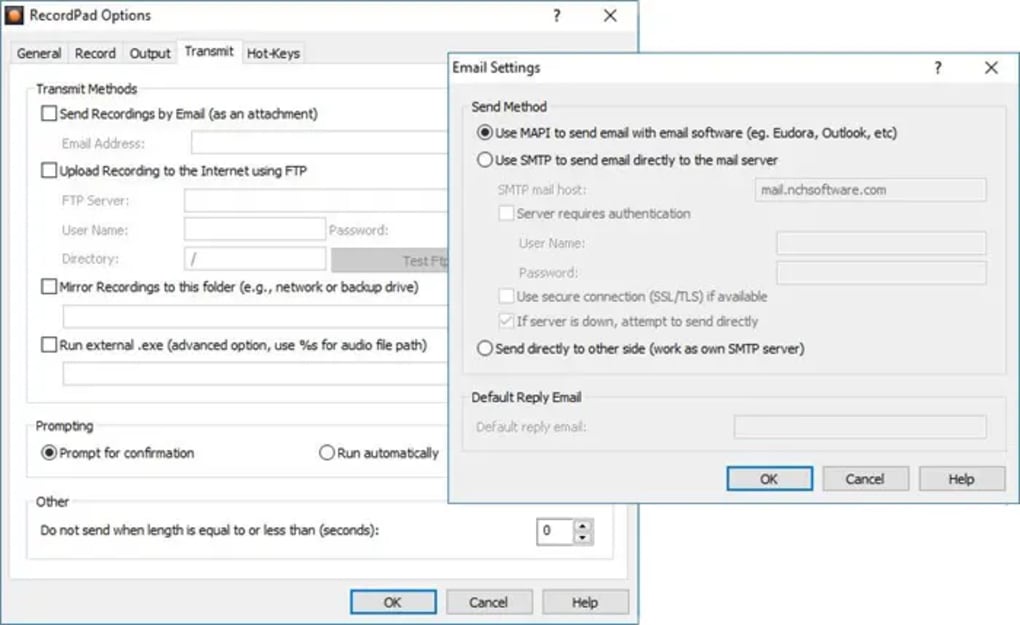
While RecordPad excels in its simplicity, it still packs a range of features suitable for a variety of uses. Beyond the basic recording functionality, users can adjust recording parameters to some degree, such as selecting the input and output devices. This enables users to pick from various sound sources, adapting to different microphones, sound cards, or other input sources. This adaptability is a significant advantage for those who might need to use RecordPad with a diverse range of hardware setups. Though the level of customization is not as extensive as what might be found in professional-grade Digital Audio Workstations (DAWs), it provides sufficient control for most everyday recording tasks.
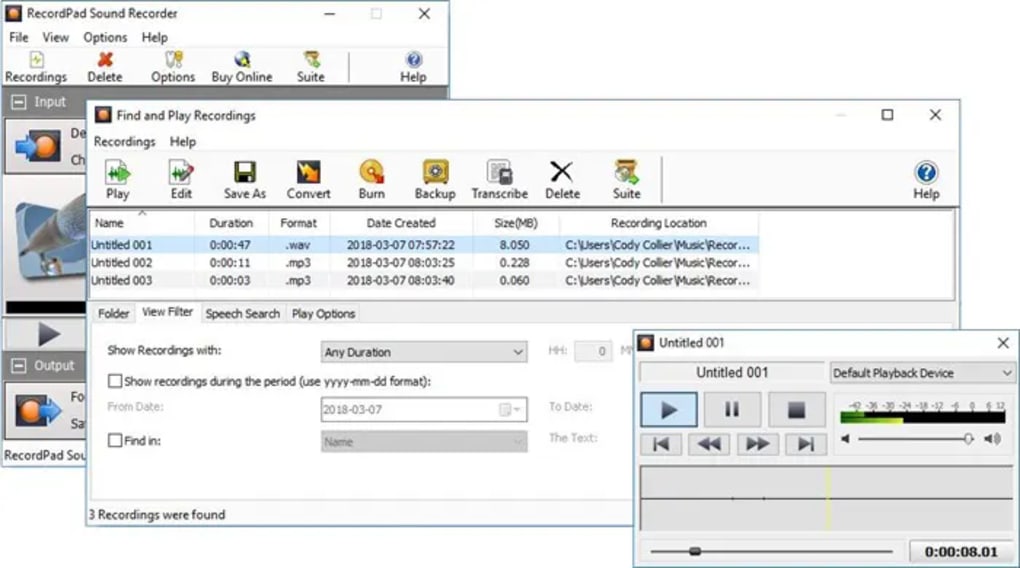
The software is primarily designed for quick and easy recording of audio; therefore, it lacks advanced audio editing capabilities. This is a deliberate design choice that keeps the software streamlined and focused on its core function. Users expecting features such as noise reduction, equalization, or multi-track editing will need to look elsewhere. However, this omission is not necessarily a drawback, as it keeps the software lightweight and easy to use. For simple recording tasks where the need for editing is minimal, this design philosophy is a significant strength.
Another key feature is its compatibility with various operating systems. While the review primarily focuses on the Windows version, RecordPad’s availability across multiple platforms indicates a commitment to broad user accessibility.
Performance and Reliability
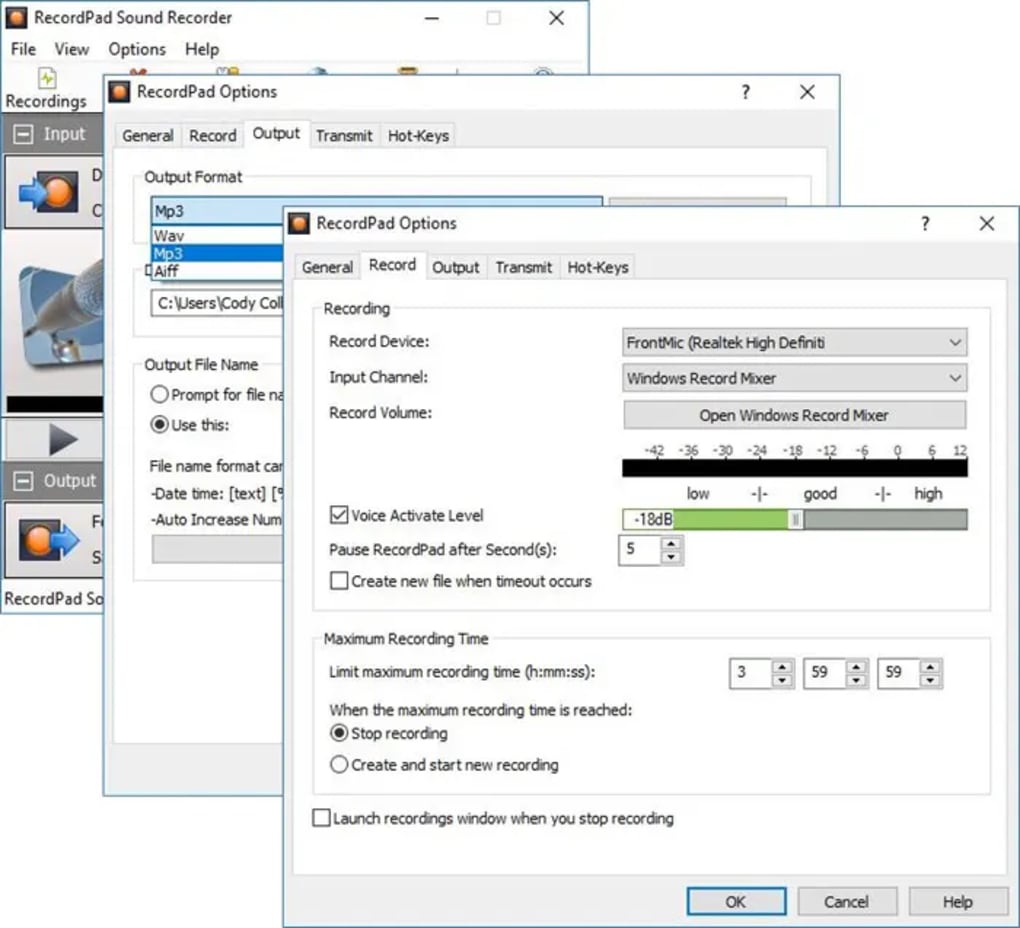
RecordPad’s performance is generally reliable. The software is known for its stability and efficient resource management. Even with prolonged recording sessions, it rarely experiences crashes or unexpected issues. The audio quality produced is generally good, especially when using a quality microphone and recording environment. The software’s ability to manage both WAV and MP3 formats gives users options depending on their needs for either high quality or efficient storage space.
The “toughest and most robust recorder” design brief mentioned in the original product information is reflected in the software’s consistent and reliable performance. While edge cases might still exist, the overall experience highlights the emphasis on stability and dependability.
Comparison with Alternative Apps
Several alternative audio recording applications compete with RecordPad. Some, like Audacity, offer far more extensive editing capabilities but demand a steeper learning curve. Audacity is a free, open-source, and powerful audio editor and recorder, but its interface can be more challenging for beginners. Other options, such as SoundTap or MP3myMP3, offer specialized features – SoundTap focusing on recording audio streams, and MP3myMP3 being particularly user-friendly for recording MP3s. The choice between RecordPad and its competitors often depends on the user’s priorities. If simplicity and ease of use are paramount, RecordPad stands out. If advanced editing tools are required, Audacity is a much better choice. If stream recording is a key requirement, SoundTap provides a specialized solution.
Considering free alternatives, RecordPad’s user-friendly interface often provides a better user experience than other freeware applications. Its simplicity surpasses others, making it easier to use even for complete beginners. However, users with more complex needs or a requirement for specialized audio editing features should consider other options, perhaps even a paid version that has more advanced features. This does highlight that the strength of RecordPad is its simplicity and ease-of-use, not its features. Choosing the right software depends on careful consideration of your requirements.
Conclusion
RecordPad presents a compelling solution for users who need a simple, reliable, and easy-to-use digital audio recorder. Its intuitive interface, robust performance, and straightforward functionality make it an excellent choice for casual users, students, or anyone who needs to quickly record voice memos, lectures, or other short audio clips. Its strength lies in its simplicity and stability, making it a reliable solution for straightforward recording tasks. The absence of advanced editing features should be carefully considered, as this is a deliberate design choice aimed at maintaining ease of use. If extensive editing capabilities are needed, then alternative software may be more appropriate. However, for users who value simplicity and reliability above all else, RecordPad offers a worthy and effective solution. It successfully fulfills its core function of providing a quick, easy, and reliable method for audio recording.
File Information
- License: “Trial version”
- Latest update: “May 24, 2023”
- Platform: “Windows”
- OS: “Windows XP”
- Language: “English”
- Downloads: “17.7K”
- Size: “1.11 MB”


