
RemoteNOW is a free mobile application designed to function as a remote control for Hisense 4K Vidaa Smart TVs and the latest Hisense 4K Android TVs. Eliminating the need for a physical remote, this app provides a convenient way to interact with your television, offering a range of features aimed at streamlining your viewing experience. This review delves into the app’s functionalities, advantages, and drawbacks, offering a comprehensive assessment of its usability and overall effectiveness.
Core Functionalities and User Interface
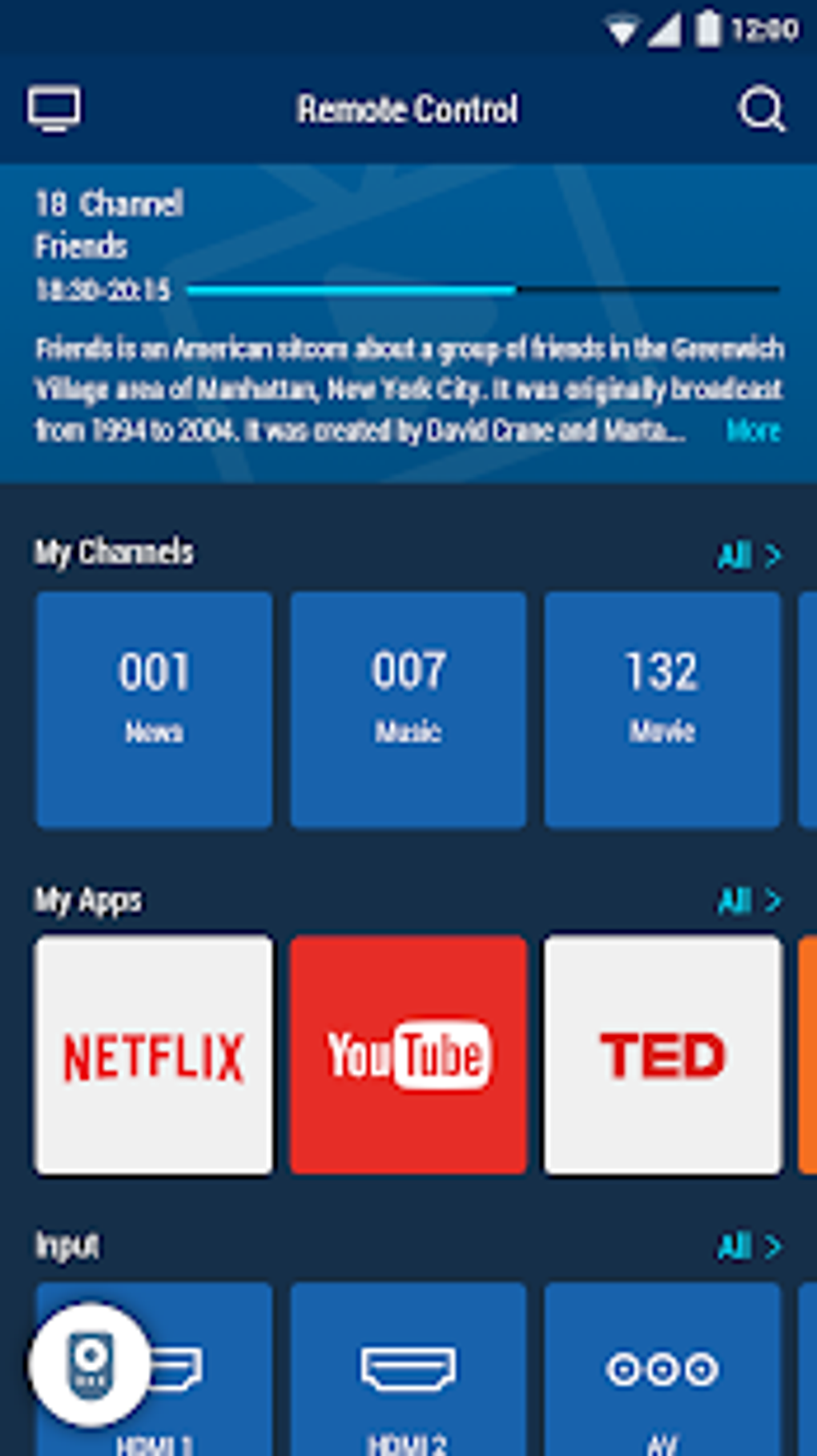
At its core, RemoteNOW provides the essential functionalities expected from a TV remote control application. Users can effortlessly switch channels, adjust volume levels, and navigate the on-screen menus of their compatible Hisense TVs. The interface is designed for intuitive use, mirroring the layout and functionality of a traditional remote control. The buttons are clearly labeled and logically organized, minimizing the learning curve for new users. Navigation is smooth and responsive, providing a seamless experience that closely replicates the physical remote control experience.
Beyond basic control, RemoteNOW enhances the user experience by offering more advanced features. The app allows users to directly manage installed TV apps, providing convenient access to browsing and launching favorite streaming services or games without needing to fumble with the physical remote. This integrated app management feature streamlines the process of switching between different applications, enhancing the overall convenience of using the television.
One of the standout features is the ability to seamlessly share media content from your mobile device to your Hisense TV. With a few simple taps, users can easily display photos and videos stored on their smartphones or tablets directly on the larger screen of their television. This capability transforms the mobile device into a powerful media center extension, allowing for effortless sharing of personal content with friends and family.
Strengths and Advantages of RemoteNOW
The advantages of using RemoteNOW are numerous, primarily stemming from its convenience and ease of use. The app’s intuitive interface and responsive controls eliminate the need to search for a lost or misplaced physical remote, saving users time and frustration. This is especially beneficial in situations where the physical remote is easily misplaced, or in households with children who might accidentally misplace or damage the remote control.
The integrated app management is a significant advantage, improving the overall viewing experience by streamlining access to various applications. The ability to launch apps directly from the app removes the need to navigate through multiple menus on the TV itself, offering a quicker and more efficient way to access your entertainment.
The media sharing capabilities offer another layer of convenience, transforming the smartphone or tablet into a versatile media player. It allows for a more casual and spontaneous way to share cherished photos and videos with loved ones, enhancing social interaction and entertainment.
Drawbacks and Limitations of RemoteNOW
Despite its numerous advantages, RemoteNOW isn’t without its drawbacks. The most significant criticism revolves around its battery consumption. The app consistently consumes significant battery power even when not actively in use, remaining active in the background. This continuous operation can lead to a noticeable decrease in mobile device battery life, requiring users to manually force-stop the app when not required. This constant background activity is a major shortcoming that could significantly impact the usability of the app for those with devices that already struggle with battery life.
While the developers may have implemented this background activity for specific functionality, it is undeniably a significant drawback that necessitates user intervention to conserve battery. The requirement for manual intervention to close the app detracts from the overall convenience and seamless experience that the application aims to provide. A more efficient background process would significantly improve user satisfaction.
Comparison with Alternative Remote Control Apps

RemoteNOW competes with a plethora of other remote control applications available for both Android and iOS devices. Many alternative apps offer similar core functionalities, such as channel switching, volume adjustment, and basic menu navigation. However, RemoteNOW’s strength lies in its targeted focus on Hisense 4K TVs and its seamless integration with the TV’s app ecosystem and media sharing functionalities.
While some competitors might offer broader compatibility with a wider range of TV brands, RemoteNOW excels in its dedicated support for Hisense TVs. This focused approach allows for a more finely tuned and optimized user experience specifically tailored to the Hisense platform. For owners of Hisense 4K TVs, RemoteNOW offers a superior experience compared to more generic remote control apps that may not fully support all the TV’s features.
Conclusion: Weighing the Pros and Cons
RemoteNOW offers a convenient and generally effective solution for controlling Hisense 4K TVs. The app’s intuitive design, efficient app management, and seamless media sharing capabilities are significant advantages. However, the considerable battery drain caused by the app’s persistent background activity is a significant drawback that cannot be ignored. Users must carefully weigh these pros and cons before deciding whether RemoteNOW is the right choice for their needs.
If battery life is a primary concern, users should carefully consider whether the convenience offered by RemoteNOW outweighs the need to regularly close the application to conserve power. Alternative applications might provide similar functionality with more efficient background processes, offering a more balanced approach between usability and energy consumption. Ultimately, the decision to use RemoteNOW depends on individual priorities and tolerance for the app’s battery-draining behavior. Despite this major drawback, for users who prioritize convenience and seamless app management and media sharing on their Hisense TVs and who are willing to manually close the app when not needed, RemoteNOW presents a practical and user-friendly option for controlling their television.
File Information
- License: “Free”
- Version: “5.01.011”
- Latest update: “August 6, 2024”
- Platform: “Android”
- OS: “Android 9.0”
- Language: “English”
- Downloads: “37.2K”
- Size: “18.58 MB”
- Download Options: “APK, Google Play”
- Filename: “com-universal-remote-ms-50010011-61310589-8c06ff3f53b12f132fcc99011a612f0f.apk”


