
Remotr Streamer is a free application that transforms your smartphone or tablet into a wireless game controller for your Windows PC. This innovative software bridges the gap between mobile devices and desktop gaming, offering a convenient and flexible alternative to traditional controllers. This review will delve into the features, usability, pros and cons, and overall effectiveness of Remotr Streamer, providing a comprehensive assessment for potential users.
Seamlessly Streaming Your PC Games
Remotr Streamer’s primary function is to allow you to control your PC games using your mobile device. The process involves installing the Remotr Streamer app on your smartphone or tablet and the corresponding server application on your PC. Once both are installed and configured, your mobile device will mirror the display from your PC, acting as a remote control for your games. This eliminates the need for physical controllers and offers a new level of flexibility for gaming.
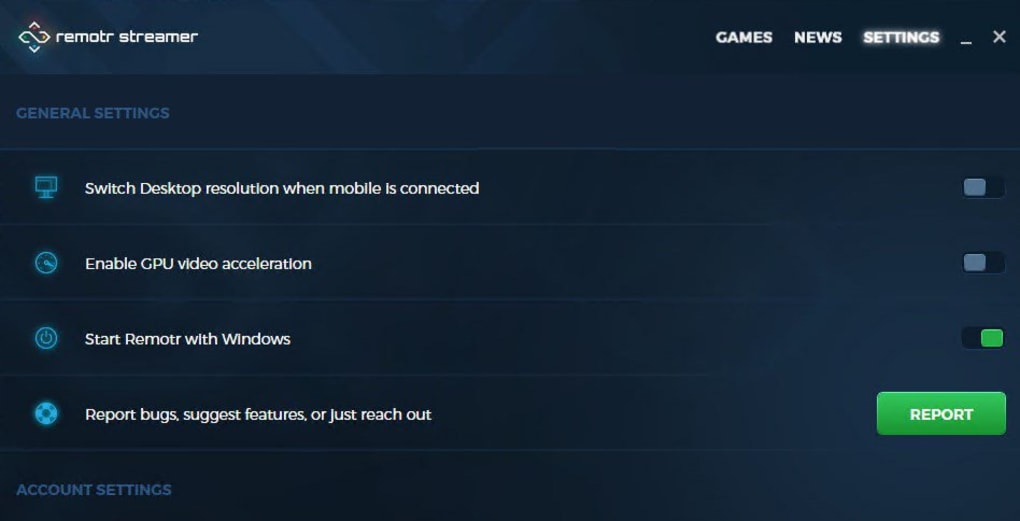
The app itself boasts a relatively intuitive interface, making the setup process relatively straightforward. Users are guided through connecting their mobile device to their PC via the server application. This process utilizes your local network to minimize latency and ensure responsiveness. While the initial setup may require some technical understanding, the clear instructions within the application make the process user-friendly for even less technically inclined gamers.
One of the key advantages is the compatibility across various game titles. While not all games are supported, Remotr Streamer boasts a wide range of compatibility, allowing users to play many popular PC titles with their mobile devices. This compatibility extends across various genres, from action-adventure games to strategy and simulation titles. However, it’s crucial to check the application’s compatibility list before downloading, to ensure your preferred games are supported.
Control and Responsiveness: A Deep Dive
The effectiveness of Remotr Streamer hinges on its control responsiveness and accuracy. The app developers implemented sophisticated control mapping techniques, enabling users to customize the on-screen controls to fit their gaming preferences. This customizable feature caters to different game styles and user preferences, enhancing the overall gaming experience. Users can personalize button placements, adjust sensitivity settings, and even create custom profiles for different games.
However, the responsiveness of the controller can sometimes be a point of concern. While generally adequate, users may experience occasional lag or input delay depending on their network conditions and PC specifications. This lag is significantly affected by network performance; a strong, stable Wi-Fi connection is crucial for optimal performance. The quality of the Wi-Fi connection and signal strength directly impact the responsiveness of the controls, with weaker signals leading to a noticeable increase in latency.
The accuracy of controls also varies depending on the specific game. While most games offer acceptable accuracy, some more demanding titles may present challenges in terms of precise control. Fine motor skill-based actions, such as aiming in a first-person shooter, could prove more difficult than using a traditional controller. This is likely due to the limitations inherent in touchscreen control compared to the precision of physical controllers.
Pros and Cons: Weighing the Benefits and Drawbacks
Remotr Streamer presents a compelling proposition for PC gamers seeking a wireless and flexible control method. However, it’s crucial to analyze both its advantages and disadvantages before considering it as a primary gaming solution.
Pros:
- Wireless Freedom: The most significant advantage is the freedom provided by wireless control. Users can play PC games from anywhere within their Wi-Fi network, extending their gaming area beyond the confines of their desk.
- Accessibility: The app’s intuitive interface and user-friendly setup process make it accessible to a wide range of users. Even novice users can easily set up and configure the app.
- Cost-Effectiveness: Remotr Streamer is a completely free application, eliminating the need to purchase expensive controllers. This makes it an attractive option for budget-conscious gamers.
- Wide Game Compatibility: The extensive game compatibility, while not universal, caters to many popular PC titles, offering flexibility in gaming choices.
- Customizable Controls: The highly customizable on-screen controls allow users to tailor the controls to their preferences and gaming styles.
Cons:
- Network Dependency: The app’s reliance on a stable network connection is a major drawback. Any network interruptions or lag will directly impact the gaming experience.
- Responsiveness Issues: While generally responsive, users may encounter occasional latency or input delays, which can be detrimental in fast-paced games.
- Accuracy Limitations: The accuracy of the controls may not be as precise as traditional controllers, potentially hindering performance in games requiring fine motor skills.
- Not All Games Supported: Despite its wide compatibility, Remotr Streamer does not support all PC games, limiting its usability for some users.
- Device Compatibility: While compatible with various devices, compatibility may vary based on the age and specifications of your smartphone or tablet. Older devices might struggle to handle the demands of the app.
Alternatives and Conclusion
While Remotr Streamer provides a viable alternative to traditional controllers, it’s essential to consider other options available in the market. Several competing apps offer similar functionalities, each with its own set of advantages and disadvantages. Some paid alternatives might offer improved responsiveness, more extensive game compatibility, or enhanced features. Careful research and comparison shopping are advised before settling on a specific application.
In conclusion, Remotr Streamer is a valuable tool for PC gamers seeking a convenient wireless controller solution. Its free nature, user-friendly interface, and extensive game compatibility make it an attractive option. However, potential users should be aware of its limitations regarding network dependency, potential latency issues, and accuracy constraints. Weighing these pros and cons carefully is crucial to determine if Remotr Streamer fits your gaming needs and expectations. The app excels as a secondary or casual gaming controller, but more demanding gamers might find its limitations frustrating in competitive or high-precision gameplay.
File Information
- License: “Free”
- Latest update: “June 18, 2025”
- Platform: “Windows”
- OS: “Windows 11”
- Language: “English”
- Downloads: “8.5K”


