
Restoro is a software application designed to diagnose, repair, and optimize Windows-based computers. It aims to address a range of issues, from malware removal to performance enhancements, providing a streamlined solution for users seeking to improve their PC’s overall health and stability. This in-depth review examines Restoro’s features, benefits, drawbacks, and its standing within the competitive landscape of PC optimization and repair tools.
Restoro’s Core Functionality: Repair and Optimization
At its core, Restoro functions as a comprehensive PC repair suite. Its primary function is the detection and repair of damaged or corrupted system files. This process involves scanning the system for inconsistencies and then automatically replacing compromised files with fresh copies downloaded from trusted Microsoft servers. This automated approach simplifies the repair process, eliminating the need for manual troubleshooting and complex technical knowledge. The software’s ability to identify and address problems such as registry errors, DLL file corruption, and other system file damages makes it a powerful tool for restoring system stability.
Beyond simple file repair, Restoro also incorporates malware removal capabilities. It scans the system for viruses, spyware, and other malicious software, removing them to enhance security and protect against future threats. This dual functionality – system file repair and malware removal – distinguishes Restoro from many competitors, offering a holistic approach to PC health rather than focusing solely on one aspect. The integration of these functions streamlines the process for users, eliminating the need for multiple applications to address different problems.
The optimization features extend to freeing up disk space by identifying and removing unnecessary files. This contributes to improved performance and prevents slowdowns often associated with cluttered hard drives. Furthermore, Restoro aims to improve overall system stability and responsiveness, reducing instances of crashes and freezes. This enhancement is a direct result of both system file repair and the removal of performance-hindering elements.
User Experience and Interface: Simplicity and Ease of Use
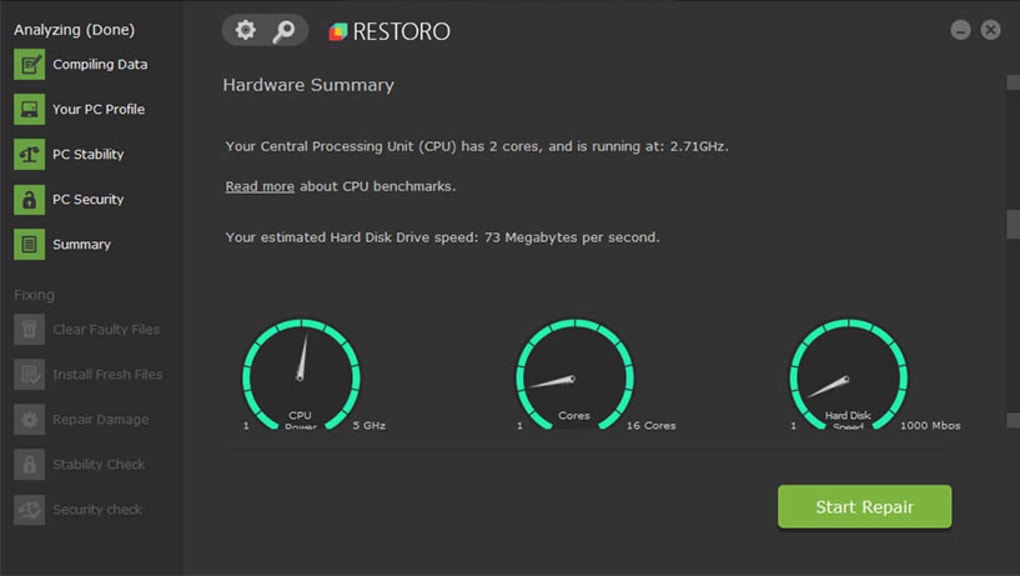
Restoro’s design prioritizes user-friendliness. The interface is intuitive and straightforward, even for users with limited technical expertise. The installation process is simple and requires minimal user intervention. Once installed, the software guides the user through each step, from scanning to repair, with clear instructions and progress updates. This ease of use is a significant advantage, making Restoro accessible to a broad audience, including those who are uncomfortable navigating complex technical settings.
The scanning process is relatively quick, although the duration depends on the size and condition of the system being analyzed. Following the scan, the software presents a detailed report outlining detected issues. This report is presented in an understandable manner, avoiding technical jargon that might confuse inexperienced users. The repair process, initiated after review of the report, is also fully automated, requiring no user intervention beyond confirmation. This hands-off approach is particularly beneficial for users who lack the technical skills or confidence to manually repair system issues.
Pros and Cons of Using Restoro
Pros:
- Automated Repair: The automated nature of the repair process significantly simplifies the task for non-technical users.
- Comprehensive Functionality: Restoro combines system repair, malware removal, and performance optimization in a single application.
- User-Friendly Interface: The intuitive design makes the software easy to navigate and use, regardless of technical expertise.
- Trusted File Sources: Restoro utilizes files from trusted official resources, minimizing the risk of introducing further problems.
- Improved System Stability: Successful repair often results in a more stable and responsive system, reducing crashes and freezes.
- Performance Enhancement: By addressing system errors and removing unnecessary files, Restoro aims to boost overall PC performance.
- Space Reclamation: Identifying and removing redundant files frees up valuable disk space.
Cons:
- Limited Configuration Options: Restoro offers a limited degree of customization, potentially restricting users seeking fine-grained control over the repair process. The automated nature, while a benefit for many, can be a drawback for users wanting more manual control.
- Cost: While offering a free trial, Restoro is a paid software application. The pricing structure may be a barrier for some users, particularly those on a tight budget.
- Potential for Overselling: Like many PC optimization tools, the software may highlight minor issues as critical, potentially leading users to unnecessary purchases or repairs. It’s important to critically evaluate the software’s findings.
- Resource Intensive: The scanning and repair processes can be resource-intensive, potentially slowing down the system during operation. This is particularly true on older or lower-powered systems.
Restoro in the Market: Comparison with Alternatives
Restoro competes within a crowded market of PC optimization and repair tools. Many alternative applications offer similar functionalities, such as malware removal, registry cleaning, and system file repair. Direct comparisons depend on specific features and user preferences. Some alternatives might offer a more granular level of control, while others may be entirely free of charge. However, Restoro’s integrated approach, combining several functionalities into a single user-friendly package, provides a significant advantage for users seeking a streamlined solution. The automated nature of Restoro’s repair process also differentiates it from some competitors, which may require more manual user interaction.
The choice between Restoro and alternative applications ultimately depends on individual needs and priorities. Users seeking a simple, automated solution might find Restoro an effective tool, while those who prefer extensive customization and manual control may find other applications more suitable. A careful comparison of features, pricing, and user reviews is essential before making a decision.
Conclusion: Is Restoro Right for You?
Restoro provides a user-friendly, automated approach to PC repair and optimization. Its integrated functionality combines system file repair, malware removal, and performance enhancement into a single, streamlined application. This makes it an attractive option for non-technical users or those seeking a convenient solution to common PC problems. However, the limited configuration options and the cost may be drawbacks for some users.
Ultimately, the suitability of Restoro depends on individual needs and technical expertise. The free trial allows potential users to assess its effectiveness before committing to a purchase. Weighing the pros and cons against available alternatives is crucial to determine if Restoro is the right choice for your specific PC maintenance requirements. Consider the level of technical expertise required and the level of control desired before choosing a PC optimization and repair tool. Careful evaluation of its capabilities and limitations alongside alternatives is strongly recommended.
File Information
- License: “Free”
- Version: “2.1”
- Latest update: “September 20, 2022”
- Platform: “Windows”
- OS: “Windows 10”
- Language: “English”
- Downloads: “17.1K”


