
RGB Fusion, Gigabyte’s proprietary RGB synchronization software, aims to provide a streamlined solution for customizing the lighting effects of compatible hardware. While marketed as a user-friendly option for personalizing gaming rigs, its effectiveness and overall user experience warrant a closer examination. This review analyzes RGB Fusion’s features, strengths, weaknesses, and ultimately, whether it holds up against competing software options.
What is RGB Fusion?
RGB Fusion serves as Gigabyte’s integrated user interface for controlling RGB lighting across compatible components. For users solely invested in the Gigabyte ecosystem—motherboards, graphics cards, and peripherals—this software offers a centralized hub for managing lighting profiles. The software aims for simplicity, providing a straightforward method to link and control supported hardware, eliminating the complexity often associated with managing RGB across multiple devices. This is a significant selling point for beginners intimidated by more intricate RGB control software. In essence, Gigabyte intended RGB Fusion to be a user-friendly, accessible option for users within its hardware ecosystem. However, it falls short of delivering a comprehensive experience comparable to its competitors.
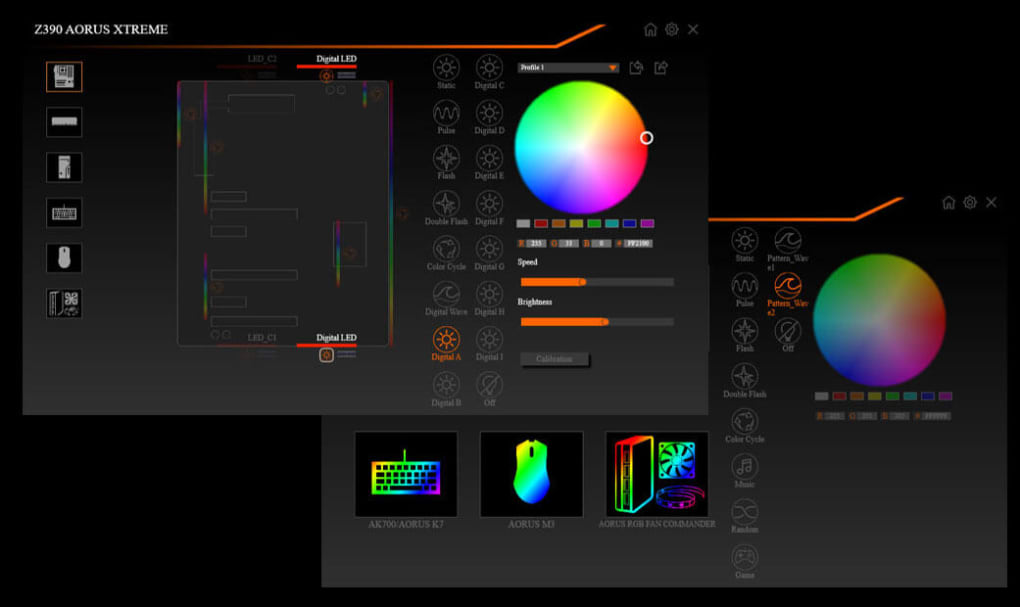
Features and Functionality: A Mixed Bag
While RGB Fusion’s primary goal is to simplify RGB customization, its execution falls somewhat short. The interface, while arguably simple for newcomers, lacks the depth and granular control found in competing software such as MSI’s Mystic Light or ASUS’ Aura Sync. These competing programs offer a much wider range of customization options, including dynamic lighting effects, advanced color palettes, and extensive hardware support.
One major limitation of RGB Fusion is its relatively restricted hardware compatibility. While designed to work with Gigabyte products, issues arise when incorporating components from other manufacturers. The software might only recognize and control the lighting on Gigabyte components, effectively ignoring other RGB-capable devices in the system. This incompatibility significantly limits its usefulness for users who have built their PCs using a variety of brands. For example, a user with a Gigabyte motherboard and an AMD graphics card will likely only see the motherboard’s lighting options within the software.
Another significant drawback is the program’s occasional sluggishness and unpredictable behavior. Applying new color settings or profiles can be unreliable, sometimes requiring multiple attempts or restarting the program. This lack of responsiveness and the necessity for workarounds frustrate users, impacting the overall experience. The process of selecting specific color codes can also prove cumbersome, as the software lacks an intuitive interface for inputting hexadecimal values. The need for precise cursor positioning to input codes and the subsequent delay before changes are applied contributes to a frustrating user experience.
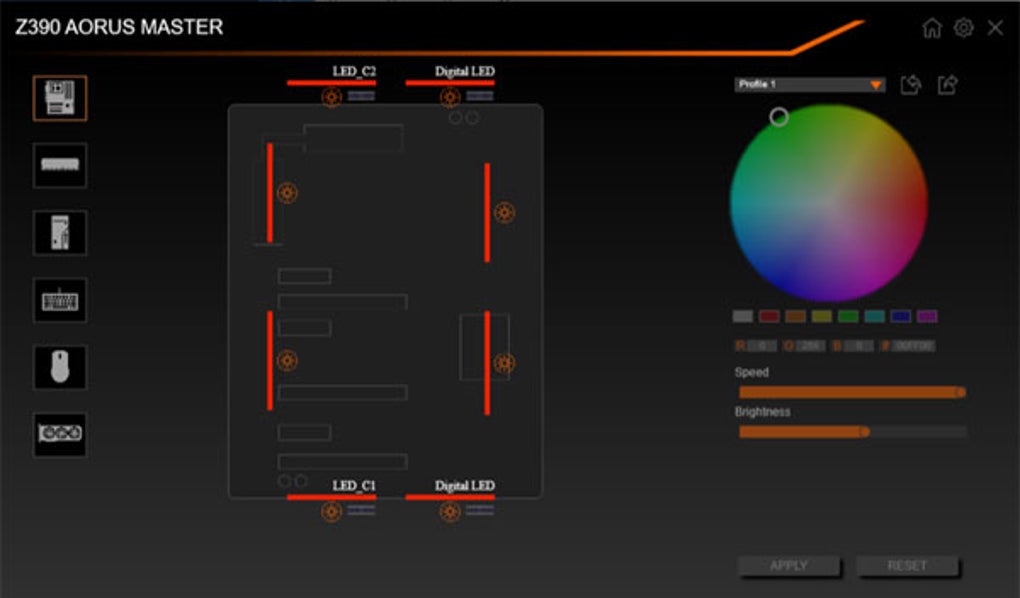
User Experience and Interface: Simplicity with Compromises
RGB Fusion prioritizes a simplified user interface, which is both a strength and a weakness. The basic layout is easy to navigate for beginners, providing a streamlined path to basic lighting adjustments. The program’s focus on simplicity, however, results in a lack of advanced features and customization options. Users accustomed to the granular control provided by more advanced RGB software might find RGB Fusion too restrictive and limiting.
The color selection process, as previously mentioned, is far from ideal. While a color picker is available, the method for inputting precise hexadecimal color codes is clunky and imprecise. This lack of refined control makes achieving specific color shades challenging and contributes to a frustrating user experience. The software’s infrequent updates and unaddressed bugs further exacerbate these problems, leaving users feeling unsupported and underserved.
Comparison with Competing Software: Falling Behind
Compared to leading RGB synchronization programs like MSI Mystic Light and ASUS Aura Sync, RGB Fusion lags considerably in terms of features, functionality, and overall polish. Mystic Light and Aura Sync offer superior hardware compatibility, a wider array of lighting effects, granular control over color settings, and more responsive software performance. They also generally provide a more refined and polished user experience, making them significantly more appealing to advanced users. RGB Fusion’s simplicity, while attractive to some, comes at the expense of essential features and functionality that are considered standard in competing software.
Conclusion: A Decent Starter, But Not a Leader
RGB Fusion is a functional RGB control program, particularly for users solely working with Gigabyte hardware. Its simplicity makes it accessible to beginners who are new to RGB customization. However, its shortcomings are significant enough to overshadow its advantages. The limited hardware compatibility, unreliable performance, and less-than-ideal user experience make it a less appealing choice compared to more feature-rich and robust alternatives. Gigabyte would significantly improve RGB Fusion by addressing the software’s stability issues, expanding hardware compatibility, refining the user interface, and providing more granular control over lighting effects. Until these improvements are implemented, RGB Fusion remains a decent option for basic RGB control within the Gigabyte ecosystem, but it falls significantly short of becoming a leading contender in the crowded field of RGB synchronization software. While it might suffice for users with limited RGB needs and exclusively Gigabyte components, those seeking a comprehensive and reliable RGB control solution should consider alternatives.
File Information
- License: “Free”
- Latest update: “May 6, 2025”
- Platform: “Windows”
- OS: “Windows 8.1”
- Language: “English”
- Downloads: “33K”
- Size: “97.95 MB”


