
RivaTuner, a name synonymous with GPU overclocking and hardware monitoring in the late 90s and early 2000s, holds a significant place in the history of PC gaming and hardware customization. Developed by Alexey Nicolaychuk in 1997, this open-source software initially targeted NVIDIA’s Riva TNT series graphics cards, quickly evolving to support a wide range of NVIDIA and AMD GPUs. While no longer actively updated, RivaTuner’s influence remains profound, with its core functionalities integrated into many popular modern overclocking utilities. This article delves into the history, capabilities, and legacy of RivaTuner, exploring its impact on the landscape of PC hardware tuning.
The Rise of RivaTuner: A Pioneer in GPU Control
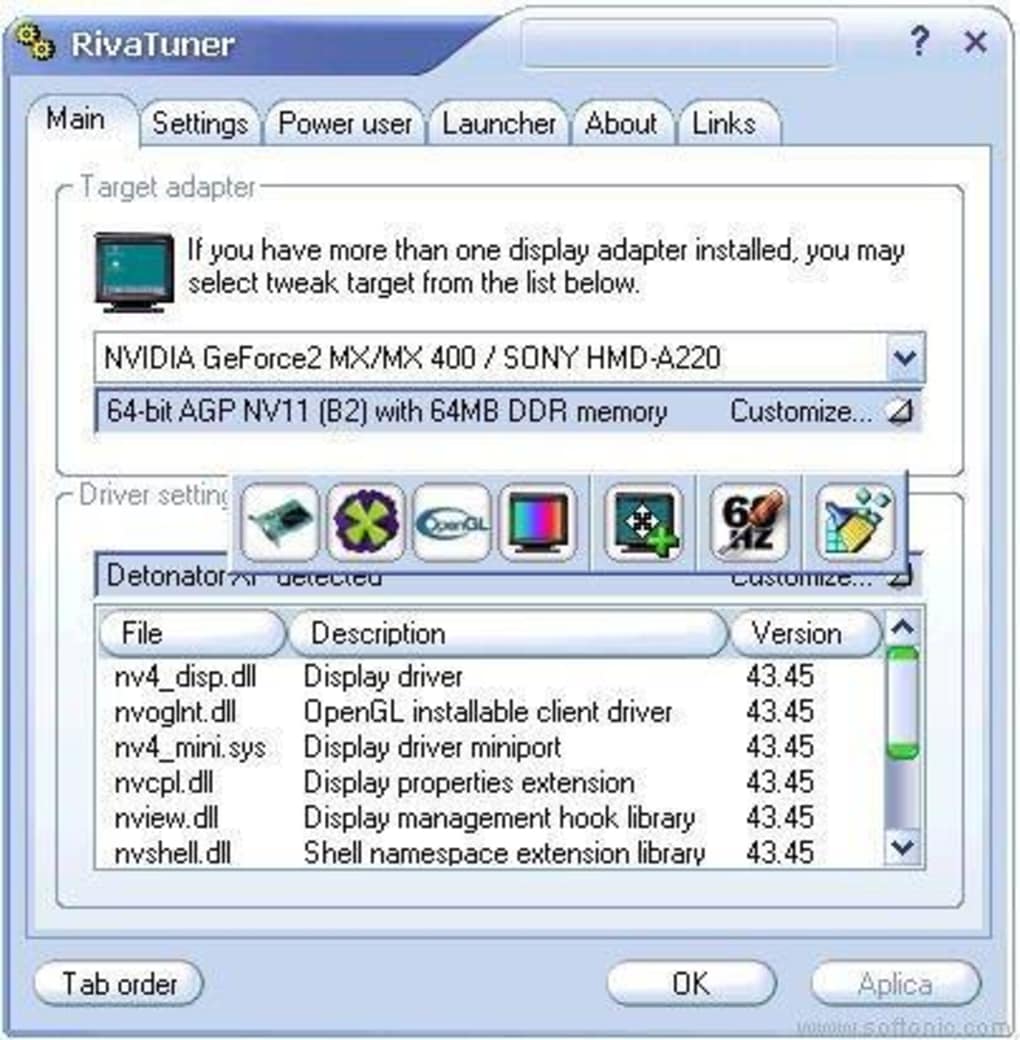
In an era before user-friendly overclocking tools were commonplace, RivaTuner emerged as a groundbreaking application. Its ability to provide direct driver-level control over NVIDIA graphics cards was revolutionary, offering power users unprecedented access to fine-tune their GPUs for enhanced performance. This included manipulating clock speeds, voltages, and other critical parameters, empowering users to push their hardware beyond its factory settings. The software wasn’t just about overclocking, though. It also incorporated advanced features for hardware monitoring, providing real-time readouts of critical metrics like temperature, voltage, and clock speeds, allowing users to monitor the stability and health of their system.
This level of control and visibility was previously unattainable through standard operating system interfaces or drivers. RivaTuner’s modular design allowed for per-application customization, letting users fine-tune settings for individual games or applications, optimizing performance specifically for the demands of each program. Furthermore, its built-in registry editor and patch script engine added another layer of flexibility and control, catering to the needs of advanced users who desired to delve deeper into the underlying system configurations. The software’s capabilities extended beyond simple overclocking, encompassing a robust profiling framework that allowed for detailed performance analysis and optimization.
Feature Set and Capabilities: Beyond Overclocking
Beyond its core overclocking functionality, RivaTuner boasted a remarkable range of features:
- Driver-Level Control: The software’s ability to directly interact with the graphics card drivers allowed for granular adjustments of various parameters, providing users with precise control over their hardware’s performance. This included manipulating clock speeds for the GPU and memory, adjusting voltages, and configuring other performance-related settings.
-
OpenGL and Direct3D Tweaking: RivaTuner offered extensive customization options for both OpenGL and Direct3D, enabling users to optimize rendering settings for specific games or applications, leading to improved visual fidelity or increased frame rates. The ability to tailor these settings to individual applications was a significant advantage, allowing for performance optimization without impacting the stability or functionality of other programs.
-
Hardware Monitoring: Real-time monitoring of crucial hardware metrics was a vital part of RivaTuner’s functionality. Users could track GPU temperature, voltage, clock speeds, and fan speeds, enabling them to prevent overheating or instability issues that could result from aggressive overclocking. This monitoring capability was essential for maintaining the health and longevity of the graphics card.
-
Modular Profiling: RivaTuner’s flexible profiling system allowed for customized settings per application. This enabled users to optimize the settings for individual games or programs without affecting the performance of other applications. This level of customization was critical for fine-tuning the system for optimal performance in specific use cases.
-
Low-Level Hardware Access: The program’s low-level hardware access provided a significant advantage for advanced users who wanted direct control over hardware functionalities. This access allowed for highly granular control of various aspects of the graphics card’s operation, far beyond what most mainstream tools could offer.
-
Integrated Tools: The inclusion of a built-in registry editor and patch script engine provided advanced users with additional tools for comprehensive system configuration. These features enabled advanced users to modify system settings directly, providing ultimate flexibility for system optimization.
-
Multi-Source Media Input/Output: RivaTuner supported multi-source stereo and multichannel audio capture, along with hardware-accelerated H.264 encoding utilizing Intel QuickSync, NVIDIA NVENC, and AMD VCE. This advanced media handling made it suitable for users with more demanding multimedia needs.
-
In-Game Screen Capturing: The ability to capture in-game screenshots in BMP, PNG, and JPG formats added to its usability for both gaming and other applications requiring image capture. The real-time capturing functionality enhanced productivity and streamlined the workflow for many users.
-
Uncompressed Video Encoding: The software offered high-performance, uncompressed video encoding, making it valuable for users working with video production or requiring high-quality video capture. This feature significantly enhanced the utility of RivaTuner beyond its core functions.
RivaTuner’s Legacy: Influence on Modern Overclocking Tools
Despite not receiving updates since 2009, RivaTuner’s legacy is deeply embedded in the current landscape of GPU overclocking and monitoring tools. Many of its core features and functionalities have been integrated into popular modern utilities, such as MSI Afterburner, EVGA Precision X, and ASUS GPU Tweak. These modern tools owe a considerable debt to RivaTuner’s pioneering work, building upon its foundational principles and expanding upon its core features. The user interface of many modern programs shows a clear lineage back to RivaTuner, indicating a consistent influence on design and functionality across the evolution of GPU tuning tools.
RivaTuner vs. Modern Alternatives: A Comparison
While RivaTuner remains a powerful tool, its age presents certain limitations compared to its modern counterparts. Its lack of updates makes it vulnerable to security risks and incompatibility issues with newer operating systems and hardware. Modern tools like MSI Afterburner offer a more refined user interface, improved stability, and enhanced features such as improved fan control, customizable on-screen displays (OSD), and support for the latest hardware. However, RivaTuner’s legacy remains significant, especially for its historical impact and its contribution to the foundational understanding of GPU overclocking and customization.
The Decline and Fall: Why RivaTuner Became Obsolete
The primary reason for RivaTuner’s obsolescence is the lack of updates. Since its last patch in 2009, the software has become increasingly incompatible with newer operating systems, drivers, and hardware. The ever-evolving landscape of PC hardware necessitates continuous updates to maintain compatibility and address emerging issues. This lack of updates exposes the software to various security risks and vulnerabilities. Furthermore, newer tools have emerged with more user-friendly interfaces and more comprehensive features, outpacing RivaTuner in both usability and functionality. The shift towards more integrated and standardized control mechanisms within graphics card manufacturers’ own software also contributed to the decline of independent tools like RivaTuner.
Conclusion: A Lasting Impact
Despite its age and lack of current development, RivaTuner’s impact on the world of GPU overclocking and monitoring is undeniable. It served as a pivotal tool for early adopters and enthusiasts, paving the way for the sophisticated and user-friendly tools we see today. Its legacy is not simply in its own functionality, but in its contribution to the broader understanding and development of GPU management software. While its reign as a leading-edge tool has ended, RivaTuner’s place in PC hardware history is secured. It represents a crucial step in the evolution of GPU control and performance optimization, laying the groundwork for the advanced capabilities available to users today.
File Information
- License: “Free”
- Version: “2.24”
- Latest update: “July 15, 2022”
- Platform: “Windows”
- OS: “Windows XP”
- Language: “English”
- Downloads: “144.3K”
- Size: “2.84 MB”


