RogueKiller is a free, portable application designed to detect and remove rogueware and malware from Windows systems. While effective, its advanced nature requires a solid understanding of Windows processes and system internals, making it unsuitable for novice users. This review delves into its functionality, strengths, weaknesses, and alternatives.
Understanding RogueKiller’s Functionality
RogueKiller’s primary function is the identification and removal of malicious software, specifically focusing on “rogueware.” Rogueware encompasses a broad category of potentially unwanted programs (PUPs), including fake antivirus programs, system optimizers that offer little to no real benefit, and other deceptive software designed to exploit users. Unlike typical antivirus solutions that primarily rely on signature-based detection, RogueKiller employs a heuristic approach, analyzing system processes and behavior to identify suspicious activities.
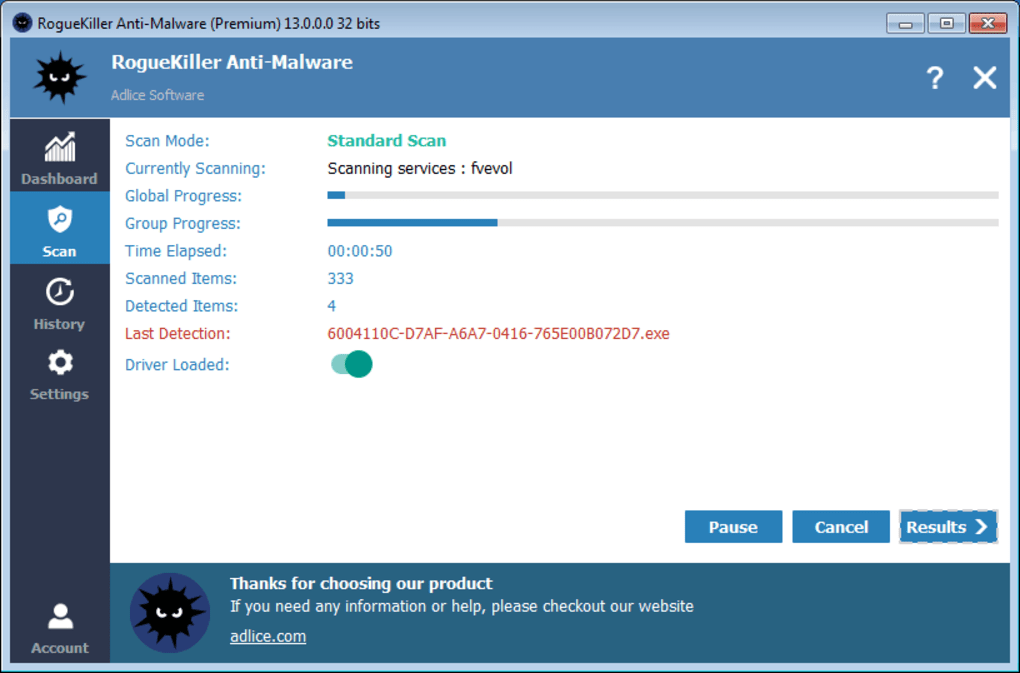
Upon execution, RogueKiller performs a quick scan of the system, searching for processes and services that may be indicative of malicious activity. This scan identifies potential threats by analyzing their behavior and comparing them against a database of known rogueware characteristics. The process is relatively fast, and identified threats are immediately quarantined.
Following the scan, RogueKiller generates detailed reports outlining the identified threats, their locations, and the actions taken. Crucially, these reports are text-based, providing users with comprehensive information about the detected items. This allows users to review the findings and confirm that the quarantined items are indeed malicious before proceeding with removal. This careful approach minimizes the risk of accidentally removing legitimate system files.
One notable aspect of RogueKiller’s operation is its aggressive approach to threat detection. In testing, it has demonstrated a tendency to flag benign programs as potentially malicious. This characteristic underscores the necessity of a strong understanding of Windows system processes for safe usage. Incorrectly identifying and removing essential system components could lead to system instability or malfunctions.
Beyond threat detection and removal, RogueKiller offers remediation capabilities for the damage inflicted by fake antivirus programs and other rogueware. This includes repairing corrupted host files, restoring altered proxy settings, correcting DNS configurations, and fixing compromised shortcuts. These restorative actions are vital for ensuring the complete removal of malicious software and its effects.
Furthermore, the application provides insights into the potential causes of infection. The developer’s commentary often accompanies the scan results, offering explanations for why the user’s system may have been infected and providing valuable information for preventing future infections. This valuable context helps users understand the nature of the threats and adopt better security practices.
Pros and Cons of Using RogueKiller
RogueKiller possesses several strengths that make it a valuable tool for experienced users:
Pros:
- Direct and Efficient: The application is designed for efficiency, offering a straightforward and quick scan process. It prioritizes speed and effectiveness in identifying and eliminating rogueware.
- Comprehensive Remediation: RogueKiller doesn’t just remove malicious files; it also actively repairs the damage caused by rogueware, restoring system settings to their proper configurations.
- Detailed Reporting: The thorough text-based reports provide a clear and comprehensive overview of detected threats, allowing users to carefully review the findings and avoid accidental removal of legitimate programs.
- Wide Range of Threat Detection: RogueKiller is effective against a wide range of rogueware, including fake antivirus programs, system optimizers, and other potentially unwanted programs.
- Portable and Lightweight: The application is portable, meaning it doesn’t require installation. This makes it ideal for use on multiple systems or for scanning systems without administrative privileges.
However, certain drawbacks limit its appeal to a specific user base:
Cons:
- Steep Learning Curve: The application’s aggressive nature and reliance on user understanding of system processes necessitate advanced technical knowledge. Beginners are strongly discouraged from using it.
- Unattractive User Interface: The user interface is minimalist and functional, but lacks visual appeal.
- Language Barrier: While available in multiple languages, the developer’s website is predominantly in French, which might pose a challenge for non-French speakers.
- Potential for False Positives: RogueKiller’s aggressive detection methods may result in false positives, requiring users to carefully review the generated reports and exercise caution.
Alternatives to RogueKiller
While RogueKiller is a powerful tool, it’s crucial to acknowledge its limitations. For users lacking advanced technical expertise, alternative solutions with more user-friendly interfaces and less aggressive detection methods are recommended. Popular alternatives include:
- SpyBot Search & Destroy: A well-established anti-malware tool known for its user-friendly interface and effective malware removal capabilities.
- Malwarebytes Anti-Malware: A comprehensive anti-malware solution offering both real-time protection and on-demand scanning. It boasts a strong reputation for its effectiveness against various malware types and a more intuitive user experience.
These alternatives offer a balance between effectiveness and user-friendliness, making them suitable for a broader range of users, including those with limited technical experience.
Conclusion: RogueKiller – A Tool for the Experienced
RogueKiller is a potent weapon in the fight against rogueware and malware, offering rapid detection and thorough remediation. Its aggressive approach, however, necessitates a deep understanding of Windows system internals. While its efficiency and detailed reporting are invaluable to experienced users, its complexity and potential for false positives make it unsuitable for casual users. For novice users, exploring alternative solutions like SpyBot Search & Destroy or Malwarebytes Anti-Malware is strongly recommended. The choice of which tool to use ultimately depends on the user’s technical proficiency and their comfort level with potentially risky operations. Always prioritize backing up important data before undertaking any significant malware removal actions.
File Information
- License: “Free”
- Latest update: “July 15, 2025”
- Platform: “Windows”
- OS: “Windows 11”
- Language: “English”
- Downloads: “58.7K”


